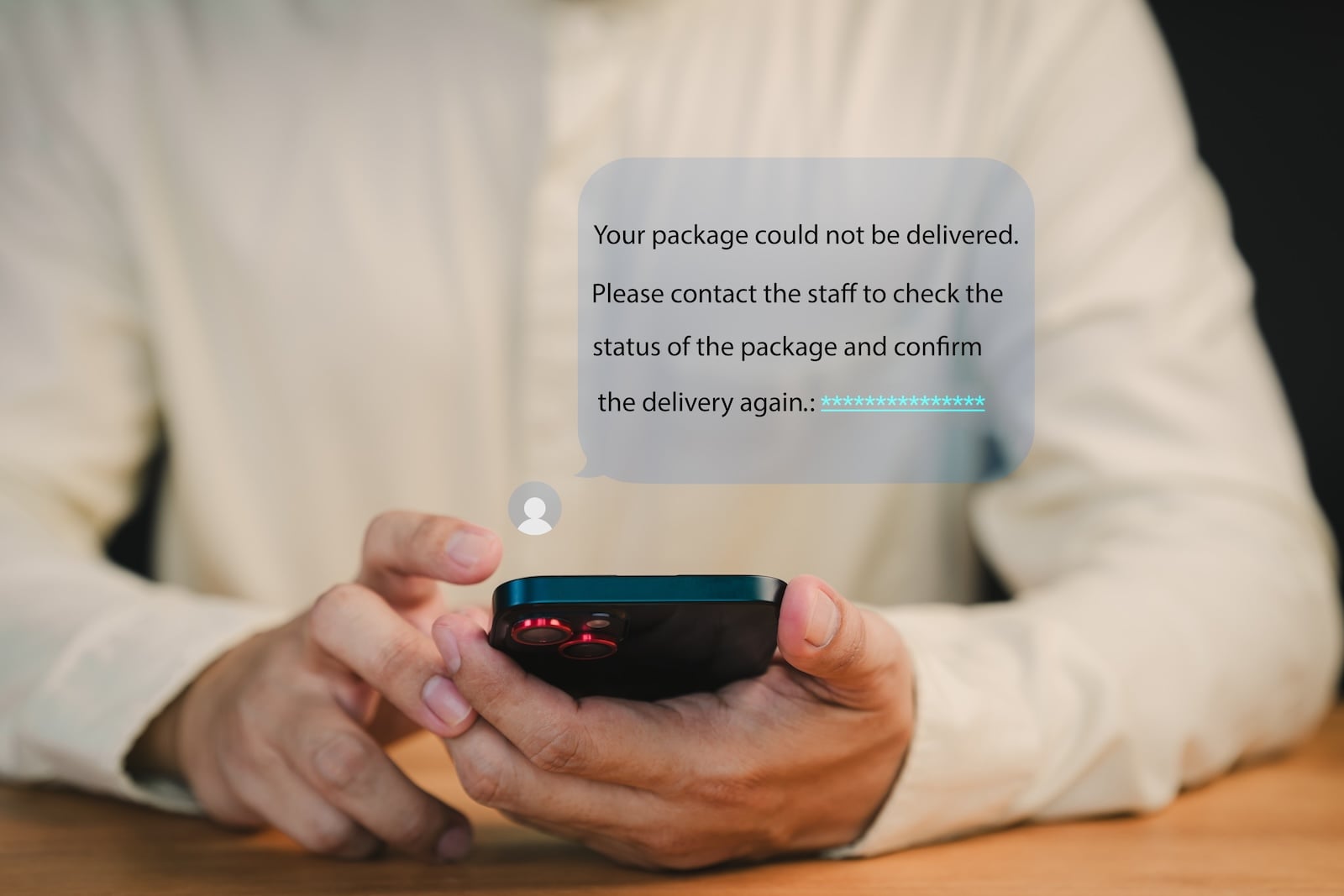
By 2026, fraudulent text messages will be almost indistinguishable from genuine messages thanks to AI – these warning signs and iPhone features will help you protect yourself.
An SMS from DHL, a warning from your bank, a notification from customs – smishing messages disguise themselves as trusted senders and aim to steal personal data or install malware. The term is a combination of "SMS" and "phishing" and describes fraudulent attempts via text message. What makes this tactic so dangerous is that people trust SMS messages more than emails. Messages land directly among private conversations, and a link can be opened with a single tap. The German Federal Office for Information Security (BSI) and consumer protection agencies are currently warning of a new level of sophistication in these attacks – fueled by artificial intelligence that generates flawless and psychologically sophisticated texts in seconds.
Why Smishing is more dangerous today than ever before
Just a few years ago, fraudulent text messages could be identified by their awkward grammar and obvious spelling mistakes. Those days are over. AI-generated smishing messages are linguistically flawless, personalized, and specifically exploit everyday situations. Through so-called SMS spoofing, fraudsters can also forge the sender's name – a fake message then appears in the same chat history as previous genuine messages from the bank or parcel service.
The consequences are severe: In Austria, a single wave of smishing phishing caused over €800,000 in damages within two weeks. In Germany, the Upper Bavarian police reported several cases in early 2026 in which fraudsters gained access to Neobroker accounts via fake SMS messages, stealing a total of around €50,000. The method is particularly effective because skepticism towards SMS messages is significantly lower than towards emails.
The most common Smishing scams
Package SMS: By far the most common type. You receive a text message claiming to be from DHL, Hermes, or UPS. The message states that your package cannot be delivered, you need to pay customs fees, or you need to confirm your address. The included link leads to a fake website that requests payment details or personal information.
Banking SMS: Scammers impersonate Sparkasse, Commerzbank, DKB, or Volksbank and claim that your pushTAN access is expiring, unusual account activity has been detected, or your account is about to be blocked. The link leads to a deceptively authentic login page that forwards all entered data to the scammers in real time.
Government-sponsored SMS: A relatively new scam in which criminals impersonate customs, police, or vehicle registration authorities. Fake penalty notices sent via SMS threaten vehicle deregistration or legal consequences, thus creating significant pressure to act.
Grandchild scam via SMS: Messages like "Hello Mom, this is my new number" aim to establish personal contact via WhatsApp or Messenger and then swindle money.
Job smishing: Fraudulent job offers promise lucrative work from home. The scammers pose as employees of job platforms and redirect interested parties to WhatsApp or Telegram, where they request personal data or advance payments.
Five warning signs that will expose any Smishing SMS
Even though AI has perfected text processing, there are patterns that betray fraudulent messages. Watch out for these five warning signs:
First: The message creates a sense of urgency. Phrases like "Act immediately," "Your account will be blocked in 24 hours," or "Final warning" are classic phishing tactic. Reputable companies and authorities never set such deadlines via text message.
Secondly: The text message contains a link. Banks, government agencies, and parcel services do not send text messages with links that ask you to log in or enter data. Any link in an unexpected text message is suspicious.
Third: The sender's number doesn't match. Look out for unusual numbers, international dialing codes, or suspiciously short numbers. Keep in mind, however, that SMS spoofing can also display the sender's name of a legitimate institution.
Fourth: Sensitive data is being requested. No reputable institution requests passwords, PINs, TANs, or credit card details via SMS. Any such request is a fraud attempt.
Fifth: You weren't expecting the message. You're not expecting a package, you don't have an account with the bank mentioned, and you don't have an outstanding fine? Then there's a high probability that it's smishing.
If you would like to learn more about the related email scam, you can find all the information in our article Recognizing Phishing: How to protect yourself from fraud.
iPhone Protection Features against Smishing
Apple has incorporated several features into iOS 26 that actively protect you from fraudulent messages and calls. Use these built-in tools consistently.
Filter unknown senders: iOS 26 can automatically move SMS, MMS, and RCS messages from unknown senders to a separate section. Open "Settings," go to "Apps," select "Messages," and activate "Filter Unknown Senders." This keeps suspicious messages separate from your main conversation list. You can find all the details about the new filtering features in our article iOS 26: Filter messages, block spam, and stay organized.
Report and delete SMS messages as spam: If you receive a suspicious SMS, swipe left in the Messages app and tap "Delete." For iMessages from unknown senders, Apple also offers the "Report Spam" option, which forwards the content to Apple.
Call filtering and call screening: Smishing often goes hand in hand with fraudulent calls. With the "Ask why I'm calling" feature in iOS 26, your iPhone automatically asks unknown callers for their reason for calling before it rings. This effectively blocks robocalls and fraudulent calls. We explain all the settings in our article Setting up your iPhone correctly: Checking, blocking, and filtering calls.
Check links in Safari: If you accidentally tap a link in a suspicious text message, Safari will display the full URL in the address bar. Check whether the domain actually belongs to the stated company. You can recognize suspicious sites by unusual domain extensions, typos in the company name, or missing security certificates.
Enable two-factor authentication: Even if fraudsters obtain your password through smishing, two-factor authentication protects your accounts. The Passwords app on your iPhone can manage verification codes directly. Our article Create & Manage Secure Passwords shows you how to set everything up.
What to do if you've fallen victim to a Smishing SMS?
If you clicked on a link or entered data, quick action is crucial. Immediately change all passwords you entered on the suspicious website – ideally using your iPhone's passwords app, which automatically generates secure passwords. If you disclosed banking information, contact your bank immediately and have the affected accounts blocked. Many banks can still stop unauthorized transactions if they are notified early.
File a police report – this is not only important for the investigation, but also a prerequisite for processing fraud claims at many banks. Additionally, check your iPhone for unusual behavior. If you have installed an unknown app or agreed to a configuration profile, remove both immediately under "Settings" → "General" → "VPN & Device Management".
Smishing Protection begins with healthy skepticism
Smishing messages are becoming increasingly convincing thanks to AI – but the basic rule remains simple: Reputable companies, banks, and government agencies will never request sensitive data immediately via SMS. If you receive an unexpected text message with a link, open the provider's official app or manually access their website in your browser. Use your iPhone's filtering features, activate two-factor authentication for all important accounts, and report suspicious messages. This way, you'll stay safe even in times of AI-powered attacks. The best products for you: Our Amazon Storefront offers a wide selection of accessories, including those for HomeKit. (Image: Shutterstock / ParinPix)
- Create and manage secure passwords: The Apple guide
- WhatsApp hacked: How to protect your Account
- Recognizing Phishing: How to protect yourself from fraud
- Creating, Changing, and Deleting an Apple ID: The complete Overview
- Activate iPhone Call forwarding: All Methods under iOS 26
- iPhone vibrates for no Reason: Causes and Solutions under iOS 26
- Connecting and resetting AirPods: Instructions for all Models
- AirDrop not working: All Solutions for iOS 26
- iPhone loading slowly: Causes and Solutions under iOS 26
- iPhone Screen Recording: Instructions for iOS 26
- How to view your Wi-Fi Password on your iPhone: All Methods under iOS 26
- iPhone Update Problems: All Solutions for iOS 26
- Creating an iPhone Backup: All methods under iOS 26
- Transferring Data to a new iPhone: All Methods under iOS 26
- Clear History on iPhone: Safari, Chrome and more
- Disable Audio Zoom on iPhone
- iPhone Battery drains quickly: Here's how to extend Battery Life under iOS 26
- Resetting your iPhone: All reset methods under iOS 26
- iCloud Costs: All storage plans, prices, and which one is worth it
- Recording an iPhone call: What works in Germany – and what doesn't
- Clear iPad Cache: More Storage and better Performance
- Clear iPhone cache: How to make your iPhone fast again
- Search iCloud.com: Activate new search function in iOS 26.4
- Apple Watch Tips: Hidden features you didn't know about
Frequently Asked Questions: How to Recognize Smishing
Smishing is a fraudulent scheme using SMS messages, in which criminals impersonate trusted senders such as banks, parcel services, or government agencies. The term is a combination of "SMS" and "phishing." The goal is to steal personal data such as passwords or online banking credentials, or to install malware.
Typical warning signs include artificial time pressure, embedded links, requests for sensitive data, unusual sender numbers, and unexpected content. No reputable bank or government agency will ever request passwords, PINs, or TANs via SMS.
Simply receiving a text message is harmless. It only becomes dangerous if you tap on a link and enter data there, or install an unknown app. iOS generally protects against installing apps from unknown sources, as long as you only use the App Store.
Immediately change all passwords you entered on the suspicious website. If you disclosed banking information, contact your bank immediately and have the affected accounts blocked. File a police report and check your iPhone for installed configuration profiles or unknown apps.
Open "Settings", go to "Apps", select "Messages" and activate "Filter unknown senders". Messages from numbers not saved in your contacts will then be moved to a separate section.
Criminals are using artificial intelligence to create flawless and psychologically sophisticated texts. Through SMS spoofing, fraudsters can also forge the sender's name, so the message appears in the same chat history as a genuine message. Old detection methods like spelling mistakes are therefore no longer effective.
Yes. You can report smishing messages to the Federal Network Agency and mark them as spam via your messaging app. Additionally, file a police report if you have been a victim. Every report helps to identify and stop fraudulent scams more quickly.