
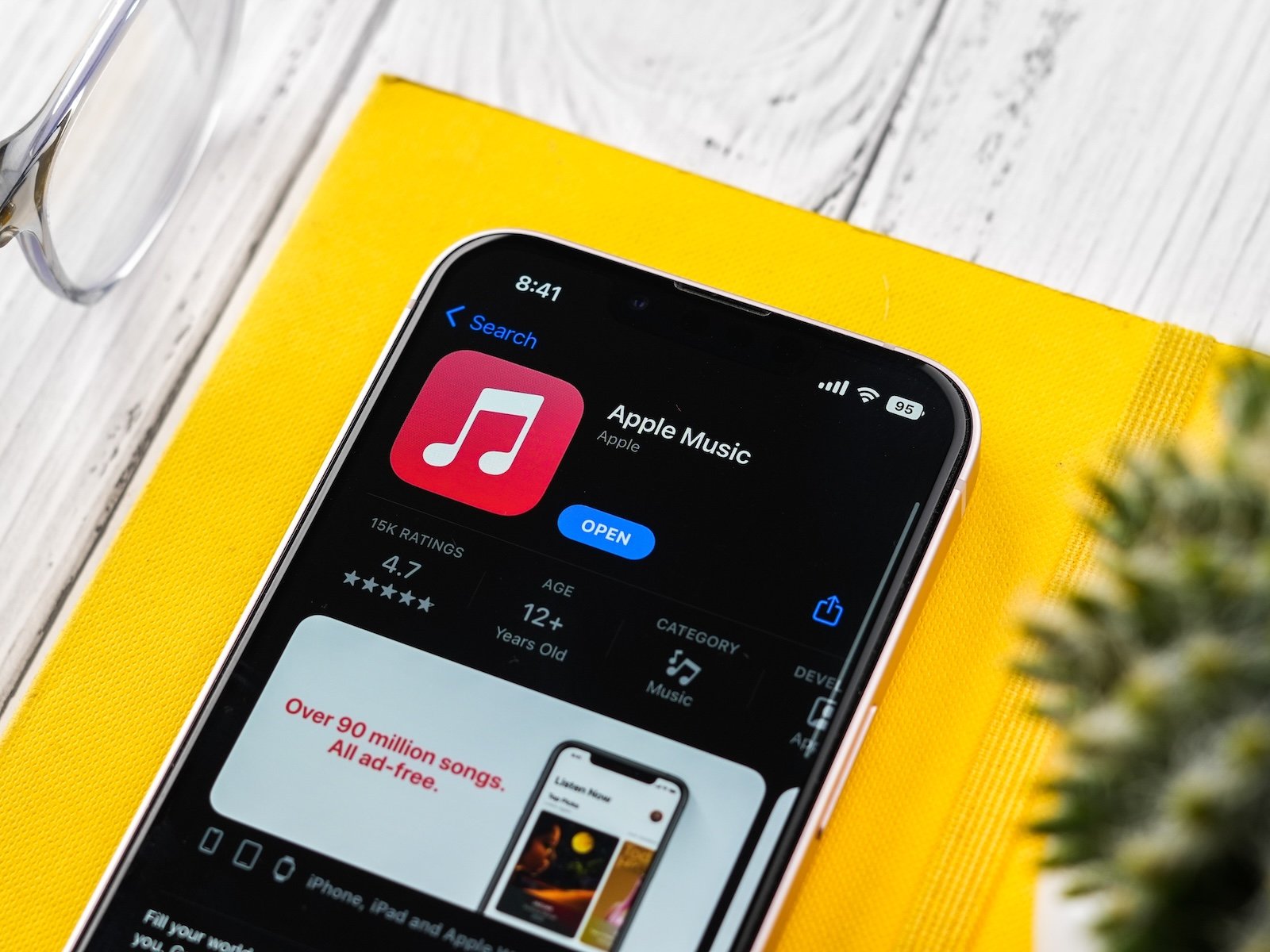
With iOS 26, Apple Music received new features that significantly expand the way song lyrics are handled. In addition to the familiar display of lyrics, there are now translations and pronunciation guides for songs in other languages. This brings Apple Music closer to an interactive music experience where users can not only listen but also understand and sing along.
Song lyrics have been an integral part of Apple Music for years. Many tracks already display their lyrics in real time, sometimes in a karaoke style. With iOS 26, this feature is further expanded. Apple adds a phonetic representation of the pronunciation and line-by-line translations to the classic song lyrics. This is particularly interesting for music in foreign languages and significantly enhances the functionality of Apple Music.
View song lyrics in Apple Music – the basics
To use translations or pronunciation aids, the standard lyrics display is the first step. This is available on iPhone, iPad, and Mac. The process is identical on all devices:
- Open Apple Music
- Select a song
- Start the song
- Tap or click the Lyric button (icon with quotation marks in a speech bubble) below the playback controls.
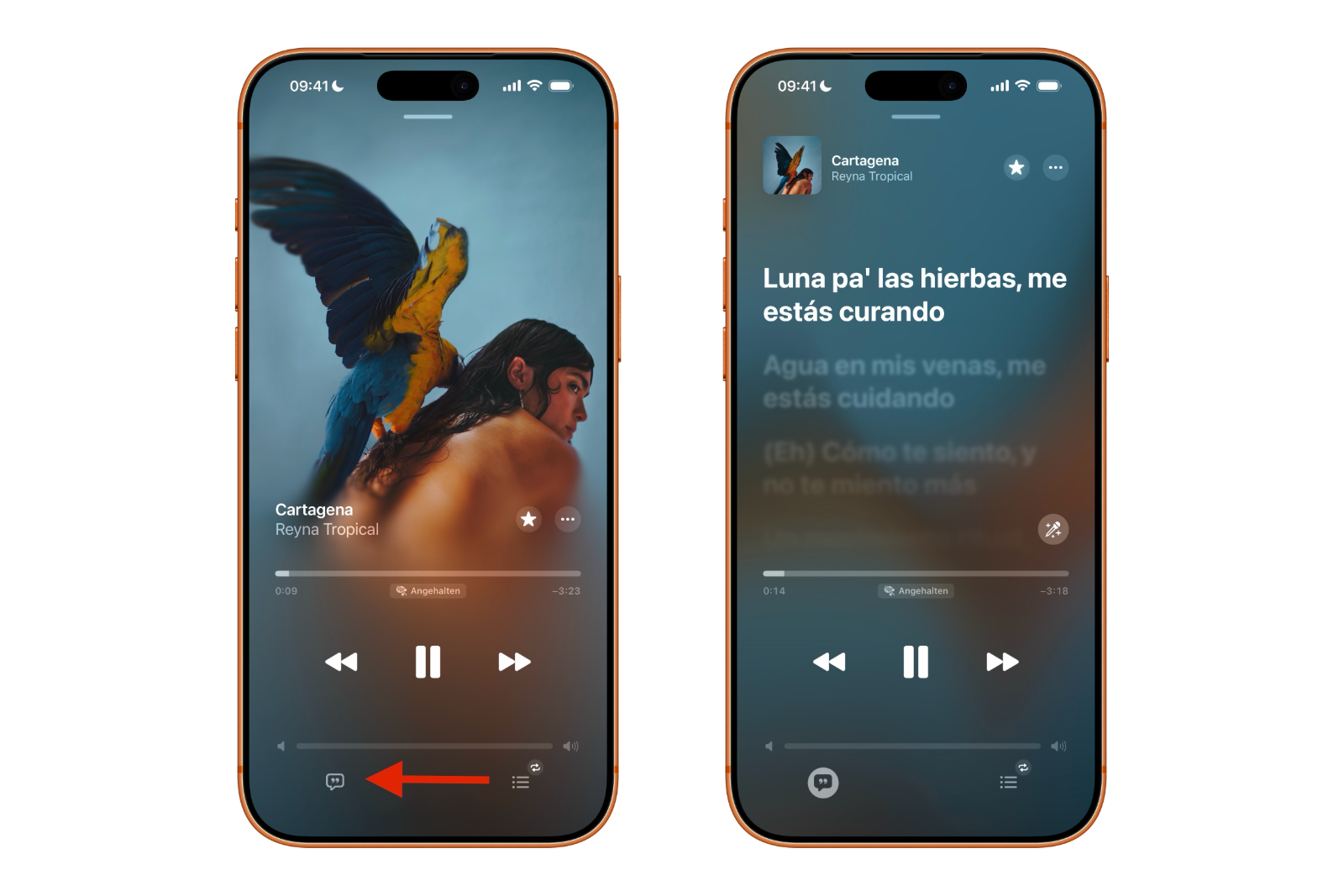
Depending on the song, different types of lyrics are displayed. Many newer and popular tracks offer time-synchronized lyrics, where the currently sung line is highlighted. This is reminiscent of karaoke and makes it much easier to follow along.
Please note: Not all songs support this feature. For some tracks, the lyrics are displayed statically, while for others, no lyrics are available at all.
New lyrics features in iOS 26
With iOS 26, Apple Music expands the lyrics feature with two new elements:
- Pronunciation aids (Lyrics Pronunciation)
- Translated song lyrics (Lyrics Translation)
The pronunciation guide displays foreign language texts in phonetic spelling. This makes it clear how individual words are pronounced, even without knowledge of the language. The translations also provide context. The lyrics are translated line by line into the device's preferred language, making the meaning of the song understandable.
Usage restrictions
The new features are available exclusively on iPhone and iPad. Pronunciation assistance and translations are not currently available on Apple TV or in Apple Music for macOS. Furthermore:
- Not every song supports pronunciation aids.
- Not every song offers translated lyrics.
- The translation language is determined by the preferred languages set in the iOS or iPadOS settings.
Show pronunciation and translation of song lyrics
Here's how to use the new lyrics features in Apple Music on your iPhone or iPad:
- Open Apple Music
- Select a song
- Tap the song to start playback.
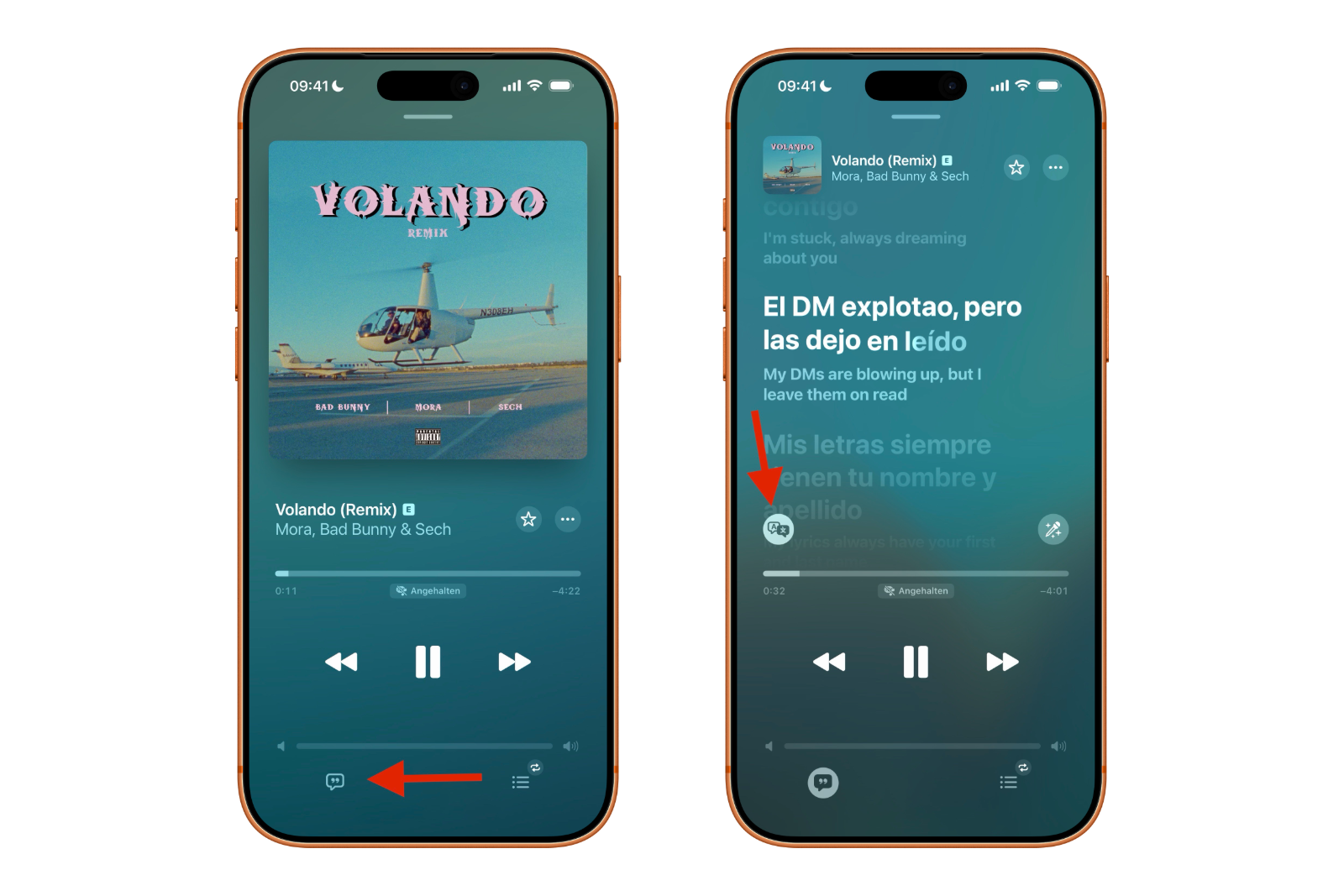
- Tap the Lyric button at the bottom of the controls.
By default, phonetic pronunciation guides are displayed below the synchronized song lyrics, if available. To see the translation instead:
- Tap the "Translation" button to the left of the Apple Music controls.
- „Select "Show translation"
The song lyrics then appear translated line by line, in sync with the music.
iOS 26 brings significant improvements to song lyrics in Apple Music
Apple Music significantly expands its lyrics feature with iOS 26, making music in other languages more accessible. The combination of synchronized lyrics, pronunciation guides, and translations allows for better understanding of the content and makes singing along easier. While not all songs are supported and the feature is limited to iPhone and iPad, the update represents a clear upgrade to Apple Music and noticeably enhances the listening experience. The best products for you: Our Amazon storefront offers a wide selection of accessories, including those for HomeKit. (Image: Shutterstock / sdx15)
- Apple Creator Studio: Apps, subscription, and clear AI limits
- Is Apple Music taking up too much storage space? This will help immediately
- AirTag 2: Setting up Precision Finding on the Apple Watch
- How to turn texts into reminders with Apple Intelligence
- Precision Finding on the Apple Watch requires AirTag 2
- AirTag 2: Which airlines support baggage tracking
- AirTag 1 or AirTag 2: How to tell the difference
- AirTag 2: These iPhones are compatible with improved tracking
- iPhone alarm silent: Why the alarm suddenly stops working
- Safari at 120 Hz: How to activate smoother scrolling
- iOS 26 improves group chats with five new features
- Here's how to create Apple Music playlists with ChatGPT
- iOS 26: Change default apps on your iPhone
- iOS 26 turns photos into impressive 3D spatial scenes
- AirPods: Media no longer continues playing during sleep thanks to iOS 26
- Use Apple's Family Sharing to share content together
- iPhone tip: How alternative app distribution channels work
- iPhone tip: Access flight information directly in the system
- iOS 26.2 explained: How the new AirDrop codes work
- iOS 26.2 enhances the Reminders app with alarm functionality
- Here's how to properly create a backup for iPhone and iPad
- Setting up and using Apple Car Key: All functions explained
- New iOS 26.2 feature: Screen flashes for notifications
- Longer battery life with iOS 26 – Adaptive Power explained
Frequently asked questions about translated song lyrics in Apple Music
Apple Music expands its song lyrics with two new features in iOS 26: phonetic pronunciation guides and line-by-line translations. This makes it easier to understand and sing along to songs in other languages.
The new features are available exclusively on iPhone and iPad. Translations and pronunciation guides are not displayed in Apple Music for macOS or on Apple TV.
After a song starts playing, the lyrics are opened via the Lyric button. The translation of the lyrics can then be displayed via the "Translation" button, if available.
No. By default, Apple Music displays pronunciation guides first. The translation must be manually activated via the corresponding button.
Apple Music uses the preferred languages set in the iOS or iPadOS settings. A separate selection within the app is not currently available.
No. Not all tracks support these features. Translations or phonetic lyrics are often missing, especially in older or lesser-known songs.
Synchronized lyrics are highlighted in sync with the music and run at the correct tempo. Regular lyrics are displayed statically, without any adjustment to the song's timing.
These features are included in the regular Apple Music subscription. There are no additional costs.
The pronunciation aids are primarily intended for singing along. They can help with understanding, but they do not replace structured language learning.
Translations, pronunciation guides, and synchronized lyrics make music more understandable and interactive. The update represents a clear functional enhancement, especially for songs in other languages.