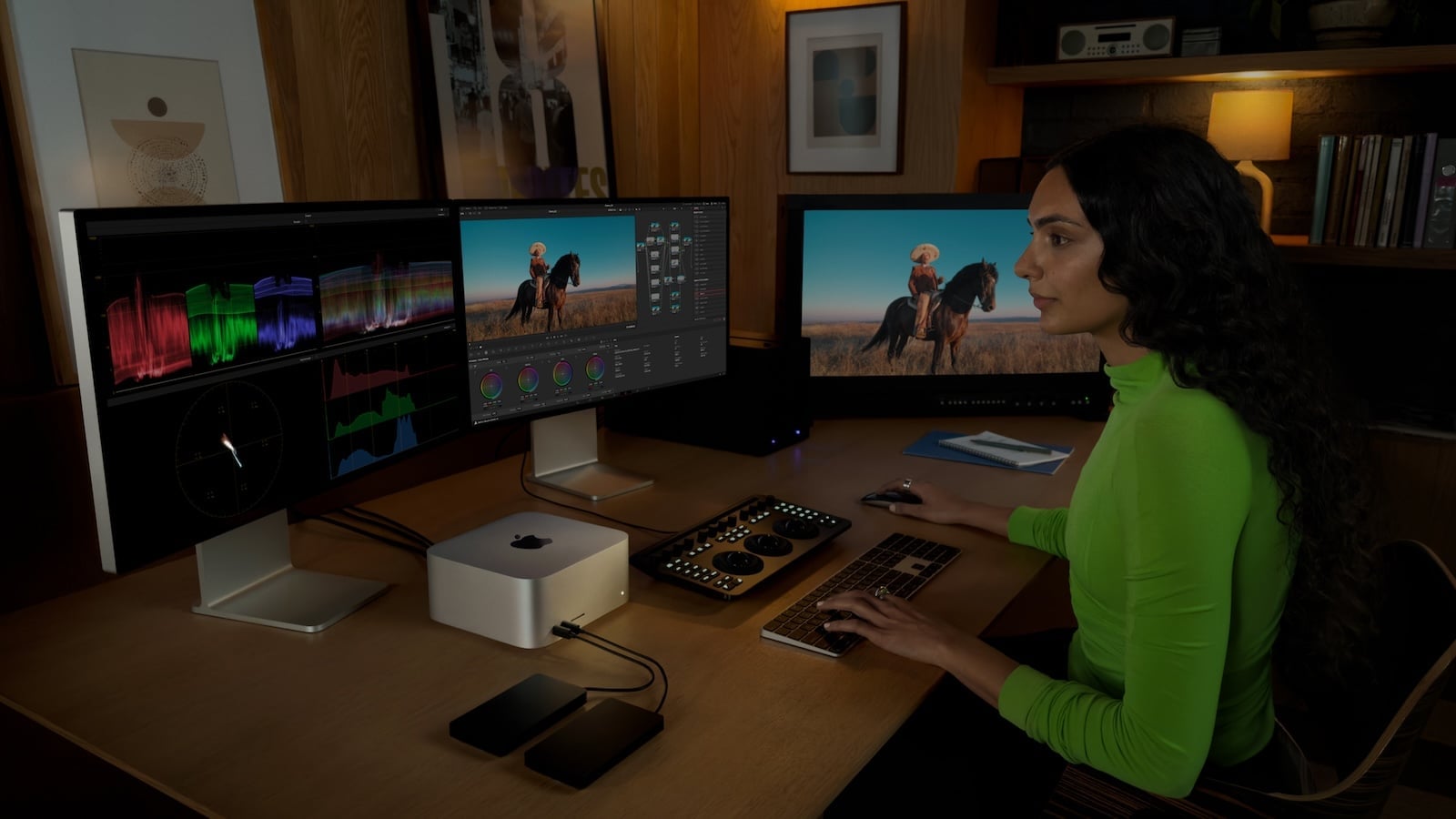
Apple offers three desktop Macs to suit different needs: the Mac mini as a compact entry-level model, the iMac as an all-in-one with an integrated display, and the Mac Studio as a high-performance machine for professionals. All support Apple Intelligence and run macOS, but differ significantly in chip, performance, ports, display, and price. This buyer's guide shows which desktop Mac is right for whom.
The desktop Mac lineup is currently more diverse than ever before. The Mac mini starts at €699 and, with its M4 chip, offers a surprising amount of performance in the smallest form factor. The iMac combines a 24-inch 4.5K display with speakers, camera, and input devices in an elegant all-in-one package. And the Mac Studio, with its M4 Max or M3 Ultra, delivers the computing power that professionals in video, 3D, and science need. Knowing the differences saves money—or allows you to invest specifically in the performance that matters most in everyday use.
All three desktop Macs are available in the Apple Store Germany:
Mac mini (October 2024):
- M4: from 699 euros
- M4 Pro: from €1,699
iMac (October 2024):
- M4 (2 ports): from €1,499
- M4 (4 ports): from €1,749
Mac Studio (March 2025):
- M4 Max: from €2,299
- M3 Ultra: from 4,799 euros
There's a price difference of over €4,000 between the cheapest Mac mini and the Mac Studio with M3 Ultra. The three models are aimed at completely different target groups.
Concept and form factor
Mac mini
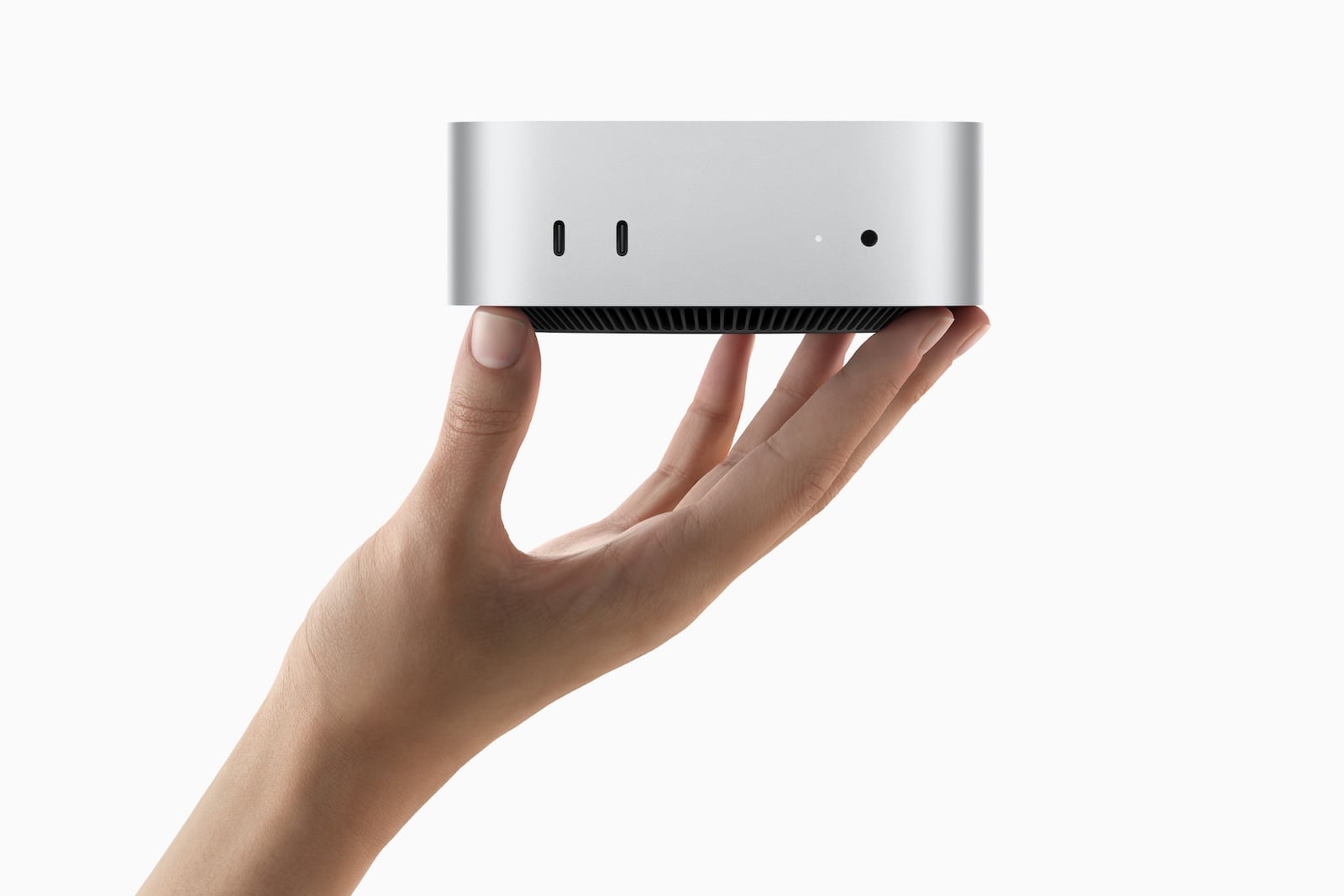
The Mac mini is a standalone computer without a display, keyboard, or mouse. Measuring just 12.7 x 12.7 x 5.0 cm and weighing as little as 0.67 kg, it's by far the most compact desktop Mac. This means maximum flexibility: use your own monitor, keyboard, and mouse. Those who already own peripherals or prefer a specific monitor can save significantly.
iMac
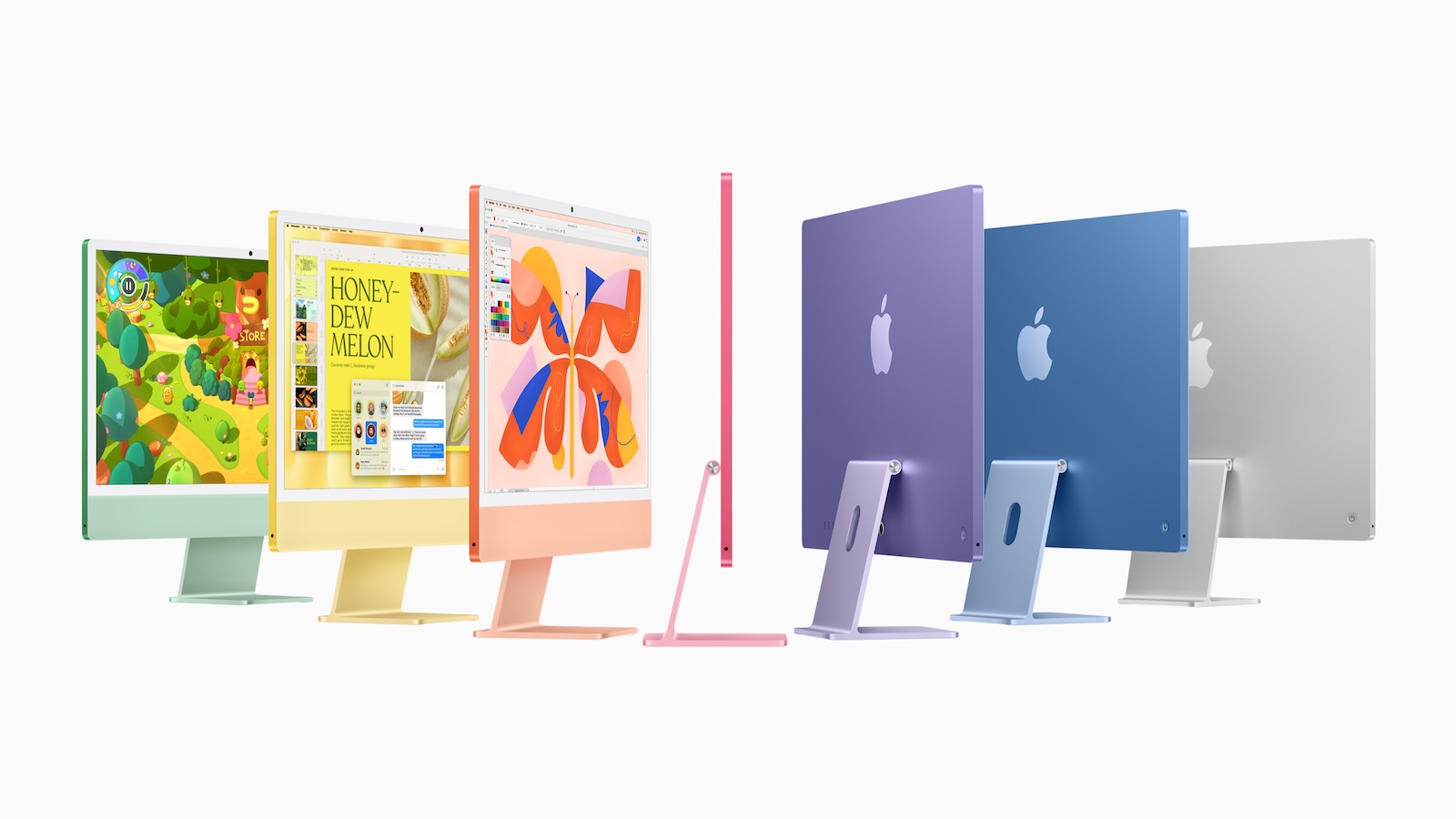
The iMac is Apple's all-in-one: a 24-inch 4.5K display, Hi-Fi speakers, a 12 MP camera, microphones, Magic Keyboard, and Magic Mouse – all in an 11.5 mm thin enclosure. Unpack, plug in, and get started. No cable clutter, no separate monitor. Ideal for anyone who appreciates a tidy desk.
Mac Studio
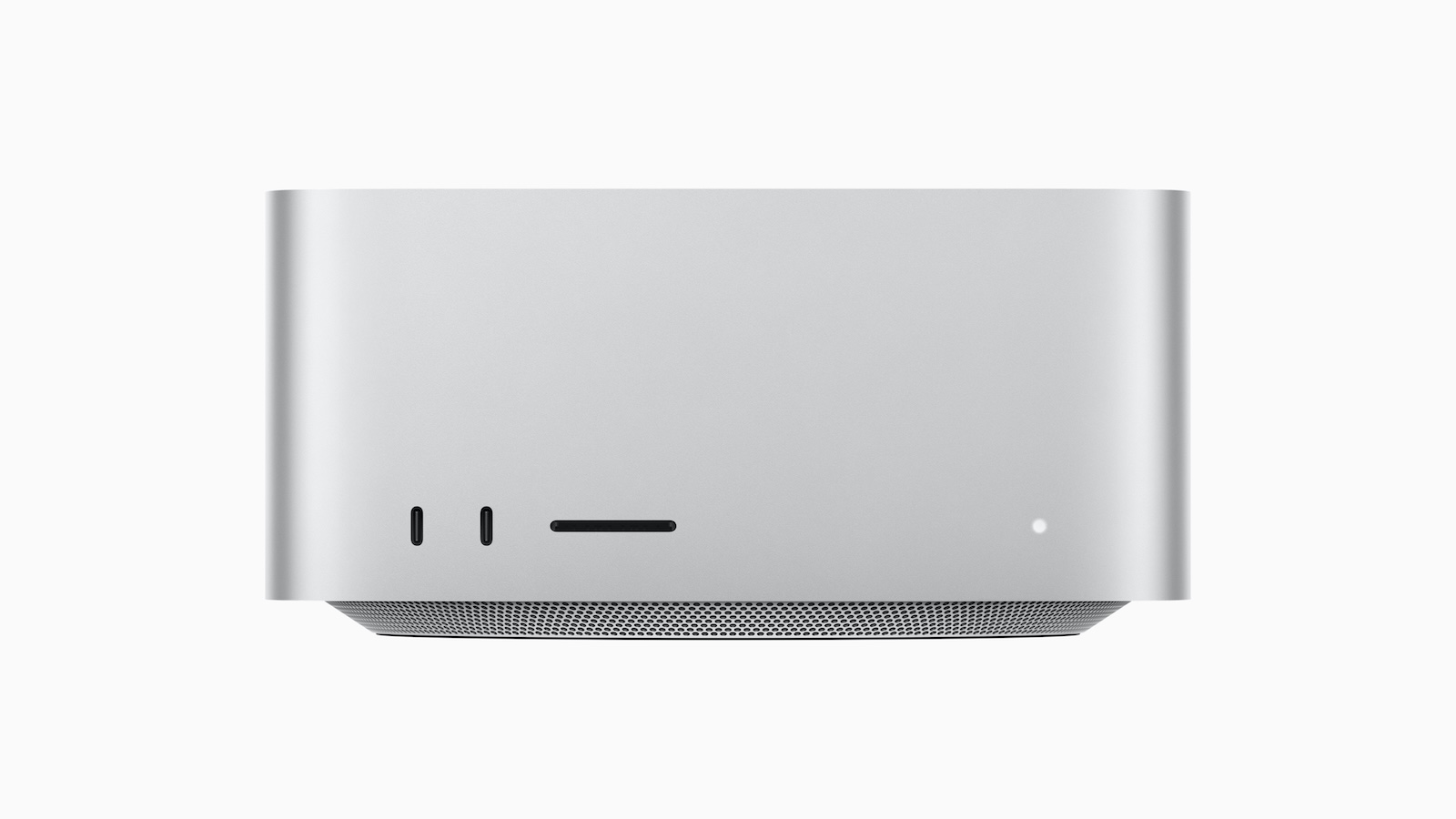
The Mac Studio is a compact workstation without a display. It's larger than the Mac mini (19.7 x 19.7 x 9.5 cm), but offers significantly more powerful chips (M4 Max and M3 Ultra), more ports, and active cooling for sustained heavy use. It's aimed at professionals who need maximum performance in a desktop form factor.
Chip and Performance
| Model | Chip | CPU | GPU | Neural Engine | Memory bandwidth |
|---|---|---|---|---|---|
| Mac mini | M4 | 10-Core (4P + 6E) | 10-Core | 16-Core | 120 GB/s |
| Mac mini | M4 Pro | 12-Core (8P + 4E) | 16-Core | 16-Core | 273 GB/s |
| iMac (2 ports) | M4 | 8-Core (4P + 4E) | 8-Core | 16-Core | 120 GB/s |
| iMac (4 ports) | M4 | 10-Core (4P + 6E) | 10-Core | 16-Core | 120 GB/s |
| Mac Studio | M4 Max | 14-Core (10P + 4E) | 32-core | 16-Core | 410 GB/s |
| Mac Studio | M3 Ultra | 28-Core (20P + 8E) | 60-Core | 32-core | 819 GB/s |
The Mac mini with M4 and the 4-port iMac have the same chip – the 10-core CPU and 10-core GPU deliver identical performance. The 2-port iMac has a scaled-down 8-core version of the M4 with fewer CPU and GPU cores.
The Mac mini with M4 Pro jumps into a different performance class: 12-core CPU, 16-core GPU, and more than double the memory bandwidth (273 vs. 120 GB/s). A 14-core CPU with a 20-core GPU is even available as an option.
The Mac Studio is in a league of its own. The M4 Max offers a 32-core GPU and 410 GB/s of memory bandwidth, while the M3 Ultra doubles that to a 60-core GPU and 819 GB/s. In addition, the M4 Max features two video encoding engines, and the M3 Ultra boasts four – crucial for professional video production.
Performance summary: For everyday tasks, the M4 in the Mac mini and iMac is sufficient. Those needing more power for creative work should opt for the Mac mini with the M4 Pro. Professional video, 3D, and AI workflows require the Mac Studio with the M4 Max or M3 Ultra.
RAM and Storage Space
| Model | RAM (Base) | RAM (max.) | Memory (Basic) | Storage (max.) |
|---|---|---|---|---|
| Mac mini M4 | 16 GB | 32 GB | 256 GB | 2 TB |
| Mac mini M4 Pro | 24 GB | 64 GB | 512 GB | 8 TB |
| iMac (2 ports) | 16 GB | 24 GB | 256 GB | 1 TB |
| iMac (4 ports) | 16 GB | 32 GB | 256 GB | 2 TB |
| Mac Studio M4 Max | 36 GB | 128 GB | 512 GB | 8 TB |
| Mac Studio M3 Ultra | 96 GB | 512 GB | 1 TB | 16 TB |
The dual-port iMac is the most limited: a maximum of 24 GB of RAM and 1 TB of storage. This is sufficient for everyday tasks, but reaches its limits with more demanding workflows.
The Mac mini with M4 Pro offers up to 64GB of RAM and 8TB of storage – more than enough for professional creative work. The Mac Studio with M3 Ultra goes up to 512GB of RAM and 16TB of storage for the most demanding workflows.
Display
This is where the biggest conceptual difference lies.
iMac: Integrated 24-inch 4.5K Display
- 4,480 x 2,520 pixels at 218 ppi
- 500 nits brightness
- P3 Wide Color, True Tone
- 1 billion colors
- Optional: Nanotextured glass (4-connection model only)
- 12 MP Center Stage Camera integrated
- Hi-Fi 6-speaker system with woofers
The iMac display is excellent for everyday use, photo editing, and creative work. The camera and speakers are integrated – no additional accessories are needed.
Mac mini and Mac Studio: Dedicated Monitor required
Neither the Mac mini nor the Mac Studio has a display, camera, or built-in speakers (only a simple integrated speaker for system sounds). Users wishing to use these devices will need a separate monitor, a webcam, and external speakers or headphones.
Apple offers the Studio Display (starting at €1,699) and the Studio Display XDR (starting at €3,499) as compatible monitors. Of course, monitors from other manufacturers also work via Thunderbolt, USB-C, or HDMI.
Display Conclusion: The iMac is the simplest solution – everything in one device. The Mac mini and Mac Studio, on the other hand, offer the freedom to choose any monitor. Anyone who doesn't already own a monitor should factor the cost into their purchasing decision.
Ports and Connectivity
| Feature | Mac mini M4 | Mac mini M4 Pro | iMac (2 ports) | iMac (4 ports) | Mac Studio |
|---|---|---|---|---|---|
| Thunderbolt (rear) | 3x TB4 | 3x TB5 | 2x TB4 | 4x TB4 | 4x TB5 |
| USB-C (front) | 2x USB 3 | 2x USB 3 | – | – | 2x USB-C* |
| USB-A | – | – | – | – | 2x USB 3 |
| HDMI | Yes | Yes | – | – | Yes |
| SDXC | – | – | – | – | Yes |
| Ethernet | Gigabit (opt. 10 Gbit) | Gigabit (opt. 10 Gbit) | Optional | Gigabit | 10 Gbit |
| 3.5 mm jack | Yes | Yes | Yes | Yes | Yes |
| Wi-Fi | WLAN 6E | WLAN 6E | WLAN 6E | WLAN 6E | WLAN 6E |
| Bluetooth | 5.3 | 5.3 | 5.3 | 5.3 | 5.3 |
| External Displays (max.) | 3 | 3 | 1 (2 connections) / 2 (4 connections) | 2 | 5 (M4 Max) / 8 (M3 Ultra) |
*Mac Studio M4 Max: 2x USB-C (USB 3), Mac Studio M3 Ultra: 2x Thunderbolt 5 on the front.
The Mac Studio has by far the most ports: Thunderbolt 5, HDMI, USB-A, SDXC card slot, and 10 Gigabit Ethernet – all standard. Users who connect a lot of peripherals won't experience any limitations with the Studio.
The Mac mini offers a solid selection of ports, including HDMI and three Thunderbolt ports (TB4 on the M4, TB5 on the M4 Pro), plus two USB-C ports on the front. The HDMI port is particularly useful for connecting a monitor without an adapter.
The iMac has no HDMI port and no SDXC slot. The 2-port model is the most limited, with only two Thunderbolt 4 ports and support for only one external display. The 4-port model offers four Thunderbolt 4 ports and support for up to two external displays.
Audio and Camera
| Feature | Mac mini | iMac | Mac Studio |
|---|---|---|---|
| Speakers | Integrated speaker (system sounds) | Hi-Fi 6 speakers with woofers | Integrated speaker (system sounds) |
| Microphones | – | 3 in studio quality with beamforming | – |
| Camera | – | 12 MP Center Stage | – |
| Headphone jack | Yes (high impedance) | Yes (high impedance) | Yes (high impedance) |
The iMac has by far the best integrated audio and camera system. Its Hi-Fi 6-speaker system with subwoofers sounds better than most external speakers in the same price range. It also features three studio-quality microphones and a 12MP camera with Center Stage – ideal for video calls.
The Mac mini and Mac Studio only have a basic speaker for system sounds. External speakers, headphones, and a webcam are required for music, movies, or video calls.
Scope of delivery
| Feature | Mac mini | iMac | Mac Studio |
|---|---|---|---|
| Display | No | 24″ 4.5K Retina | No |
| Keyboard | No | Magic Keyboard (Touch ID with 4 ports) | No |
| Mouse/Trackpad | No | Magic Mouse | No |
| Power supply/cable | Power cable | 143W power supply + power cable | Power cable |
| Camera | No | 12 MP Center Stage | No |
The iMac is the only model that comes ready to use right out of the box – with display, keyboard, mouse, and camera. The Mac mini and Mac Studio require separate peripherals, which means additional costs: A Magic Keyboard with Touch ID costs €199, a Magic Mouse €85, and an external monitor costs between €200 and €3,500 or more, depending on the model.
Which model is right for whom?
Mac mini M4 (from €699) – the right choice if:
- Looking for an affordable, compact desktop Mac
- Monitor, keyboard and mouse are already available
- The M4's performance is sufficient for everyday use, office work, software development, and light creative work.
- The smallest desired form factor is (12.7 x 12.7 cm)
- Flexibility in monitor selection is appreciated
Mac mini M4 Pro (from €1,699) – the right choice if:
- More power is needed for video editing, 3D rendering or music production.
- Thunderbolt 5 is desired for fast external storage and peripherals.
- Up to 64 GB of RAM and 8 TB of storage are required.
- Looking for a powerful desktop without a display tie-in
iMac M4 (from €1,499) – the right choice if:
- A ready-to-use all-in-one desktop with display, keyboard and mouse is desired.
- The integrated 24-inch 4.5K display, the speakers, and the camera are appreciated.
- A tidy desk without tangled cables is a priority.
- The Mac is mainly used for office work, image editing, streaming, and creative work.
- The seven color options are appealing
Mac Studio M4 Max (from €2,299) – the right choice if:
- Professional creative work is carried out using video, 3D or music production.
- More ports and more power than needed for the Mac mini M4 Pro
- Up to 128 GB of RAM and Thunderbolt 5 on all ports are required.
- Up to five external displays can be connected simultaneously.
- SDXC card slot and USB-A ports are needed in everyday work.
Mac Studio M3 Ultra (from €4,799) – the right choice if:
- Maximum desktop performance without needing a Mac Pro
- Up to 512 GB of RAM and 16 TB of storage are needed for extreme workflows.
- 8K video production, machine learning, or scientific data processing are carried out.
- Up to eight external displays can be connected simultaneously.
All differences at a glance
| Feature | Mac mini M4 | Mac mini M4 Pro | iMac (2 ports) | iMac (4 ports) | Mac Studio M4 Max | Mac Studio M3 Ultra |
|---|---|---|---|---|---|---|
| Price from | 699 € | 1.699 € | 1.499 € | 1.749 € | 2.299 € | 4.799 € |
| Chip | M4 | M4 Pro | M4 (8-Core) | M4 (10-Core) | M4 Max | M3 Ultra |
| CPU | 10-Core | 12/14-Core | 8-Core | 10-Core | 14/16-Core | 28/32-core |
| GPU | 10-Core | 16/20-Core | 8-Core | 10-Core | 32/40-Core | 60/80-Core |
| RAM (Base) | 16 GB | 24 GB | 16 GB | 16 GB | 36 GB | 96 GB |
| RAM (max.) | 32 GB | 64 GB | 24 GB | 32 GB | 128 GB | 512 GB |
| Memory (Basic) | 256 GB | 512 GB | 256 GB | 256 GB | 512 GB | 1 TB |
| Storage (max.) | 2 TB | 8 TB | 1 TB | 2 TB | 8 TB | 16 TB |
| Display | – | – | 24″ 4.5K | 24″ 4.5K | – | – |
| Thunderbolt | 3x TB4 | 3x TB5 | 2x TB4 | 4x TB4 | 4x TB5 | 6x TB5 |
| HDMI | Yes | Yes | – | – | Yes | Yes |
| USB-A | – | – | – | – | 2x | 2x |
| SDXC | – | – | – | – | Yes | Yes |
| Ethernet | Gigabit | Gigabit | Optional | Gigabit | 10 Gbit | 10 Gbit |
| External Displays | 3 | 3 | 1 | 2 | 5 | 8 |
| Wi-Fi | 6E | 6E | 6E | 6E | 6E | 6E |
| Speakers | Simply | Simply | Hi-Fi 6-LS | Hi-Fi 6-LS | Simply | Simply |
| Camera | – | – | 12 MP | 12 MP | – | – |
| Keyboard/Mouse | – | – | Including. | Including. | – | – |
| Weight | 0.67 kg | 0.73 kg | 4.42 kg | 4.44 kg | 2.74 kg | 3.64 kg |
| Apple Intelligence | Yes | Yes | Yes | Yes | Yes | Yes |
Which desktop Mac is worth buying?
The Mac mini with M4 processor is the best entry point into the desktop Mac world. For €699, you get a fully functional Mac with Apple Intelligence that is more than sufficient for everyday tasks, office work, and light creative work. Those who already own a monitor and peripherals will save considerably compared to the iMac.
The iMac is the perfect choice for anyone who wants a clutter-free desk and a ready-to-use package. The integrated 4.5K display, speakers, and camera eliminate the need for separate accessories. Starting at €1,749, the 4-port model offers significantly more flexibility than the 2-port model, featuring a 10-core CPU/GPU, four Thunderbolt ports, and optional nano-texture glass.
The Mac mini with M4 Pro offers the best price-performance ratio for demanding users. Starting at €1,699, you get Thunderbolt 5, up to 64 GB of RAM, and enough power for professional creative work – without the limitations of the iMac form factor.
The Mac Studio is aimed at professionals who need maximum performance, the most ports, and extreme expandability. The M4 Max, starting at €2,299, is the sensible choice for video editors and 3D artists. The M3 Ultra, starting at €4,799, is only justified for extreme workflows with massive RAM requirements and multi-display setups. The best products for you: Our Amazon storefront offers a wide selection of accessories, including those for HomeKit. (Image: Apple)
- MacBook Air vs. Neo: Is the extra cost worth it?
- MacBook Pro M5: 14 vs. 16 inch – Which is worth it?
- MacBook Air M5: 13 vs. 15 inch – Which size is worth it?
- iPhone Buying Guide: iPhone 17 vs. Air vs. 17e
- iPad Buying Guide 2026: Which iPad is right for you?
- Apple Watch Buying Guide: Ultra 3 vs. Series 11 vs. SE 3
- MacBook Air vs. MacBook Pro 2026: Which is worth it?
- Apple AI Pin: All the info on the new wearable
- iPhone 17 vs. iPhone 17 Pro: Which model is really worth it?
- Apple is reportedly preparing six new products
- iPhone Fold: All rumors and facts at a glance
- Apple radically restructures its iPhone lineup: All the details
- AirPods Max 2: All audio improvements at a glance
- AirPods Max 2: New feature for the Digital Crown
- AirPods Max 2 overview: What's stayed the same
- AirPods Max 2 vs. AirPods Max 1: All the differences in detail
- iOS 27: These are the new features Apple is planning for the iPhone
- M6 MacBook Pro: Apple plans major changes
- Apple 2026: These new devices are still expected
- MacBook Neo changes the role of the iPad as a laptop replacement
- Apple TV 2026: Why Apple prefers to wait rather than rush into delivery
- MacBook Neo: Why this Apple notebook is so important
- MacBook Neo vs. MacBook Air: The most important differences
- Studio Display vs. Studio Display XDR: All the differences
- M5 MacBook Air vs. M4 MacBook Air: The differences
Frequently Asked Questions: Mac Buying Guide
The Mac mini is a compact computer without a display, keyboard, or mouse—ideal if you already own peripherals. The iMac is an all-in-one with an integrated 24-inch 4.5K display, speakers, camera, keyboard, and mouse. The Mac Studio is a powerful workstation without a display for professional workflows, featuring an M4 Max or M3 Ultra chip.
Yes. The Mac mini has no display, no camera, and no full-fledged speakers. Monitor, keyboard, and mouse must be purchased separately. However, it offers maximum flexibility in monitor choice and, at €699, is the most affordable entry into the desktop Mac world.
The 2-port model (starting at €1,499) has an 8-core CPU and GPU, up to 24 GB of RAM, up to 1 TB of storage, and supports only one external display. The 4-port model (starting at €1,749) has a 10-core CPU and GPU, up to 32 GB of RAM, up to 2 TB of storage, four Thunderbolt 4 ports, standard Ethernet and Touch ID, and optional nanotexture glass.
The Mac Studio is worthwhile for professionals who need more GPU performance (32 to 80 cores vs. 16 to 20), more RAM (up to 512 GB vs. 64 GB), more ports (Thunderbolt 5 on all ports, USB-A, SDXC), and support for more external displays (up to 8 vs. 3). However, the Mac mini M4 Pro is sufficient for most demanding creative tasks.
No. Neither device has a built-in camera. For video calls, an external webcam is required, or you can use the Continuity Camera feature, which uses the iPhone as a webcam. Only the iMac has a built-in 12MP camera with Center Stage.
The Mac mini with M4 processor is available for €699 – provided you already own a monitor and peripherals. If you need to buy everything new, the iMac, starting at €1,499, offers a more complete package. For demanding users, the Mac mini with M4 Pro, starting at €1,699, provides the best balance of performance and price.
Apple had not yet unveiled the M4 Ultra at the time of the Mac Studio release (March 2025). Nevertheless, the M3 Ultra offers enormous performance with up to a 32-core CPU, 80-core GPU, and 512 GB of RAM.