The AirPods Max 2 offer several improvements over the first generation of Apple's over-ear headphones. While the external design remains largely unchanged, there are some new features and technical upgrades beneath the surface.
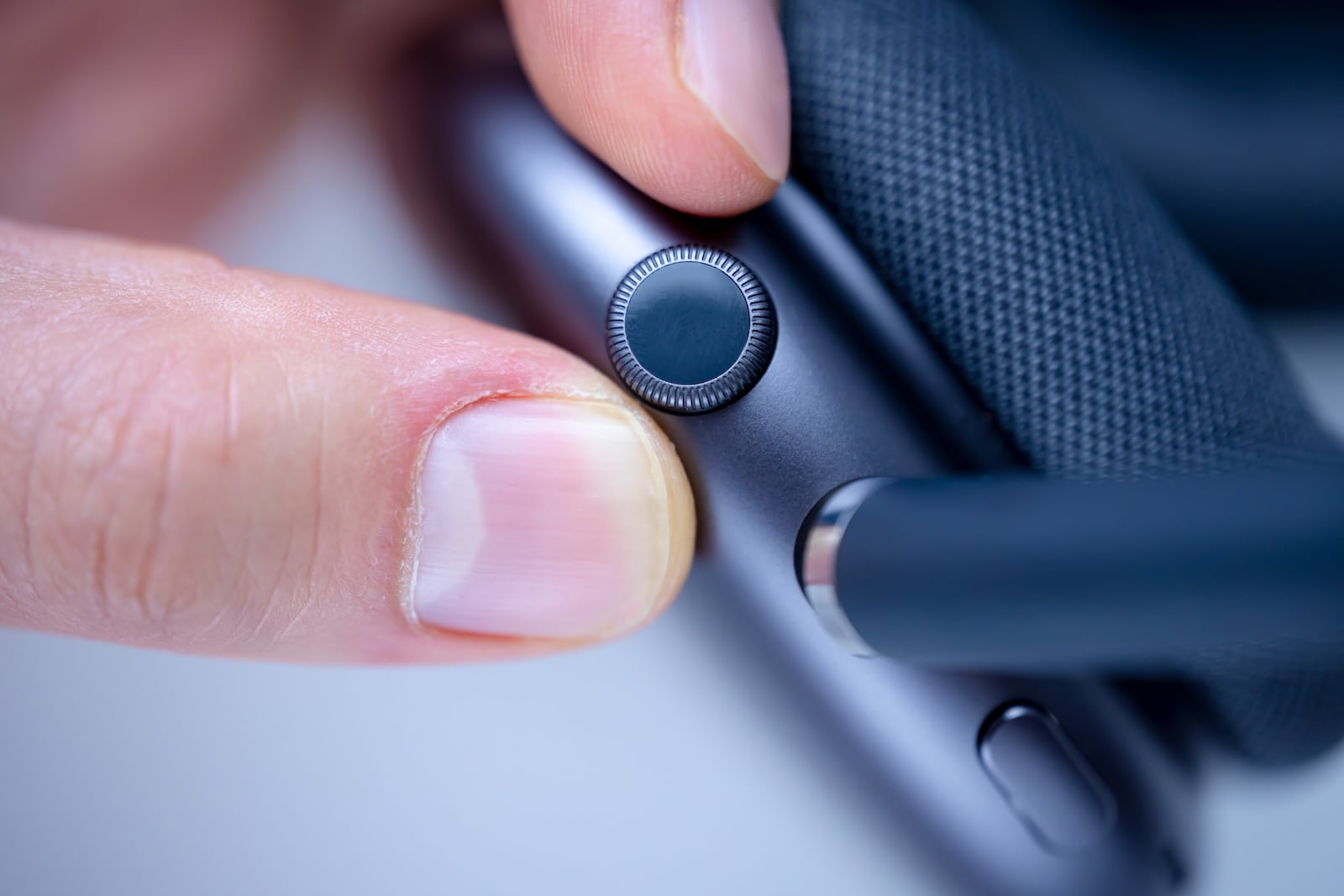
One of the most noticeable innovations concerns the Digital Crown, the familiar control element on the side of the headphones. It gains an additional function that, for the first time, allows control of the camera on an iPhone or iPad.
In addition to this new control option, the AirPods Max 2 feature the H2 chip, improved active noise cancellation, optimized sound quality, and several new software features such as Adaptive Audio, Conversation Awareness, Voice Isolation, and Live Translation.
With the AirPods Max 2, Apple continues its premium headphone line. The model is still aimed at users who want to use high-quality over-ear headphones within the Apple ecosystem.
While Apple has deliberately kept the design understated, the new generation focuses more on functional improvements. In particular, the Digital Crown, which already played a central role in the operation of the previous model, is given an additional function.
At the same time, Apple is integrating new technologies and software features, some of which are already known from other AirPods models, but are now also available in the over-ear headphones.
New feature of the Digital Crown
The Digital Crown on the AirPods Max 2 gets a new, handy feature. It can now be used as a camera remote. By pressing the Digital Crown, you can:
- take a photo
- start a video recording
- stop a video recording
This control works when the Apple Camera app or a compatible third-party camera app is open on a connected iPhone or iPad.
This allows the AirPods Max 2 to function as a kind of remote control for taking photos and videos. This feature can be particularly useful for shots taken from a distance or for group photos.
Requirements for the camera remote control
The new camera feature of the AirPods Max 2 only works under certain conditions. The following are required:
- AirPods Max 2 with the latest firmware
- a connection with an iPhone or iPad
- a device running iOS 26.4 or iPadOS 26.4 or later
These software versions are currently in beta testing. However, Apple plans to release them in time for the launch of the AirPods Max 2, barring any unexpected delays.
All Digital Crown controls of the AirPods Max 2
The Digital Crown remains the headphones' main control element. It enables multiple functions for controlling media, calls, camera, and voice assistant.
Volume
- Turning the Digital Crown: Increase or decrease the volume
Media control
- Press once: Play or pause media
- Double press: skip to the next track
- Press three times: jump back to the previous track
Telephone functions
- Press once: Answer call
- Press once: Mute or unmute
- Double press: End call
Camera control
- Press once: Take a photo or start/stop video recording.
Voice assistant
- Press and hold: Activate Siri
These control options allow many functions of the AirPods Max 2 to be operated directly via the headphones.
H2 chip and technical improvements
One of the most important technical innovations of the AirPods Max 2 is the integrated H2 chip. This chip is already familiar from other recent AirPods models and improves several aspects of audio processing. These improvements include:
- improved active noise cancellation
- optimized sound quality
- more efficient processing of audio signals
The H2 chip also allows the headphones to use new software features more efficiently.
New audio and communication features
The AirPods Max 2 support several features designed to improve the listening experience and communication.
- Adaptive Audio: Adaptive Audio automatically adjusts noise cancellation to the environment. The headphones can switch between different noise situations and adjust the audio settings accordingly.
- Conversation Awareness: Conversation Awareness detects conversations in the vicinity. When a conversation begins, the music automatically becomes quieter, making it easier to have a conversation.
- Voice Isolation: Voice Isolation improves voice quality during phone calls. Background noise is reduced so that your voice is clearer to the person you are speaking to.
- Live Translation: Live Translation enables real-time translation of conversations. This feature can be helpful when speaking with people who speak a different language.
Siri control with shorter voice commands
The AirPods Max 2 continue to support the familiar "Hey Siri" voice command. In addition, the shorter command "Siri" is now also supported.
This allows the voice assistant to be activated more quickly. Siri can then perform various tasks, for example:
- Control music
- Send messages
- Create memories
- Controlling smart home devices
Pre-order, price and market launch
Apple has already released information regarding the availability of the AirPods Max 2. The most important details:
- Pre-order: from Wednesday, March 25th
- Order options via Apple.com and the Apple Store app
- Price in Germany: 579 euros
- Planned market launch: beginning of April
Apple has not yet announced a precise release date for the sales launch.
AirPods Max 2: The most important new features at a glance
The AirPods Max 2 offer several targeted improvements over the first generation. In particular, the new camera remote control via the Digital Crown significantly expands the headphones' control options.
In addition, the H2 chip, improved active noise cancellation, optimized sound quality, and features such as Adaptive Audio, Conversation Awareness, Voice Isolation, and Live Translation provide an expanded feature set.
Priced at €579 and with a planned launch in early April, the AirPods Max 2 remain Apple's premium over-ear headphones within its own ecosystem. The best products for you: Our Amazon storefront offers a wide selection of accessories, including those compatible with HomeKit. (Image: Shutterstock / Habanero Pixel)
- AirPods Max 2 overview: What's stayed the same
- AirPods Max 2 vs. AirPods Max 1: All the differences in detail
- iOS 27: These are the new features Apple is planning for the iPhone
- M6 MacBook Pro: Apple plans major changes
- Apple 2026: These new devices are still expected
- MacBook Neo changes the role of the iPad as a laptop replacement
- Apple TV 2026: Why Apple prefers to wait rather than rush into delivery
- MacBook Neo: Why this Apple notebook is so important
- MacBook Neo vs. MacBook Air: The most important differences
- Studio Display vs. Studio Display XDR: All the differences
- M5 MacBook Air vs. M4 MacBook Air: The differences
- iPhone 17e vs. iPhone 16: Which one is worth it?
- iPhone 17e vs. iPhone 16e: All the differences
- M4 iPad Air vs. M3 iPad Air: All the differences
- iPhone 17e vs. iPhone 17: The most important differences
- Apple TV in March 2026: All the Highlights
- Apple Watch Ultra 4 brings major improvements
- Apple will be using OLED displays in several devices in the future
- macOS 27: All rumors, features & release date
- tvOS 26.4: Here's what's changing for Apple TV 4K
- iOS 27: An update with a hidden highlight
- iOS 26.4: When will the big iPhone update be released?
- Why AirPods will be Apple's first AI product
FAQ: Frequently asked questions about the AirPods Max 2
The AirPods Max 2 offer several improvements over the first generation. These include the new H2 chip, improved active noise cancellation, optimized sound quality, and new features such as Adaptive Audio, Conversation Awareness, Voice Isolation, and Live Translation. Additionally, the Digital Crown gains a new function for controlling the camera on an iPhone or iPad.
The Digital Crown on the AirPods Max 2 can now be used as a camera remote. Pressing the Digital Crown allows you to:
• Take photos
• Start video recording
• Stop video recording
This feature works with the Apple Camera app as well as compatible third-party camera apps on an iPhone or iPad.
For the camera remote of the AirPods Max 2 to work, several conditions must be met:
• Latest firmware for AirPods Max 2
• Connection to an iPhone or iPad
• iOS 26.4 or iPadOS 26.4 or later
These software versions are currently still in the beta phase, but are expected to be released in time for the market launch of the headphones.
The Digital Crown of the AirPods Max 2 continues to serve as the central control element. It allows you to control several functions:
• Adjust volume by turning the dial
• Play or pause media
• Switch to the next or previous title
• Answer, end, or mute calls
• Take photos or start and stop videos
• Activate Siri by pressing and holding
This allows many functions to be controlled directly via the headphones.
The AirPods Max 2 support several intelligent audio features:
• Adaptive Audio automatically adjusts noise cancellation to the environment.
• Conversation Awareness reduces the volume as soon as conversations are detected.
• Voice Isolation improves voice quality during phone calls.
• Live translation enables real-time translation of conversations.
These features are intended to significantly improve the listening experience and communication.
Yes. In addition to the familiar "Hey Siri" voice command, the AirPods Max 2 also support the shorter "Siri" command. This allows you to activate the voice assistant more quickly.
The AirPods Max 2 can be pre-ordered starting Wednesday, March 25, via Apple.com and the Apple Store app. The market launch is planned for early April, but Apple has not yet announced a specific release date.
The AirPods Max 2 are priced at €579 in Germany. This keeps them firmly in Apple's premium segment of over-ear headphones.