
Apple is expanding its monitor portfolio with two new models: the Studio Display and the Studio Display XDR. Both are aimed at professional Mac users, both feature a 27-inch screen with 5K resolution – yet there's a significant gap between them in terms of technology and price. While the Studio Display starts at €1,699, the Studio Display XDR starts at €3,499. At first glance, the two monitors appear almost identical. The crucial differences only become apparent upon closer inspection of the display technology, brightness, refresh rate, and other features.
The new Studio Display is the next generation of the standard model, which was first released in 2022. The Studio Display XDR replaces the previous Pro Display XDR, which has since been discontinued.
Both monitors share numerous features, which initially makes the significant price difference seem surprising. However, the higher price of the Studio Display XDR is primarily due to the panel technology used and features specifically designed for very demanding workflows.
Shared features of Studio Display and Studio Display XDR
Both the Studio Display and the Studio Display XDR feature a 27-inch panel with a 5K resolution of 5120 × 2880 pixels. The pixel density is 218 pixels per inch. This results in very sharp text, highly detailed images, and ample screen space for professional applications.
There are no differences in the camera, microphones, and speakers. Both models feature a 12-megapixel camera with Center Stage, improved image quality, and Desk View support. They also include three studio-quality microphones and a sound system with six speakers and spatial audio. Everything needed for video conferencing or content production is already integrated.
Both displays support Thunderbolt 5 connectivity, featuring two Thunderbolt 5 ports and two USB-C ports. Additionally, both models are optionally available with nano-textured glass to reduce reflections in bright environments.

The crucial difference: the display technology
The main difference between Studio Display and Studio Display XDR lies in the panel.
The studio display uses a classic LED panel with a 60 Hz refresh rate and a brightness of up to 600 nits. It supports the P3 color space and is therefore designed for photo and video editing, programming, music production, and general professional tasks.
The Studio Display XDR takes things a significant step further technically. It utilizes Mini-LED technology with 2304 dimming zones, allowing for much more precise control of brightness and contrast. The refresh rate is 120 Hz and is supported by Adaptive Sync, resulting in smoother visuals.
The Studio Display XDR achieves a brightness of up to 1000 nits in SDR mode and up to 2000 nits with HDR content. In addition to the P3 color space, Adobe RGB is also supported. These features make the display particularly suitable for HDR video editing, 3D rendering, and professional image editing at a reference level.
Furthermore, the Studio Display XDR offers special reference modes and new DICOM presets for medical imaging. This makes it suitable for fields such as diagnostic radiology.
Further differences in detail
Besides the panel technology, there are other differences that can be relevant in everyday life.
The host charging function via Thunderbolt 5 is more powerful on the Studio Display XDR. While the Studio Display delivers up to 96 watts, the Studio Display XDR offers up to 140 watts of charging power. This is particularly advantageous for high-performance MacBook Pro models.
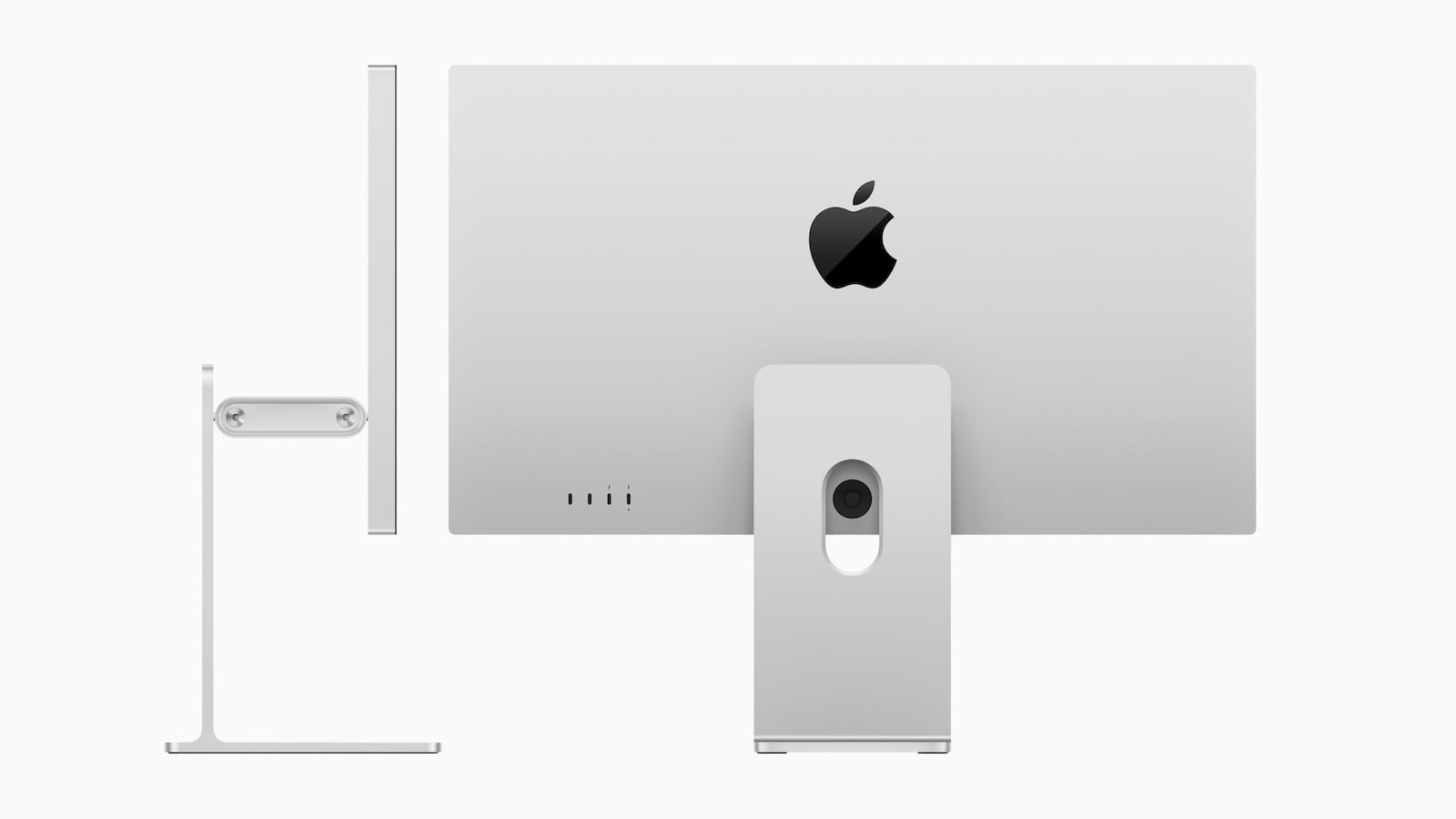
There are also differences in the stand. The Studio Display comes standard with a tilt-adjustable stand. A height-adjustable version is available for an additional 400 euros. The Studio Display XDR, on the other hand, comes standard with a stand that is adjustable for both tilt and height.
Both monitors are the same height and width, but differ in depth and weight. The Studio Display is 6.6 inches deep with the standard stand and 8.1 inches deep with the height-adjustable option. The Studio Display XDR measures 8.4 inches deep. In the VESA version, the Studio Display is 1.2 inches deep, and the Studio Display XDR is 1.3 inches deep.
There is also a difference in weight: The Studio Display weighs 16.8 pounds with a comparable stand, while the Studio Display XDR weighs 18.7 pounds.
Price difference and classification
The price difference is 1,900 euros. The Studio Display starts at 1,699 euros, the Studio Display XDR at 3,499 euros.
The significant price premium of the Studio Display XDR results from the Mini-LED technology with 2304 dimming zones, the higher refresh rate of 120 Hz, the considerably increased HDR brightness, the extended color gamut coverage, and the professional reference modes including DICOM support.
- Studio Display XDR: 120 Hz only with certain Macs
- Studio Display & Studio Display XDR without Intel support
Studio Display vs. Studio Display XDR: Which model is right for whom?
The Studio Display already offers a high 5K resolution, solid brightness, modern Thunderbolt 5 connectivity, and integrated camera and audio hardware. For many professional work environments, this model is technically perfectly adequate.
The Studio Display XDR, on the other hand, is aimed at users with very specific requirements. Mini-LED, 120 Hz, extreme HDR brightness, and professional reference features make it Apple's most powerful 27-inch display.
The choice between Studio Display and Studio Display XDR therefore depends less on design or basic functions, but clearly on the intended use and the need for maximum image precision. The best products for you: Our Amazon Storefront offers a wide range of accessories, including for HomeKit. (Image: Apple)
- M5 MacBook Air vs. M4 MacBook Air: The differences
- iPhone 17e vs. iPhone 16: Which one is worth it?
- iPhone 17e vs. iPhone 16e: All the differences
- M4 iPad Air vs. M3 iPad Air: All the differences
- iPhone 17e vs. iPhone 17: The most important differences
- Apple TV in March 2026: All the Highlights
- Apple Watch Ultra 4 brings major improvements
- Apple will be using OLED displays in several devices in the future
- macOS 27: All rumors, features & release date
- tvOS 26.4: Here's what's changing for Apple TV 4K
- iOS 27: An update with a hidden highlight
- iOS 26.4: When will the big iPhone update be released?
- Why AirPods will be Apple's first AI product
- iPhone 18 Pro: New camera with variable aperture
- Apple AI glasses: Speak without anyone hearing you
- Apple Privacy Policy: Why no competitor can keep up
- CarPlay in iOS 26.4: These are the new features
- Apple Music in iOS 26.4: New features in detail
- Apple AirPods 2026 and 2027: Here's what's planned
- iOS 26.4 Beta launches without new Siri features
- Apple continues to pursue a clear course in AI
- OLED iPad mini: Is a major upgrade coming?
- AirPods Pro 3: Second version expected to bring new AI features
FAQ: Studio Display vs. Studio Display XDR – Frequently Asked Questions
The biggest difference lies in the display technology. The Studio Display uses a classic LED panel with a 60 Hz refresh rate and up to 600 nits of brightness. The Studio Display XDR uses a mini-LED panel with 2304 dimming zones, a 120 Hz refresh rate, and up to 2000 nits for HDR content. As a result, the XDR model offers significantly higher contrast and greater peak brightness.
Yes. Both the Studio Display and the Studio Display XDR feature a 27-inch panel with 5K resolution (5120 × 2880 pixels) and 218 pixels per inch. Image sharpness is identical on both models.
The Studio Display XDR is clearly designed for HDR and reaches up to 2000 nits in HDR mode. While the Studio Display offers a solid brightness of 600 nits, it is not specifically designed for high-end HDR workflows.
The Studio Display operates at 60 Hz. The Studio Display XDR supports 120 Hz with Adaptive Sync, which ensures smoother motion display.
Both displays support the P3 color space. The Studio Display XDR goes further and also supports Adobe RGB. This makes it particularly interesting for professional image and video editing.
Yes. Both models feature a 12 MP center-stage camera with Desk View, three studio-quality microphones, and a sound system with six speakers and spatial audio.
Both displays support Thunderbolt 5 and feature two Thunderbolt 5 ports as well as two USB-C ports. The difference lies in their charging capabilities: the Studio Display delivers up to 96 watts, while the Studio Display XDR delivers up to 140 watts.
Yes. The Studio Display comes standard with a tilt-adjustable stand. Height adjustment costs an additional 400 euros. The Studio Display XDR includes a tilt- and height-adjustable stand as standard.
Both displays are the same height and width, but differ in depth and weight. The Studio Display is 6.6 or 8.1 inches deep, depending on the stand, while the Studio Display XDR measures 8.4 inches. The XDR model is heavier at 18.7 pounds compared to the Studio Display's 16.8 pounds.
The Studio Display is sufficient for many professional tasks such as photo and video editing, programming, or music production. The Studio Display XDR is aimed at users with very high demands, for example, for HDR video editing, 3D rendering, or medical imaging with DICOM support.