
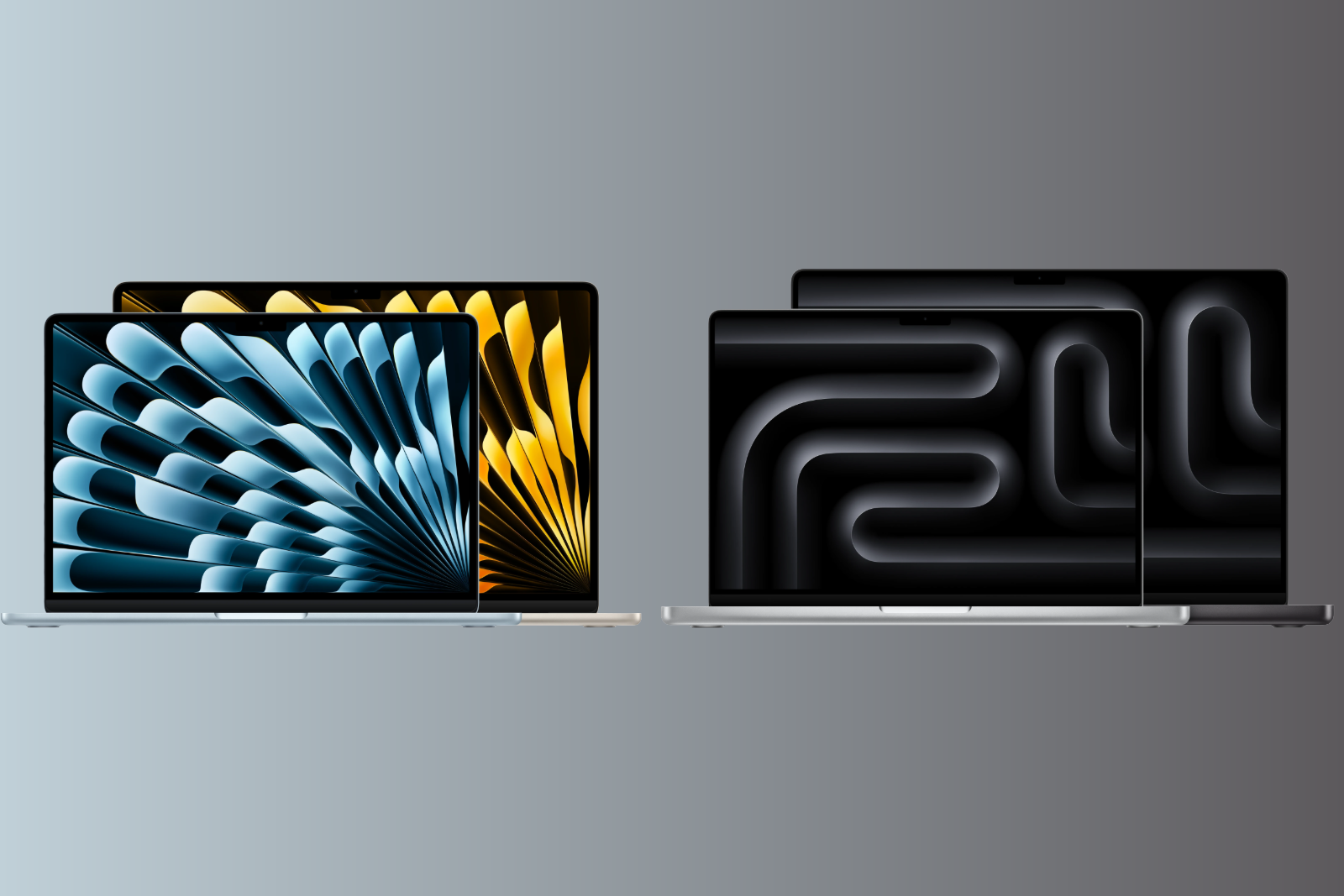
The MacBook Air with M5 processor and the MacBook Pro with M5 Pro or M5 Max have been available since March 2026. Both models use fifth-generation Apple Silicon, but differ fundamentally in performance, display, cooling, and price. This comparison shows where the extra cost is worthwhile and who is better off with the Air.
With the M5 generation, Apple has significantly upgraded both of its notebook lines. The MacBook Air now starts with 512 GB of storage, gains Wi-Fi 7, and remains fanless and ultra-lightweight. The MacBook Pro, with its new Fusion architecture in the M5 Pro and M5 Max, features a completely redesigned chip structure that delivers a tremendous performance boost, especially for AI tasks and professional workflows. The magnitude of this leap was evident shortly after the market launch, when the M5 Max set a new benchmark record. The question of which of the two MacBooks is the better fit has rarely been as relevant as it is today – because the Air is better than ever before, and the Pro is more powerful than any Apple laptop to date.
The current MacBook lineup has consisted of three product lines since March 2026: the MacBook Neo as an entry-level model, the MacBook Air as a versatile all-rounder, and the MacBook Pro as a performance machine for professionals.
The MacBook Air is available as a 13-inch model starting at €1,399 and as a 15-inch model starting at €1,699. The MacBook Pro starts at €2,199 (14-inch) with the M5 chip, at €2,899 (14-inch) or €3,399 (16-inch) with the M5 Pro, and at €4,799 (14-inch) or €5,099 (16-inch) with the M5 Max.
These prices have only been in effect since June 25th: Apple raised prices for Macs, iPads, and other products on that day, and the Pro models were hit harder than the Air. While the MacBook Air increased by €200, the MacBook Pro saw a €300 increase for the entry-level model, €400 for the M5 Pro variants, and €600 for both M5 Max models. The reason for this isn't Apple, but rather the memory market: DRAM prices rose by 98 percent in the first quarter of 2026, driven by the demand from AI data centers. This is also reflected in the price increases – a RAM upgrade now costs €220 instead of €200, and the 1TB SSD in the MacBook Air adds €330 to the price instead of €250.
There's a price difference of several thousand euros between the cheapest MacBook Air and the most expensive MacBook Pro. Whether the extra cost is worth it depends crucially on what tasks the laptop needs to handle in everyday life.
Design and Weight
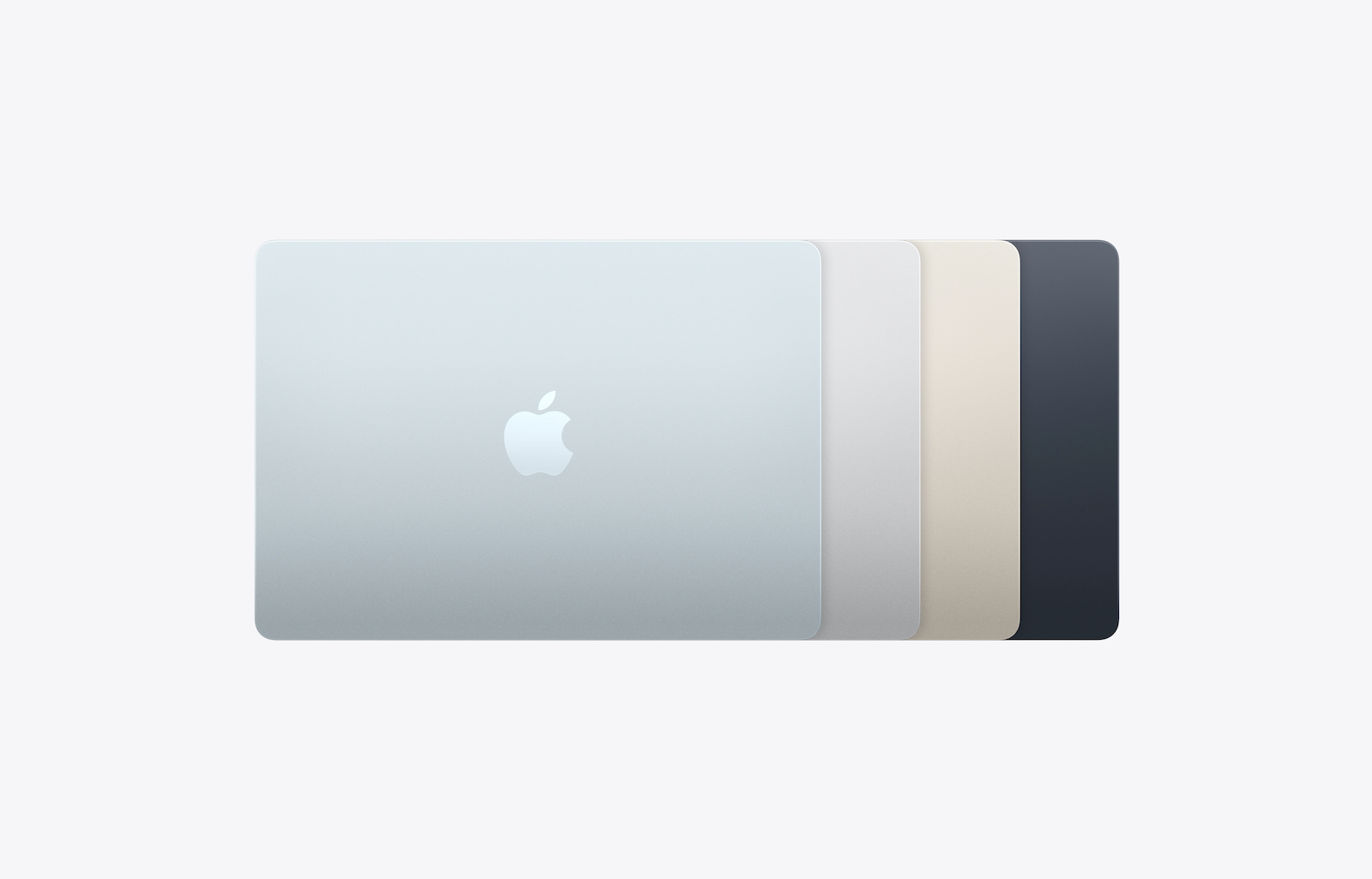
The MacBook Air remains Apple's most portable laptop. It has no fan and is therefore completely silent. The 13-inch model weighs just 1.24 kg and is 1.13 cm thick. The 15-inch model weighs 1.51 kg and is 1.15 cm thick. It is available in four colors: Sky Blue, Midnight, North Star, and Silver.
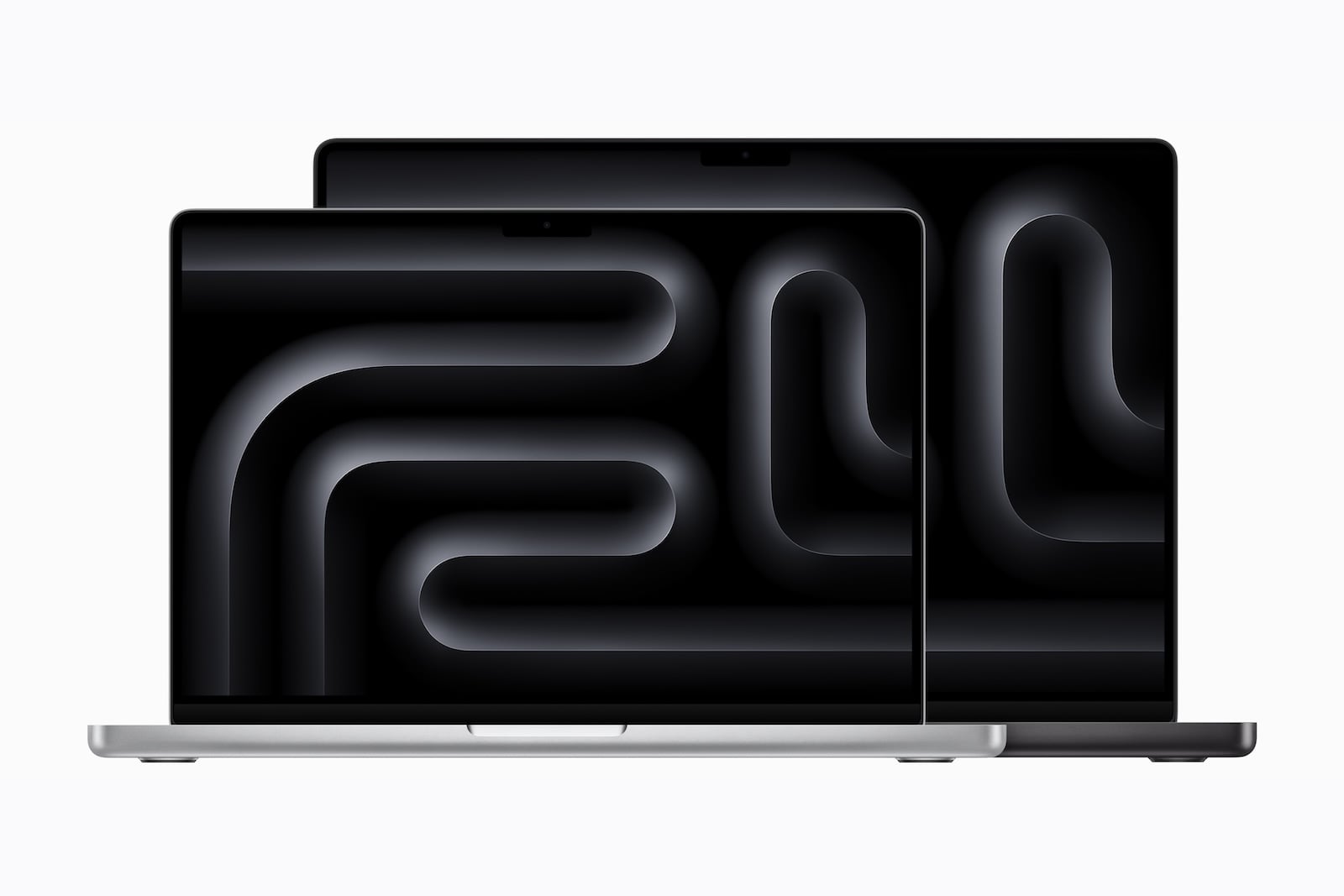
The MacBook Pro is slightly thicker and heavier due to its active cooling system with fans. The 14-inch model weighs between 1.55 kg (M5) and 1.62 kg (M5 Max), depending on the chip, and is 1.55 cm thick. The 16-inch model weighs between 2.14 and 2.15 kg and is 1.68 cm thick. It is available in Space Black and Silver.
Both model series feature a robust aluminum unibody housing. The Air also includes a color-matched MagSafe charging cable.
Design conclusion: If you're looking for maximum mobility and silent operation, go for the Air. The Pro offers advantages in sustained performance thanks to its active cooling, but is heavier and slightly thicker.
Display
The display is one of the most significant differences between the two model series.
MacBook Air
- 13.6 inches (13-inch model) or 15.3 inches (15-inch model)
- Liquid Retina Display (IPS)
- 500 nits brightness
- Support for a billion colors
- P3 Wide Color
- True Tone
MacBook Pro
- 14.2 inches (14-inch model) or 16.2 inches (16-inch model)
- Liquid Retina XDR Display (Mini LED)
- Up to 1,000 nits continuous brightness, 1,600 nits HDR peak brightness
- ProMotion with adaptive refresh rate up to 120 Hz
- Contrast ratio of 1,000,000:1
- P3 Wide Color, True Tone
- Optionally available with nanotextured glass to reduce reflections
The MacBook Pro's XDR display is clearly superior to the Air's Liquid Retina display in terms of brightness, contrast, and responsiveness. The difference is particularly noticeable with HDR content, color correction, and video production. The 120Hz ProMotion technology also ensures smoother scrolling and a noticeably more responsive user interface.
Display Conclusion: For everyday tasks, text work, and streaming, the Air's display is perfectly adequate. Those who work professionally with color, video, or HDR content will benefit significantly from the Pro's XDR display.
Chip and Performance
MacBook Air – M5 Chip
- 10-core CPU (4 super cores + 6 efficiency cores)
- Up to 10-core GPU with Neural Accelerator in each core
- 16-Core Neural Engine
- 16, 24 or 32 GB of shared RAM
- Memory bandwidth: 153 GB/s
- Fanless – purely passive cooling
The M5 in the MacBook Air delivers outstanding performance in everyday use. Word processing, web browsing, streaming, photo editing in Lightroom or Photoshop, and even light video editing in Final Cut Pro run smoothly. Apple states that the M5 is up to four times faster than its predecessor, the M4, and up to 9.5 times faster than the M1 for AI tasks.
The catch: Without active cooling, the MacBook Air throttles its performance under prolonged full load. After about 10 to 15 minutes under maximum load – such as when rendering a long video or during intensive gaming – the system reduces the clock speed to prevent overheating.
MacBook Pro – M5, M5 Pro, M5 Max
The MacBook Pro is available in three chip variants:
M5 (14 inch):
- 10-core CPU, 10-core GPU
- 16 to 32 GB RAM
- Identical chip as in the Air, but with active cooling – resulting in higher sustained performance.
M5 Pro:
- Up to 18-core CPU (6 super cores + 12 performance cores)
- Up to 20-core GPU
- Up to 64 GB of shared memory
- Memory bandwidth: up to 307 GB/s
- New Fusion architecture: two 3nm dies combined in one SoC
M5 Max:
- 18-core CPU (6 super cores + 12 performance cores)
- Up to 40-core GPU
- Up to 128 GB of shared memory
- Memory bandwidth: up to 614 GB/s
- Fusion architecture
The Fusion architecture in the M5 Pro and M5 Max is Apple's most ambitious approach to date: Two dies are combined into a system-on-a-chip, enabling a massive leap in bandwidth, AI performance, and multithreaded performance. Apple claims up to 30 percent more multithreaded performance compared to the previous generation and up to four times faster AI performance. The practical benefits of this were already evident in initial tests of the two Pro chips.
Paying close attention to RAM is particularly worthwhile since the price premiums have increased: The RAM recommendations for Apple Silicon can help estimate which application profiles can manage with 16, 24 or 32 GB before configuration.
Performance Conclusion: The MacBook Air with M5 is sufficient for most tasks. The MacBook Pro with M5 is the better choice when consistent performance over extended periods is required. The M5 Pro and M5 Max are designed for professional workflows in video production, 3D rendering, software development, and AI applications.
Battery and Charging
- MacBook Air: up to 18 hours of video streaming
- MacBook Pro 14-inch: up to 24 hours (M5), 22 hours (M5 Pro), 20 hours (M5 Max)
- MacBook Pro 16-inch: up to 24 hours (M5 Pro), 22 hours (M5 Max)
The MacBook Pro thus boasts the longest battery life ever seen in a Mac. This is due in part to the larger battery and in part to the efficient chip architecture. However, those seeking peak performance shouldn't opt for the most powerful configuration: only the 14-inch model with the standard M5 and the 16-inch model with the M5 Pro achieve 24 hours of battery life.
Both models support fast charging via MagSafe. The Air requires a 70-watt power adapter, the 14-inch Pro at least 96 watts, and the 16-inch Pro 140 watts. Neither model includes a power adapter.
Battery life conclusion: Both models easily last a full workday. However, the Pro offers up to six hours more – a significant advantage for long meetings or travel.
Connections
MacBook Air
- 2x Thunderbolt 4 (USB-C)
- 1x MagSafe 3 charging port
- 3.5 mm headphone jack
- Support for up to 2 external displays (with the lid closed)
MacBook Pro
- 3x Thunderbolt 5 (on M5 Pro and M5 Max)
- 1x HDMI 2.1
- 1x SDXC card reader
- 1x MagSafe 3 charging port
- 3.5 mm headphone jack
- Support for multiple external displays (up to 8K on M5 Max)
The MacBook Pro offers significantly more connectivity options. The HDMI port and SD card reader, in particular, eliminate the need for adapters in many situations. Thunderbolt 5 also achieves speeds of up to 120 Gbps, three times that of Thunderbolt 4. It's important to note that the Thunderbolt 5 ports are exclusive to the M5 Pro and M5 Max – the 14-inch model with the standard M5 chip has three Thunderbolt 4 ports.
The number of monitors that can actually be used depends less on the case than on the chip used – the display limits of the individual Mac models differ significantly. The actual transfer rate achieved also depends on the appropriate USB-C cable, as Thunderbolt 5 only delivers its full bandwidth with correspondingly specified cables.
Conclusion on connections: Those who regularly use external monitors, cameras, or memory cards will clearly benefit from the Pro. The Air is sufficient for simple setups with one or two external displays.
Storage and connectivity
MacBook Air
- 512GB, 1TB, 2TB or 4TB SSD
- Twice as fast SSD as its predecessor
- Wi-Fi 7 and Bluetooth 6 (Apple N1 chip)
MacBook Pro
- Starting at 1 TB (M5 Pro) or 2 TB (M5 Max) in the standard configuration
- Up to 8 TB SSD
- Up to twice the SSD speed (up to 14.5 GB/s)
- Wi-Fi 7 and Bluetooth 6 (Apple N1 chip) on the M5 Pro and M5 Max; the 14-inch model with M5 uses Wi-Fi 6E and Bluetooth 5.3
Both models now come with significantly more storage than their predecessors. The Air doubles its base storage from 256 GB to 512 GB, while the Pro with the M5 Pro starts at 1 TB. This increased base storage somewhat mitigates the price difference: Upgrading the Air to 1 TB has cost an additional €330 since the June price adjustment – the same capacity is already included in the M5 Pro.
Storage Conclusion: The Air's storage options are sufficient for most users. Those who work with large video, photo, or project files will benefit from the Pro's larger base storage and faster SSD.
Camera and sound
Both models have a 12 MP front camera with Center Stage and Desktop View. Video call image quality is identical for both series.
There are differences in sound: The MacBook Air has a four-speaker system (13-inch) or a six-speaker system (15-inch) with 3D audio and Dolby Atmos. The MacBook Pro features a six-speaker system with force-cancelling woofers, which Apple calls "High Fidelity." The Pro's sound is fuller, bassier, and noticeably better for music production and media consumption.
The MacBook Pro also features a studio microphone array with three microphones, high signal-to-noise ratio and directional beamforming – ideal for podcasting or professional calls.
Apple Intelligence
Both model lines fully support Apple Intelligence. This includes writing tools, Image Playground, Genmoji, intelligent notification summaries, and Siri with enhanced features. Apple Intelligence runs on any Mac with an M1 processor or later.
The difference lies in the speed: The Neural Accelerators in the M5-generation GPU cores significantly speed up AI tasks. The MacBook Pro with M5 Pro or M5 Max can process local large language models and diffusion models noticeably faster than the Air. However, for everyday use with Apple's currently available intelligence features, the difference is minimal.
Which model is right for whom?
MacBook Air is the right choice if:
- Looking for a lightweight, silent laptop for everyday use, studies or office.
- Typical usage consists of web browsing, office applications, streaming, and photo editing.
- Mobility and weight play a major role
- The budget should be under 2,000 euros.
- Occasional video editing or creative work takes place, but no hours-long rendering sessions.
MacBook Pro is the right choice if:
- Professional video production, 3D rendering or software development is carried out.
- Constant power is needed for hours without throttling.
- A brighter, higher-contrast display with 120 Hz and HDR is needed.
- Maximum connectivity options, including HDMI and SD card reader, are desired.
- The longest possible battery life is important.
- Working with large datasets, AI models or complex simulations
If your budget is below the Air, it's also worth taking a look at the lower end: The MacBook Neo compared to the Air shows where Apple saves money on the entry-level model and when the extra cost makes sense.
All differences at a glance
| Feature | MacBook Air (M5) | MacBook Pro (M5 Pro) |
|---|---|---|
| Price from | €1,399 (13″) / €1,699 (15″) | €2,899 (14″) / €3,399 (16″) |
| Display | Liquid Retina, 500 nits | Liquid Retina XDR, 1,600 nits HDR |
| Refresh rate | 60 Hz | Up to 120 Hz (ProMotion) |
| Chip | M5 | M5 Pro (or M5 / M5 Max) |
| CPU cores | 10 | Up to 18 |
| GPU cores | Up to 10 | Up to 40 (M5 Max) |
| Max. RAM | 32 GB | 128 GB (M5 Max) |
| Basic memory | 512 GB | 1 TB (M5 Pro) / 2 TB (M5 Max) |
| Max. storage | 4 TB | 8 TB |
| Battery life | Up to 18 hours | Up to 24 hours |
| Cooling | Fanless (passive) | Active (with fan) |
| Connections | 2x Thunderbolt 4, MagSafe | 3x Thunderbolt 5, HDMI, SD, MagSafe |
| External Displays | Up to 2 | Up to 3 (M5 Pro) / 4 (M5 Max) |
| Wi-Fi | WLAN 7 (N1 Chip) | WLAN 7 (N1 Chip) |
| Camera | 12 MP Center Stage | 12 MP Center Stage |
| Weight (smaller model) | 1.24 kg | 1.55 kg |
| Colors | 4 | 2 |
| Apple Intelligence | Yes | Yes |
MacBook Air or MacBook Pro – which is really worth it?
The MacBook Air with M5 is the best laptop for most people in 2026. It combines powerful performance, a fanless design, all-day battery life, and an entry-level price that, despite the June price adjustment, remains significantly below that of the Pro models. For studying, office work, creative side projects, and everyday personal use, there's currently hardly a better overall package.
The MacBook Pro justifies its significantly higher price when demands go beyond everyday use: sustained peak performance without throttling, a professional display, maximum connectivity, and the ability to work locally with massive datasets or AI models. For those who need these capabilities, the 2026 MacBook Pro is the most powerful notebook Apple has ever built.
The price increase in June widened the gap between the two models: the difference between the 13-inch Air and the 14-inch Pro with M5 Pro is now €1,500 instead of €1,300. Ultimately, the purchase decision isn't a question of "better or worse," but rather a question of use case. And for the vast majority of users, the Air is not just sufficient—it's the smarter investment. (Image: Apfelpatient x Apple)
- Apple TV in August 2026: All the highlights at a glance
- MacBook Air vs. Neo: Is the extra cost worth it?
- iOS 27: All the new features in Phone and FaceTime
- Apple Security Camera: All the rumors at a glance
- Apple HomePad: All the rumors at a glance
- New Apple TV 4K: All the rumors about the update with Siri AI
- HomePod 3 & HomePod mini 2: All the rumors at a glance
- MacBook Neo 2: All the rumors at a glance
Frequently Asked Questions: MacBook Air vs. MacBook Pro
The biggest difference lies in performance and cooling. The MacBook Air operates without a fan and throttles its performance under sustained full load. The MacBook Pro has active cooling and maintains its full performance consistently for hours. It also features a brighter 120Hz XDR display, more ports, and longer battery life.
For occasional video editing in Final Cut Pro and image editing in Lightroom or Photoshop, the MacBook Air with M5 is more than sufficient. However, during longer rendering sessions or complex projects with many effects and 4K footage, it reaches its limits due to the lack of active cooling.
The MacBook Pro offers more powerful chips (M5 Pro or M5 Max) with the new Fusion architecture, a significantly brighter and higher-contrast XDR display with ProMotion, active cooling for sustained performance, Thunderbolt 5, HDMI, an SD card reader, and up to 128 GB of RAM. These features are aimed at professional users with high performance demands.
Yes. The MacBook Air uses the Apple N1 chip for wireless networks and therefore supports Wi-Fi 7 and Bluetooth 6. For the MacBook Pro, this applies to the models with the M5 Pro and M5 Max – the 14-inch entry-level model with the M5 remains at Wi-Fi 6E and Bluetooth 5.3.
The MacBook Air will launch in 2026 with 512 GB of SSD storage for the first time – twice as much as its predecessor with an M4 drive. The SSD is also twice as fast as the previous model. It can be configured with up to 4 TB of storage.
Yes. Apple Intelligence runs fully on both model lines. This includes the writing tools, Image Playground, Genmoji, and Siri with enhanced features. The MacBook Pro with M5 Pro or M5 Max processes local AI models faster, but in everyday use, the difference with current features is minimal.
Apple claims up to 18 hours of battery life for the MacBook Air. For the MacBook Pro, the battery life depends on the chip: the 14-inch model with the M5 and the 16-inch model with the M5 Pro achieve 24 hours, while the M5 Max variants reach 22 and 20 hours, respectively. A full workday is easily achievable with all models.