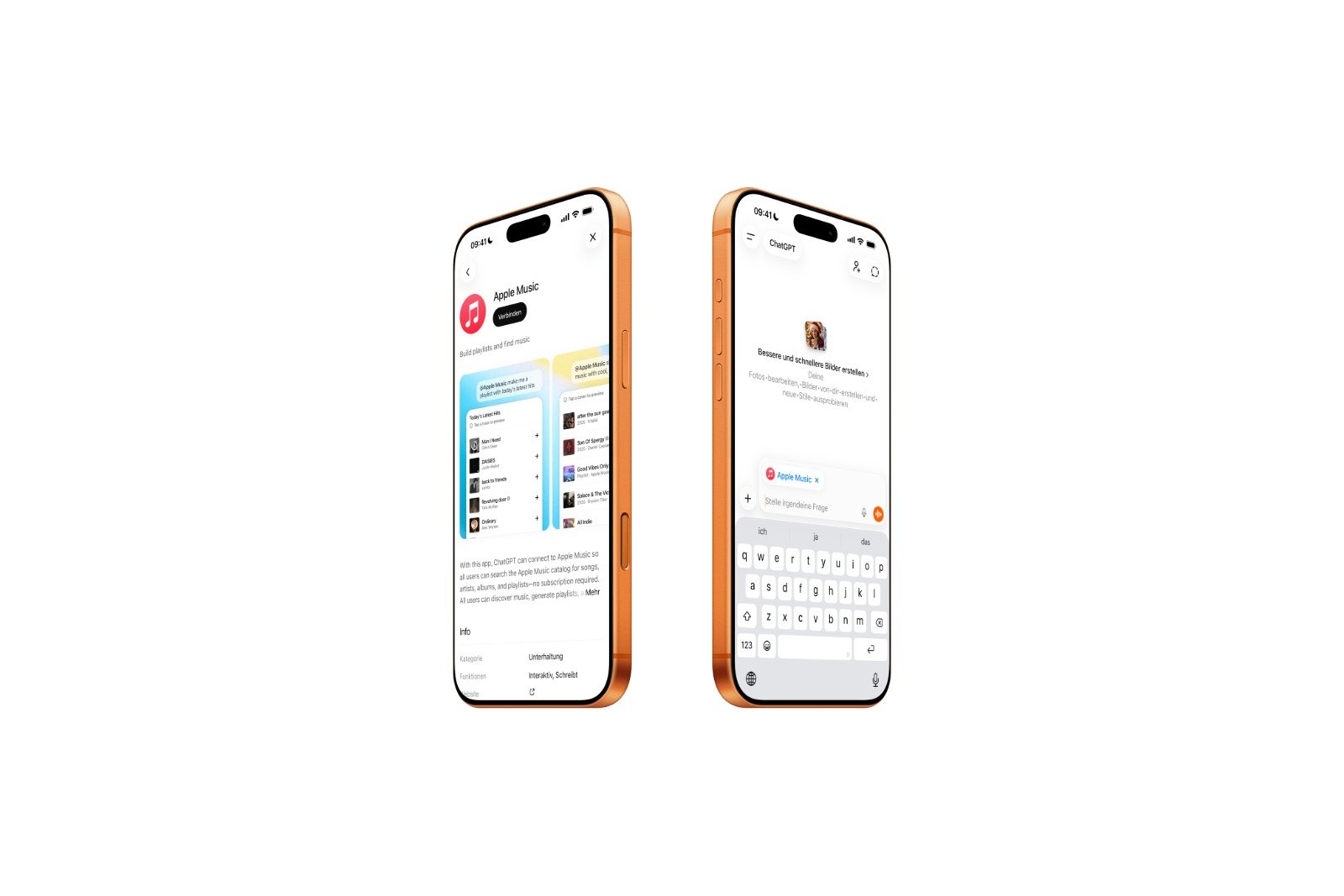
Finding music that truly matches your mood is often cumbersome. Search fields expect specific terms but frequently deliver irrelevant results. ChatGPT and the new Apple Music extension significantly simplify this process. Music can now be discovered through natural language, playlists are created from descriptions instead of filters, and new songs appear where traditional searches reach their limits.
The integration of ChatGPT into Apple Music demonstrates how AI is gradually being incorporated into existing services. This isn't just a gimmick, but a new way of interacting. Music is no longer simply searched for, but described. This changes how recommendations are generated and how quickly relevant content is found.
What's possible with Apple Music in ChatGPT
The Apple Music extension in ChatGPT allows you to search for music using natural language. Instead of entering genres, artists, or individual keywords, you can describe entire situations or moods. Descriptions like "happy songs from the 80s for a road trip" or "relaxing instrumental music for studying" are understood by ChatGPT and translated into relevant results.
Particularly relevant is the ability to combine multiple criteria simultaneously. A query like "Jazz Fusion track under five minutes with prominent saxophone" is executed precisely. Such searches would be difficult or even impossible using traditional input fields. ChatGPT interprets not only terms, but also relationships and priorities.
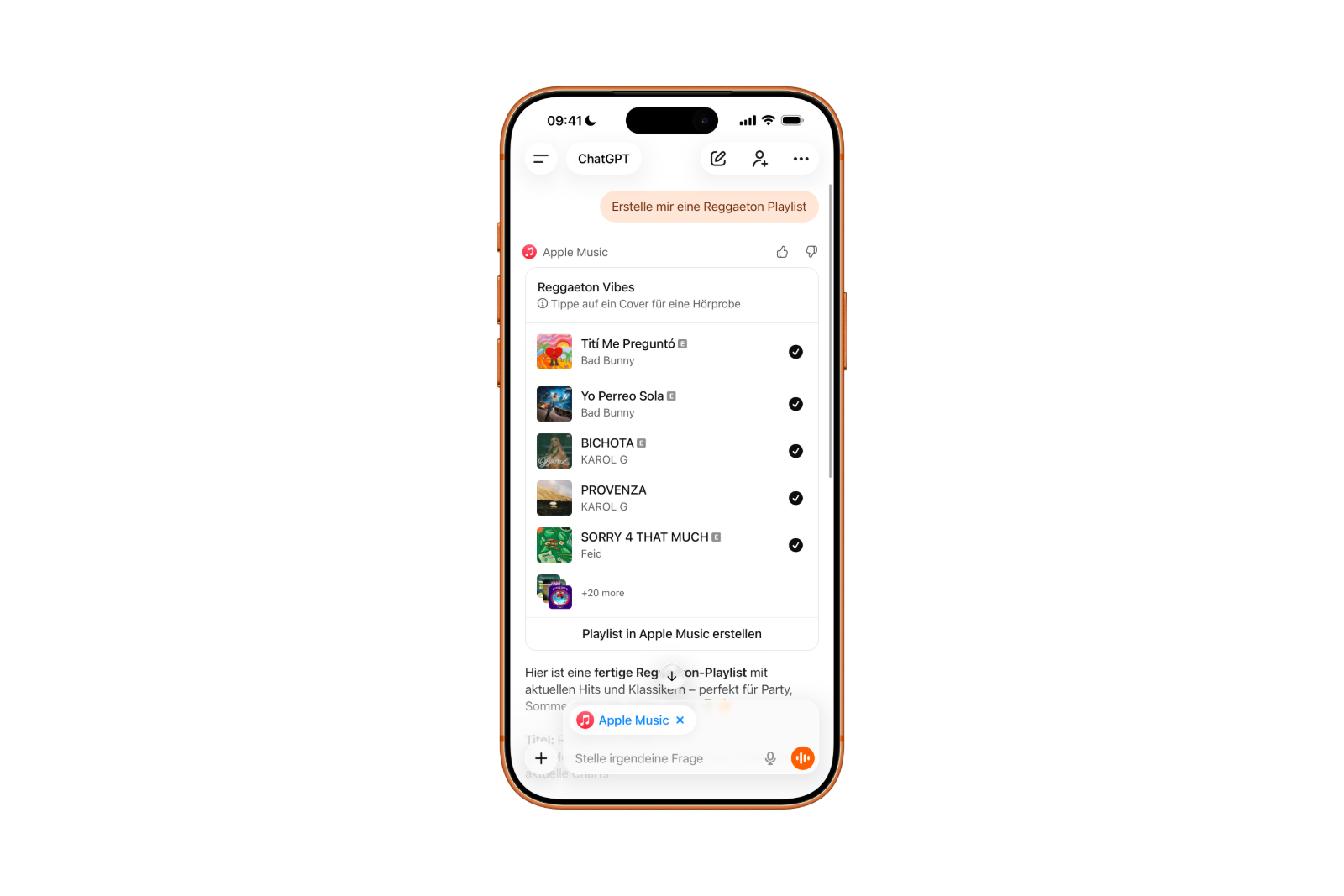
Complete playlists can be created based on this. These playlists can be organized by decade, genre, artist, or very specific criteria. After creation, all included songs can be previewed for 30 seconds. The "Create playlist in Apple Music" option saves the playlist directly to your Apple Music library. Individual tracks can also be saved using the plus buttons.
To use the Apple Music extension, you only need a ChatGPT account. The feature is available in both the free and paid versions. An Apple Music subscription is not required to browse the music catalog, create playlists, or preview clips. An active subscription is only needed if you want to permanently save songs or playlists to your library.
This is how Apple Music is connected to ChatGPT
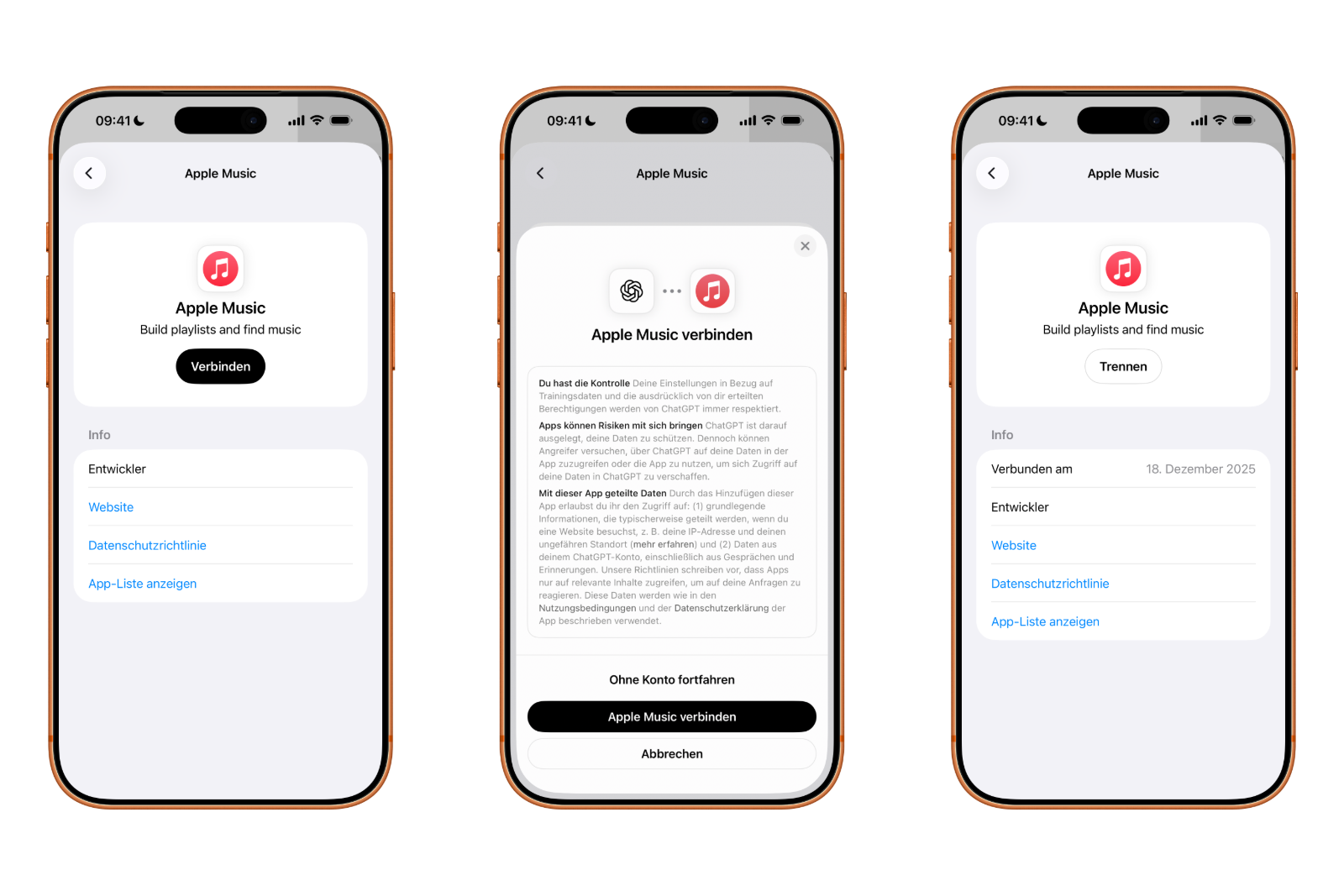
Before music can be discovered using AI, Apple Music must be connected to ChatGPT once.
First, open the ChatGPT app and select your profile in the sidebar. Under Account Settings, you'll find the "Apps" section. There, you can locate the Apple Music extension by clicking "Browse Apps." After tapping "Connect," select "Connect Apple Music." Then, log in with your Apple account and confirm the access request.
On a desktop computer, the process works identically using the ChatGPT app for Mac. Alternatively, you can access the "Apps" section in your browser. After a successful connection, the Apple Music extension will automatically remain active on all devices using the same ChatGPT account.
Data protection and technical limitations
ChatGPT has access to the Apple Music catalog and can compile songs and playlists from it. It does not have access to personal listening history or existing playlists. The extension is only authorized to add content to the user's library. Personal music data remains protected and is neither analyzed nor stored.
How ChatGPT changes music search on Apple Music
The combination of ChatGPT and Apple Music makes discovering music easier and more flexible. Instead of technical search logic, language takes center stage. Playlists are created faster, recommendations are more targeted, and new music can be found directly. For everyone who consciously selects music and doesn't just passively consume it, ChatGPT in combination with Apple Music offers clear practical added value. The best products for you: Our Amazon storefront offers a wide selection of accessories, including those for HomeKit. (Image: Apfelpatient)
- iOS 26: Change default apps on your iPhone
- Optimize your messaging app: Stop unwanted audio recordings
- iOS 26 turns photos into impressive 3D spatial scenes
- AirPods: Media no longer continues playing during sleep thanks to iOS 26
- Use Apple's Family Sharing to share content together
- iPhone tip: How alternative app distribution channels work
- iPhone tip: Access flight information directly in the system
- iOS 26.2 explained: How the new AirDrop codes work
- iOS 26.2 enhances the Reminders app with alarm functionality
- Here's how to properly create a backup for iPhone and iPad
- Setting up and using Apple Car Key: All functions explained
- New iOS 26.2 feature: Screen flashes for notifications
- Longer battery life with iOS 26 – Adaptive Power explained
- Live translation with AirPods: Here's how the feature works
- iOS 26: The new focus mode „Reduce interruptions“
- iOS 26.1: Reactivate the classic stop button on the alarm clock
- iOS 26.1 brings a new lock screen setting for the iPhone
- iOS 26.1: Liquid Glass effects can be toned down
- watchOS 26 brings hints about the Apple Watch dial
- macOS 26 Update: Hidden Tools and Improvements
- New call history in iOS 26: All conversations at a glance
- iOS 26: iMessage not working? Apple announces the solution
- iOS 26 Tricks: 26 small innovations with a big impact
- iOS 26 solves the Bluetooth problem with AirPods in the car
- iPhone: How the new call waiting feature works in iOS 26
Frequently asked questions about Apple Music playlists with ChatGPT
The Apple Music extension is an official integration that allows ChatGPT to directly access the Apple Music catalog. This enables users to search for songs, create playlists, and discover music based on descriptions.
An Apple Music subscription is not required. You can browse the catalog and listen to previews. However, to permanently save songs or playlists to your library, an active subscription is necessary.
Yes, the extension is available in both the free and paid versions of ChatGPT. There are no functional differences.
ChatGPT can create playlists based on mood, situation, genre, decade, artist, or very specific criteria. Complex combinations such as tempo, instruments, or song lengths are also possible.
No, ChatGPT does not have access to listening history, existing playlists, or personal recommendations. The integration is limited exclusively to the Apple Music catalog.
Once created, ChatGPT offers the option to save the playlist directly to Apple Music. Additionally, individual tracks can be manually added to the library.
The extension works on all devices that use the same ChatGPT account. This includes smartphones, tablets, desktops, and the ChatGPT app for Mac.
Yes, personal music data remains private. ChatGPT only receives permission to add content to the library, but does not access individual usage data.