A correctly entered date of birth in your Apple account ensures that your age matches the system's functions. Apple uses this information for things like Family Sharing, age-appropriate content, and certain security settings. If something is wrong, incorrect information can quickly affect access and permissions. Therefore, it's worth checking your date of birth in your Apple account and updating it if necessary.
The date of birth can be changed in several ways. The options vary depending on the device and account type. Additional rules apply to children's accounts. Knowing the different methods makes it easy to adjust the date. This report fully summarizes all the steps and special considerations.
Why your date of birth is important in your Apple account
The date of birth affects various functions. It ensures that content is filtered according to age and that family sharing works correctly. It also influences whether an account is classified as a child account, which in turn activates its own settings, protection features, and approval processes. An incorrectly set date can cause restrictions or make certain features inaccessible.
Change date of birth directly in your Apple account
The date can be updated via iPhone, iPad, Mac, or the web interface. In some cases, re-logging in is required. Depending on how the Apple account was originally created, Apple may request additional information or a change of the primary username from a mobile phone number to an email address.
Edit date of birth on iPhone or iPad
- Open settings and choose your own name.
- Select personal data.
- Sign in to your Apple account if needed.
- Open the date of birth.
- Adjust the date and confirm with "Done".
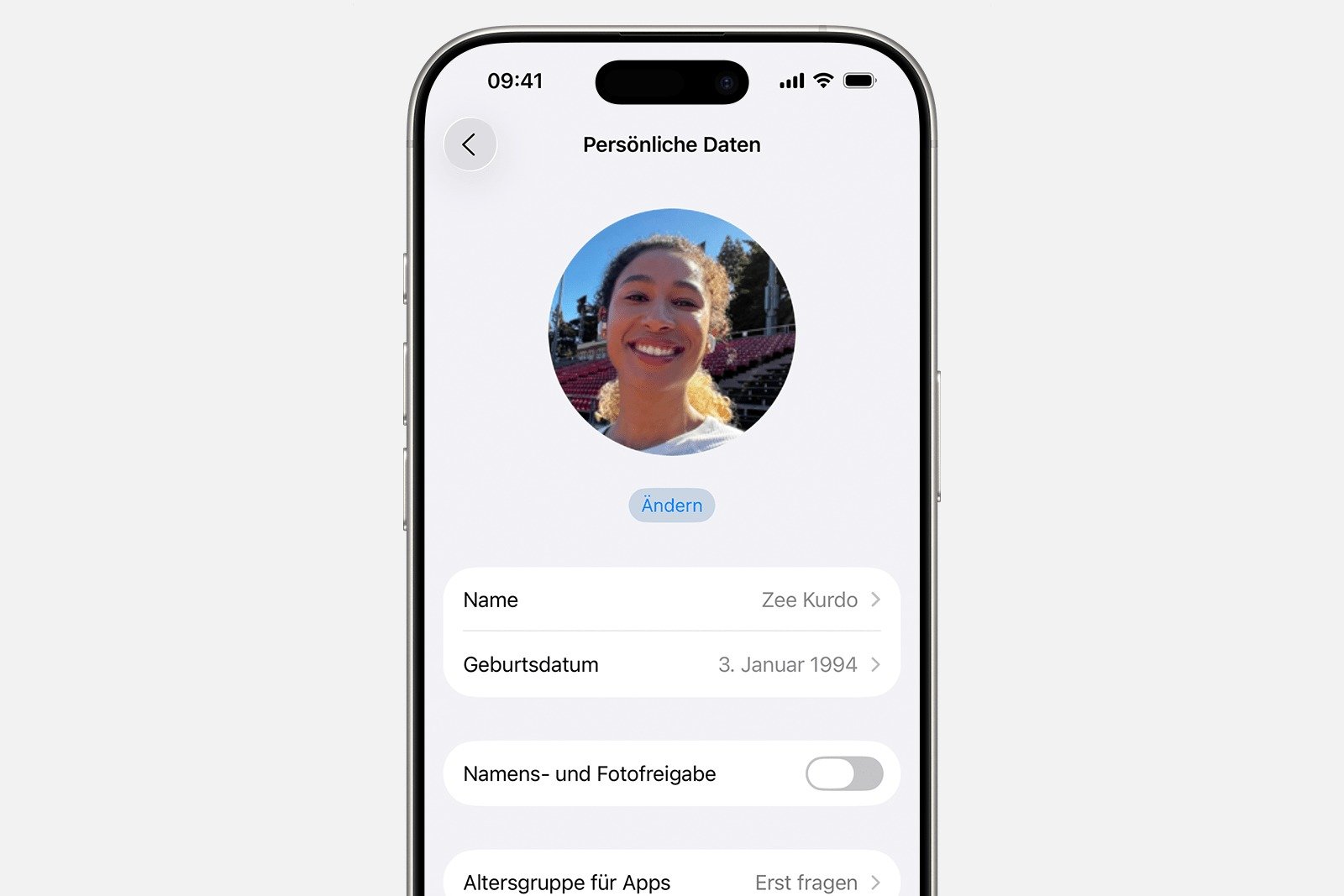
If an adult's date of birth is changed in such a way as to create a child's account, Apple refers to additional instructions on how to convert an account.
Change date of birth on Mac
- Open system settings and select your own name.
- Access personal data.
- If required, sign in to your Apple account.
- Edit the displayed date of birth.
- Save changes by clicking Done.
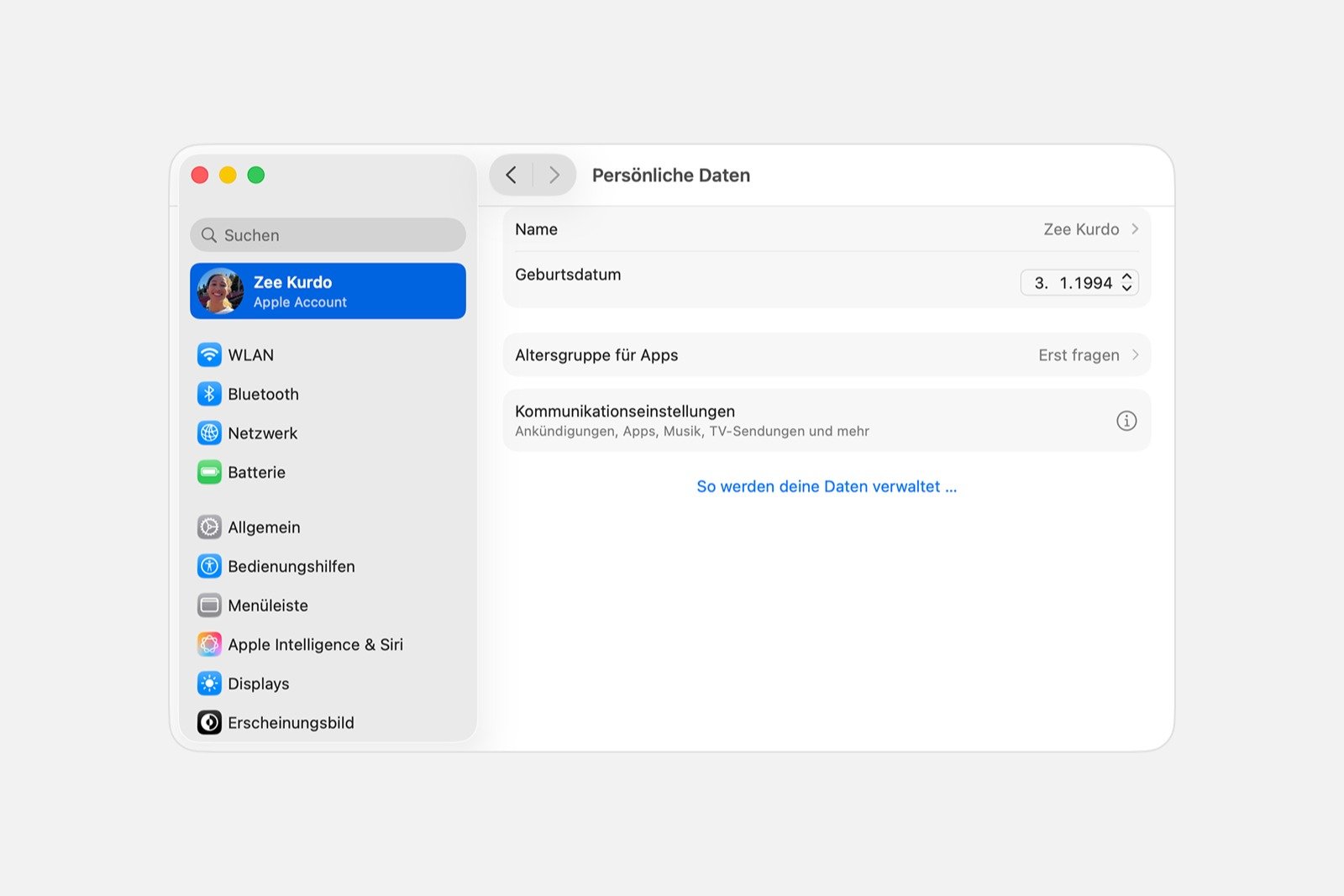
An adult account cannot be changed to a child account on a Mac. An iPhone, iPad, or the web interface is required for this.
Change date of birth online
- Sign in at account.apple.com.
- Select personal data.
- Open date of birth.
- Adjust the date and click Save.
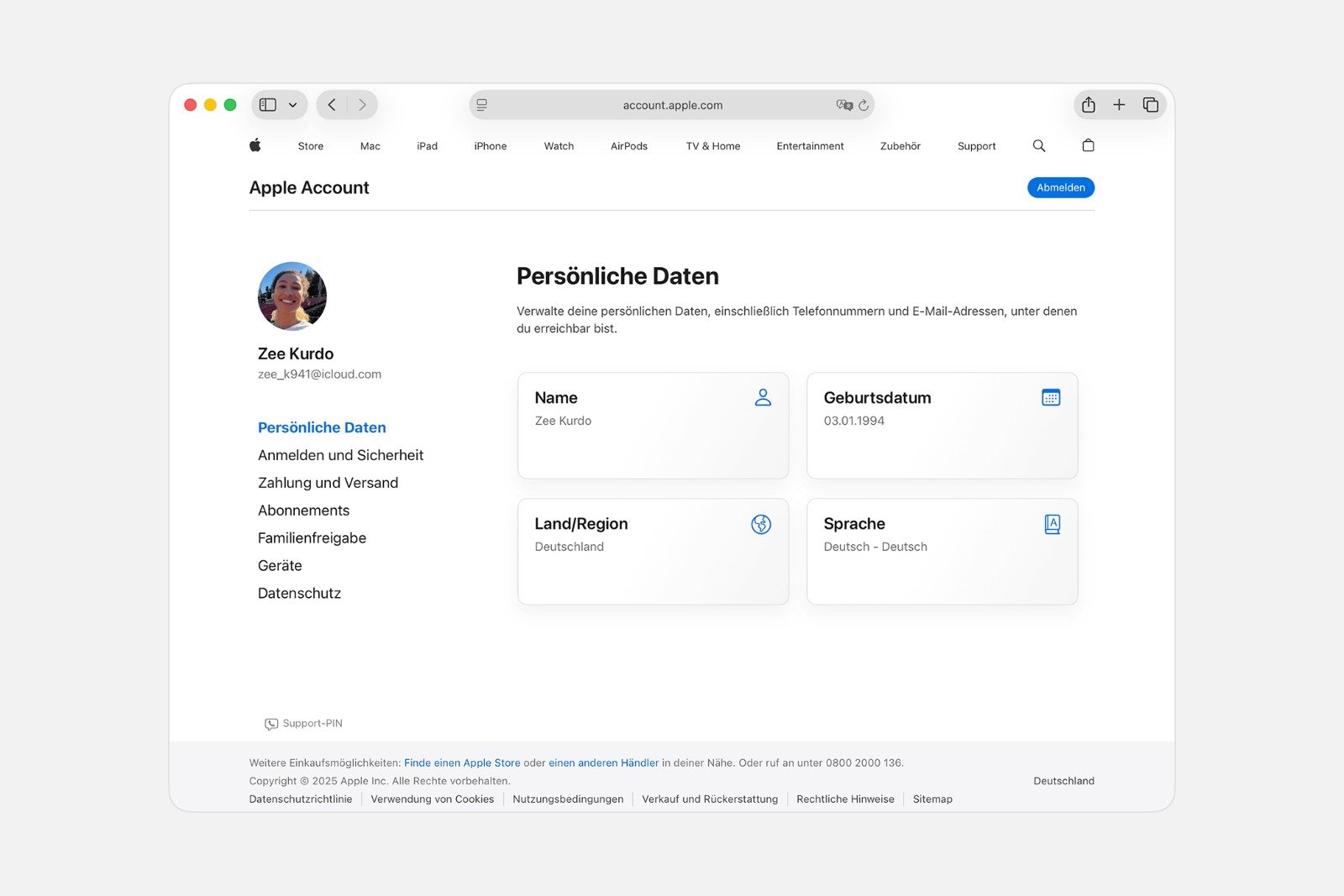
Once an adult's date of birth is set below the age limit for a child account, Apple requires the usual steps for account conversion.
Changing the birthdate of a child's account
To change a birthdate to an age under 13, the account in question must be part of a Family Sharing group. Additionally, the family organizer must approve the change. Without this approval, no change is possible.
Why a correct date of birth is crucial in your Apple account
A correctly set birthdate ensures that an Apple account functions without restrictions. All devices offer clear ways to edit this information. Those who understand the differences between adult and child accounts and are aware of the role of Family Sharing can reliably adjust the date. This ensures appropriate content, stable sharing, and smooth use of Apple services. The best products for you: Our Amazon storefront offers a wide selection of accessories, including those for HomeKit. (Image: Apple)
- Family Sharing: Safely share your location with your family
- Share age group with apps and better filter content
- Activate parental controls and manage your iPhone securely
- Screen time explained: Overview, limits and time-outs
- Setting up an iPhone for children using Family Sharing and Quick Start
- Change your Apple account password via device and web
- Create an Apple account for children & use Family Sharing
- Family Sharing offers clear control over purchases made by children
- Use Family Sharing to share apps and purchases
- Adjust family sharing and expand access to subscriptions
- Use Apple's Family Sharing to share content together
- iPhone tip: How alternative app distribution channels work
- iPhone tip: Access flight information directly in the system
- Family Sharing explained: Easily share and manage iCloud+
- Quickly set up Family Sharing on iPhone, iPad, and Mac
- iOS 26.2 explained: How the new AirDrop codes work
- iOS 26.2 enhances the Reminders app with alarm functionality
- Here's how to properly create a backup for iPhone and iPad
- Setting up and using Apple Car Key: All functions explained
- New iOS 26.2 feature: Screen flashes for notifications
- Longer battery life with iOS 26 – Adaptive Power explained
- Live translation with AirPods: Here's how the feature works
- iOS 26: The new focus mode „Reduce interruptions“
- iOS 26.1: Reactivate the classic stop button on the alarm clock
- iOS 26.1 brings a new lock screen setting for the iPhone
Frequently asked questions about the date of birth in the Apple account
The date of birth can be changed via iPhone, iPad, Mac, or the web interface. Depending on the account type, registration or additional verification may be required.
Apple uses it for family sharing, age ratings, content, security settings, and classifying accounts as child or adult.
Yes, but there are additional requirements. If the age is changed to under 13, the account must be converted correctly.
The account must be part of a family sharing plan, and the family organizer must confirm the change.
Depending on how the Apple account is set up, Apple may request additional data or require that the primary username be changed from a phone number to an email address.
macOS blocks any changes that would create a child account. You must use an iPhone, iPad, or the web interface for this.
It can be changed as long as the requirements are met. However, strict restrictions apply to child accounts and account conversions.
This can lead to blocked features, restricted content, and problems with Family Sharing. A fix resolves these limitations.
Yes. Without Family Sharing and Organizer Sharing, a child account cannot be created or modified.
Yes, the changes are applied immediately after saving. Depending on the device, a brief synchronization may be necessary.