Setting up a new iPhone or iPad for a child is easiest when Family Sharing is in place and both devices are running the latest software. Quick Start automatically applies all important parental controls, eliminating the need to manually configure each step. This ensures a clean setup and clear security standards from the start.
Family Sharing offers not only shared purchases and subscriptions, but also reliable tools for protecting children. Quick Start creates a streamlined process that automatically applies the appropriate settings, saving time. These benefits are especially noticeable when a new device is configured within an existing Family Sharing group, as the familiar restrictions are automatically in place.
Requirements for setup via Quick Start
For quick start, both your own device and your child's new device must be running iOS 16 or iPadOS 16 or later. Only then can parental controls be transferred automatically. If either device is still running iOS 15 or earlier, manual setup is the only option.
Preparing the new device
The new device is switched on and swiped upwards to unlock it. Next, the country or region and language are selected. Once this basic step is completed, Quick Start can begin.
Start a quick start with your own device
As soon as your device is near the new child's device, the "Configure new device" card will appear on your device. Simply tap "Continue" to start the process.
An animation will then appear on the new device. This is captured by your device's camera by centering the animation in the viewfinder. This confirms the connection between the two devices.

Selecting the child within Family Sharing
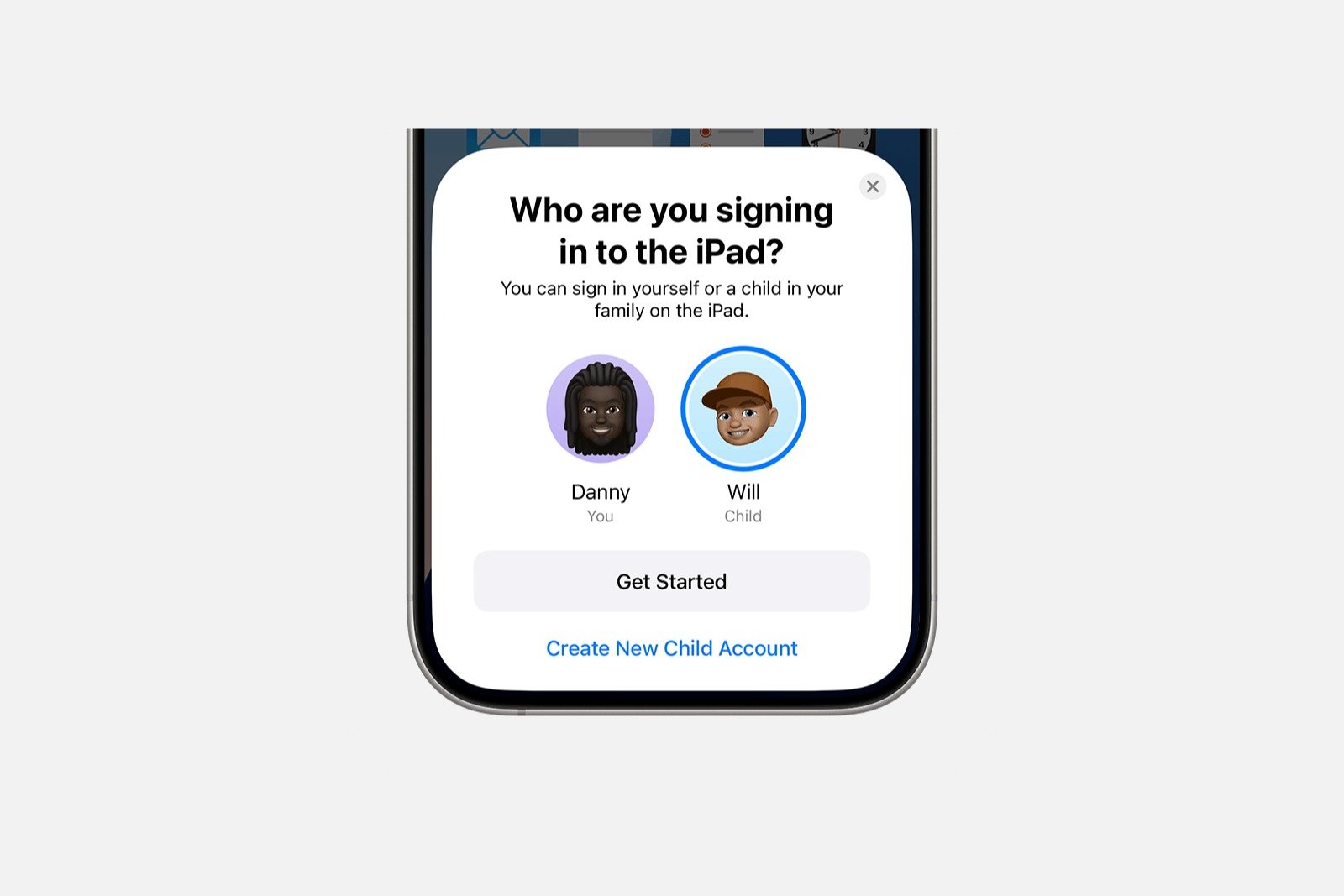
After connecting, a selection appears showing who will use the new device. All children under 13 who are already added to Family Sharing are displayed. If the child is not yet listed, a new child account can be created here.
Implementation or installation of child safety locks
Quick Start then guides you through the entire setup process. If the device is being set up for a child who is already part of Family Sharing, existing parental controls can be automatically applied. These include screen time, content filters, and any defined restrictions.
When a new child account is created, the child's Apple account is created first. Then, the preferred parental controls can be set up to ensure the device is set up securely and age-appropriately.
Family Sharing: Quickly and safely get your child's device ready to use
With Family Sharing and Quick Start, setting up a new iPhone or iPad for a child is clear and straightforward. All parental controls can be applied or created without any extra effort. This ensures a smooth start and guarantees that the device has the appropriate parental controls from the beginning. The best products for you: Our Amazon storefront offers a wide selection of accessories, including those for HomeKit. (Image: Shutterstock / Caroline Ruda)
- Change your Apple account password via device and web
- Create an Apple account for children & use Family Sharing
- Family Sharing offers clear control over purchases made by children
- Use Family Sharing to share apps and purchases
- Adjust family sharing and expand access to subscriptions
- Use Apple's Family Sharing to share content together
- iPhone tip: How alternative app distribution channels work
- iPhone tip: Access flight information directly in the system
- Family Sharing explained: Easily share and manage iCloud+
- Quickly set up Family Sharing on iPhone, iPad, and Mac
- iOS 26.2 explained: How the new AirDrop codes work
- iOS 26.2 enhances the Reminders app with alarm functionality
- Here's how to properly create a backup for iPhone and iPad
- Setting up and using Apple Car Key: All functions explained
- New iOS 26.2 feature: Screen flashes for notifications
- Longer battery life with iOS 26 – Adaptive Power explained
- Live translation with AirPods: Here's how the feature works
- iOS 26: The new focus mode „Reduce interruptions“
- iOS 26.1: Reactivate the classic stop button on the alarm clock
- iOS 26.1 brings a new lock screen setting for the iPhone
- iOS 26.1: Liquid Glass effects can be toned down
- watchOS 26 brings hints about the Apple Watch dial
- macOS 26 Update: Hidden Tools and Improvements
- New call history in iOS 26: All conversations at a glance
- iOS 26: iMessage not working? Apple announces the solution
Frequently Asked Questions about Family Sharing and Quick Start
Quick Start connects your own device to the child's new iPhone, recognizes Family Sharing, and automatically applies existing parental controls.
Both devices must be running iOS 16 or later. Only then can security features be transferred automatically.
In this case, Quick Start is not fully functional. The child's device must be set up manually.
Yes. If a child is not yet included in Family Sharing, a new child account can be created during the process.
Only children under 13 years of age who are already registered in the family sharing plan will appear.
Yes. Once the child is already part of the family sharing, screen time, content filters, and restrictions are automatically applied.
Yes. When a new child account is set up, all desired restrictions can be redefined directly.
Yes. The quick start connection only works if both devices are close to each other.
No. This selection must be made on the new device at the beginning, before Quick Start starts.
Yes. Only settings and permissions are transferred, not private content. All data remains protected.