
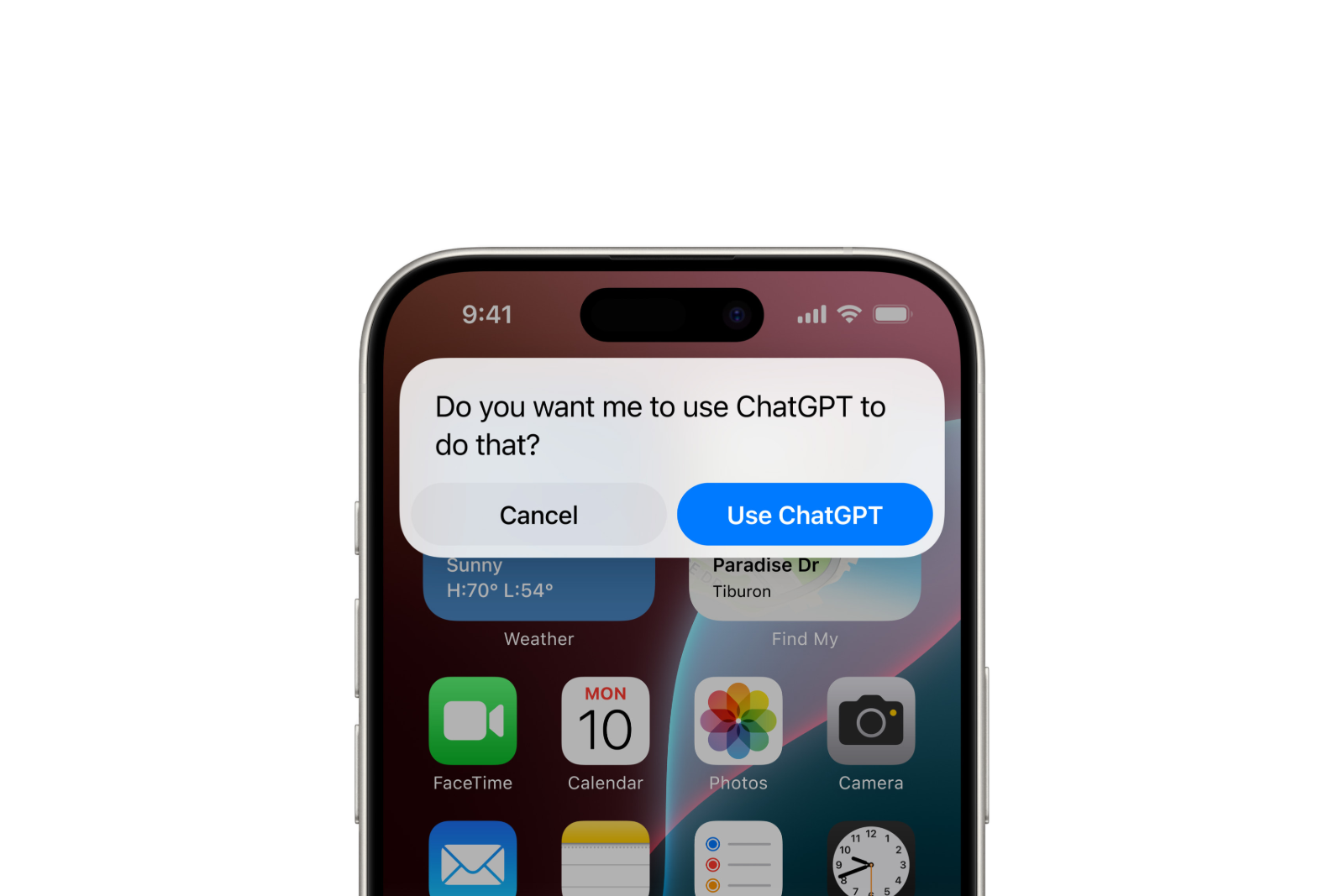
ChatGPT can be integrated directly into Apple Intelligence as an extension and is then available in Siri, the writing tools, Image Playground, visual intelligence, and even Shortcuts. Setup takes only a few seconds and, if desired, works entirely without an OpenAI account. The setup process is virtually identical on iPhone, iPad, and Mac – and you retain full control over what data is transmitted to OpenAI at all times.
Since iOS 18.2, Apple Intelligence can optionally utilize ChatGPT from OpenAI. The idea behind this is that for tasks that go beyond the system's built-in functions, the iPhone accesses ChatGPT's broader knowledge and generative capabilities - for example, for complex questions to Siri, composing entire texts, or adding extra image styles. This extension is optional and disabled by default; ChatGPT only comes into play when it's enabled. If you want to activate and configure Apple Intelligence first, you'll lay the groundwork there - you then enable the ChatGPT integration as a separate step.
These devices support ChatGPT integration
The ChatGPT extension requires an Apple Intelligence-enabled device – specifically, an Apple chip from the A17 Pro or M1 generation onwards. The following are supported:
- iPhone 15 Pro and iPhone 15 Pro Max
- the entire iPhone 16 series including the iPhone 16e
- the entire iPhone 17 series including iPhone Air
- iPad mini (A17 Pro) and iPad models with M1 chip or newer
- Mac models with M1 chip or newer
Additionally, Apple Intelligence must be enabled on the device and the system language must be set to a supported language – including German. It's also true that the new AI features require significantly newer hardware than a simple system update.
What ChatGPT integration can do
Once set up, ChatGPT appears in several places in the system:
- Siri: For complex or special requests, Siri can access ChatGPT's knowledge, including insights into photos and documents.
- Writing tools: ChatGPT uses the "Compose" function to create complete texts or images based on a short description. The classic writing tools for summarizing and rewording continue to function independently of ChatGPT.
- Image Playground: ChatGPT adds additional visual styles for image creation.
- Visual intelligence: Objects and locations in the camera image can be passed to ChatGPT to learn more about them.
- Shortcuts: ChatGPT can be integrated as a building block in the Shortcuts app to automate more complex processes.
Setting up ChatGPT on the iPhone
The setting is located in the settings. On iOS 26, the process is as follows:
- Open Settings and tap on "Apple Intelligence & Siri".
- Scroll to the "Extensions" section and tap on "ChatGPT".
- Tap on "Setup".
- Select "Activate ChatGPT" to use the extension without an account – or "Use ChatGPT with an account" to log in.
In iOS 27, the settings entry is simply called "Siri"; the ChatGPT extension can then be found under "Siri" > "Extensions". The process otherwise remains the same.
An OpenAI account is not required. Those who already have one – either free or as ChatGPT Plus – can connect it and then more frequently utilize ChatGPT's extended capabilities. Registration can be completed at any time: under "Apple Intelligence & Siri" (iOS 27: "Siri") > "ChatGPT" > "Sign In". Only with a registered account will conversations also appear in the ChatGPT history.
Using visual intelligence with ChatGPT
Once set up, ChatGPT can be addressed directly from within the visual intelligence:
- On models with camera controls, press and hold the camera controls. On devices without camera controls, visual intelligence can be activated via the action button, the control center, or the lock screen.
- Point the camera at the object or place in front of you.
- Tap the ChatGPT icon to learn more – follow-up questions can then be typed or dictated.
This way, a camera image of a monument or product becomes an explanation in seconds, without you having to leave the camera app.
Data privacy: What is transmitted to OpenAI
Apple and OpenAI have designed the extension to be privacy-friendly – especially when used without an account:
- Only the content of the request and any attached files such as photos or documents will be transmitted.
- No information linked to the Apple account is shared, and the IP address remains hidden.
- The approximate location will be transmitted for processing the request.
- OpenAI processes requests only to fulfill the task, does not permanently store them without registration, and does not use them to train the models.
Once an OpenAI account is linked, its privacy policy applies. Apple provides full details in the privacy notice for the ChatGPT extension.
Disable ChatGPT again
The extension can be deactivated at any time:
- Open Settings and tap on "Apple Intelligence & Siri" (on iOS 27: "Siri").
- Tap on "ChatGPT" and disable the extension.
Users who want to keep ChatGPT enabled by default but limit automatic data transfers should also activate the "Confirm ChatGPT requests" option. The system will then ask for permission before each transfer to ChatGPT.
ChatGPT and Apple Intelligence: The most important points at a glance
The ChatGPT extension complements Apple Intelligence precisely where its native functions reach their limits – from complex Siri requests and composing entire texts to visual intelligence. Setup via "Apple Intelligence & Siri" (iOS 27: "Siri") takes just a few seconds and can be used with or without an OpenAI account. Without an account, the transferred data is limited to the essentials; those who want more capabilities can connect an existing ChatGPT account.
The best products for you: Our Amazon Storefront offers a wide selection of accessories, including for HomeKit. (Image: Apple)
- Limit Apple Intelligence: How to use screen time correctly
- Using Apple Intelligence in the Messages app
- Apple Intelligence: The best tips for your Photos app
- With Apple Intelligence: Focus and notifications under control
- Apple Intelligence: Quickly summarize web pages
- Apple Intelligence in the Mail app: All functions at a glance
- Apple Intelligence: How the writing tools work
- Setting up Apple Intelligence: Instructions for iPhone, iPad and Mac
- Shortcuts in iOS 27: How to easily create automations using descriptions
- Which USB-C Cable Does Your Mac Need?
- Apple Silicon: How Much RAM Do You Really Need?
- How many external displays does your Mac support?
- iOS 27: Finally Set Alarm and Notification Volumes Separately
- Create a Pass in iOS 27: Create Your Own Wallet Passes
- iOS 27, iPadOS 27 and macOS Golden Gate: These Apple devices are compatible
- How to install the iOS 27 Developer Beta: guide, risks and troubleshooting
- Setting Up Apple Family Sharing Securely: What Parents Need to Know
- iCloud Private Relay vs. VPN: What Actually Protects You?
- How to protect Apple devices from malware
- Configuration Profiles on the iPhone: When They Help, When They Become Dangerous
- HomePod Plays Music on Its Own: How to Stop Ghost Touches
Frequently Asked Questions: ChatGPT with Apple Intelligence
Under Settings > Apple Intelligence & Siri > "Extensions" > "ChatGPT" > "Set Up". On iOS 27, the option is located under "Siri" > "Extensions".
No, the extension works without an account. An existing account – either free or ChatGPT Plus – provides more frequent requests, access to advanced features, and saves conversations in the ChatGPT history.
In Siri, in the writing tools (Compose function), in Image Playground (additional styles), in visual intelligence, and as a building block in the Shortcuts app.
Yes, on Apple Intelligence-enabled devices with a supported system language such as German. The prerequisite is that ChatGPT is offered in the respective region.
Without an account, only the request content and attachments are displayed – without any link to the Apple account, with a hidden IP address, and only an approximate location. OpenAI does not permanently store these requests or use them for training. With an account, OpenAI's privacy policy applies.
Enable the "Confirm ChatGPT requests" option – then the system will ask before each transfer. Alternatively, disable the extension completely.
Currently, ChatGPT is the only third-party AI integrated directly into Apple's Intelligence feature. Other models like Gemini or Claude can still be used via their standalone apps from the App Store.



