
Create Genmoji: Custom emojis with Apple Intelligence
Custom emojis with Apple Intelligence: Create, combine, customize and delete Genmoji – plus a solution if the feature malfunctions.

Apple Intelligence Tips is the specialized tag on apfelpatient.de for every practical guide around Apple's personal AI system. Apple Intelligence is deeply integrated into iPhone, iPad, Mac and Vision Pro, ranging from Writing Tools through Image Playground and Genmoji to AI-powered features in Mail, Messages and the Photos app, an overhauled Siri with ChatGPT integration, and Visual Intelligence via the camera. Anyone wanting to actually put all these tools to use in everyday life benefits from targeted step-by-step guides, clear explanations of requirements and honest pointers about the limits.
That's precisely the gap this tag fills on apfelpatient.de: instructions for the initial setup and for enabling or disabling Apple Intelligence, explanations of supported devices and languages, practical tips on Writing Tools, image generation, Genmoji and Clean Up in Photos, workflows for the smarter Siri including ChatGPT integration, help around notification summaries and Focus, privacy tips covering the Apple Intelligence Report and Private Cloud Compute, and instructions for selectively restricting individual AI tools via Screen Time.
Anyone wanting to truly master Apple Intelligence in everyday use, configure their own setup deliberately or confidently use individual features has their smart user manual right here.
Custom emojis with Apple Intelligence: Create, combine, customize and delete Genmoji – plus a solution if the feature malfunctions.

Create your own images with Image Playground: Apple styles, ChatGPT styles, Genmoji and, from iOS 27 onwards, photorealistic motifs on the iPhone.

Apple Intelligence German: 16 supported languages, automatic text recognition, live translation and the Siri language limit from iOS 27.

Siri with Apple Intelligence: an overview of typed queries, successive commands, ChatGPT and the major Siri overhaul from iOS 27 onwards.

Visual Intelligence on the iPhone: Analyze and translate camera and screenshots, ask questions and create appointments – here's how.
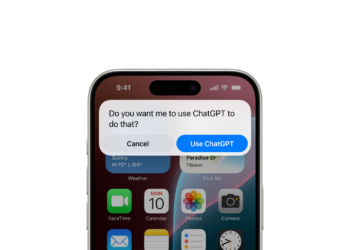
Set up ChatGPT as an extension in Apple Intelligence: for Siri, writing tools and visual intelligence – with or without an account.

Control Apple Intelligence via Screen Time: Lock writing tools, image creation and ChatGPT individually – on iPhone, iPad and Mac.

Summaries, Smart Reply, Genmoji, Live Translation: How to use Apple Intelligence in the Messages app on iOS 26 and 27.

Here's how to find, clean up, and add sound to photos with Apple Intelligence – including the new editing tools that come with iOS 27.

Summarize, prioritize, and filter notifications: Apple Intelligence sorts notifications on iPhone and iPad by importance.
You are currently viewing a placeholder content from Facebook. To access the actual content, click the button below. Please note that doing so will share data with third-party providers.
More InformationYou are currently viewing a placeholder content from Instagram. To access the actual content, click the button below. Please note that doing so will share data with third-party providers.
More InformationYou are currently viewing a placeholder content from X. To access the actual content, click the button below. Please note that doing so will share data with third-party providers.
More Information