At WWDC 2026, Apple unveiled its next major Mac operating system: macOS 27 Golden Gate. The centerpiece is a completely redesigned Siri AI, along with visual intelligence, deeper integration of Apple intelligence, a smoother Liquid Glass interface, and the final end of Intel-based Macs.
macOS 27, codenamed Golden Gate, will be released this fall. As anticipated ahead of WWDC 2026, the keynote focused on artificial intelligence. Apple has structured the version around three pillars: platform improvements, security and trust, and a major leap forward in Apple Intelligence. Unlike the spectacular Liquid Glass overhaul in macOS Tahoe, Golden Gate appears more understated at first glance, but beneath the surface, it delivers arguably the biggest change in years - while simultaneously highlighting the new Siri. The following overview summarizes all the features Apple showcased at launch.
The new Siri AI as the centerpiece
The most significant innovation is a fundamentally redesigned Siri, which Apple calls Siri AI and which appears as a completely new assistant. Powered by Apple Intelligence, it can be operated via voice or text and engages in significantly more natural, dialogic conversations than before. Instead of individual commands, it understands open-ended questions, helps with brainstorming for projects, and responds in a back-and-forth manner.
Spotlight becomes the central control point
One of the most noticeable changes concerns Spotlight: search queries now appear directly in the search field, and the system automatically recognizes when a query should be directed to Siri AI. "Ask Siri" can be selected as the top result. In a demonstration, a user selected several files and had the assistant analyze them – in this example, she compared several PDF offers and created a comparison table to aid in decision-making.
Personal context and actions in apps
Siri AI can access personal content and, for example, find a year-old photo, track down a buried email, or open a saved note - simply on request. Furthermore, it performs actions in apps like Messages, Music, and Reminders, tailored to the specific situation: editing a recently sent message, adding a song from a live show to a workout playlist, creating an appointment, or resuming a podcast.
World knowledge and a dedicated app
Also new is access to a vast body of global knowledge. The assistant answers questions on virtually any topic, conducts research for projects, and accesses online information to provide detailed and up-to-date answers. For the first time, Siri gets its own standalone app: It consolidates all conversations in one place, allows you to continue them across devices - one question on your Mac, then on your iPhone - and lets you pin conversations or start new ones.
Texting with Siri and customizable voice
Siri AI can now assist with typing virtually anywhere: creating a draft from scratch or providing feedback on existing text, described in your own words. In Messages and Mail, it adapts to your personal writing style, punctuation, and tone. Additionally, you can customize the assistant's sound - users choose a voice and adjust expression, pace, pitch, and accent. However, this voice customization remains exclusive to newer devices, specifically Macs with an M3 chip and newer models with at least 12 GB of combined storage.
Visual Intelligence is now also available on Mac
Golden Gate brings Visual Intelligence to the Mac. Using screenshots, you can ask questions about almost anything on the screen - whether an image or a PDF - to get answers, search for information, or trigger actions. The feature can be accessed via a keyboard shortcut. In the example shown, the system highlighted a photo in an email and immediately offered several options: ask Siri, perform an image search, or look up nutritional information.
Apple Intelligence is getting deeper into the apps
Beyond Siri, Apple is integrating the next generation of Apple Intelligence more deeply into everyday applications.
In Safari, tabs can be automatically grouped by topic, making it easier to find related pages. The "Notify Me" feature also monitors pages for changes such as price adjustments or renewed availability and notifies you when it's a good time to take action.
The password app warns of weak or compromised passwords and can update them automatically and directly if desired.
Apple has significantly expanded the editing capabilities of its Photos app: Spatial Reframing allows users to realign an image after it's been taken, the Extend tool expands photos beyond their original edges, and the improved Clean-Up tool now removes larger objects. Meanwhile, Image Playground creates unique images in virtually any style, including photorealistic ones, and can modify existing images based solely on a description.
Shortcuts also benefit: Instead of manually linking actions, a description of the desired result is sufficient – Shortcuts automatically assembles the necessary steps across multiple apps.
Liquid Glass becomes calmer – and the Mac faster
Apple has noticeably refined Liquid Glass, which was introduced last year, after adjustments to its appearance had already been hinted at. Light refraction is more uniform, contrast is increased, and a new slider in System Preferences allows users to freely adjust the transparency – from ultra-clear to fully tinted. In addition, there are more consistent toolbars, sidebars that extend to the window edge, and redesigned window shapes and menu bar icons. Window corner radii are now the same in every app, reversing a controversial change from Tahoe. Sidebar icons are also back in color, and the mouse pointer has been redesigned – rounder, but closer to its pre-Tahoe shape.
In terms of speed, Golden Gate delivers across the board. Apple cites faster AirDrop transfers, quicker browsing of network files, faster loading of the Safari home page, and improved synchronization in Messages. Thanks to a new ranking system, Mail searches deliver the most relevant results first – even if an email is buried deep in the inbox. In addition, there are better Spotlight search suggestions and, according to Apple, dozens of other core system improvements. Apple compares the character of this version to Mac OS X Snow Leopard from 2009, which also focused primarily on refinements and the underlying system.
Child safety: new protection features for families
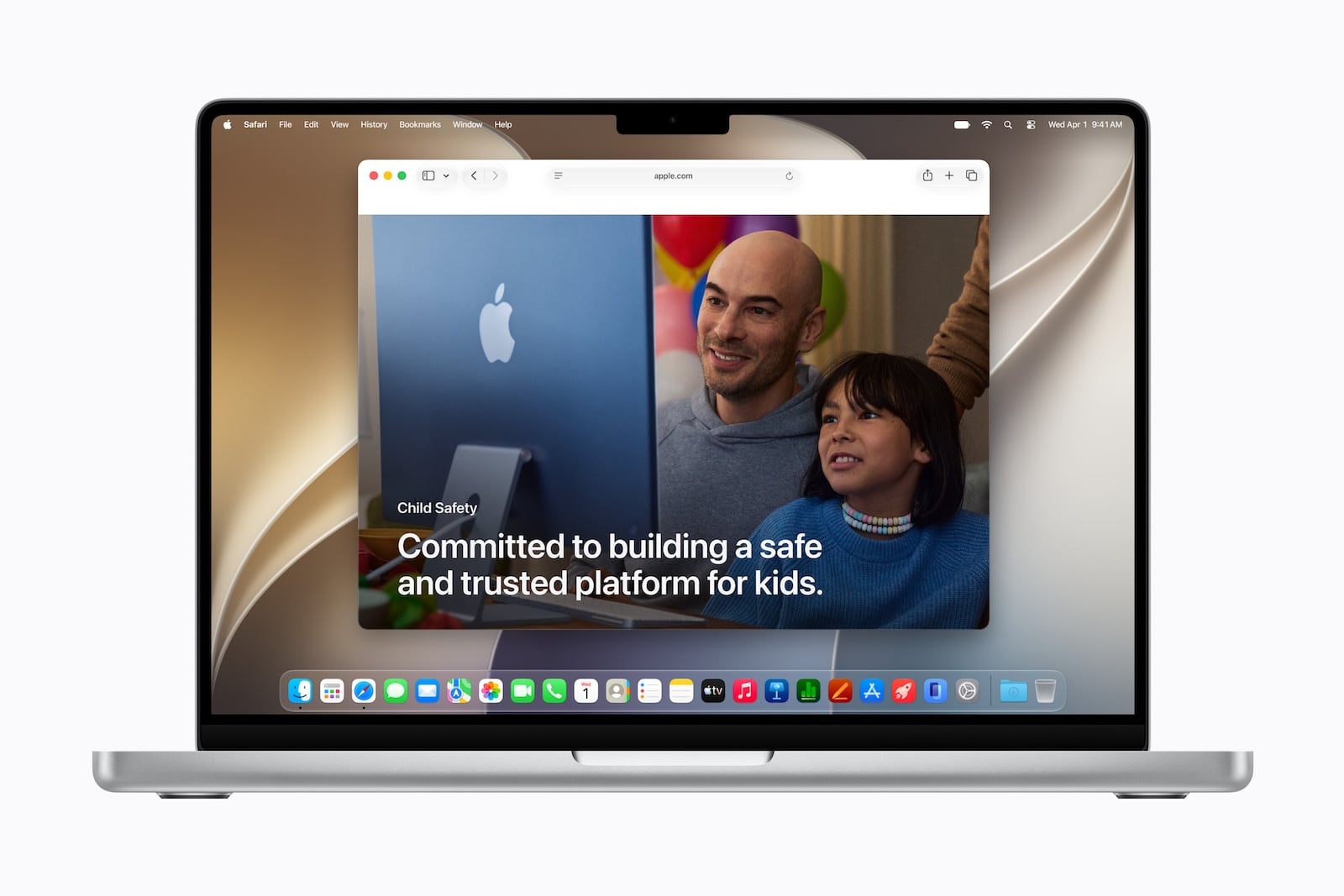
Golden Gate is expanding its child protection features. With "Ask to Browse," children must request permission to access new websites; parents review the request in Messages before granting approval. Communication Safety, which protects against viewing or sharing nudity in Messages, FaceTime, and other apps, will now also intervene before children see violent or gore-related content in shared images and videos.
Time limits can be set for categories such as entertainment, games, and social media; Apple provides age-based recommendations developed in collaboration with clinical and developmental psychologists. Schedules determine which apps are available to a child at which times or on which days of the week. Parental controls in System Preferences have also been redesigned: parents can see at a glance how their children are using the Mac and adjust access with a single click.
Many smaller innovations across the entire system
Beyond the major building blocks, Apple lists numerous other features:
- Accessibility features: VoiceOver better understands screen content and provides richer image descriptions. A new subtitle function automatically generates synchronized subtitles for each video and can translate existing subtitles into other languages.
- Calendar: Appointments can be created and edited using only a description. If a lunch meeting turns into a coffee chat, the calendar app automatically adjusts the details.
- Ultrawide displays: Golden Gate supports higher resolutions on ultrawide monitors, such as 5K at 120 Hz. Screen layouts are retained when reconnecting.
- iCloud Galleries: Friends and family on Android or Windows can more easily join and contribute their own photos via iCloud.com. This also includes full-resolution sharing and new filter, reaction, and invitation options.
- Suggestions in Messages and Mail: Based on the conversation context, both apps offer quick actions – such as creating an appointment or searching for a photo. The feature initially appears in English.
- Call Context: When calling a company, the system proactively displays relevant information from its own apps, such as a confirmation code from an email when calling an airline. This also initially starts in English.
- Maps: The flyover view combines aerial photographs with visual intelligence models, providing sharper details ranging from architectural elements to individual tree shapes.
- Update via swipe gesture: In apps like Safari, Mail, News, Podcasts and Calendar, a simple swipe down is all it takes to update content.
- Video podcasts: On the Mac, you can seamlessly switch between watching and listening, making discovering video podcasts as easy as listening to audio episodes.
The end of Intel Macs
Apple is making the biggest structural change in the hardware: macOS 27 Golden Gate runs exclusively on Macs with Apple Silicon and requires at least an M1 chip. This makes it the first macOS version without support for Intel Macs – and also the last with full Rosetta 2 functionality, meaning Intel apps can still run on Apple Silicon machines. Apple had already announced this move with the previous version; Intel Macs will continue to receive security updates for another three years.
Compatible models include the MacBook Neo (2026), MacBook Air and MacBook Pro with Apple Silicon (2020 and later), the iMac with Apple Silicon (2021 and later), Mac mini with Apple Silicon (2020 and later), Mac Studio (2022 and later), and the Mac Pro with Apple Silicon (2023). Four models are not compatible with the Tahoe: the MacBook Pro (16-inch, 2019), the MacBook Pro (13-inch, 2020, four Thunderbolt 3 ports), the iMac (2020), and the Mac Pro (2019).
In the EU, Siri AI will initially only launch on Mac
There is an important regional limitation regarding availability. Siri AI will initially be released as a beta and exclusively in English. Apple has clarified its details for the EU: there, Siri AI will initially only be available on macOS 27, watchOS 27, and visionOS 27 – not on iPhone and iPad. The Mac is therefore one of the few devices on which users in the EU will experience the new assistant from the start, as required by the Digital Markets Act. Apple Intelligence itself is usable on macOS 27 with Macs using the M1 chip or later; German is among the supported languages.
Apple has set the timeframe as usual: The first developer beta has been available since the keynote, the first public beta will follow in July, and according to Apple, the final version will be released in the fall.
Golden Gate marks the beginning of Apple's Apple Silicon era
While macOS 27 may appear to be a minor update, it sets two milestones: It makes Apple Silicon mandatory and places the new Siri AI at the heart of the Mac experience. How well the assistant performs in everyday use will only become clear with the next beta releases and the English launch – but this announcement clearly defines the direction for Apple's AI year. (Image: Apple)
- Why Apple is now building a Siri app with iOS 27
- iOS 27: Apple Music, Lock Screen Widget and Find My
- Dispute over Siri AI: The EU Commission contradicts Apple
- Apple is expanding its services: Here's what's coming this fall
- watchOS 27: App grid, new gesture and smarter fitness
- CarPlay gets video apps and the new Siri with iOS 27
- Private Cloud Compute: Apple's AI now performs calculations at Google
- Siri AI is free – iCloud+ raises AI daily limits
- iOS 27 and more: The new features beyond the WWDC stage
- iOS 27 cleans up the AirPods settings
- iOS 27: Evidence of the foldable iPhone is mounting
- Xcode 27 and new AI frameworks for developers
- tvOS 27: These are the new features for Apple TV
- iOS 27, macOS 27 and more: Apple launches the Developer Betas
- App Store: Apple gives developers new tools
- Apple expands parental controls with new features
- Siri AI in the EU: DMA delays launch on iPhone and iPad
- Apple Intelligence: The next generation is here
- Siri AI: Apple introduces the completely redesigned assistant
- Tim Cook gets in the mood for WWDC with a "Good Morning" video.
- Gemini could become the upper limit for Apple's AI ambitions
- UK is demanding that Apple implement a feature that already exists