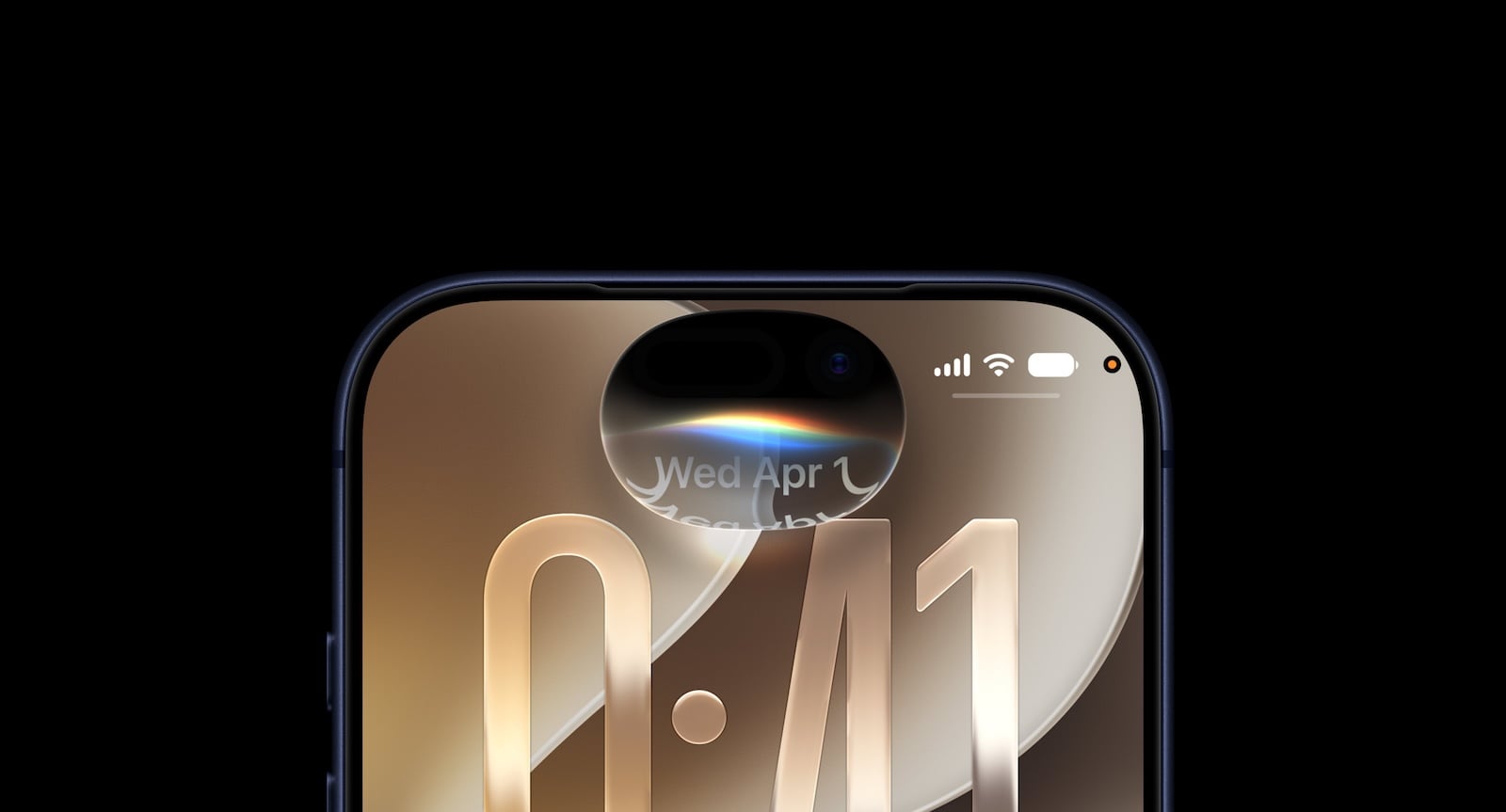
Years of promises have finally become reality: with iOS 27, Apple rebuilds Siri from the ground up and introduces it as Siri AI. It holds conversations, knows your personal context, understands what's on screen, and completes tasks across apps. For iPhone and iPad in the EU, however, there's a significant catch.
For more than two years, the revamped Siri was the big open promise of Apple Intelligence – repeatedly delayed, often ridiculed. At WWDC 2026, Apple officially unveiled the completely rebuilt assistant and is shipping it as Siri AI with iOS 27. It replaces the old Siri, which was limited to individual voice commands, and for the first time steps up as genuine competition to chatbots like ChatGPT, Claude, and Gemini. It's already available in the developer beta, and it arrives for everyone in the fall. This overview sums up what the new Siri can do – and where its limits lie.
Key Facts at a Glance
| Aspect | Key Facts |
|---|---|
| Name | Siri AI – the assistant rebuilt from the ground up |
| Core capabilities | Personal context, world knowledge, onscreen awareness, app actions |
| Controls | "Search or Ask" from the Dynamic Island, side button, "Hey Siri" |
| Dedicated app | Yes, with conversation history, search, and pinned chats |
| Technology | Apple Foundation Models based on Google's Gemini technology |
| Privacy | On-device processing and Private Cloud Compute |
| Platforms | iOS 27, iPadOS 27, macOS Golden Gate, visionOS 27, watchOS 27, CarPlay, AirPods |
| Requirement | Apple Intelligence–capable device, iPhone 15 Pro and newer |
| Availability | Beta now, for everyone in the fall – initially English only |
| EU/Germany | Blocked on iPhone and iPad for now (DMA), Mac exempted |
What Sets Siri AI Apart from the Old Siri
At the core of the overhaul is a complete architectural change. Instead of individual voice commands and short answers, Siri AI now handles continuous conversations: you can go back and forth with it, ask follow-up questions, and bundle multiple tasks into a single request. Apple highlights four key capabilities that work together and enable the assistant to do considerably more than before.
Personal Context
Apple has reworked the search index so that Siri AI can access emails, messages, files, photos, notes, and more – and not only find this content but also understand it. Working behind the scenes is the semantic index of Apple Intelligence. This lets you ask about the movie your brother recommended last week, the confirmation number for your next flight, or the door code a friend sent you in a message. It also correctly handles requests like "Show me the photos from the festival this weekend."
World Knowledge
For up-to-date information, Siri AI searches the web and uses it to answer questions on nearly any topic – much like competing chatbots. It analyzes documents, helps with recipes and party prep, assists with homework, offers gardening tips, or guides DIY projects. Whether it's the opening hours of the nearest hardware store, a substitute for buttermilk in a recipe, or planning a five-day trip to Lisbon – the assistant draws on web information as additional context.
Onscreen Awareness
Siri AI knows what's currently on screen. It reads text, analyzes images, and answers questions about what's displayed without the context needing to be explained again. It can tell you where a photo was taken, provided there's something recognizable in it, translate a menu, explain a chart, or summarize the contents of a page.
App Actions
With App Actions, Siri AI uses features within apps to actually complete tasks – both in Apple's own apps and in third-party apps that support App Actions. On command, it drafts a quick reply to an email, sends all of today's photos to a contact, adds an event to your calendar, moves a meeting to another day, or adds a stop to a route.
The New Design: Search or Ask from the Dynamic Island
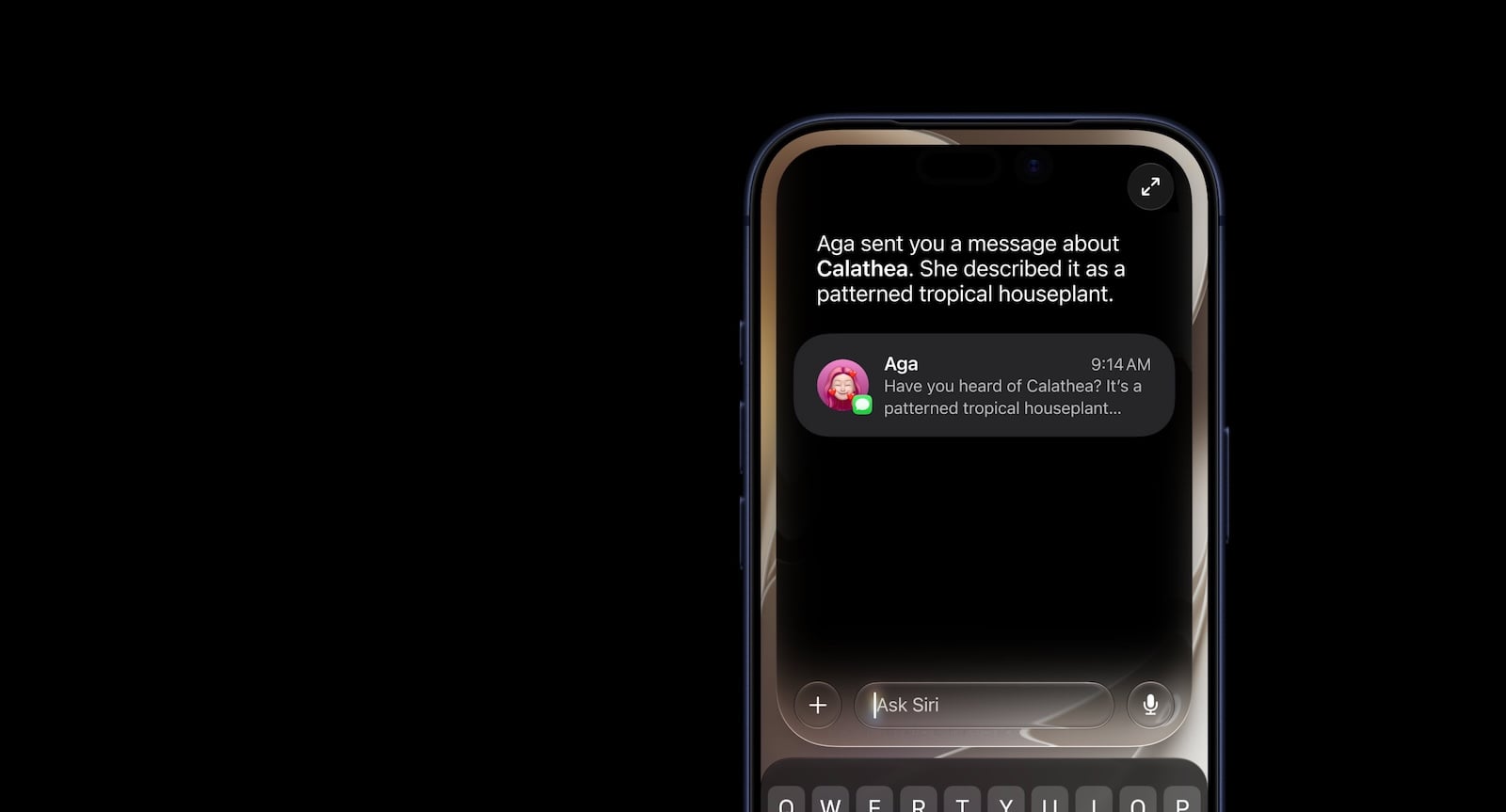
On iPhone, a new interface called "Search or Ask" replaces the previous Spotlight search – accessible via the Dynamic Island. A swipe down from the middle of the display opens the input field, where you can type or speak a question or command. While the assistant is thinking, an animation plays, after which the response unfolds as a bubble. Swiping down on a response reveals a text bar for follow-ups or additional questions; a "+" button lets you add images or documents to the conversation.
Some responses use information-rich cards from apps: for a weather question, the current forecast appears, and for upcoming events, they're listed in the Calendar app's format. Siri AI can still also be invoked using the side button as well as the wake phrases "Siri" and "Hey Siri."
Systemwide Access
Siri AI works in every app. You can select text or images and ask the assistant about them directly. If you spot an image in Safari you'd like to know more about, a long press is enough to select it – after that, it answers any question you have about it.
The Dedicated Siri App
For the first time, there's a dedicated Siri app where you can start new conversations and revisit past ones. The app uses a card-based view showing your most recent conversations across all your devices. A search function lets you find earlier conversations, and frequently used ones can be pinned.
Write with Siri
In iOS 27, you can write with Siri AI anywhere you type. The systemwide Write with Siri feature drafts documents from scratch; in Mail and Messages, it adopts your usual writing style. On request, the assistant gives feedback on selected text, and as you type it automatically checks spelling and grammar. It also edits your writing based on a description – for example, to make the tone of an email more formal, turn bullet points into a paragraph, or shorten a text to three sentences.
The Technology Behind It: Apple Foundation Models and Google
The Apple Foundation Models that power Siri AI and the other Apple Intelligence features in iOS 27 are the result of the collaboration with Google. Apple used the technology behind the Gemini AI models to develop the next generation of its own Foundation Models.
These models are deeply integrated into iOS and are coordinated by a system orchestrator that taps into the Spotlight index and an app toolbox. The Spotlight index provides data from any app that connects to it – such as Mail, Calendar, and Messages. The app toolbox, in turn, identifies which app features are suited to answering a request.
Customizable Siri Voice and Improved Dictation
The customizable Siri voice requires Apple's most powerful on-device model, which needs at least 12GB of memory. Supported are the iPhone 17 Pro, iPhone 17 Pro Max, and iPhone Air, plus iPad models with M4 or later and Mac models with M3 or later – each with at least 12GB of unified memory – as well as the Apple Vision Pro with M5 chip. The base iPhone 17 and the iPhone 16 Pro are therefore left out. This model understands and generates speech while also processing text and images. When setting up the voice, you can adjust expressiveness and pace.
Thanks to better language understanding, the same on-device model also improves the accuracy of systemwide dictation: it captures speech more reliably and makes fewer mistakes with spelling, punctuation, and capitalization.
Privacy: On-Device and Private Cloud Compute
The Siri AI features run partly on the device itself and partly on cloud servers via Private Cloud Compute. The data processed in the course of this is accessible neither to Apple nor to third parties. Historically, the Private Cloud Compute servers were located exclusively in Apple's own data centers. Apple is now expanding Private Cloud Compute and also running Apple Intelligence workloads in the Google Cloud on NVIDIA hardware.
Which Devices Siri AI Runs On
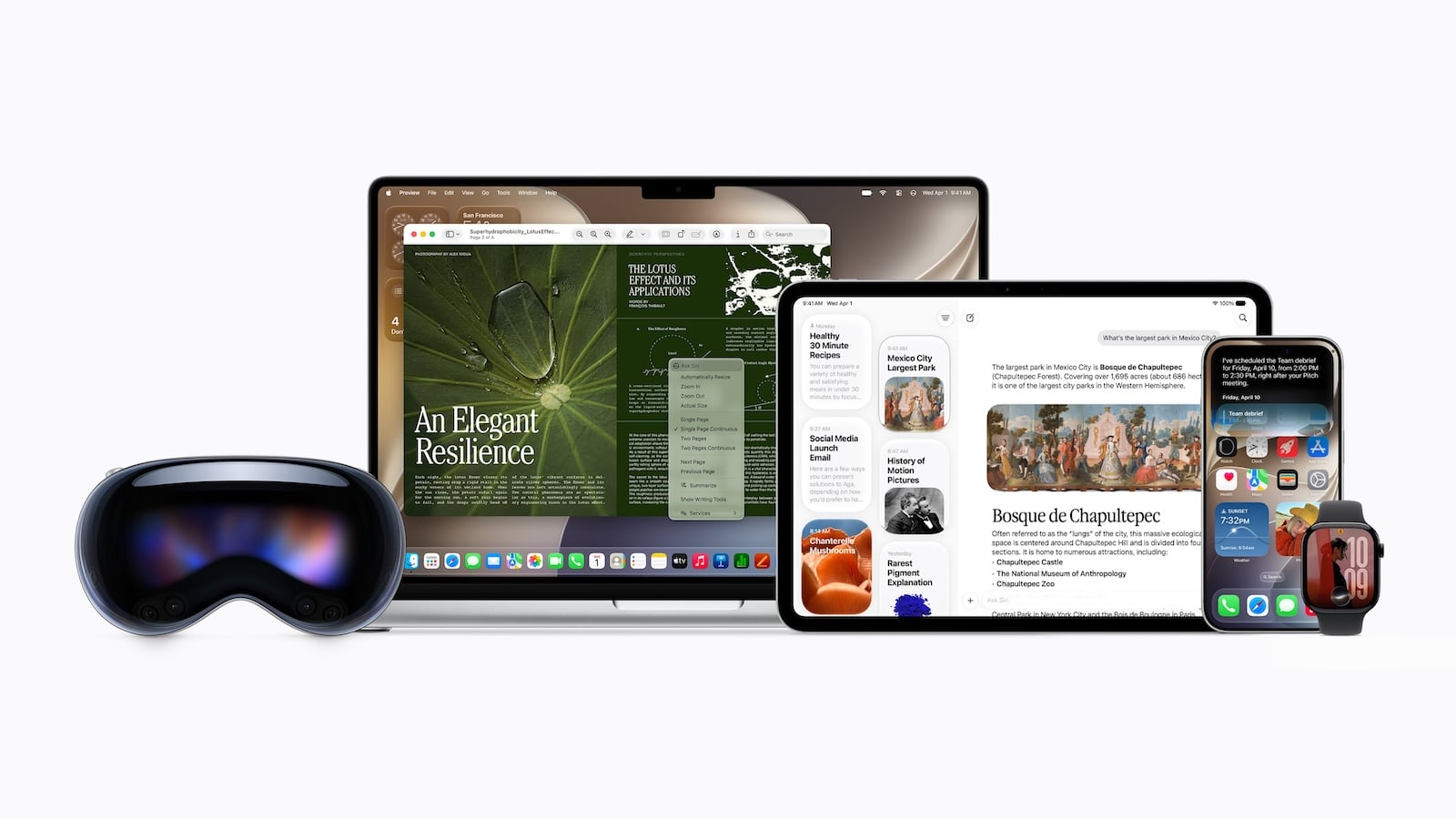
Siri AI is part of iOS 27, iPadOS 27, macOS Golden Gate, visionOS 27, and watchOS 27. A conversation started on one device can be continued on another, since conversations are synchronized and the Siri app is available on most Apple platforms. The Siri AI features are also available when using CarPlay and through AirPods.
The requirement is a device that supports Apple Intelligence – that is, an iPhone 15 Pro or newer. Whether your iPhone qualifies therefore comes down to Apple Intelligence support. The customizable voice and the advanced dictation, on the other hand, require the most powerful hardware with at least 12GB of memory, which is why they're available only to a narrower selection of devices.
The Limitations for the EU and Germany
For German users, the launch comes with two notable drawbacks. For one, Siri AI is not available on iPhone and iPad in the European Union at launch – Apple points to the regulatory requirements of the Digital Markets Act. On the Mac, however, the assistant is usable in the EU. It also doesn't launch in China. Which platforms the EU delay specifically affects therefore varies depending on the device.
For another, Siri AI initially runs in English only – the supported variants are those from Australia, Canada, Ireland, India, New Zealand, South Africa, the United Kingdom, and the United States. More languages are set to follow later. For German-speaking users, this means: even on the Mac, where the EU block doesn't apply, a supported English language setting is required to use the new Siri at all.
Apple's AI Catch-Up Takes Shape
With Siri AI, Apple delivers the software piece it has worked on for over two years – and for the first time, its feature set approaches that of the established chatbots, complemented by the tight system and app integration that only Apple can offer. The real test still lies ahead in everyday use, and in Germany in particular, full access is delayed by the EU restriction and the initial language limitation. When Siri AI will arrive here in full and in German thus remains the key open question.
The best products for you: Our Amazon Storefront offers a wide selection of accessories, including for HomeKit. (Image: Apple)
- iPhone 18: All the rumors at a glance
- iPhone 18 Pro: All the rumors at a glance
- Apfelpatient Weekly #10
- These Apple Features Aren't Available in the EU
- Safari in iOS 27: All the New AI Features
- iOS 27 Expands Health and Fitness – From Nutrition to Menopause
- MacBook Ultra: All the rumors at a glance
- iPhone Ultra (iPhone Fold): All rumors and facts at a glance
- Apple's third-generation Foundation Models: How the new AI architecture works
- What's New in the iOS 27 Photos App
- Siri AI is based on Gemini – but is not Gemini
- WWDC 2026: Apple's keynote breaks with an old tradition
- Why the DMA Stops Siri AI on iPhone and iPad
- Apfelpatient Weekly #9
- WWDC 2026: All expectations, rumors and hardware hopes at a glance
- Apple TV in June 2026: All the highlights at a glance
- Apfelpatient Weekly #8
- New Apple TV 4K: All the rumors about the update
- HomePod 3 & HomePod mini 2: All the rumors at a glance
- Apple Glasses: All the rumors at a glance
- Apfelpatient Weekly #7
- iPhone 2027: All the rumors about the anniversary model
- Apple Watch Ultra 4: All the rumors at a glance
- Apfelpatient Weekly #6
Frequently Asked Questions: Siri AI in iOS 27
Siri AI is the assistant rebuilt from the ground up that replaces the old Siri with iOS 27. It holds continuous conversations, draws on personal context, understands onscreen content, and completes tasks across apps.
It's already available in the developer beta. For all users, it arrives with the final version of iOS 27 in the fall.
The requirement is an Apple Intelligence–capable device, that is, an iPhone 15 Pro or newer. The customizable voice and the advanced dictation, on the other hand, require Apple's most powerful on-device model with at least 12GB of memory – these include the iPhone 17 Pro, iPhone 17 Pro Max, and iPhone Air, iPads with M4 or later, Macs with M3 or later, as well as the Apple Vision Pro (M5).
On iPhone and iPad, Siri AI is blocked in the EU at launch (Digital Markets Act). On the Mac, it's usable in the EU as well – but for now only with an English language setting.
At launch, Siri AI works exclusively in English across several country variants. More languages are set to follow later.
The Apple Foundation Models are based on the technology behind Google's Gemini models. Processing takes place on the device and via Private Cloud Compute.
Yes. There's a dedicated Siri app with conversation history, a search function, and the option to pin frequently used conversations.