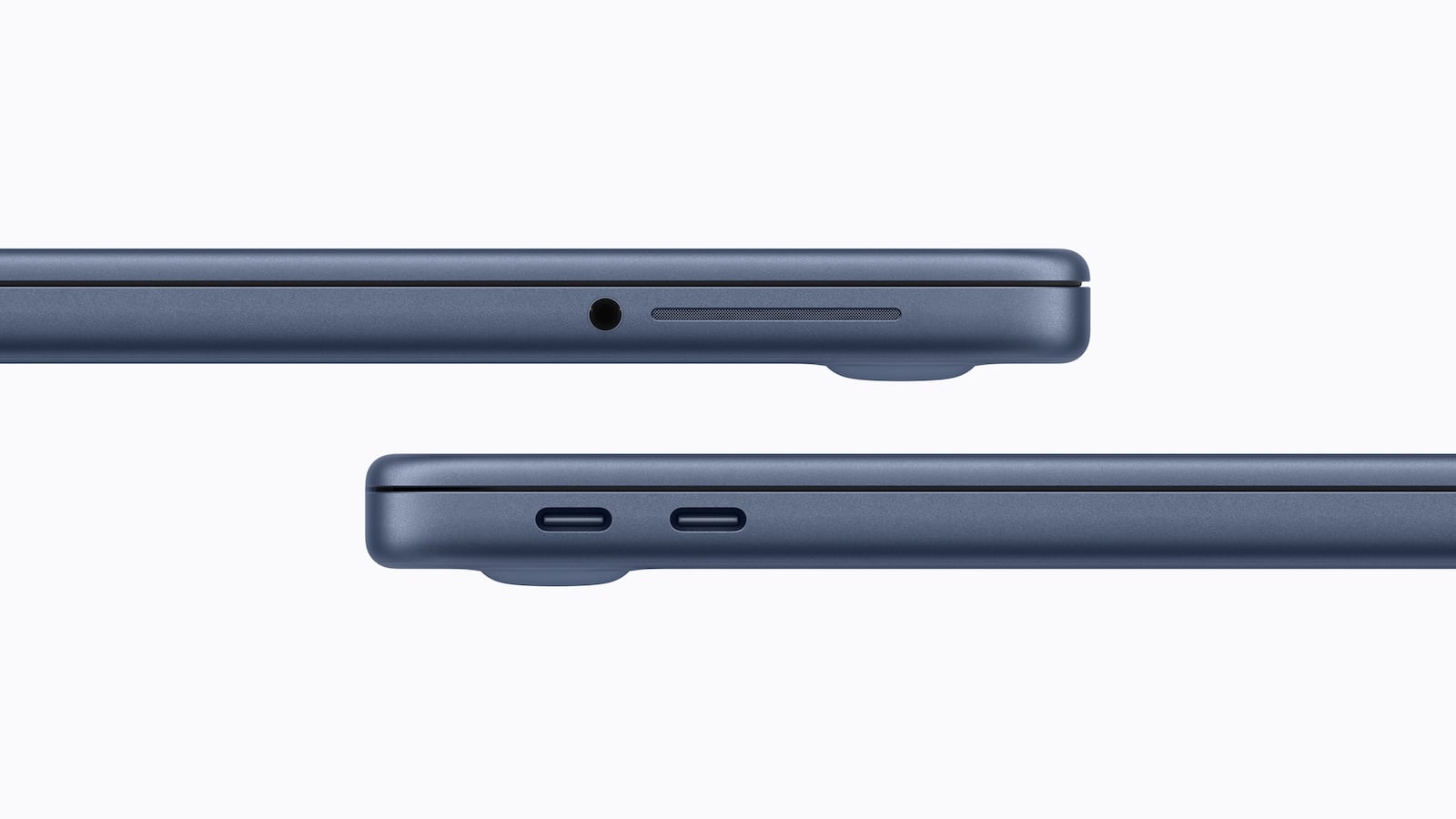
The MacBook Neo is Apple's new entry-level laptop. The device is designed to provide affordable access to the Mac platform and is primarily aimed at users looking for a simple, compact notebook for everyday tasks.
Despite its relatively low price, the MacBook Neo boasts several unique technical features. The two USB-C ports are particularly noteworthy, as they may look identical but offer different functions and speeds.
Apple has fully embraced USB-C for the MacBook Neo. The device features two USB-C ports. At first glance, they appear identical, but in reality, their performance differs significantly.
These differences can quickly lead to confusion in everyday use because the ports are not labeled. To avoid problems when connecting certain devices, Apple has integrated a small help function directly into macOS.
Two USB-C ports with different speeds
The MacBook Neo has two USB-C ports that operate in a technically different way.
The left USB-C port supports USB 3 speeds of up to 10 Gb/s. This port is the more powerful one and is designed for faster data transfers.
The right USB-C port, which is closer to the trackpad, is significantly slower. It only supports USB 2.0 speeds of a maximum of 480 Mb/s.
Since both ports look identical externally and have no markings, the difference is not immediately apparent. This lack of markings can lead to confusion in everyday use.
External displays only work via the left port
The different speeds also affect connected devices. This is particularly noticeable with external monitors.
Apple states that the MacBook Neo supports an external display with up to 4K resolution at 60 Hz.
However, this function is only available via the left USB-C port. The slower right port, which operates at USB 2.0 speeds, cannot drive an external display.
macOS warns of incorrect connection
Since the ports are not labeled, a monitor could easily be connected to the wrong port.
According to John Gruber of Daring Fireball, macOS responds in this case with a notification. If an external display is connected to the wrong USB-C port, the system displays a message and recommends using the other port.
This function is designed to help avoid potential confusion caused by the different connectors.
Price, pre-order and sales launch
Apple positions the MacBook Neo as an affordable entry point into the Mac product line. Key launch details:
- Pre-orders are already possible.
- Starting price in Germany: 699 euros
- Student price: 599 euros
- Sales start: Wednesday, March 11
MacBook Neo: Not every USB-C port can do everything
The MacBook Neo is designed as a budget-friendly Apple laptop, but it does have some technical limitations. The two USB-C ports with different speeds are particularly noticeable.
The left port supports USB 3 with speeds up to 10 Gb/s and is required for connecting an external display. The right port is limited to USB 2 with 480 Mb/s and cannot drive a monitor.
Since both ports look identical, this can initially be confusing in everyday use. Apple attempts to solve this problem with a warning message in macOS that appears when a display is connected to the wrong port. (Image: Apple)
- MacBook Neo: Why Apple chose this name
- New MacBook models will ship in Europe without a power adapter
- Apple Music introduces transparency tags for AI content
- Apple TV series "Stick" gets prominent reinforcements
- Apple's new Studio Displays use different chips
- Subscription apps: Why only a few apps are growing strongly
- iOS 26.3.1 & Co.: Apple releases new updates
- Apple expands its portfolio with seven new devices
- MacBook Neo: 8 GB RAM as the biggest compromise
- MacBook Neo: Why the Mac only supports one monitor
- MacBook Neo: More recycled materials than ever before
- MacBook Neo: Two USB-C ports with important differences
- MacBook Neo: Touch ID is only available at an extra cost
- MacBook Neo: Apple's new entry into the Mac world
- iPhone Security: Dangerous exploit toolkit in circulation
- M4 iPad Air: First Geekbench results have surfaced
- Studio Display XDR supports DICOM medical images
- Apple is promoting Mac gaming at GDC 2026
- Studio Display XDR: 120 Hz only with certain Macs
- Studio Display & Studio Display XDR without Intel support
- OpenAI: GPT-5.3 enables better dialogue
- Meta Ray-Ban: Data privacy nightmare revealed