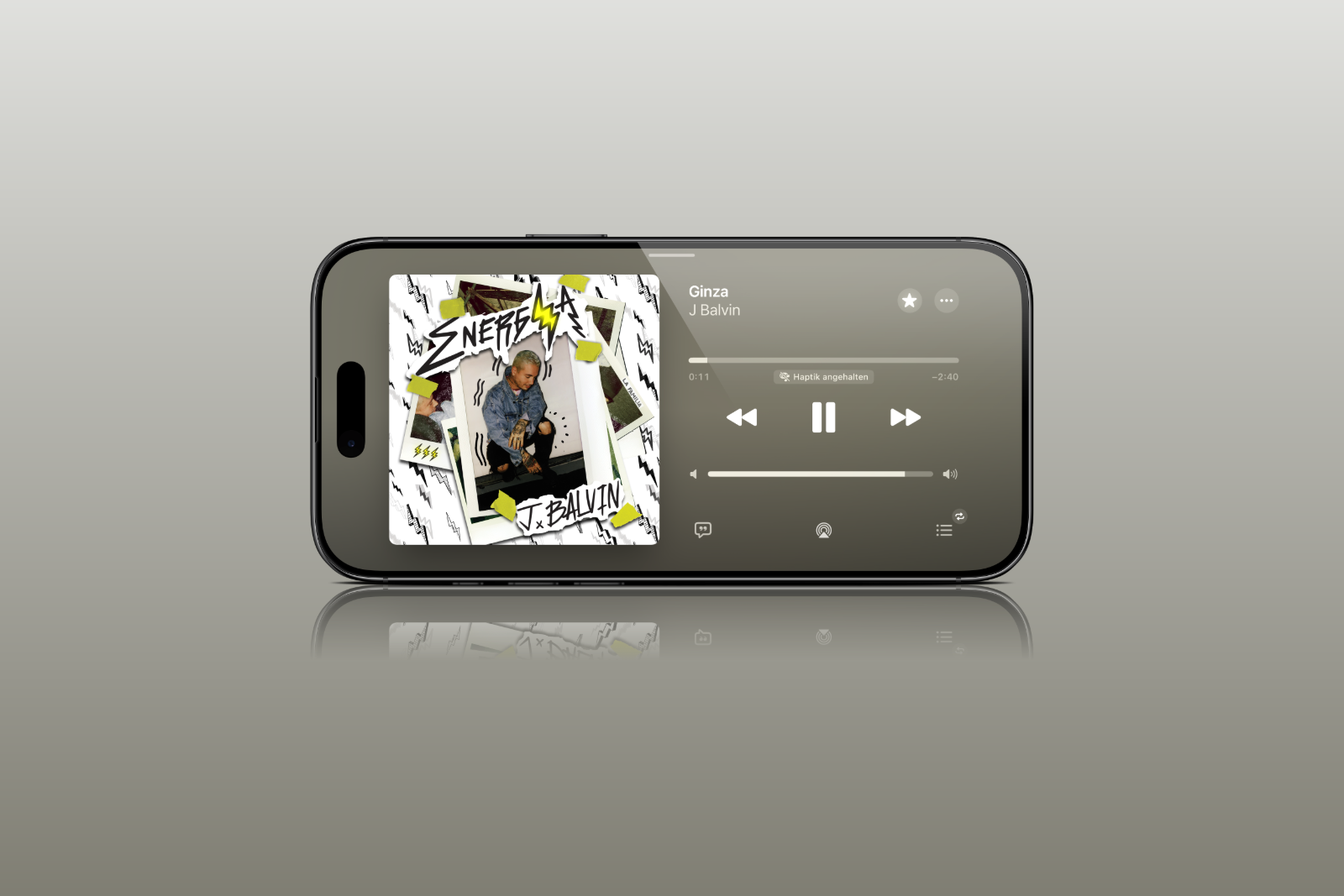
Until now, users who rotated their iPhones sideways only saw the same portrait view in many Apple apps. With iOS 27, this changes: A whole range of pre-installed apps now support landscape mode – a step that could have far-reaching implications beyond mere convenience.
iOS 27 unlocks landscape mode in significantly more of Apple's pre-installed iPhone apps than before. What seems like a small convenience improvement fits into a larger narrative: landscape-compatible apps would be the ideal foundation for the anticipated foldable iPhone Ultra, whose large inner screen would particularly benefit from flexible orientation. Interestingly, landscape mode on the iPhone isn't a new invention – Apple is bringing back a feature that used to be more commonplace.
Which apps now run in landscape mode
The list of newly supported apps is long. It includes Apple Music, Podcasts, Fitness, Health, Reminders, Home, Shortcuts, the Apple Watch app, Find My, Weather, Voice Memos, and the Apple TV Remote – and that's just a small sample. For now, landscape mode support in Apple Music and Podcasts is limited to the audio player.
Many apps display a left-aligned sidebar in landscape mode. The Messages app already supported landscape mode in iOS 26 and earlier; the new feature is that the sidebar can be collapsed to show only names and profile pictures. While some apps previously supported landscape mode - such as Maps, Calendar, Files, Notes, and Mail - iOS 27 extends this support to significantly more applications.
Landscape format also suitable for live activities
Beyond individual apps, iOS 27 extends landscape mode support to live activities in Dynamic Island. This means that running displays such as timers, delivery status, or sports scores remain usable even when the iPhone is held sideways.
How to activate landscape mode
No special setting is needed: To use landscape mode in a supported app, simply rotate your iPhone sideways. The only requirement is that portrait mode lock is disabled in the Control Center – otherwise, the view will remain fixed.
A return with a long history
Landscape apps were far more common on the iPhone many years ago. For example, the home screen on the iPhone 6 Plus, 6s Plus, 7 Plus, and 8 Plus even supported landscape mode – a feature that ended with the iPhone X. In that respect, iOS 27 is harking back to an older tradition rather than breaking entirely new ground.
Pioneers of the foldable iPhone Ultra
The real appeal lies in the strategic interpretation. The fact that Apple is making so many apps landscape-compatible right now could be preparation for the foldable iPhone Ultra, which, according to reports, is also slated for release in September – coinciding with the final version of iOS 27. A foldable device with a large inner display would directly benefit from apps that can flexibly switch between portrait and landscape modes. iOS 27 is still in beta, but the direction Apple is taking its app interfaces is already apparent. (Image: Apfelpatient)
- watchOS 27 brings more speed and a dynamic app overview
- Widow's Bay: Apple TV renews the surprise hit for a second season
- WhatsApp is bringing multi-account support more broadly to the iPhone
- iOS 27: Wi-Fi Assist becomes Connectivity Assist
- Apple stock falls after WWDC – analysts remain optimistic
- iOS 27: iPhone now boots into a Mac-like recovery mode
- Apple and London police are joining forces to combat iPhone theft
- Apple counters Epic's move against the Supreme Court complaint
- Tap to Share: iOS 27 brings new merchant feature via NFC
- Slow Horses: Apple TV shows first look at season 6
- Apple lists over 250 new features for iOS 27 and other updates
- Apple and Jon Prosser want to overturn the default judgment
- WhatsApp will soon require iOS 15.5 on iPhone and iPad
- FaceTime uses two cameras simultaneously in iOS 27
- Rosetta 2 ends after macOS 27
- The Vision Pro Travel Case is disappearing in many countries
- The iPhone 17 is missing two new Siri features
- Apple Music's AutoMix is coming to the HomePod
- Apple Music is getting more lyrics translations and lossless streaming on Apple TV
- iPhone production is growing strongly against the industry trend
- Apple tightens App Store rules for low-quality apps
- iOS 27: The Passwords app automatically replaces insecure passwords
- Call Context in iOS 27: When the iPhone prepares the call for you