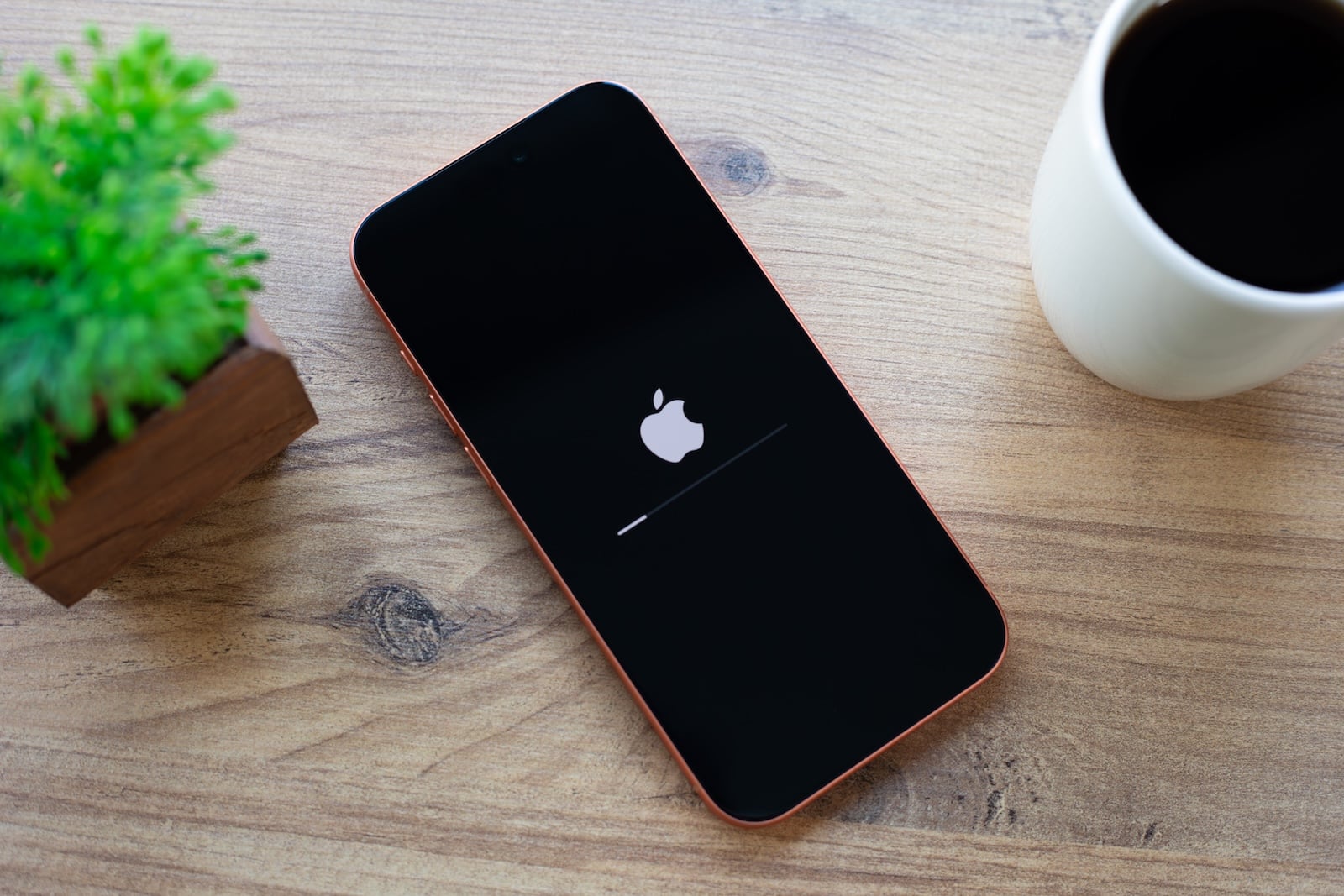
iOS 27 brings a completely new recovery mode to the iPhone – one that doesn't require a computer. The device boots into its own streamlined interface, strongly reminiscent of the recovery mode on Apple Silicon Macs, and helps resolve startup problems without needing a Mac or PC.
If an iPhone only displays the Apple logo after an update or gets stuck in an endless loop, the only solution until now was often to use recovery mode on a Mac or PC, as is used for update problems. This is precisely where iOS 27 comes in: Apple integrates a standalone recovery mode directly into the device. It is available in both iOS 27 for iPhones and iPadOS 27 for iPads and shifts a number of emergency repairs from the computer to the device itself.
What the new recovery mode offers
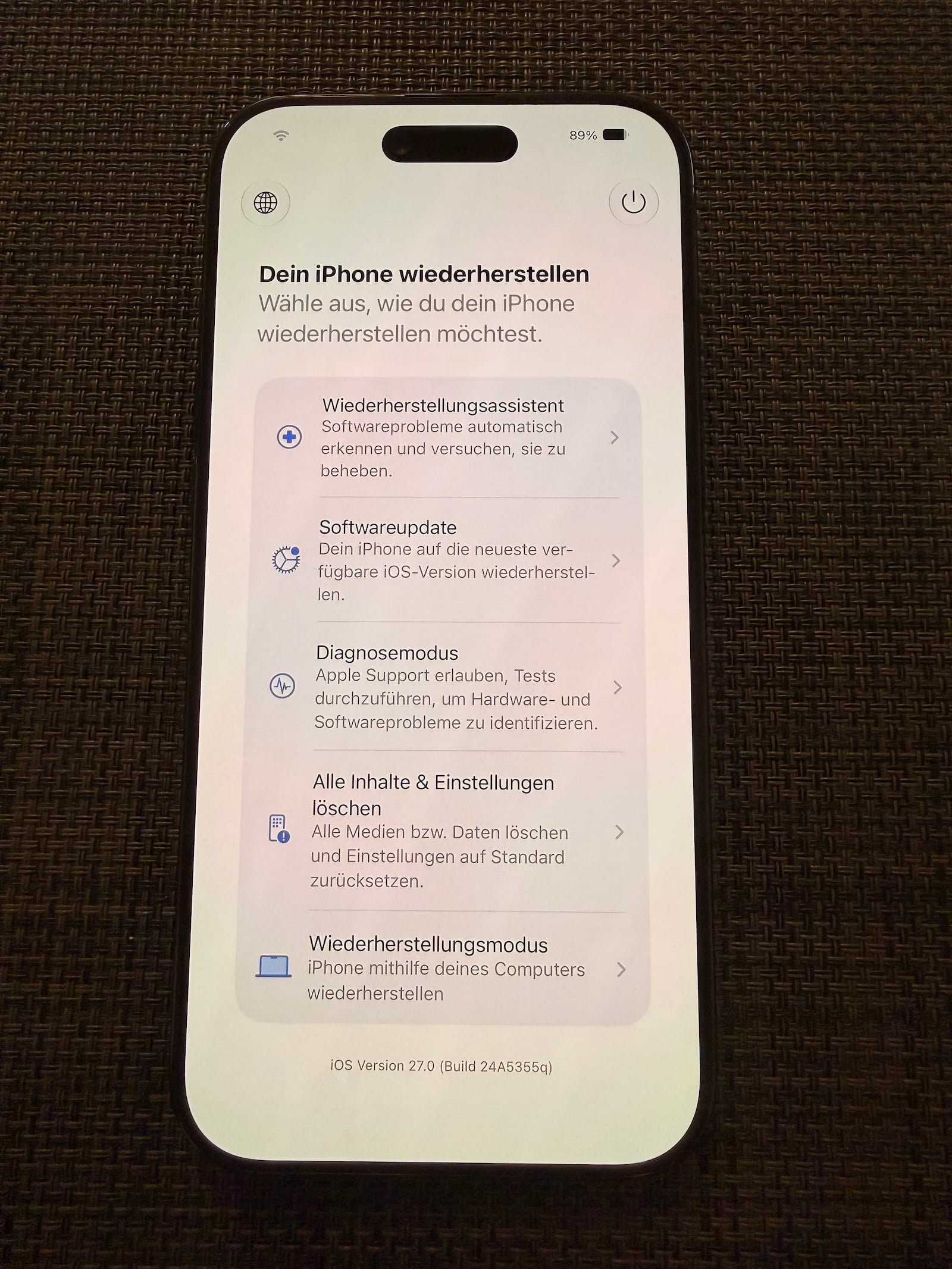
Instead of loading the full operating system, the iPhone boots into an alternative interface with several repair options. These include the Recovery Assistant, a software update, a diagnostic mode, a complete wipe via "Erase All Content and Settings," and the classic, computer-assisted recovery mode. The Recovery Assistant can automatically scan for known problems and attempt to fix them.
The interface also displays the current battery level in the upper corner, and the device automatically connects to a previously known Wi-Fi network. The toolbar also allows users to set the language and initiate a regular restart. Furthermore, the diagnostic mode enables Apple Support to remotely access the device to diagnose problems. This new mode is available in the current iOS 27 version, which has been available as a developer beta since WWDC.
This is how the iPhone starts in recovery mode
The entry process is deliberately kept simple and requires no cables at all:
- First, turn off the iPhone normally.
- Then press and hold the side button to turn on the device – as with a normal start-up, the Apple logo will appear first.
- Continue holding the side button: A progress bar will appear below the logo, after which the iPhone will start in recovery mode.
The procedure is similar to the recovery process on Apple Silicon Macs, where you simply hold down the power button with Touch ID to access the startup options.
When the mode is used
In practice, the new mode is unlikely to be needed often, as an iPhone only refuses to start in exceptional circumstances. This can happen, for example, if a software update fails – such as when the device runs out of power mid-up. Beta versions have also occasionally caused devices to freeze or get stuck in a boot loop in the past.
Should such a case occur in the future, the assistant's software update function will allow you to reinstall the last stable operating system version – without having to enter DFU mode and restore the device via a computer.
Less dependence on the computer
The real progress lies in the fact that last-resort recovery methods, which previously required a computer and the classic recovery mode, are now available directly on the iPhone itself. This removes a significant obstacle, especially for people who exclusively use an iPhone and don't own a Mac or PC. Apple is thus consistently transferring a proven concept from the Mac world to the iPhone – making the devices somewhat more independent in emergencies. (Image: Shutterstock / DenPhotos)
- Apple and London police are joining forces to combat iPhone theft
- Apple counters Epic's move against the Supreme Court complaint
- Tap to Share: iOS 27 brings new merchant feature via NFC
- Slow Horses: Apple TV shows first look at season 6
- Apple lists over 250 new features for iOS 27 and other updates
- Apple and Jon Prosser want to overturn the default judgment
- WhatsApp will soon require iOS 15.5 on iPhone and iPad
- FaceTime uses two cameras simultaneously in iOS 27
- Rosetta 2 ends after macOS 27
- The Vision Pro Travel Case is disappearing in many countries
- The iPhone 17 is missing two new Siri features
- Apple Music's AutoMix is coming to the HomePod
- Apple Music is getting more lyrics translations and lossless streaming on Apple TV
- iPhone production is growing strongly against the industry trend
- Apple tightens App Store rules for low-quality apps
- iOS 27: The Passwords app automatically replaces insecure passwords
- Call Context in iOS 27: When the iPhone prepares the call for you
- With Claude Fable 5, Anthropic is introducing a Mythos model for everyone for the first time
- visionOS 27: What's new for the Apple Vision Pro