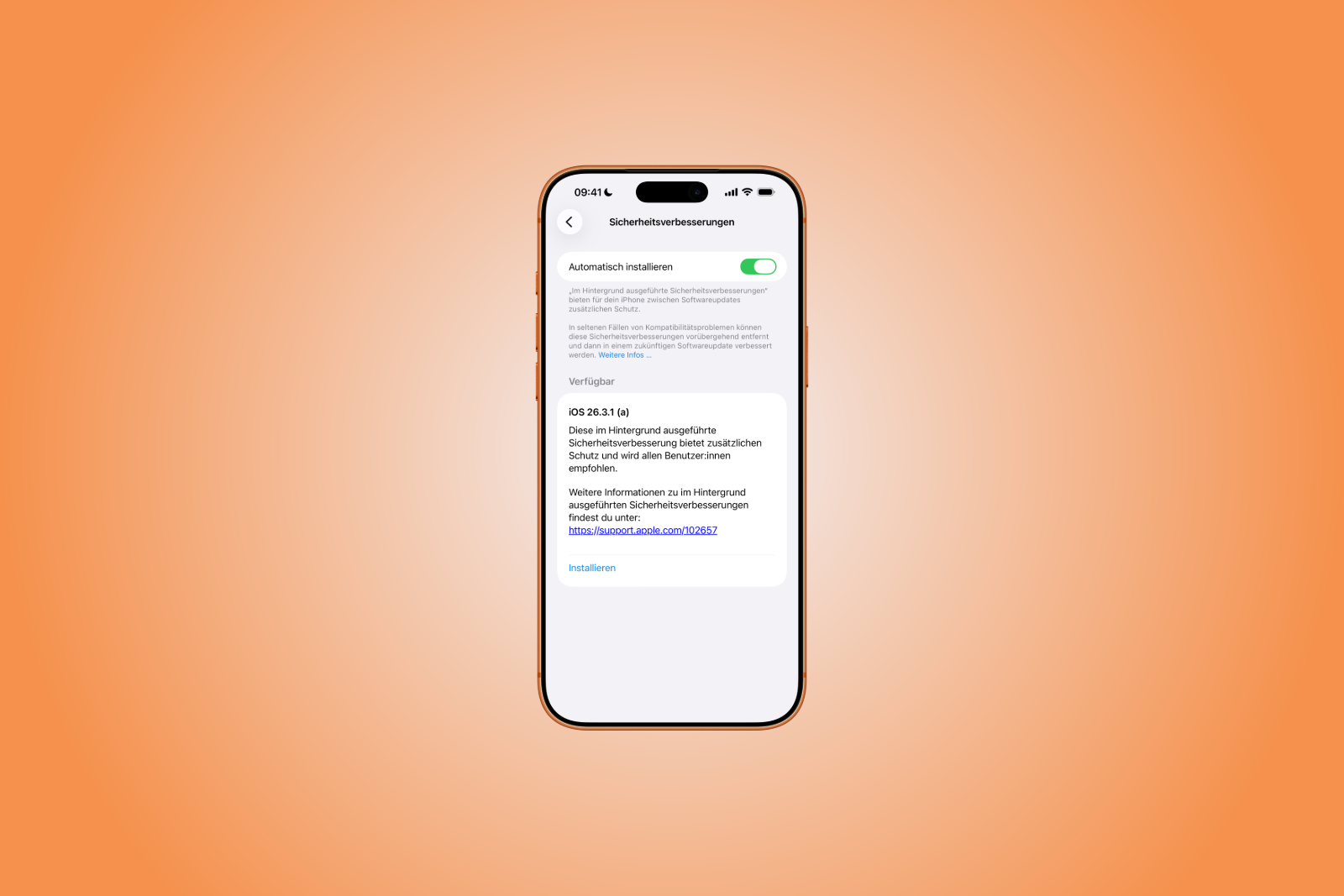
Apple has introduced a new security update system and released its first "Background Security Improvement" (BSI) update. The updates affect macOS Tahoe 26.3.1, iOS 26.3.1, and iPadOS 26.3.1. There is also a separate version for macOS Tahoe 26.3.2, which is exclusively for the MacBook Neo. The primary focus of these updates is the fix for a security vulnerability in WebKit.
Apple continuously improves its security mechanisms. In the past, it used so-called "Rapid Security Responses," which were quick interim updates for acute security problems. With the new background security enhancements, Apple is replacing this system with an approach that delivers updates in the background and intervenes more selectively between regular software versions.
The new feature was already introduced with iOS 26, iPadOS 26 and macOS Tahoe, and was tested internally in version 26.3 prior to its current release.
What are background security updates on Apple?
Background security improvements are a new update format from Apple. They are designed to fix critical security issues independently of major system updates.
The focus is on providing protective measures more quickly, especially for key components such as:
- Safari
- WebKit
- System libraries
This closes a time gap between regular updates, during which security risks could exist.
Which versions are affected?
The first published BSI update is available for several systems:
- macOS Tahoe 26.3.1
- iOS 26.3.1
- iPadOS 26.3.1
Additionally, another update was released:
- macOS Tahoe 26.3.2 (exclusive to MacBook Neo)
These updates mark the official launch of the new security model.
Which security vulnerability was fixed?
At the heart of the matter is a vulnerability in WebKit, Apple's browser engine. This flaw allowed specially manipulated web content to circumvent the so-called same-origin policy.
This security policy normally ensures that the content of different websites remains strictly separated. If it is circumvented, potentially sensitive data can be exposed or misused.
Apple closed the vulnerability by improving input validation. This prevents malicious code from being executed via manipulated content.
Installing Apple background security updates
BSI updates can be installed directly via the system settings. The process is clearly defined:
- Open the settings
- Navigate to the "Privacy & Security" section.
- Scroll down
- Open "Background Security Improvements"
- Now tap "Install".
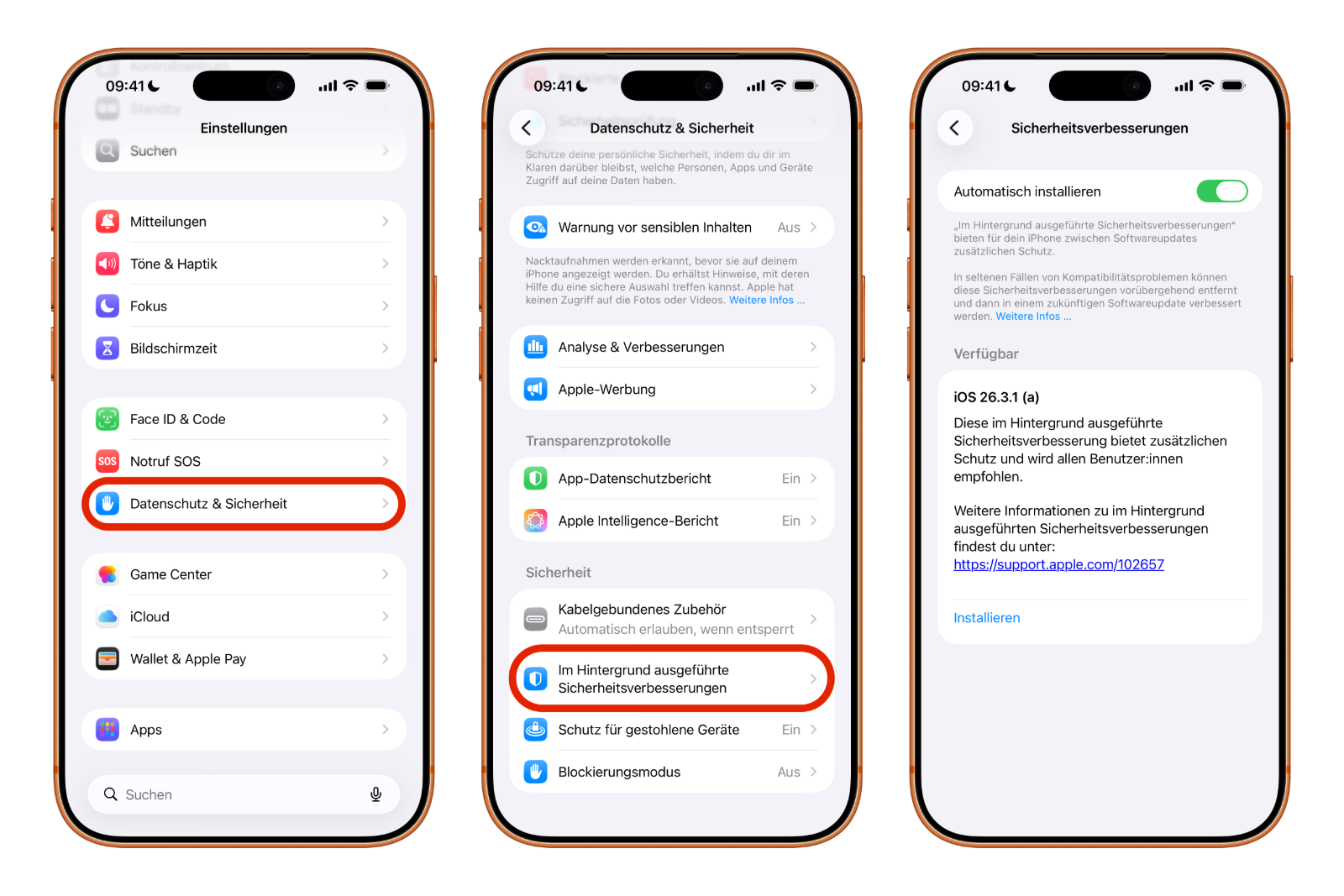
If automatic installation is enabled, updates will be installed automatically in the background as soon as they are available.
Behavior when updates are disabled
Those who choose not to install the background security updates will receive the corresponding security fixes at a later date as part of a regular software update.
Until then, the respective security vulnerability will potentially remain.
Potential compatibility issues
Apple points out that compatibility issues may occur in rare cases. In such situations, the company may respond by:
- the affected update will be temporarily withdrawn
- A revised version will be provided in a later update.
This information indicates that while the new background updates are fast, they can also have an impact on existing systems.
Background Security Improvement (BSI) Updates: Apple's answer to modern threats
With the introduction of background security enhancements, Apple is fundamentally changing its update strategy. The new BSI updates make it possible to close security gaps more quickly and precisely, without relying on full system updates.
The first release addresses a critical WebKit vulnerability and demonstrates how Apple is responding to current threats. However, some residual risk remains due to potential compatibility issues. Overall, the new system represents a clear step towards continuous and flexible security updates.
For those who want to delve deeper into Apple's history and philosophy, here are some suitable book recommendations! (Image: Apfelpatient)
- MacBook Neo: Camera protection without hardware light
- OpenAI officially introduces GPT-5.4 mini and nano
- Apple TV shows new trailer for the comedy "Outcome"
- Apple Anniversary: China is the next big stage
- Tim Cook speaks plainly about Apple, AI and resignation
- MacBook Neo: YouTuber upgrades storage to 1 TB
- Apple AI creates 3D models from just one image
- WhatsApp is testing guest chats: New feature at a glance
- Apple TV: Severance Season 3 – Production starts soon
- Apple officially classifies two iPhones as obsolete
- Apple acquires MotionVFX: More power for Final Cut Pro
- Apple introduces AirPods Max 2 with new audio features
- Apple TV: Racing film "F1" wins Oscar for best sound
- Apple celebrates 50 years of innovation & creativity worldwide
- Apple increases iPad sales despite decline in the tablet market
- MacBook Neo teardown: Surprisingly easy to repair
- Apple lowers commission for developers in the App Store in China
- MacBook Neo impresses – former Windows chief becomes thoughtful
- Apple benefits from India's new production incentives
- MacBook Neo teardown: Modular, screwed together, repairable
- Apple turns 50: Tim Cook looks back on history & future
- Apple closes Coruna vulnerability with updates for older devices