
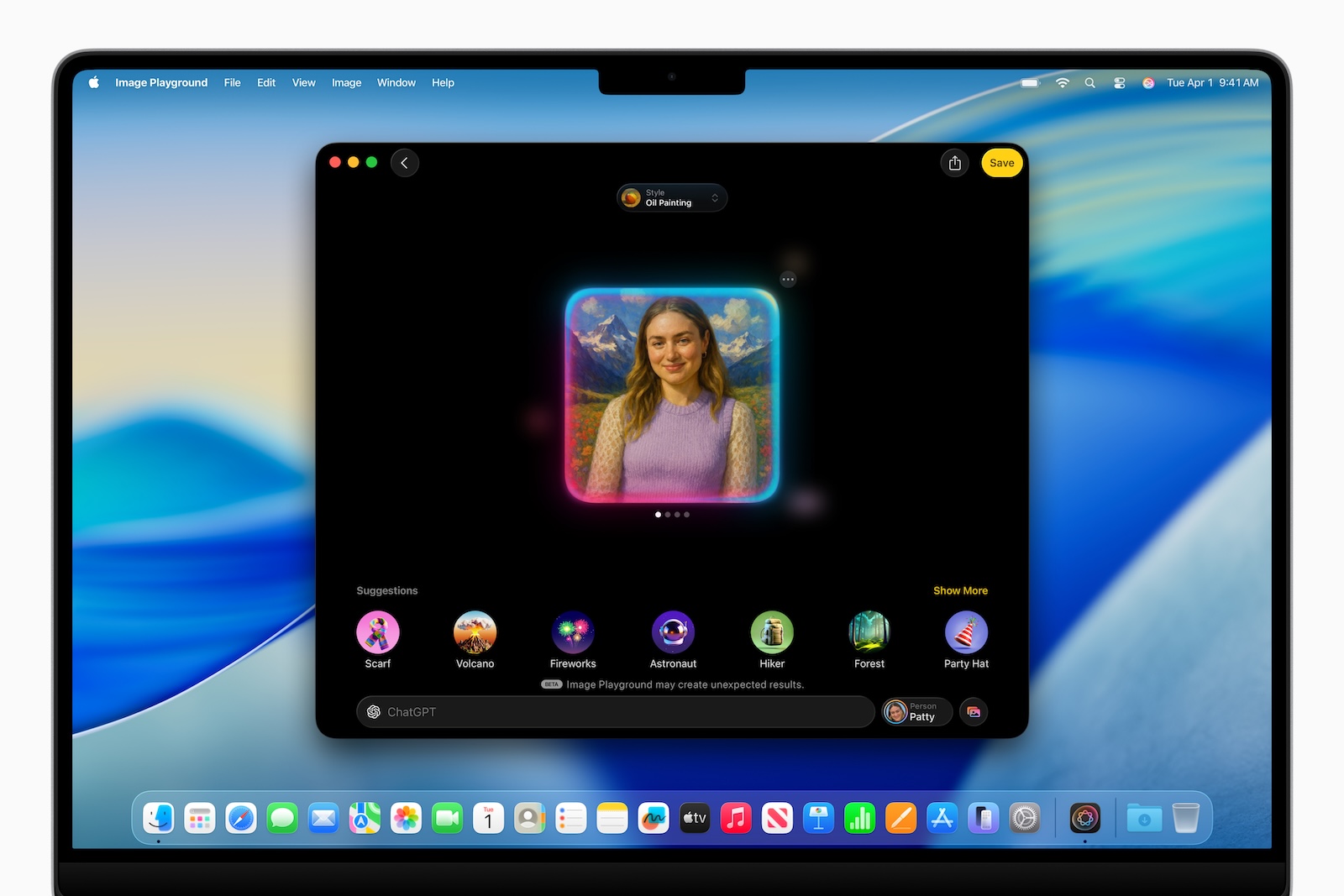
Apple announced an update for Image Playground at WWDC 2025. The AI-powered image creation app is getting a new feature with iOS 26 that many users will find interesting: the integration of ChatGPT. With this, Apple significantly expands the creative possibilities. Combining Apple's own on-device AI with ChatGPT provides more stylistic variety, better results for more complex prompts, and remains privacy-friendly.
Image Playground has been part of iOS since the introduction of Apple Intelligence last year and offers an easy way to generate illustrations. Previously, users could create images in fixed styles such as sketch, 3D cartoon, or animation. The application was good for simple, playful motifs—such as emojis or small avatars—but creative freedom was limited. Complex or very specific image ideas were difficult to implement, which many users saw as a disadvantage.
New features through ChatGPT
With iOS 26, Apple is expanding Image Playground with ChatGPT integration. This means you can now create images in significantly more styles. The new options include:
- any style
- oil painting
- watercolor
- vector
- Anime
- Printmaking
This opens up new application areas. For example, you can create a stylized portrait from a photo or design a customized invitation with a very specific look. Instead of just choosing from the predefined styles, you can now simply describe what you need – and get an image that's much closer to what you envisioned.
How the integration works
By default, Image Playground continues to work with Apple's own on-device AI models. This ensures fast responses and protects your data. However, if you want a more creative or precise implementation, you can forward your input to ChatGPT. Apple emphasizes that you, as the user, retain full control. Nothing is transmitted without your consent. Only after you actively consent will your input be sent to ChatGPT for processing.
- In practice, this means you can continue to solve simple tasks directly and locally. If you want more, ChatGPT offers a much more powerful tool.
Creative freedom with ease of use
The new features make Image Playground more versatile and flexible. If you've struggled with the app's limitations, this update brings real improvements. You can now work more individually and achieve results that better suit your project. The whole thing remains simple to use and respects your privacy. For many users, the combination of local Apple AI and the optional ChatGPT extension is likely to be exactly what's been missing. Particularly exciting is the ability to switch between different art styles and use more precise prompts without overwhelming the tool.
Image Playground grows up
Image Playground receives a noticeable boost with the ChatGPT integration. The app remains a simple entry point for AI-based image generation, but becomes significantly more versatile and creative. Those who want to get more out of their prompts or require specific styles will benefit from the new interplay. At the same time, data privacy is maintained through local processing. With the update to iOS 26, iPadOS 26, and macOS 26, Apple is taking an important step toward more flexible AI use for anyone who wants to work with images. The best products for you: Our Amazon Storefront offers a wide selection of accessories, including those for HomeKit. (Image: Apple)
- Apple Games App – your new place to play and discover
- iOS 26: All small changes at a glance
- Apple Intelligence: New AI features in focus
- AirPods Update: Control Studio Sound and Camera via Stick
- visionOS 26 at a glance: All new features and improvements
- watchOS 26 – All new features at a glance
- macOS 26 in detail: New design, AI and more
- iPadOS 26: New design, AI features, more control
- iOS 26 introduced: Apple brings major innovations to the iPhone
- Apple presents new developer tools for modern apps
- tvOS 26 significantly improves Apple TV – all information about the update
- Apple shows new design with Liquid Glass on all devices



