
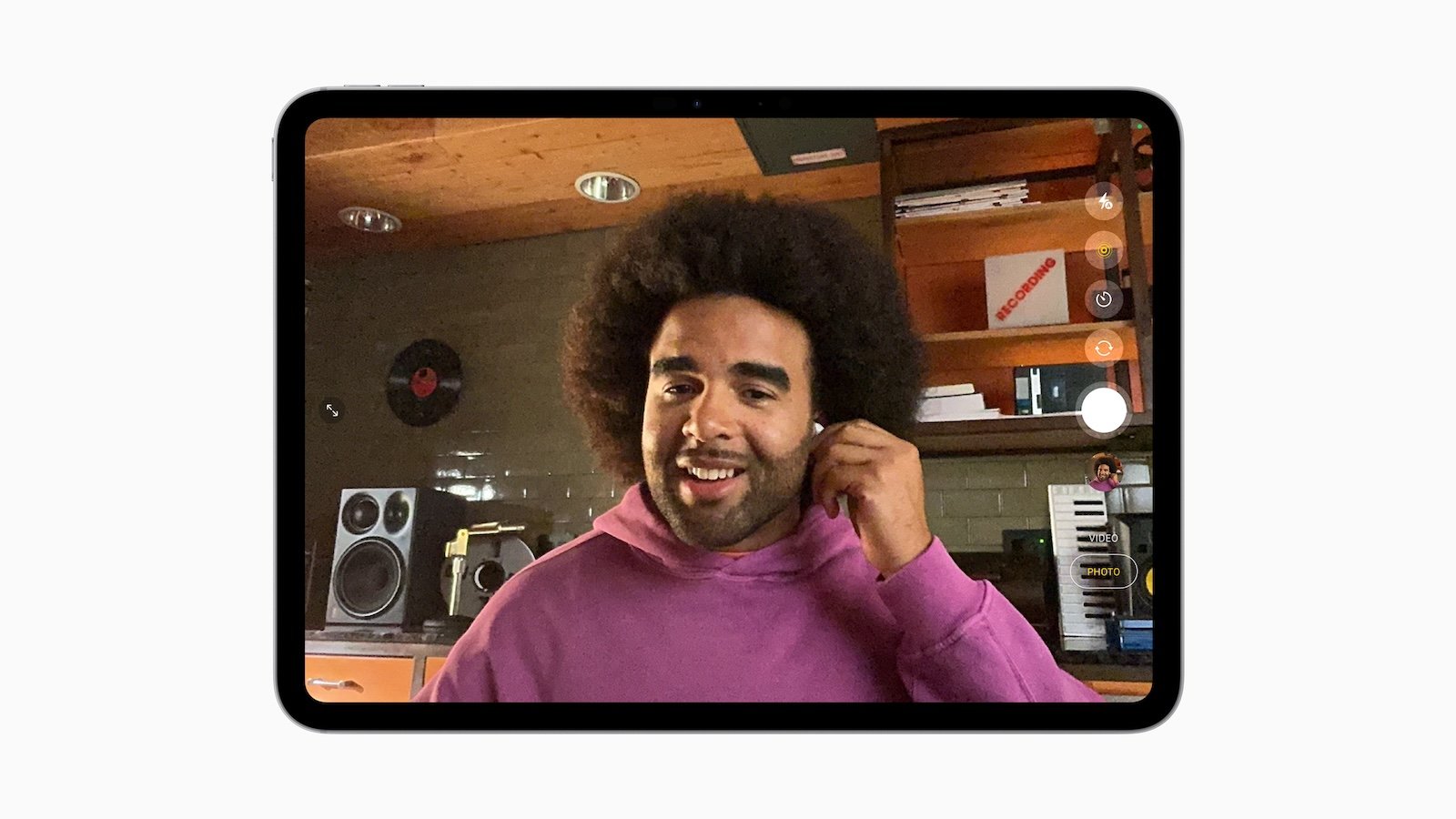
Apple has announced new features for AirPods 4, AirPods 4 with Active Noise Cancellation (ANC), and AirPods Pro 2. These innovations bring noticeable improvements for anyone who wants to capture content or simply communicate more clearly. These include studio-quality audio recording and the ability to remotely control the iPhone or iPad camera directly from the AirPods stem.
AirPods have long been more than just wireless headphones. They've become an integral part of the Apple ecosystem and now perform many tasks related to communication, audio, and control. The features now introduced significantly expand the AirPods' range of uses – especially for creatives, podcasters, and anyone who enjoys producing content.
Studio-quality audio recordings
With the new Studio-Quality Audio feature, you can capture vocals or speech with significantly improved sound quality. This is made possible by a combination of Apple's H2 chip, beamforming microphones, and computational audio. It also features Voice Isolation, which effectively filters out ambient noise. This keeps your voice clear and natural, even when you're outdoors or recording in a noisy environment. Studio-quality audio works across multiple devices: iPhone, iPad, and Mac. It's supported by system features like Voice Memos, the dictation feature in Messages, and the Camera app. FaceTime, CallKit apps, and video conferencing software like Webex also benefit. Compatible third-party camera apps can also access the new feature.
- For content creators, this means you no longer need an external microphone to capture high-quality recordings. Even spontaneous interviews or ideas on the go can be easily captured.
Camera remote control via the AirPods stem
With the new camera feature, you can take photos and videos directly from your AirPods – without having to pick up your iPhone or iPad. Press and hold the stem of an AirPod to start recording. Release and press again to stop. This works in both the standard camera app and supported third-party apps. This is especially useful for anyone who films themselves – for example, while dancing, singing, or presenting. You can set up your device, move around freely, and don't need someone to press the shutter button. Controlling it via the AirPods stem makes operation simple and intuitive.
Compatibility and Availability
The new features are compatible with the following models: AirPods 4, AirPods 4 with ANC, and AirPods Pro 2. Developers can test the features now through the Apple Developer Program. A public beta version will be available next month through the Apple Beta Software Program. The features will then be officially released this fall—free as part of a firmware update with iOS 26, iPadOS 26, and macOS Tahoe 26.
More than just headphones: What the new AirPods features bring
With studio-quality audio recording and the new camera remote, Apple is significantly expanding the uses of AirPods. Anyone who produces content or simply wants better voice quality on calls will find practical new tools with the update. Integration into the Apple system remains seamless—everything works with iPhone, iPad, and Mac, without the need for additional devices. If you want to unlock the full potential of your AirPods, these new features are definitely worth checking out. (Image: Apple)
- Apple Intelligence: New AI features in focus
- visionOS 26 at a glance: All new features and improvements
- watchOS 26 – All new features at a glance
- macOS 26 in detail: New design, AI and more
- iPadOS 26: New design, AI features, more control
- iOS 26 introduced: Apple brings major innovations to the iPhone
- Apple presents new developer tools for modern apps
- tvOS 26 significantly improves Apple TV – all information about the update
- Apple shows new design with Liquid Glass on all devices



