Apple Tips & Tricks
Every new version of iOS, iPadOS, macOS, and watchOS adds features – and hides many of them so well that even long-time Apple users miss them. On top of that come everyday problems: backups failing, AirDrop refusing to work, Wi-Fi passwords disappearing.
This is where step-by-step guides for exactly those moments live: from setting up a new iPhone to transferring data to uncovering hidden features in iOS and macOS. Every guide is verified against the current version – so the steps are correct when you actually need them.
Topics range from basics for newcomers to specialized features for power users: setting up iCloud properly, pairing an Apple Watch with an iPhone, using Focus modes effectively, resetting old devices for resale. When problems come up, the solution isn't just shown – it's also explained why something goes wrong, so the same issue can be solved independently next time.

Apple Vision Pro: Connecting Bluetooth accessories – here's how
Apple Vision Pro makes things easier. Learn how to connect Bluetooth accessories like headphones and game controllers quickly and easily.
Read moreDetails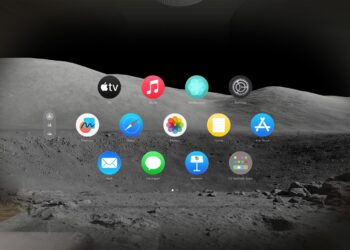
Apple Vision Pro: Easily customize your virtual environment
Apple Vision Pro: Transform your environment and immerse yourself in virtual worlds. Learn how to make the most of the Environments feature!
Read moreDetails
Apple Vision Pro: Setting up the perfect persona for FaceTime
Learn how to set up your Persona for FaceTime & more with Apple Vision Pro. Our tips will help you get the best...
Read moreDetails
Apple Vision Pro: Charge the battery and check the status
Charge your Apple Vision Pro battery and keep an eye on the battery level: Everything you need to know about preparation, charging and important information on battery care.
Read moreDetails
Apple Vision Pro: Find the best apps and games
Make the most of Apple Vision Pro: How to find and install the best visionOS and compatible iPad and iPhone apps in the App...
Read moreDetails
Opening apps on Apple Vision Pro: Step by step
Opening apps on Apple Vision Pro: Use our guide to unlock the full potential of your device and use apps efficiently...
Read moreDetails
Apple Vision Pro: Setting up Siri and making the most of it
Experience more efficiency in everyday life with Siri on your Apple Vision Pro. In our article you will learn how to use Siri...
Read moreDetails
Apple Vision Pro: Set up and use Optic ID securely
Setting up Optic ID on Apple Vision Pro: Step-by-step instructions for safe use and troubleshooting. Find out more now!
Read moreDetails
Apple Vision Pro: The most important gestures and controls
Discover the revolutionary controls of Apple Vision Pro. Learn basic gestures and controls for intuitive operation.
Read moreDetails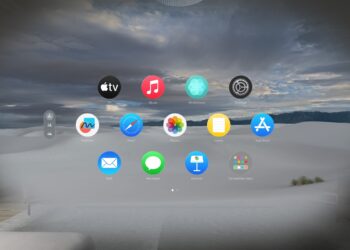
Setting up Apple Vision Pro: How to get started right
Apple Vision Pro setup made easy: follow our guide and start enjoying impressive AR & VR experiences.
Read moreDetails