Apple Tips & Tricks
Every new version of iOS, iPadOS, macOS, and watchOS adds features – and hides many of them so well that even long-time Apple users miss them. On top of that come everyday problems: backups failing, AirDrop refusing to work, Wi-Fi passwords disappearing.
This is where step-by-step guides for exactly those moments live: from setting up a new iPhone to transferring data to uncovering hidden features in iOS and macOS. Every guide is verified against the current version – so the steps are correct when you actually need them.
Topics range from basics for newcomers to specialized features for power users: setting up iCloud properly, pairing an Apple Watch with an iPhone, using Focus modes effectively, resetting old devices for resale. When problems come up, the solution isn't just shown – it's also explained why something goes wrong, so the same issue can be solved independently next time.

Lockdown Mode: Maximum security for iPhone, iPad and Mac
Block Mode is Apple's strongest security level for iOS, iPadOS and macOS against targeted and complex cyberattacks.
Read moreDetails
Apple Music: How to activate translated song lyrics in iOS 26
With iOS 26, Apple Music expands its song lyrics to include translations and pronunciation guides. All the information on how to use it on iPhone and iPad.
Read moreDetails
Apple Creator Studio: Apps, subscription, and clear AI limits
Apple Creator Studio explains: Which apps are included in the subscription, how the subscription works, and what limits apply to AI features.
Read moreDetails
Is Apple Music taking up too much storage space? This will help immediately
Is Apple Music taking up too much space? Here's how automatic storage management for offline music works on iPhone and iPad.
Read moreDetails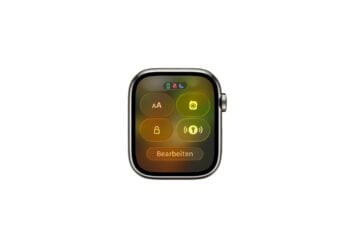
AirTag 2: Setting up Precision Finding on the Apple Watch
AirTag 2 overview: How to activate precision search on the Apple Watch, set it up correctly and use it effectively in everyday life.
Read moreDetails
How to turn texts into reminders with Apple Intelligence
Apple Intelligence recognizes tasks in text and turns them into reminders, ideal for emails, websites, and structured notes.
Read moreDetails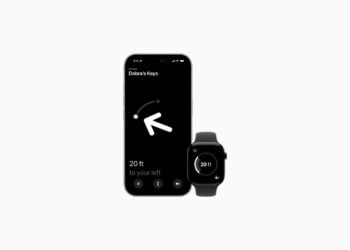
Precision Finding on the Apple Watch requires AirTag 2
AirTag precision search directly on your wrist? The Apple Watch can only do this with AirTag 2. Here's why.
Read moreDetails
AirTag 2: Which airlines support baggage tracking
AirTag 2 improves baggage tracking in air travel. These airlines use location sharing to more efficiently locate lost suitcases.
Read moreDetails
AirTag 1 or AirTag 2: How to tell the difference
AirTag 1 or AirTag 2? Why the difference is often overlooked and how to reliably identify the correct version.
Read moreDetails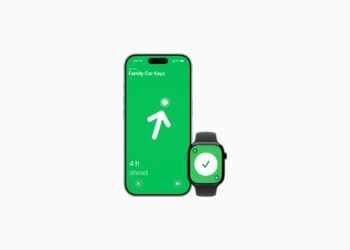
AirTag 2: These iPhones are compatible with improved tracking
AirTag 2 uses a new ultra-wideband chip for improved location tracking. Which iPhones benefit from this and what the limitations are.
Read moreDetails