Apple Tips & Tricks
Every new version of iOS, iPadOS, macOS, and watchOS adds features – and hides many of them so well that even long-time Apple users miss them. On top of that come everyday problems: backups failing, AirDrop refusing to work, Wi-Fi passwords disappearing.
This is where step-by-step guides for exactly those moments live: from setting up a new iPhone to transferring data to uncovering hidden features in iOS and macOS. Every guide is verified against the current version – so the steps are correct when you actually need them.
Topics range from basics for newcomers to specialized features for power users: setting up iCloud properly, pairing an Apple Watch with an iPhone, using Focus modes effectively, resetting old devices for resale. When problems come up, the solution isn't just shown – it's also explained why something goes wrong, so the same issue can be solved independently next time.

Listen to Apple Music in Dolby Atmos on Apple devices – here’s how
Apple Music on iPhone, iPad & Co.: But from now on you can listen to your music in spatial audio with Dolby Atmos on...
Read moreDetails
How to hide like numbers on Instagram and Facebook
Instagram and Facebook have today officially introduced the option to hide like counts. We'll show you how it works.
Read moreDetails
How to use HomePod for all TV audio with Apple TV 4K
The new Apple TV 4K can pass all audio from a compatible TV to a pair of HomePods. Here's how.
Read moreDetails
Pairing PS5 DualSense & Xbox Series X Controller with iPhone & Co.
With iOS 14.5 & tvOS 14.5, Apple users can now use their PS5 DualSense & Xbox Series X controllers with an iPhone &...
Read moreDetails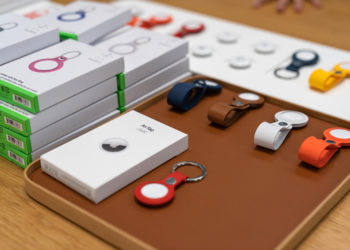
How to deactivate an unwanted Apple AirTag
Disable: The Apple AirTag should certainly be a handy tracking accessory for those who tend to misplace things.
Read moreDetails
How to change the Apple AirTag battery
According to Apple, an AirTag battery lasts for about a year. However, before it runs out, the iPhone warns the user...
Read moreDetails
AirTag: How to find the serial number and firmware version
Check serial number and firmware version: Apple's AirTag is a Bluetooth tracker that helps you find lost items.
Read moreDetails
How to put an AirTag into Lost Mode
But what happens if an object, such as a bag, gets lost? It's clear - we have to mark the AirTag as "Lost"...
Read moreDetails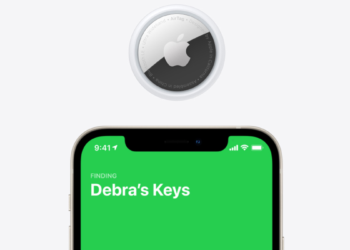
Apple AirTag: How to use Exact Search
Once you have set up an AirTag and attached it to an item, you can locate that item in the Find My app...
Read moreDetails
How to reset Apple AirTag
Reset AirTag: This is necessary if the original owner has unpaired the accessory outside of Bluetooth range.
Read moreDetails