











© 2026 Apfelpatient. All rights reserved.

Apple Tips & Tricks
Every new version of iOS, iPadOS, macOS, and watchOS adds features – and hides many of them so well that even long-time Apple users miss them. On top of that come everyday problems: backups failing, AirDrop refusing to work, Wi-Fi passwords disappearing.
This is where step-by-step guides for exactly those moments live: from setting up a new iPhone to transferring data to uncovering hidden features in iOS and macOS. Every guide is verified against the current version – so the steps are correct when you actually need them.
Topics range from basics for newcomers to specialized features for power users: setting up iCloud properly, pairing an Apple Watch with an iPhone, using Focus modes effectively, resetting old devices for resale. When problems come up, the solution isn't just shown – it's also explained why something goes wrong, so the same issue can be solved independently next time.
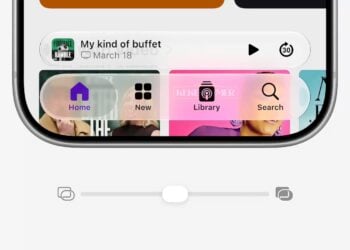
iOS 27: Liquid Glass transparency can be adjusted seamlessly
Adjusting Liquid Glass steplessly: Where the slider is located in iOS 27, what the three markers mean, and where the glass effect...
Read moreDetailsiOS 27: Hide audio and dictation icons in Messages
The symbol next to the send arrow can finally be hidden in iOS 27. Here's how – and how to keep audio...
Read moreDetailsDetecting stalkerware on the iPhone
Detecting and removing stalkerware on the iPhone – with Apple's Safety Check and targeted steps when suspicion arises.
Read moreDetailsiMessage contact key verification explained
How iMessage Contact Key Verification adds extra protection to your messages, who really needs it, and how to set it up.
Read moreDetailsInstalling iOS 27 Public Beta: Instructions, risks and troubleshooting
How to install iOS 27 Public Beta: complete instructions including requirements, risks, backup and troubleshooting for all problems.
Read moreDetailsDisable Apple Intelligence: How to turn off the AI
Disabling Apple Intelligence: In iOS 26, a simple switch was all it took – in iOS 27, it's gone. All methods that disable AI...
Read moreDetailsApple Notes: Record audio and convert it to text
Convert voice recordings to text with Apple Notes: Record audio, transcribe it live – in German – and summarize it using AI.
Read moreDetailsApple Intelligence and Data Privacy: How Apple Protects Your Data
Apple Intelligence and Data Privacy: On-device, Private Cloud Compute, and what Siri AI really has to do with Google Gemini –...
Read moreDetailsCreate iPhone ringtones – without GarageBand
Create your own ringtones on your iPhone – without GarageBand, iTunes, or any additional apps. Here's how to set any short audio file as a ringtone...
Read moreDetailsCreate Genmoji: Custom emojis with Apple Intelligence
Custom emojis with Apple Intelligence: Create, combine, customize and delete Genmoji – plus a solution if the feature malfunctions.
Read moreDetails