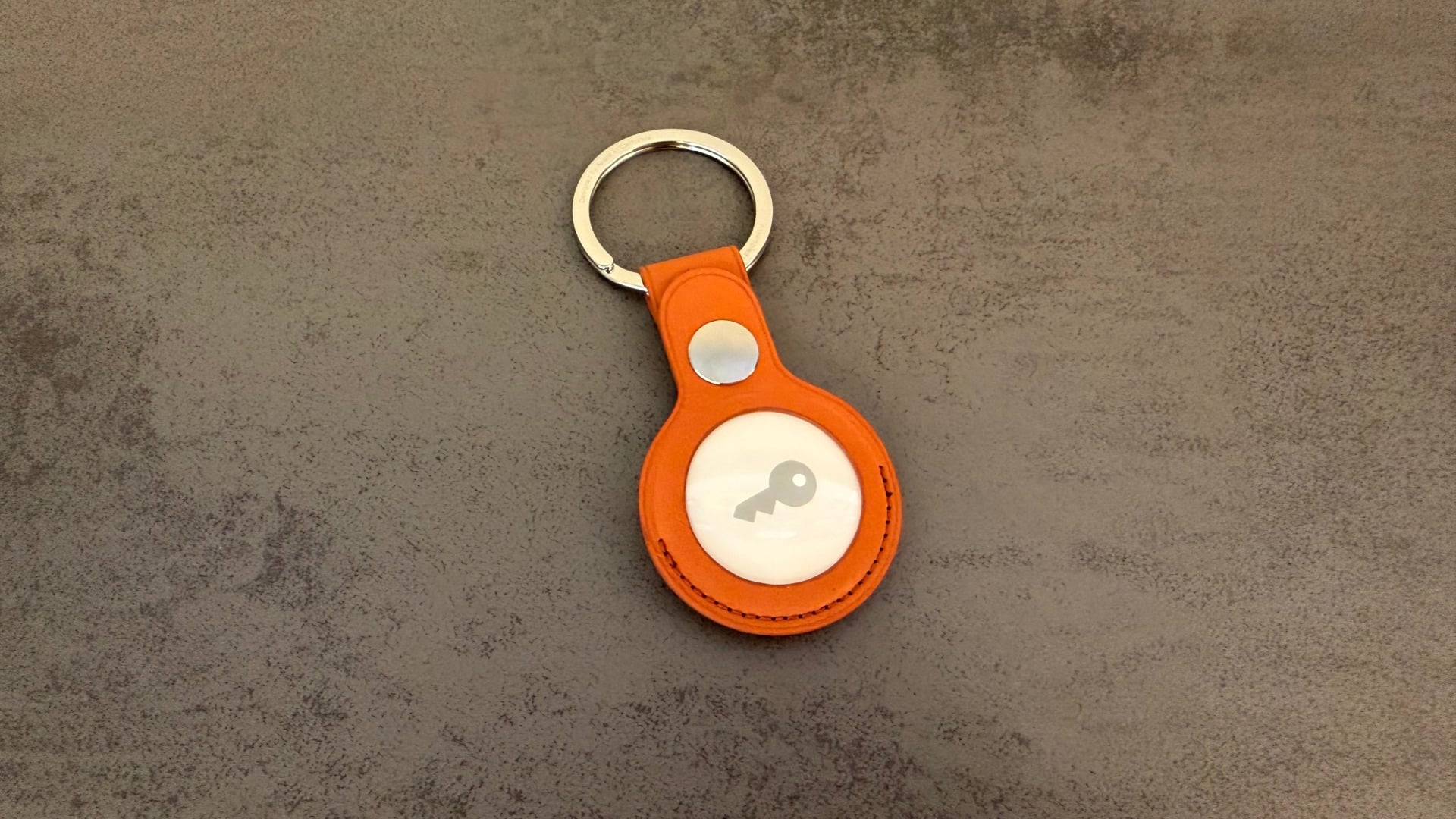
A tracker the size of a two-euro coin is enough to permanently transmit a person's location – without the perpetrator ever having to come near them again. Apple has refined its security mechanisms over five years, most recently focusing on the hardware with the AirTag 2. Knowing what the warnings look like and which steps to take, and in what order, means you won't lose any time in an emergency.
AirTags are small, inexpensive, and exceptionally precise via the "Find My" network - precisely the qualities that make them attractive for targeted tracking. Apple reacted to this early on and improved its technology over several years: shorter warning times, louder alerts, more accurate location tracking of the tracker, and, since May 2024, an industry specification developed jointly with Google that also includes trackers from other manufacturers. Nevertheless, unwanted tracking remains a real issue, especially in relationship and breakup situations. Bluetooth trackers are just one of several methods - secretly installed surveillance apps are another, and how to recognize stalkerware on the iPhone is explained in a separate guide.
Key Facts at a Glance
- A foreign tracker that moves with a person for an extended period of time triggers the notification "An AirTag is moving with you" on the iPhone and also plays a sound.
- The warnings only apply if location services are enabled, Bluetooth is turned on, tracking notifications are allowed, and airplane mode is disabled.
- Found trackers can be immediately deactivated by removing the battery – it's worth taking a photo of the serial number beforehand.
- Since January 2026, the AirTag 2 is around 50 percent louder and has been internally redesigned so that the speaker can hardly be manipulated anymore.
- The question of criminal liability under German law remains unclear to this day; nevertheless, filing a report is the right course of action.
Why AirTags are particularly suitable for tracking
An AirTag doesn't transmit its own GPS signal. Instead, it sends encrypted Bluetooth identifiers that are picked up by nearby Apple devices and forwarded to Apple's servers. The owner can then see in the "Find My" app where their item was last seen. Apple states on the AirTag product page that the network comprises over one billion iPhones, iPads, and Macs - dense enough to report a tracker's location every minute, even on a highway.
This very architecture makes covert tracking so inconspicuous: The tracker doesn't transmit data to the perpetrator, but instead uses the devices of other passersby as relays. Anyone who discreetly places an AirTag never needs to be in close proximity to the victim again. How the network works in everyday life and what else can be found with it is summarized in the overview of the "Find My" app.
What does each warning mean?
Apple has built in several warning levels, which are named differently depending on the device type. The wording on the lock screen already reveals what it's about.
| Notice | What's behind it |
|---|---|
| An AirTag moves with you | An AirTag separated from its owner will accompany you for an extended period of time. |
| AirPods discovered / AirPods Pro discovered / AirPods Max discovered | Nearby foreign AirPods with "Find My" support |
| [Product name] moves with you | "Find My" third-party network accessory |
| Unknown accessories discovered | The app is temporarily unable to retrieve full device information. |
Tapping the notification opens the "Find My" app and shows on a map where the external tracker was detected near your iPhone. Red dots mark the times of detection, and dashed lines indicate the order.
In addition, there's the audible signal: An AirTag that's been separated from its owner for a certain period of time emits a sound when moved. Apple doesn't disclose the exact threshold and has adjusted it several times via firmware updates – it was three days when it was first introduced in 2021 and was later significantly reduced. The same mechanism applies to AirPods charging cases and compatible Bluetooth trackers from other manufacturers.
Four settings without which no warning will appear
The notifications only appear if the iPhone is configured accordingly. Apple specifies these conditions in its support document on unwanted tracking: iOS 17.5 or later for full support of all compatible trackers – iOS 14.5 is sufficient for AirTag-only alerts – location services enabled with "Significant Locations" selected under "System Services," Bluetooth enabled, and airplane mode disabled. Tracking notifications must also be allowed.
The path to location services leads via "Settings" – "Privacy & Security" – "Location Services". If you accidentally disable one of these settings, you simply won't receive a warning. A quick look is the easiest way to prepare, and it takes less than two minutes.
What to do when a warning appears
The detailed view in "Find My" offers the option "Play sound". The tracker then emits a signal to help locate it. If the function is grayed out, the object may no longer be nearby – or its identifier may have changed overnight, which is normal with rotating Bluetooth IDs.
On iPhones with an Ultra Wideband chip, i.e., from the iPhone 11 onwards, precision search is added. It shows the distance and direction to the foreign tracker and leads directly to its hiding place; sound and flashlight can be activated from the same view.
If neither of those things helps, a systematic search remains. Typical hiding places include the outer pockets of backpacks and handbags, the inside pockets of jackets, shoes, strollers, and bicycles. For cars, wheel wells, bumpers, the inside of seat cushions, and the underside of the vehicle are worth checking.
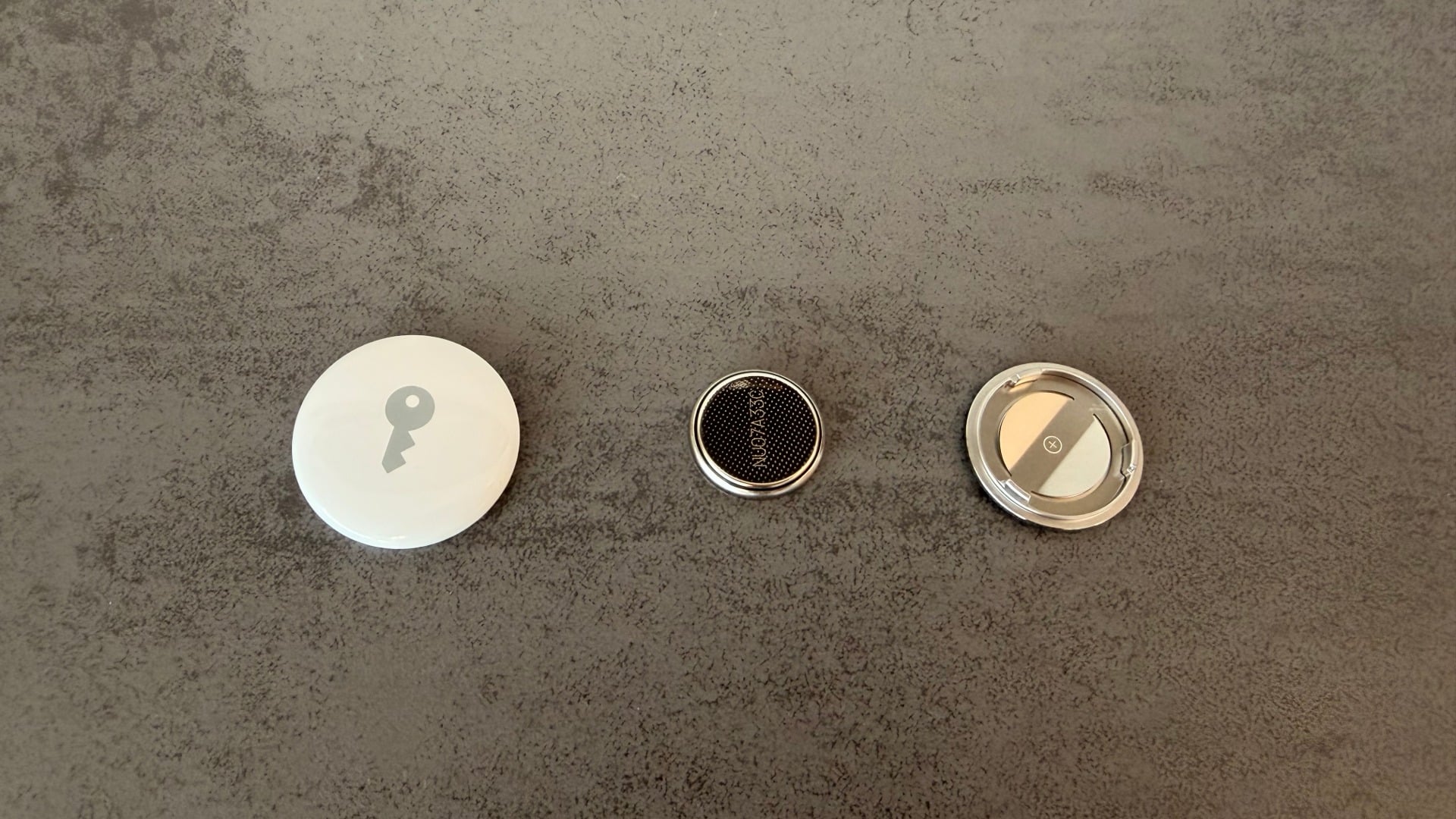
Once the tracker is located, a single step stops location transmission: turn the stainless steel cover counterclockwise and remove the battery. The order of these steps is crucial – disabling your own "Find My" network, Bluetooth, or location services will not affect the tracker. Only the tracker itself is relevant.
Anyone who wants to see which unknown devices have already been detected can find the complete list in the "Find My" app under "Objects" – "Unknown objects detected near you". If the same trackers repeatedly appear there, it's a pattern and not a coincidence.
Secure evidence before the battery is removed
Anyone wishing to involve the police should not immediately dispose of the tracker. Holding an NFC-enabled smartphone against the white side of the AirTag opens a website displaying the serial number and the last four digits of the registered phone number. A screenshot of this page and a photo of the tracker at its location are the two pieces of evidence that count.
Apple explicitly states in its personal safety handbook that law enforcement agencies can request information about the object from Apple – the serial number is the crucial clue for this.
However, if you feel acutely threatened, this order does not apply. In that case, your safety takes priority, and immediate deactivation is more important than any evidence.
What the AirTag 2 has done better since January
Apple unveiled the second generation on January 26, 2026, focusing for the first time on the hardware rather than just the software. According to Apple's announcement about the new AirTag, the device is approximately 50 percent louder and audible from twice the distance thanks to a redesigned internal structure.
| Feature | AirTag (2021) | AirTag 2 (2026) |
|---|---|---|
| Volume | Initial value | about 50 percent louder |
| Audibility | Initial value | double the distance |
| Precision Finding | Ultra-wideband first generation | up to 50 percent greater range |
| Speaker tampering | relatively easy | significantly more difficult due to interior design |
The last point is the most important for those affected. With the first AirTag, the speaker could be easily disabled, thus eliminating the audible warning – the notification on the iPhone then remained the only line of defense. At the end of March 2026, Apple also revised the warning tone via firmware to make it easier to locate a foreign tracker during a precision search. Further differences between the two generations can be found in the comparison of AirTag 2 and AirTag.
Detection on Android and with third-party trackers
Apple and Google standardized the detection process in May 2024 on a common industry specification. Android devices running Android 6.0 and later will automatically display notifications when an AirTag or other compatible tracker is in close proximity to them, and will also allow for a manual scan of the surroundings. Manufacturers such as Chipolo, eufy, Jio, Motorola, and Pebblebee have pledged support, meaning their trackers will also alert iPhones.
Where protection reaches its limits
The mechanisms only activate if a tracker moves with a stranger for an extended period. If someone regularly brings the AirTag back near the user's iPhone, the watch resets – the warning is not triggered. And an audible signal is of little use if it's lost in street noise or in the trunk of a car.
The second vulnerability affects everything that operates outside the "Find My" network and the shared specification. Older Tile models or classic GPS trackers with their own SIM card do not trigger automatic alerts. A manual search or a Bluetooth detection app is required for this.
Legal situation in Germany: still unclear
The legal assessment is controversial. Section 238 of the German Criminal Code (StGB) requires repeated stalking or attempts at contact – neither of which apply to the single placement of a tracker, because the perpetrator no longer needs to be in close proximity. Therefore, the obvious elements of the offense are ruled out, as the legal analysis of this gap in the law demonstrates.
The catch-all provision of Section 238 Paragraph 1 Number 8 of the German Criminal Code (StGB) remains, which requires a "comparable act." Some legal scholars consider the insertion of a tracker to fall under this provision, while others view precisely this open wording as constitutionally problematic with regard to the principle of legal certainty. Criminal liability under Section 42 of the German Federal Data Protection Act (BDSG) is also under discussion.
The cyberstalking offenses added in 2021 are of no help here: they target unauthorized access to other people's devices and accounts, not Bluetooth trackers. During the legislative process, the Federal Council suggested examining whether spying with listening devices, GPS trackers, or drones could be covered by the stalking offense. To date, no such amendment has been passed.
In practical terms, this means that a conviction solely based on the planted tracker is far from certain under the current version of the law. Nevertheless, filing a report is the right step as soon as there is concrete suspicion – not least because only the police can access the owner's data via Apple. In civil matters, restraining orders are an option, and in cases of domestic violence, the Protection Against Violence Act also applies.
Help in German-speaking countries
If you don't feel safe, this takes precedence over any legal questions: go to a busy public place, inform someone you trust, call the police. Regardless, you can get advice 24/7 and free of charge:
- Germany: The helpline "Violence against women" can be reached 24 hours a day, anonymously and in several languages, at 116 016.
- Austria: The women's helpline against violence offers advice around the clock, free of charge and anonymously if desired, on 0800 222 555.
- Switzerland: The cantonal counselling centres of Victim Support Switzerland offer free and confidential advice; in addition, the European short numbers 116 006 and 116 016 apply.
In case of repeated incidents, it's worth reviewing all sharing settings. The security check in the privacy settings shows who is sharing your location, photos, and notes with, and allows you to reset all sharing settings at once. Permanently set location sharing often runs through Family Sharing – how to control location sharing there is described separately. If a suspicion coincides with an upcoming trip, the security checklist for iPhone and MacBook on the go also applies.
Why the hardware achieved more than any warning message
For five years, Apple's security relied almost exclusively on software: notifications, warning times, specifications. This helped all those who had a current iPhone and hadn't disabled notifications – which was far from everyone. A manipulated speaker completely disrupted this chain.
Apple's redesign of the AirTag 2's internal components, making it virtually impossible to mute the speaker, is therefore the more effective measure. The sound reaches even people without an iPhone, without an Android update, and without knowledge of the settings. For those affected, this means practically: a modern tracker is more likely to give itself away – but an older, manipulated AirTag from 2021 remains undetected. The audible warning doesn't replace checking your own settings; it complements them.
How to recognize AirTag stalking – the most important points at a glance
Anyone receiving the notification "An AirTag is moving with you" should take it seriously: Play the sound, start a precision search, locate the tracker, photograph the serial number, and remove the battery. For the warning to appear at all, location services, Bluetooth, and tracking notifications must be active, and airplane mode must be off – this check is the best preparation because it's done before a real emergency occurs. The legal situation in Germany remains unclear, but contacting the police or consumer protection agencies is still an option. And anyone who feels threatened should immediately deactivate the tracker instead of looking for evidence. (Image: Apfelpatient)
- iPhone and MacBook while traveling: The security checklist
- iCloud Costs: All storage plans, prices, and which one is worth it
- iOS 27: Adjust the AirPods equalizer and customize the sound
Frequently Asked Questions: AirTag Stalking
Apple doesn't specify a fixed timeframe and has changed it several times via firmware updates. Reports range from a few hours to cases where no notification appeared for weeks. You shouldn't rely on it: the warning is an additional safeguard, not a guarantee.
Most often, the cause is harmless. A borrowed set of keys, someone else's AirPods in the car, crowded trains or buses – in all these situations, a stranger's tracker can travel with you for an extended period. If the item belongs to someone in your Family Sharing group, you can temporarily or permanently disable tracking notifications for that item.
No. No notification appears without Bluetooth, location services, or in airplane mode. The unauthorized tracker continues to transmit data anyway – so turning it off doesn't protect you, it only hides the warning.
Only partially. An NFC-enabled smartphone pressed against the white side opens a page displaying the serial number and the last four digits of the registered phone number. The full name is not revealed – only law enforcement agencies can request that from Apple.
Document first, then deactivate: Take a screenshot of the NFC page, a photo of the tracker at the location where it was found, then remove the battery. This does not apply in cases of imminent threat – then the only requirement is that the device immediately stops transmitting.
Yes, since Apple and Google introduced a joint specification in 2024. Android devices from version 6.0 onwards display automatic alerts and also allow a manual scan of the environment.
All devices that adhere to the common specification – including models from Chipolo, eufy, Jio, Motorola, and Pebblebee. Older Tile models and classic GPS trackers with their own SIM card are not included and will not trigger a warning.