Apple Tips & Tricks
Every new version of iOS, iPadOS, macOS, and watchOS adds features – and hides many of them so well that even long-time Apple users miss them. On top of that come everyday problems: backups failing, AirDrop refusing to work, Wi-Fi passwords disappearing.
This is where step-by-step guides for exactly those moments live: from setting up a new iPhone to transferring data to uncovering hidden features in iOS and macOS. Every guide is verified against the current version – so the steps are correct when you actually need them.
Topics range from basics for newcomers to specialized features for power users: setting up iCloud properly, pairing an Apple Watch with an iPhone, using Focus modes effectively, resetting old devices for resale. When problems come up, the solution isn't just shown – it's also explained why something goes wrong, so the same issue can be solved independently next time.

Make the most of Apple Mail: 8 pro tips for iOS 18
Use the Apple Mail app cleverly on iOS 18: These 8 tips bring clarity, speed, and smart AI features to your inbox.
Read moreDetails
Optimize iPhone privacy: 7 quick tips for more protection
Optimize iPhone privacy: These simple steps make the difference if you want to protect your data.
Read moreDetails
Use iPhone Health app better: These 10 tricks will help you
Use the Health app on your iPhone correctly: These 10 tips show you how to effectively manage your health digitally.
Read moreDetails
Optimize iPhone Night Mode – 7 Tips for Clear Photos
Optimize iPhone night mode with 7 simple tips and take razor-sharp photos in the dark – without a professional camera.
Read moreDetails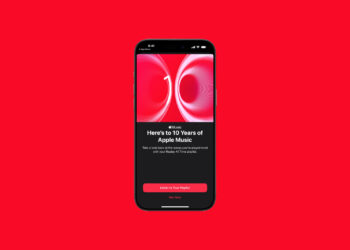
Apple Music: New Replay All Time Playlist now available
Apple Music is celebrating its 10th anniversary with "Replay All Time," a playlist that brings you your most-listened-to songs of all time...
Read moreDetails
Haptic Touch on iPhone too slow? This solution helps
Attention iPhone users: Here's how to finally make Haptic Touch faster – with a simple setting - read more here!
Read moreDetails
Protection against fraud: 9 simple tips for more security
Protection against fraud in everyday life: Learn the 9 most effective methods to protect yourself from phishing, AI fakes, and data theft.
Read moreDetails
iOS 26: Create your own ringtones – without GarageBand
Want to create your own ringtones on your iPhone? With iOS 26, you can now do it directly, without GarageBand. Learn how...
Read moreDetails
Setting up a HomePod stereo pair: How to do it in 5 steps
Setting up a HomePod stereo pair made easy: Get true stereo sound with clear separation and automatic room adjustment.
Read moreDetails
Delete iOS 26 Beta: How to safely return to iOS 18
Have you installed iOS 26 beta and want to go back to iOS 18? Here's how to do it step by step...
Read moreDetails