Apple Tips & Tricks
Every new version of iOS, iPadOS, macOS, and watchOS adds features – and hides many of them so well that even long-time Apple users miss them. On top of that come everyday problems: backups failing, AirDrop refusing to work, Wi-Fi passwords disappearing.
This is where step-by-step guides for exactly those moments live: from setting up a new iPhone to transferring data to uncovering hidden features in iOS and macOS. Every guide is verified against the current version – so the steps are correct when you actually need them.
Topics range from basics for newcomers to specialized features for power users: setting up iCloud properly, pairing an Apple Watch with an iPhone, using Focus modes effectively, resetting old devices for resale. When problems come up, the solution isn't just shown – it's also explained why something goes wrong, so the same issue can be solved independently next time.
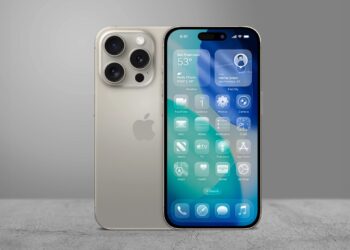
iOS 26 Screenshots: Change the preview and work faster
Is the new full-screen preview in iOS 26 disrupting your workflow? Here's how to easily reactivate the classic screenshot thumbnail.
Read moreDetails
Setting up iPhone widgets: These 6 tricks you need to know
With these 6 tips, you can set up your iPhone widgets sensibly, save space, and customize your home screen perfectly to your...
Read moreDetails
LG or Samsung Smart TV? How to disable tracking
LG or Samsung Smart TV? How to disable ACR, advertising, and voice tracking and permanently protect your data from...
Read moreDetails
Use Apple Wallet safely, conveniently, and efficiently – 7 tips
How to use Apple Wallet correctly: 7 tips to securely store cards, tickets, and IDs and access all functions faster.
Read moreDetails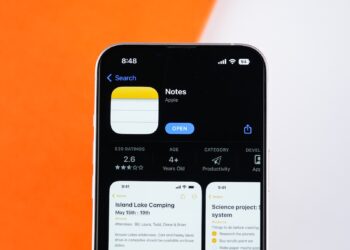
Make the most of your iPhone Notes app – 8 practical professional tips
The iPhone Notes app is an underrated multi-tool. These 8 tips will show you how to use it as a productivity hub.
Read moreDetails
Install iOS 26 Public Beta – all steps at a glance
Want to try out the iOS 26 beta? This guide will walk you through installation, compatibility, and important security tips.
Read moreDetails
Use Safari efficiently: 7 tips for better reading
Safari offers more than just browsing: Use Reader Mode, filter distractions, and organize content for a better reading experience.
Read moreDetails
watchOS 26: These models support Apple Intelligence
watchOS 26 brings Apple Intelligence to the Watch—but only with certain hardware. Find out here which devices you can actually...
Read moreDetails
iOS 26 makes iPhones smarter in handling calls
With iOS 26, Apple introduces protection against spam calls. Call Screening automatically filters unwanted numbers and saves time in everyday life.
Read moreDetails
Use Apple Maps offline – 5 easy steps
Use Apple Maps offline and navigate on the go without internet. Learn how to save maps, check storage, and stay flexible.
Read moreDetails