Apple Tips & Tricks
Every new version of iOS, iPadOS, macOS, and watchOS adds features – and hides many of them so well that even long-time Apple users miss them. On top of that come everyday problems: backups failing, AirDrop refusing to work, Wi-Fi passwords disappearing.
This is where step-by-step guides for exactly those moments live: from setting up a new iPhone to transferring data to uncovering hidden features in iOS and macOS. Every guide is verified against the current version – so the steps are correct when you actually need them.
Topics range from basics for newcomers to specialized features for power users: setting up iCloud properly, pairing an Apple Watch with an iPhone, using Focus modes effectively, resetting old devices for resale. When problems come up, the solution isn't just shown – it's also explained why something goes wrong, so the same issue can be solved independently next time.

Find and adjust the camera flash in iOS 26 – here's how
iOS 26 brings a new design and relocates the camera flash. Learn where to find it and how to control it...
Read moreDetails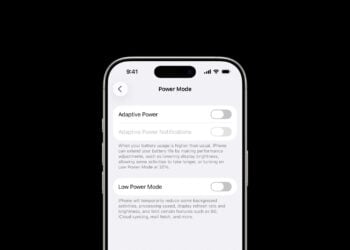
iOS 26 makes Adaptive Power the norm on the iPhone 17 series
iOS 26 introduces Adaptive Power: iPhones save battery more intelligently than ever before. All the info on the feature and the...
Read moreDetails
iOS 26 Tip: Unlock iPhone with Apple Vision Pro
With iOS 26, the iPhone gets smarter: Unlock with Apple Vision Pro, even in the middle of immersive experiences. Learn all about it here...
Read moreDetails
iOS 26: The most important tips for setup and use
iOS 26 is here: With a fresh design, new features, and more control. Here's a look at the 10 most important setup steps.
Read moreDetails
iOS 26: Impact on battery life after the update
After updating to iOS 26, battery life drops temporarily. Apple explains the reasons and shows why installing...
Read moreDetails
How to create your own retrospective movies directly in Photos
Learn how to easily create and customize throwback movies on iPhone with iOS 18.1 or later—with...
Read moreDetails
Sharing audio across two pairs of AirPods: How it works
Here's how to share audio on your iPhone or iPad with two pairs of AirPods. Quick setup, perfect for music, movies, and travel.
Read moreDetails
iOS 26: Use spatial scenes directly in the Photos app
With iOS 26, photos gain more depth: The new feature transforms images into 3D scenes – without Apple Intelligence, starting with iPhone...
Read moreDetails
Apple Intelligence: AI with a focus on data protection
Apple Intelligence demonstrates how modern AI works without sharing user data – locally, securely, and without...
Read moreDetails
iOS 26 Update: Markdown Import and Export in Notes Explained
Apple is introducing Markdown support in Notes with iOS 26. Here's how to import and export Markdown files in detail.
Read moreDetails