Apple Tips & Tricks
Every new version of iOS, iPadOS, macOS, and watchOS adds features – and hides many of them so well that even long-time Apple users miss them. On top of that come everyday problems: backups failing, AirDrop refusing to work, Wi-Fi passwords disappearing.
This is where step-by-step guides for exactly those moments live: from setting up a new iPhone to transferring data to uncovering hidden features in iOS and macOS. Every guide is verified against the current version – so the steps are correct when you actually need them.
Topics range from basics for newcomers to specialized features for power users: setting up iCloud properly, pairing an Apple Watch with an iPhone, using Focus modes effectively, resetting old devices for resale. When problems come up, the solution isn't just shown – it's also explained why something goes wrong, so the same issue can be solved independently next time.

iOS 26 Screenshot Disable full screen and enable old view
With iOS 26, Apple displays screenshots in full screen. Learn how to get back the old thumbnail view and make the most of all the new options...
Read moreDetails
iPhone 17: Disable or customize the camera control button
With the iPhone 17, the camera control button can be customized – from camera to code scanner or magnifying glass, everything is possible.
Read moreDetails
iPhone Tip: Live Translation in Messages, Phone & FaceTime
Translate languages in real time on iPhone: Learn how to turn on live translation in Messages, Phone, and FaceTime.
Read moreDetails
iOS 26: Filter messages, block spam & keep track
iPhone with iOS 26: Messages app with filters for unknown senders. More clarity, less spam, and full control.
Read moreDetails
Setting up your iPhone correctly: Check, block, and filter calls
Check, block, and filter calls on your iPhone: How to protect yourself from spam and unwanted contacts with the right...
Read moreDetails
Keep an eye on your blood pressure: How the iPhone Health app helps
Accurately record blood pressure: The Health app makes it easy to enter values, keep records, and better assess risks.
Read moreDetails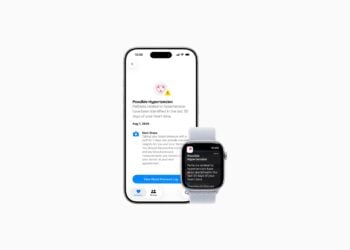
Apple explains Apple Watch high blood pressure warnings
Apple explains the new high blood pressure alerts on the Watch. Learn all the details on how to use them, requirements, and limitations.
Read moreDetails
Setting up Apple Music transitions: AutoMix or Crossfade
Apple Music offers flexible song transitions with AutoMix and Crossfade. Learn how to enable, adjust, or disable them.
Read moreDetails
macOS 26: Automatically connect iPhone hotspot
macOS 26 brings a new hotspot feature: Your Mac automatically connects to your iPhone when no Wi-Fi is available.
Read moreDetails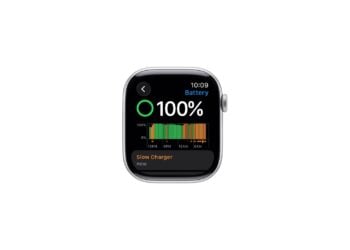
watchOS 26: Why the Apple Watch sometimes charges slowly
watchOS 26 alerts you to slow charging. Find out how your cable, charger, and temperature can improve charging speed.
Read moreDetails