Announced two weeks ago, now officially available: Apple is launching Apple Creator Studio, a new subscription service that, for the first time, unites a wide selection of professional creative apps under one roof. The service is aimed at anyone who edits videos, produces music, processes images, or creates presentations, documents, and spreadsheets at a professional level. Apple is positioning the subscription as a central solution for modern creative workflows on Mac, iPad, and iPhone.
Apple Creator Studio builds on Apple's long tradition as a provider of creative tools. For decades, Macs, and later iPads and iPhones, have played a vital role in studios, agencies, for content creators, and in education. With this new subscription, these tools are not only bundled but also more closely integrated. New AI features, premium content, and streamlined workflows are designed to ensure that creative projects can be efficiently implemented from concept to publication, without compromising privacy.
What Apple Creator Studio includes
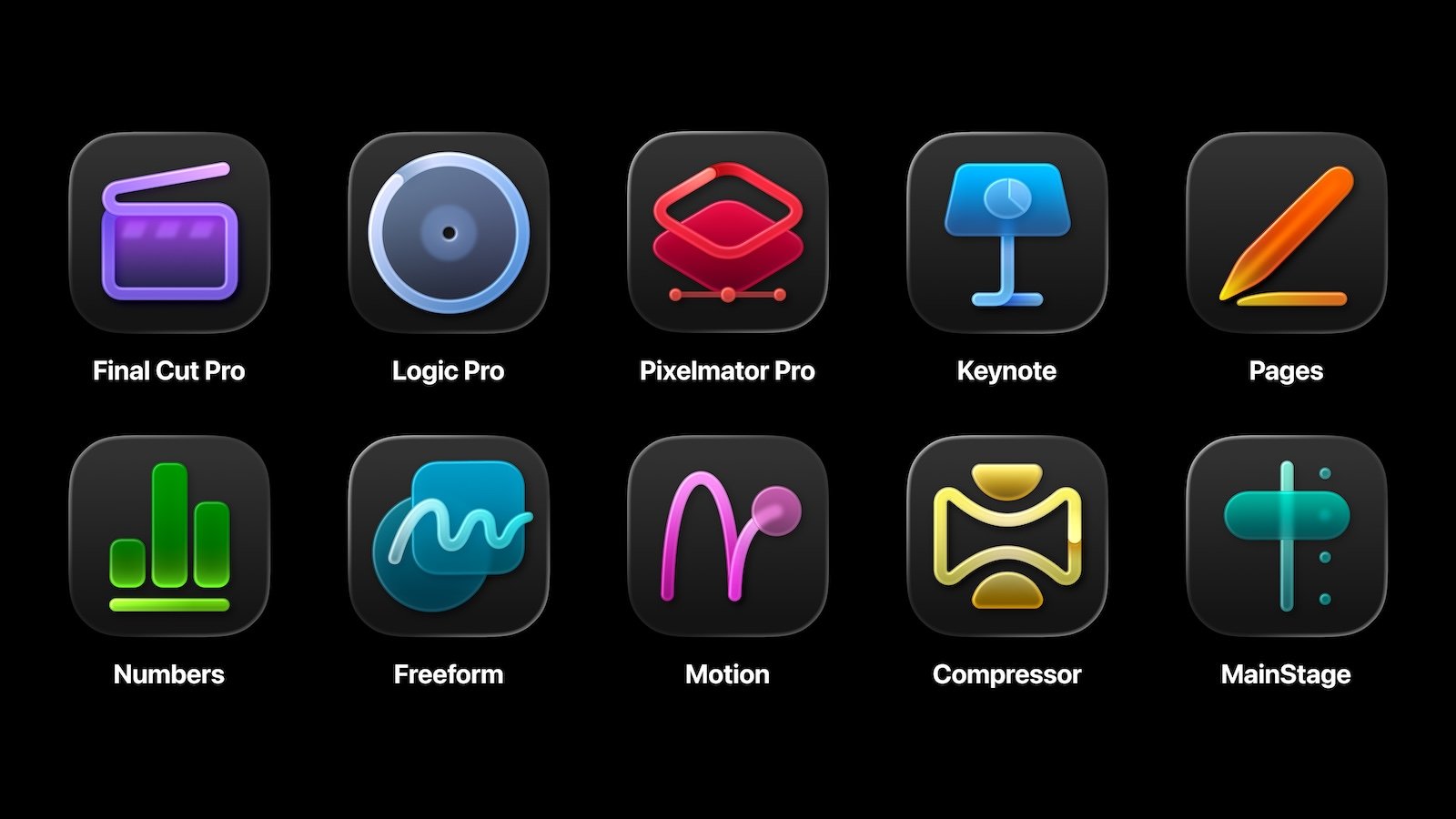
Apple Creator Studio brings together several popular pro apps in a single subscription. It includes Final Cut Pro, Logic Pro, and Pixelmator Pro for Mac and iPad. On Mac, it also includes Motion, Compressor, and MainStage. The package is further enhanced by intelligent features and premium content in Keynote, Pages, and Numbers, and will later be available in Freeform. All apps are optimized to work together, leveraging the power of Apple chips and on-device AI to perform computationally intensive tasks directly on the device.
Video creation: Final Cut Pro, Motion and Compressor
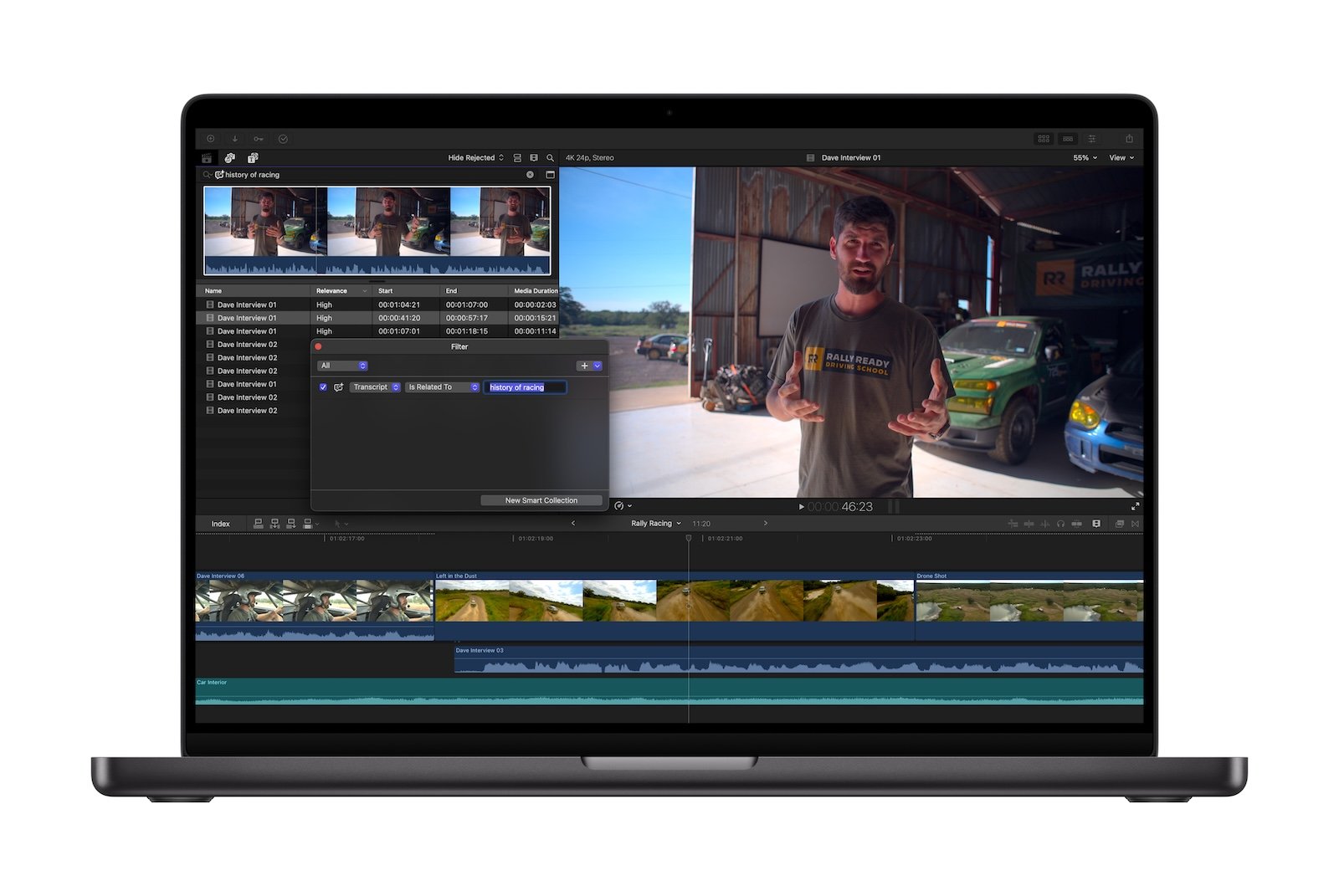
Final Cut Pro for Mac and iPad receives a range of new tools with Apple Creator Studio, saving time, especially on large projects. The new transcript search allows you to search for specific spoken passages within long interviews or podcasts. This is particularly relevant for video podcasts and documentaries. Additionally, a visual search helps locate specific objects or actions within the entire video footage. This makes it easier to identify relevant clips and add them directly to the timeline.
Another key feature is beat detection. Music tracks are automatically analyzed, and beats and time signatures are displayed directly in the timeline. This allows for precise alignment of fast cuts with the music's rhythm. Adapting music tracks to different video lengths is also simplified.
On the iPad, the new montage creator enhances the workflow. Using AI, the tool analyzes existing video footage and automatically creates a dynamic video. Pace, music, and format can be adjusted, including intelligent cropping from landscape to portrait format for social media platforms.
Motion is also part of Apple Creator Studio and is used to create cinematic 2D and 3D animations. Intelligent features like Magnetic Mask isolate people and objects without a green screen. Compressor completes the video suite and offers advanced export and output options for various platforms.
Music production: Logic Pro and MainStage
Logic Pro for Mac and iPad receives new intelligent tools for beatmaking, songwriting, and production with Apple Creator Studio. The new Synth Player expands upon the existing AI Session Players and generates realistic electronic performances with chord and bass structures. Parameters such as complexity and intensity can be flexibly adjusted, and external plug-ins or hardware synthesizers can also be integrated.
Chord ID functions as an automatic music theory tool. Audio or MIDI recordings are analyzed and converted into usable chord progressions. This saves time on transcription and facilitates experimentation with different styles and genres.

The new sound library in Logic Pro for Mac offers Apple-developed packs as well as extensive Producer Packs with royalty-free loops, samples, and instruments. Logic Pro for iPad also receives Quick Swipe Comping, an important feature for vocal and instrument recording.
MainStage is also included in the subscription and transforms the Mac into a live instrument, vocal processor, or guitar rig. Sound developed in the studio can thus be used directly on stage, with quick setup and high reliability.
Image editing: Pixelmator Pro on Mac and iPad
Pixelmator Pro, previously known primarily as a powerful image editor for Mac, is now available on iPad for the first time. The app has been fully optimized for touch input and Apple Pencil, allowing seamless collaboration between iPad and Mac.
Features include layers, shapes, text, video elements, and intelligent selection tools. Vector and bitmap masks allow for precise showing and hiding of image areas. AI-powered features such as Super Resolution for upscaling photos, compression artifact removal, and automatic composition suggestions accelerate the editing process.
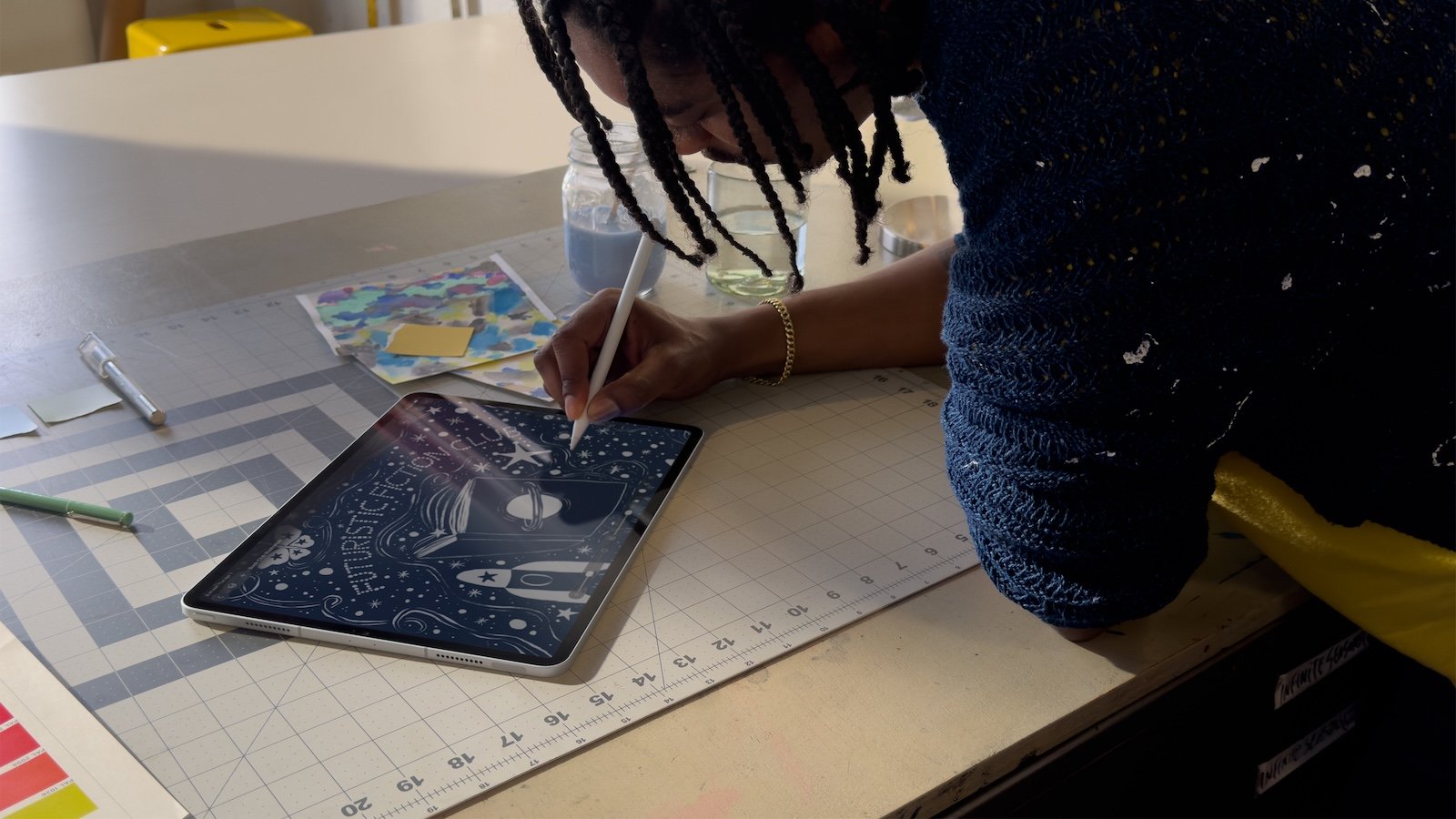
Full Apple Pencil support allows for natural drawing and painting with pressure-sensitive brushes. Features like hover, pressure, and double-tap provide precise control. Additionally, a new warp tool is available, allowing users to freely shape and distort layers.
Visual productivity: Keynote, Pages, Numbers and Freeform
Keynote, Pages, and Numbers will remain free to use, but will receive additional premium content and new intelligent features as part of Apple Creator Studio. A central content hub will provide curated photos, graphics, and illustrations. Subscribers will also gain access to new premium templates and designs.
AI-based tools make it possible to generate images from text or modify existing graphics. Keynote allows for faster presentation creation, for example through automatically generated drafts or optimized layouts. In Numbers, Magic Fill can automatically fill in tables based on patterns and suggest formulas.
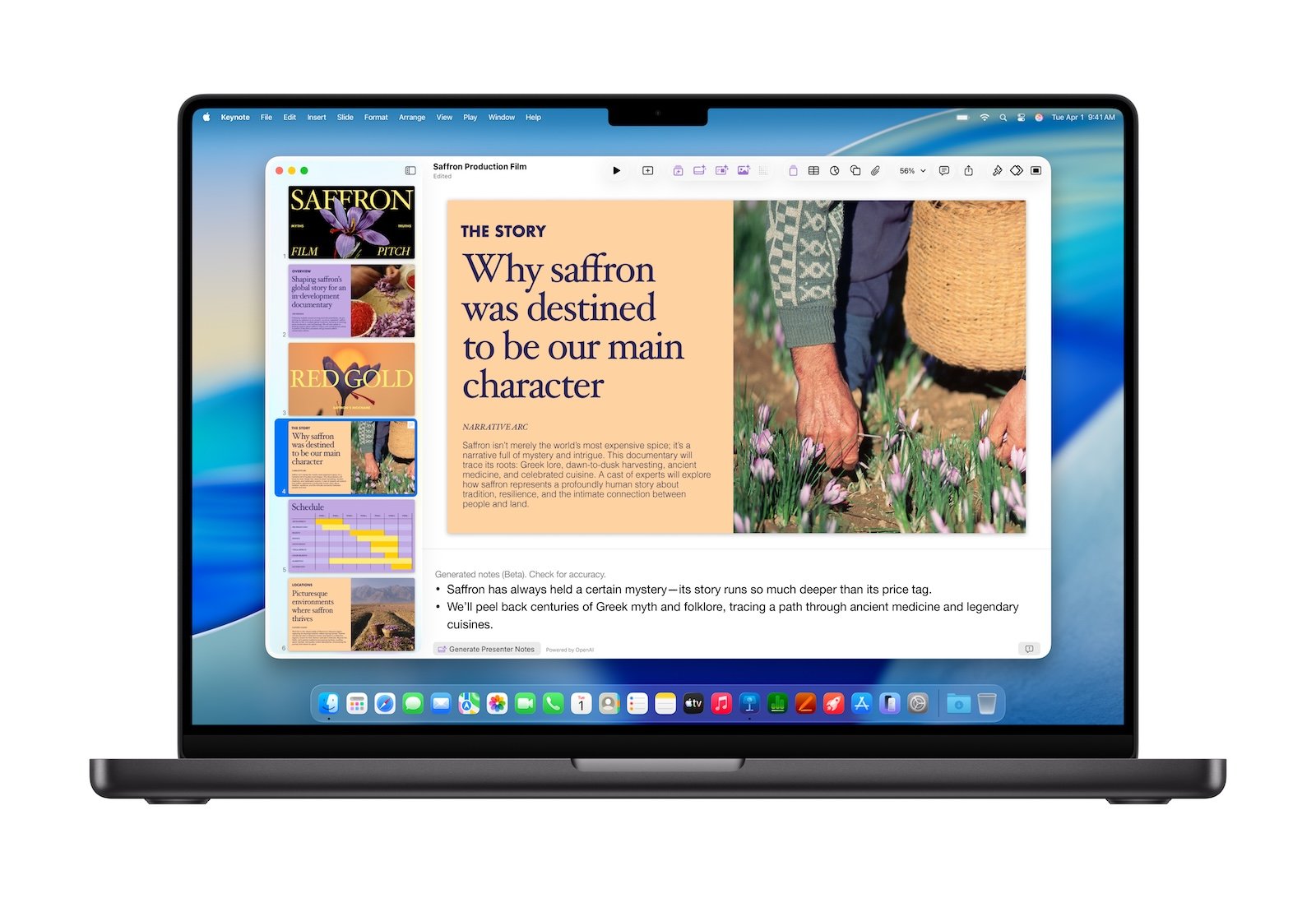
Freeform will be expanded with premium content and features at a later date, but will remain available for collaboration and brainstorming. All productivity apps support the new Liquid Glass design and current window and menu functionality on iPadOS and macOS.
Prices, availability and models
Apple Creator Studio is now available in the App Store. A subscription costs €12.99 per month or €129 per year and includes a one-month free trial. Students and teachers can subscribe for €2.99 per month or €29 per year.
Purchase a new Mac or qualifying iPad and receive three months of free access to Apple Creator Studio. The subscription is available as a universal purchase and can be shared by up to six people via Family Sharing.
All included Pro apps will remain available as one-time purchases in the Mac App Store. Keynote, Pages, Numbers, and Freeform remain free and pre-installed on new Apple devices.
- Apple restricts new features without a Creator Studio subscription
- Apple Creator Studio: Icons clearly indicate the subscription version
- Apple Creator Studio or Adobe Creative Cloud Pro?
Apple Creator Studio as a new all-in-one solution for creatives
With Apple Creator Studio, Apple is bundling its most important creative apps into a single subscription for the first time. The offering combines professional tools for video, music, photo editing, and productivity with new AI features and premium content. Thanks to its immediate availability, flexible pricing options, and tight integration with the Apple ecosystem, Apple Creator Studio positions itself as a comprehensive solution for creative work on Mac, iPad, and iPhone. The best products for you: Our Amazon storefront offers a wide selection of accessories, including those for HomeKit. (Image: Apple)
- Apple TV: Criminal Record Season 2 starts in April
- Apple TV confirms Ted Lasso Season 4 for Summer 2026
- Tim Cook comments internally on the Minneapolis shooting
- Apple TV received nine nominations at the Writers Guild Awards
- Apple TV has renewed "Shrinking" for a fourth season
- App Store: Report reveals extent of problematic apps
- Apple's iPad turns 16 – this is how the tablet era began
- WhatsApp improves data protection with anti-spyware update
- Apple Services weaker? iPhone 17 Pro compensates for a lot
- Meta plans premium subscriptions for Instagram, Facebook and WhatsApp
- iPhone 5s receives iOS update 13 years after market launch
- Apple is benefiting from the premium boom in the Indian market
- iOS 26.3 restricts location data for network operators
- ChatGPT Health put to the test: When AI misreads heart data
- Apple continues testing phase: iOS 26.3 Beta 3 is here
- iOS 26.2.1 brings AirTag 2 support and important fixes
- Grok produced CSAM images: Investigations are underway in the EU
- Apple stock on the rise: JP Morgan raises target to $315
- Apple introduces new Black Unity Apple Watch band
- AirTag 2 unveiled: Greater range, tracking and protection
- Apple and new Macs: Will memory prices rise?
- Apple and India: Antitrust case with global implications
- Data leak without a hack: How 149 million passwords got online
Frequently Asked Questions about Apple Creator Studio (FAQ)
Apple Creator Studio is a new subscription service from Apple that bundles several professional creative apps into a single subscription for the first time. These include tools for video editing, music production, photo editing, and visual productivity on Mac, iPad, and iPhone.
Apple Creator Studio was announced on January 13, 2026, and has been officially available in the App Store since January 28, 2026. Subscriptions are available now and can be used immediately.
The subscription includes Final Cut Pro, Logic Pro, and Pixelmator Pro for Mac and iPad. On Mac, it also includes Motion, Compressor, and MainStage. Smart features and premium content for Keynote, Pages, and Numbers are also included. Premium features for Freeform will be added at a later date.
Apple Creator Studio is designed for Mac and iPad, though some features and content are also available on iPhone. Exact availability depends on the specific app, operating system, and hardware, particularly supported Apple chips.
The subscription costs €12.99 per month or €129 per year. New subscribers receive a one-month free trial. Students and teachers can take advantage of a discounted subscription for €2.99 per month or €29 per year.
Yes. In addition to the one-month trial subscription, buyers of a new Mac or a qualifying iPad receive three months of free access to Apple Creator Studio, provided the requirements are met.
Yes. Apple Creator Studio supports Family Sharing. Up to six family members can share all included apps and content at no extra cost.
No. The Mac versions of Final Cut Pro, Logic Pro, Pixelmator Pro, Motion, Compressor, and MainStage remain available as a one-time purchase in the Mac App Store. The subscription is an additional option, not a replacement for individual purchases.
Yes. Keynote, Pages, Numbers, and Freeform will remain free for all users. Apple Creator Studio simply extends these apps with additional premium content and smart features.
Apple Creator Studio uses AI for numerous features, including transcript search, visual search, beat detection, automatic video creation, chord recognition in music production, and image generation and editing. Many of these features run directly on the device to optimize privacy and performance.
Apple Creator Studio is aimed at professional creatives, content creators, musicians, video producers, designers, as well as students, teachers and emerging artists who want to work with professional tools.
Yes. Despite its professional aspirations, many functions are designed for ease of use. Automated tools, templates, and AI features facilitate getting started and enable productive work even without years of experience.