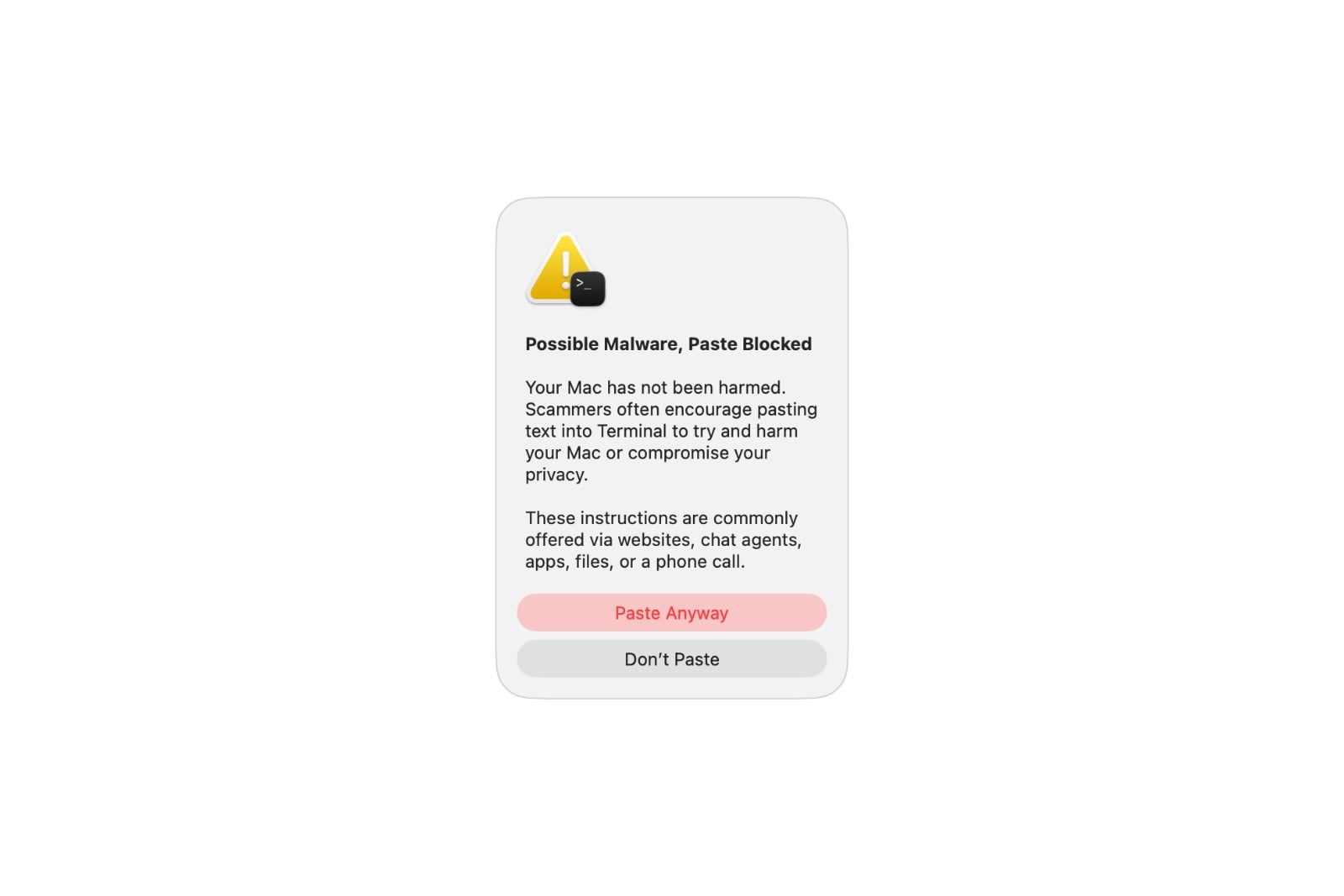
Users who enter a command into the Terminal on macOS have recently been occasionally seeing a warning message – and the process is stopped. A new Apple support document now explains for the first time exactly when these warnings appear and what they mean. Essentially, it's about protection against a particularly insidious scam.
With macOS 26.4, Apple introduced a new security feature that warns users when pasting commands into the Terminal and blocks them if suspicious. Until now, however, it was unclear under what circumstances these warnings would appear. Apple has now clarified this in a newly published support document. The feature joins the existing protection mechanisms that macOS uses to defend against malware – but this time it targets an area that has recently played an increasingly important role in attacks.
When the first warning appears
The mildest of the three warnings indicates potential malware and initially blocks the pasting process. According to Apple, it appears in a very specific situation: It shows up when the Terminal is not used regularly and the command was previously copied from another source – such as a website, a chat agent, or a messaging or email app.
The reason is quite specific: Scammers use these very channels to trick people into entering malicious commands into the Terminal, which can then damage their Mac or compromise their privacy. The warning is intended to prevent anyone from unintentionally executing such a command. Importantly, at this point, no damage has yet occurred to the Mac. Anyone who is absolutely certain that the command originates from a trusted source can still force its execution via a corresponding option – a step that remains explicitly risky when such a warning is present.
When the Mac detects known malware
The two remaining warnings are more severe. They appear as soon as macOS detects known malware in a command or script and blocks it – one when inserting a command, the other when encountering a malicious script. Unlike the first warning, there is no way to continue the process despite these warnings.
Even in these cases, the Mac has not been damaged as long as the command is not executed. If a block is deemed unjustified by the user – for example, because a website was incorrectly classified as fraudulent – Apple offers the option to report this error via a dedicated reporting form.
Why Apple is focusing on the terminal
It's no coincidence that the protection applies specifically to the Terminal. Paste and execute commands bypasses many of the security checks used during normal app installation. Attackers have long relied on tricking users into manually executing Terminal commands by providing instructions on how to circumvent established protection mechanisms like Gatekeeper. With the new warning threshold, Apple is addressing precisely this vulnerability.
In line with this, the support document also refers to Apple's guide on recognizing and avoiding social engineering fraud. The thrust of the attack is therefore clear: the focus is not on a technical vulnerability, but on manipulating the users themselves, who are to be made the actual weak point.
A protective wall announced in advance
With this support document, Apple makes a previously silent feature comprehensible. Those who understand the background can correctly interpret the warnings instead of reflexively dismissing them – and that's precisely where their value lies. Experienced Terminal users will likely rarely encounter these warnings, while inexperienced users will only be notified when a copied command originates from a questionable source. (Image: Apple)
- iOS 26.5.2: Apple is testing the next minor update
- iOS 26.6 Beta 2: Apple follows up with the next test version
- Anthropic disables Claude Fable 5 and Mythos 5 following a US order
- iOS 27 brings landscape mode back to many Apple apps
- watchOS 27 brings more speed and a dynamic app overview
- Widow's Bay: Apple TV renews the surprise hit for a second season
- WhatsApp is bringing multi-account support more broadly to the iPhone
- iOS 27: Wi-Fi Assist becomes Connectivity Assist
- Apple stock falls after WWDC – analysts remain optimistic
- iOS 27: iPhone now boots into a Mac-like recovery mode
- Apple and London police are joining forces to combat iPhone theft
- Apple counters Epic's move against the Supreme Court complaint
- Tap to Share: iOS 27 brings new merchant feature via NFC
- Slow Horses: Apple TV shows first look at season 6
- Apple lists over 250 new features for iOS 27 and other updates
- Apple and Jon Prosser want to overturn the default judgment
- WhatsApp will soon require iOS 15.5 on iPhone and iPad
- FaceTime uses two cameras simultaneously in iOS 27
- Rosetta 2 ends after macOS 27
- The Vision Pro Travel Case is disappearing in many countries
- The iPhone 17 is missing two new Siri features