
With the MacBook Neo, Apple is launching a new, significantly more affordable laptop. The device is aimed primarily at beginners and users looking for a modern Mac at the lowest possible price. At the same time, the MacBook Air remains Apple's most popular lightweight notebook and is positioned above the new model in terms of technical specifications.
Both devices are in a similar size class and appear comparable at first glance. However, the price difference of around 500 euros already indicates that Apple is targeting two different customer groups. The MacBook Neo costs 699 euros in its base configuration, while the current 13.6-inch MacBook Air starts at 1,199 euros.
A comparison between the MacBook Neo and MacBook Air shows that the differences are not limited to performance. There are also clear differences in display, battery life, ports, keyboard, audio, camera, and network functions.
A new entry into the Mac world: The concept behind the MacBook Neo
For many years, the MacBook Air was the most affordable laptop in Apple's lineup. With the MacBook Neo, Apple is now significantly lowering this entry point. At the same time, this creates a new category within the Mac product line: a particularly affordable Mac laptop that deliberately reduces some features to keep the price down.
Technically, the MacBook Neo is based on the A18 Pro chip, which was originally introduced in the iPhone 16 Pro. The MacBook Air, on the other hand, uses the more powerful M5 chip, which is also used in the current iPad Pro and the MacBook Pro.
The processor is just one of many differences. Storage options, display technology, battery life, ports, input devices, and multimedia capabilities also differ significantly. The following overview details all the relevant differences between the MacBook Neo and MacBook Air.
Price and basic equipment
The most noticeable difference between the MacBook Neo and the MacBook Air is the starting price. The MacBook Neo costs €699 in its base configuration, making it one of the most affordable Mac laptops Apple has introduced in recent years. This version offers 256 GB of storage and 8 GB of RAM. It's powered by a variant of the A18 Pro chip, originally developed for the iPhone.
Apple also offers a second configuration of the MacBook Neo. For an additional €100, the storage increases to 512 GB, and a Touch ID fingerprint sensor is integrated into the keyboard. However, the RAM remains at 8 GB, meaning there is no option to configure the MacBook Neo with more memory.
The MacBook Air is significantly more expensive. The base configuration starts at €1,199 and already includes 512 GB of SSD storage and 16 GB of RAM. It uses the M5 processor. Unlike the MacBook Neo, the MacBook Air can also be configured with considerably more features. The storage can be expanded to 1 TB, 2 TB, or even 4 TB, while the RAM options are 24 GB or 32 GB. Another difference is that Touch ID is always standard on the MacBook Air.
Color options and design
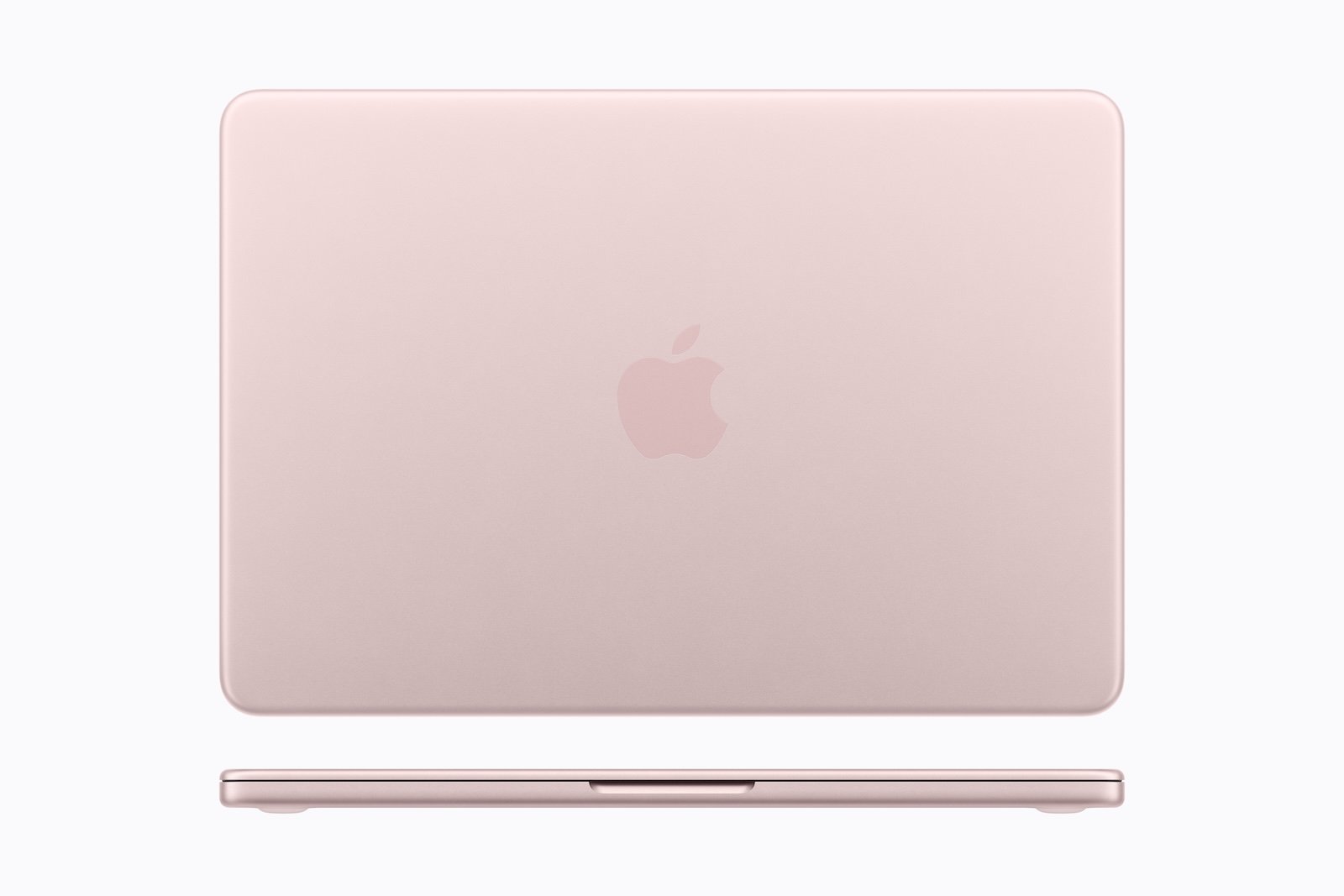
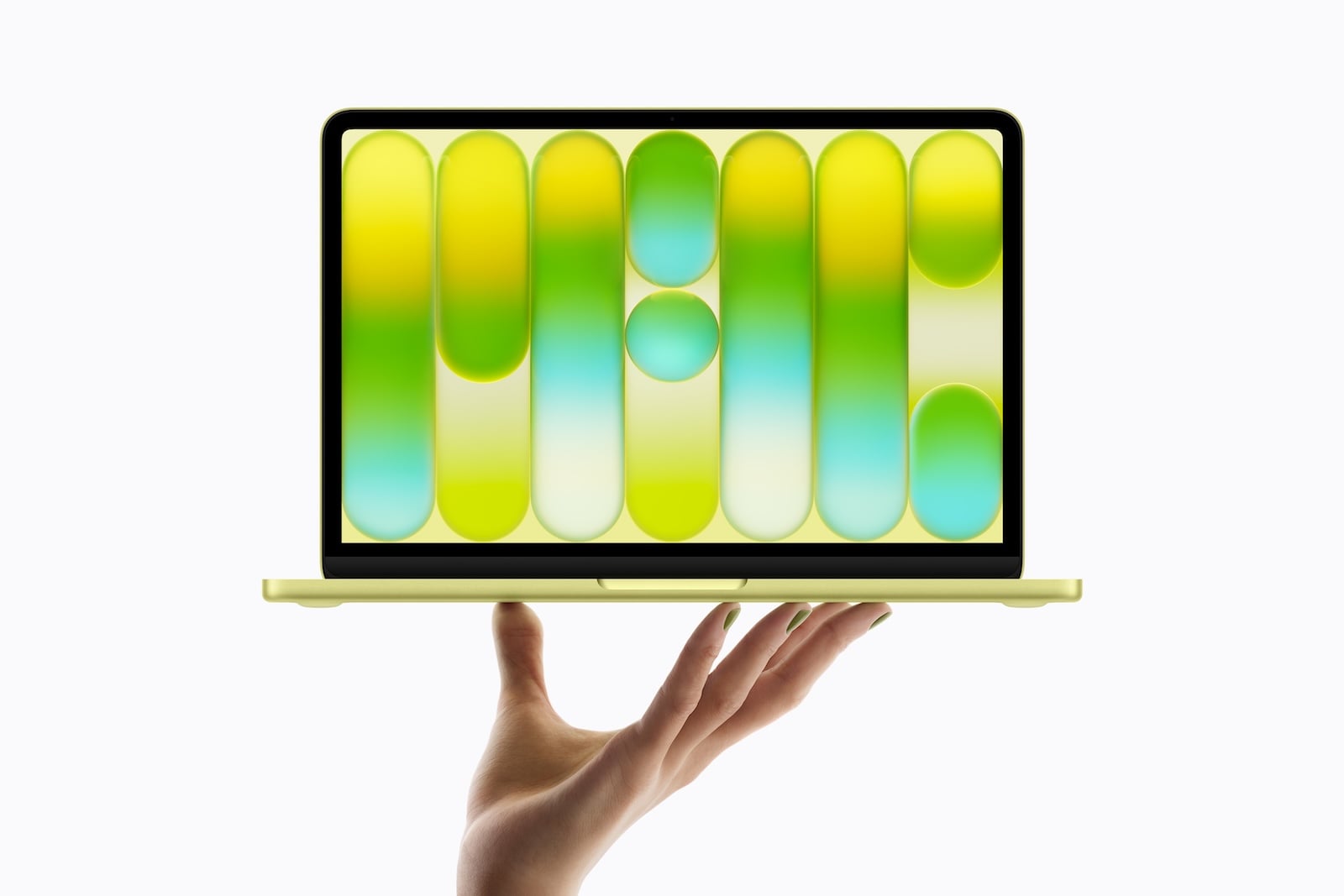
The two devices also differ in their color options. Apple has opted for somewhat more striking and vibrant colors for the MacBook Neo. It is available in silver, blush (pink), citrus (yellow), and indigo. The color palette appears significantly more lively overall and stands out more from the classic Apple design.

The MacBook Air remains available in rather understated colors. Silver, Sky Blue, Starlight, and Midnight are the available options. Sky Blue appears as a slightly bluish silver, while Starlight is a bright gold. Midnight is a dark blue that can appear almost black depending on the light.

Overall, the MacBook Neo appears somewhat more striking in its color scheme, while the MacBook Air retains a more classic appearance.
Performance: A18 Pro vs. M5
A key difference between the MacBook Neo and the MacBook Air lies in the processor architecture. The MacBook Neo uses the A18 Pro chip, originally from the iPhone series. This chip features a 6-core CPU, consisting of two performance cores and four efficiency cores. A 5-core GPU is available for graphics tasks. Additionally, the chip offers hardware-accelerated ray tracing, a 16-core neural engine for AI calculations, and a memory bandwidth of 60 GB per second.
In contrast, the MacBook Air uses the significantly more powerful M5 chip. This chip features a 10-core CPU, consisting of four high-performance cores and six efficiency cores. The GPU can operate with up to ten cores and also offers hardware-accelerated ray tracing. It also integrates a 16-core Neural Engine, but with considerably higher overall performance. The difference is particularly noticeable in the memory bandwidth, which reaches 153 GB per second on the M5 chip.
In practice, this means that the MacBook Air has significantly more reserves for demanding tasks, while the MacBook Neo is designed more for everyday use.
Battery life and charging options
Battery life is another area where the two devices differ. Apple specifies a battery life of up to 11 hours for wireless web browsing and up to 16 hours for video streaming for the MacBook Neo. This device uses a 36.5 Wh lithium-ion battery.
The MacBook Neo is charged via USB-C. It does not have a MagSafe charging port.
In contrast, the MacBook Air offers longer battery life. Apple cites up to 15 hours of wireless web browsing and up to 18 hours of video streaming. This is made possible by a larger 53.8 Wh lithium-ion battery.
The MacBook Air offers more flexibility when it comes to charging. It can be charged via both USB-C and MagSafe. Additionally, the MacBook Air supports fast charging when using a 70W USB-C power adapter or higher.
Display differences
There are also significant differences between the two devices in terms of display. The MacBook Neo features a 13-inch Liquid Retina display with a resolution of 2408 × 1506 pixels and a pixel density of 219 ppi. Its maximum brightness is 500 nits. However, it only supports the sRGB color gamut and lacks True Tone technology for automatic color temperature adjustment.
The MacBook Air, on the other hand, offers a slightly larger 13.6-inch Liquid Retina display. Its resolution is 2560 × 1664 pixels, resulting in a pixel density of 224 ppi. This display also achieves a brightness of 500 nits, but additionally supports the P3 color gamut and True Tone technology.
For comparison: The earlier 12-inch MacBook and older Intel MacBook Air models also used the sRGB color space and did not offer a P3 color space.

Support for external displays
Another difference lies in the support for external monitors. The MacBook Neo can drive an external display with a resolution of up to 4K at 60 Hz. Simultaneously, the internal display remains active. The USB-C port supports DisplayPort 1.4 with HBR3 speeds.
The MacBook Air is significantly more flexible in this regard. It can drive up to two external displays simultaneously. These can achieve resolutions of 6K at 60 Hz or 4K at 144 Hz. Alternatively, a single display can be used with 8K at 60 Hz, 5K at 120 Hz, or 4K at 240 Hz. The connection is made via Thunderbolt 4 ports, which also support DisplayPort 1.4 and additionally offer DSC compression.
Weight and Dimensions
Interestingly, both devices weigh exactly the same. Both the MacBook Neo and the MacBook Air weigh 1.23 kilograms. This is significantly more than the previous 12-inch MacBook from 2015, which weighed only 0.92 kilograms.
The dimensions differ slightly, however. The MacBook Neo, at 1.27 centimeters thick, is a bit thicker than the MacBook Air, which measures only 1.13 centimeters. At the same time, the MacBook Neo is slightly more compact, measuring 29.75 centimeters wide and 20.64 centimeters deep. The MacBook Air has a larger footprint, measuring 30.41 centimeters wide and 21.5 centimeters deep.
Keyboard and Trackpad
The keyboard and trackpad reveal one of the most striking differences. The MacBook Neo is the first Apple laptop in about 16 years that doesn't have a backlit keyboard. This also eliminates the ambient light sensor that normally adjusts the keyboard brightness automatically.
The MacBook Neo also uses a classic mechanical click trackpad instead of a Force Touch trackpad. In practice, however, the lack of keyboard backlighting is more noticeable than the absence of the Force Touch system.

Another point concerns biometric authentication. The base version with 256 GB of storage does not have Touch ID. Only the 512 GB version offers a fingerprint sensor. Without Touch ID, passwords, Passkeys, or Apple Pay cannot be confirmed by fingerprint. However, an iPhone or Apple Watch can still be used for Apple Pay, and an Apple Watch can also be used to unlock the Mac.
In contrast, the MacBook Air offers a backlit keyboard, Touch ID, and a Force Touch trackpad that supports pressure-sensitive input.
Ports and network functions
There are also clear differences in the ports. The MacBook Neo has two USB-C ports, one of which supports USB 3 speeds with DisplayPort, while the other only offers USB 2 speeds. Since one of these ports is also used for charging, only one port is available for data connections while charging.
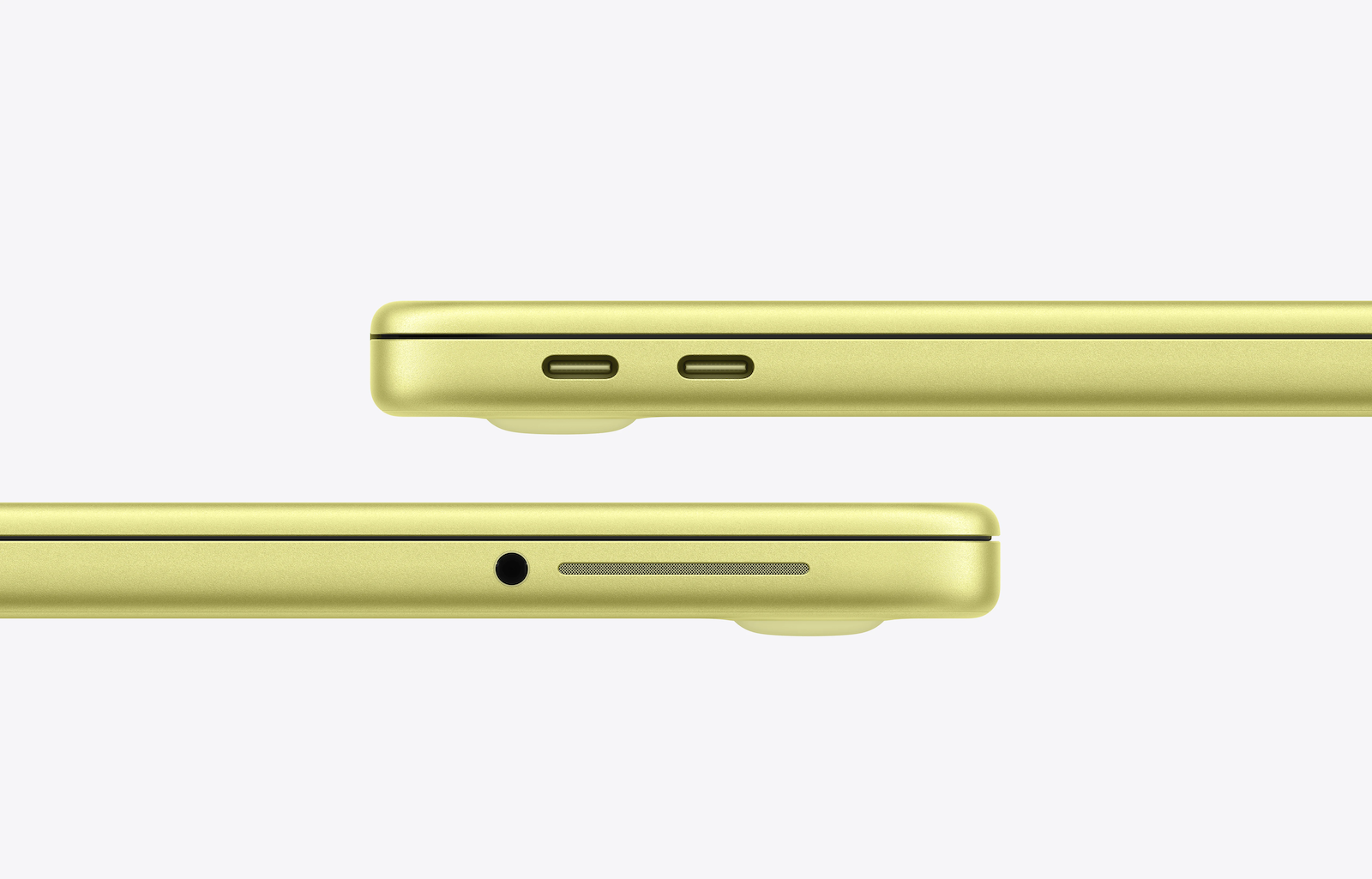
For networking, the MacBook Neo supports Wi-Fi 6E (802.11ax) and Bluetooth 6.
The MacBook Air also offers two USB-C ports, but with Thunderbolt 4 speeds. Additionally, the device has a MagSafe charging port, so both USB-C ports can still be used for accessories.
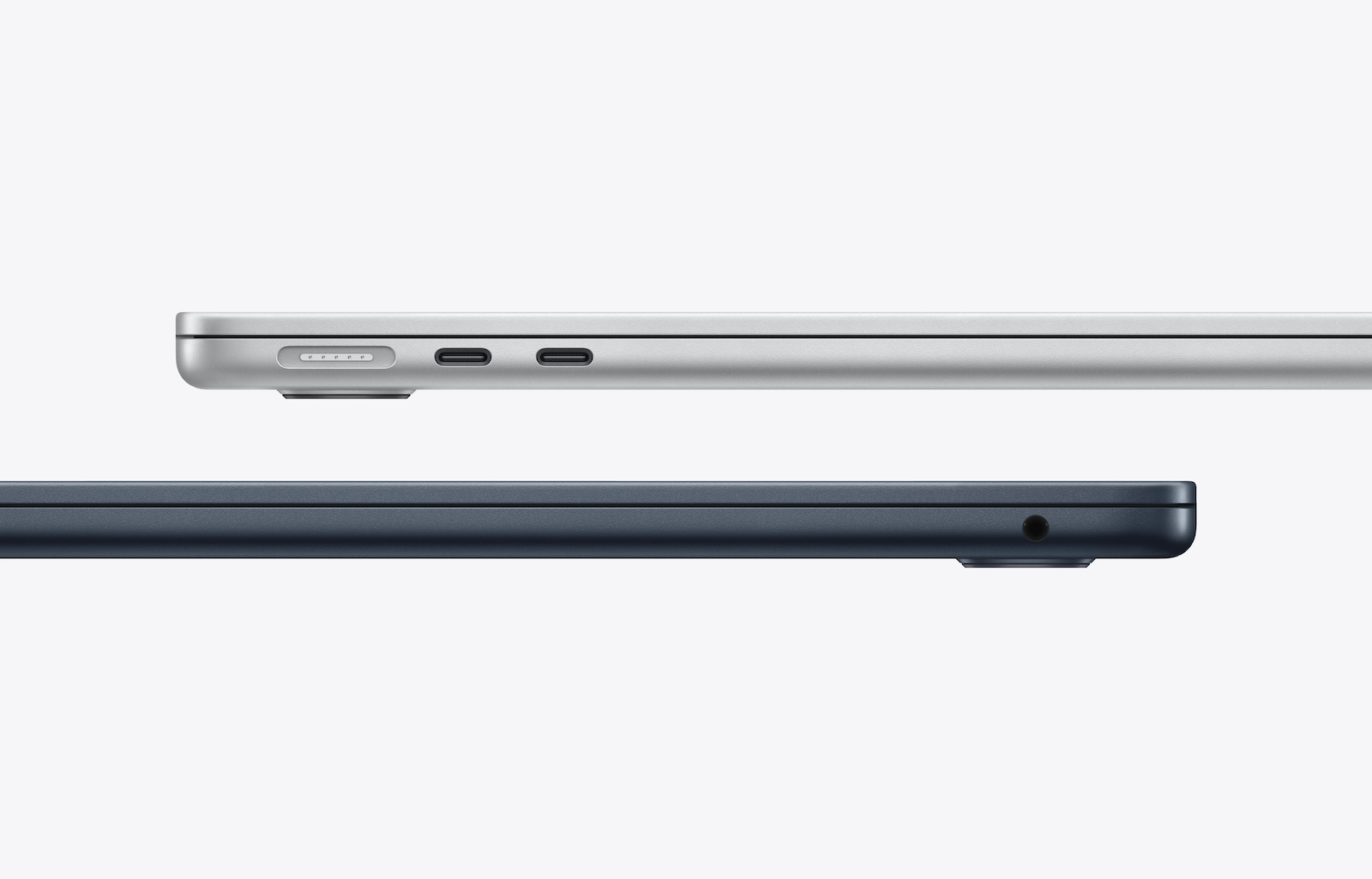
For networking, the MacBook Air supports Wi-Fi 7 (802.11be) and Bluetooth 6. It also features integrated Thread networking technology, which is not available on the MacBook Neo.
Audio, microphones and camera
For audio, the MacBook Neo offers a stereo sound system with two speakers. Apple also supports spatial audio when playing music or videos with Dolby Atmos through the integrated speakers. For voice recordings, the device uses a dual-microphone array with directional beamforming.
The MacBook Air features a more comprehensive four-speaker system that also supports spatial audio and Dolby Atmos. Additionally, it enables spatial audio with dynamic head tracking when using compatible AirPods, AirPods Pro, or AirPods Max. A three-microphone array with beamforming is available for recording.
Both devices have a 3.5 mm headphone jack, with the MacBook Air also supporting high-impedance headphones.
Both devices offer 1080p HD video recording and an advanced image signal processor with computational video capabilities. However, the MacBook Air also features a 12-megapixel center-stage camera with Desk View support, which is not present in the MacBook Neo.
MacBook Neo vs. MacBook Air: Which Apple laptop is the better fit?
The MacBook Neo is clearly positioned as an affordable entry point into the Mac world. With its low price of €699, it offers a comparatively inexpensive way to access Apple's laptop ecosystem and is aimed primarily at new Mac users.
Compared to the MacBook Air, however, several features are reduced. These include lower processor performance, less RAM, shorter battery life, a simpler display, limited connectivity options, and the lack of a backlit keyboard.
The MacBook Air, on the other hand, remains the more powerful and feature-rich device. The M5 chip, the larger and more vibrant display, the longer battery life, Thunderbolt ports, MagSafe charging, and the superior audio and camera systems make it the more versatile option within the 13-inch MacBook lineup.
Apple is positioning the MacBook Neo primarily as an attractive device for beginners. At the same time, its low price can also appeal to experienced Mac users looking for the most affordable and modern Apple laptop. The best products for you: Our Amazon Storefront offers a wide range of accessories, including for HomeKit. (Image: Apple)
- Studio Display vs. Studio Display XDR: All the differences
- M5 MacBook Air vs. M4 MacBook Air: The differences
- iPhone 17e vs. iPhone 16: Which one is worth it?
- iPhone 17e vs. iPhone 16e: All the differences
- M4 iPad Air vs. M3 iPad Air: All the differences
- iPhone 17e vs. iPhone 17: The most important differences
- Apple TV in March 2026: All the Highlights
- Apple Watch Ultra 4 brings major improvements
- Apple will be using OLED displays in several devices in the future
- macOS 27: All rumors, features & release date
- tvOS 26.4: Here's what's changing for Apple TV 4K
- iOS 27: An update with a hidden highlight
- iOS 26.4: When will the big iPhone update be released?
- Why AirPods will be Apple's first AI product
- iPhone 18 Pro: New camera with variable aperture
- Apple AI glasses: Speak without anyone hearing you
- Apple Privacy Policy: Why no competitor can keep up
- CarPlay in iOS 26.4: These are the new features
- Apple Music in iOS 26.4: New features in detail
- Apple AirPods 2026 and 2027: Here's what's planned
- iOS 26.4 Beta launches without new Siri features
- Apple continues to pursue a clear course in AI
- OLED iPad mini: Is a major upgrade coming?
- AirPods Pro 3: Second version expected to bring new AI features
Frequently Asked Questions about the MacBook Neo
The MacBook Neo is a new 13-inch laptop from Apple, positioned as a particularly affordable entry into the Mac world. The base configuration costs €699 and is aimed primarily at beginners or users looking for a modern Mac at the lowest possible price. Technically, the MacBook Neo is based on the A18 Pro chip, which was originally introduced in the iPhone 16 Pro.
The most important difference between the MacBook Neo and the MacBook Air lies in price, performance, and features. The MacBook Neo is significantly cheaper but offers less RAM, a simpler display, and fewer ports. The MacBook Air uses the more powerful M5 chip, has a larger display with P3 color gamut, longer battery life, Thunderbolt ports, and MagSafe charging.
The MacBook Neo starts at €699. This version offers 256 GB of SSD storage and 8 GB of RAM. For €100 more, a variant with 512 GB of storage and an integrated Touch ID sensor is available. The MacBook Neo's RAM cannot be upgraded beyond 8 GB.
The MacBook Neo is powered by the Apple A18 Pro chip, featuring a 6-core CPU and a 5-core GPU. The processor also includes hardware-accelerated ray tracing and a 16-core Neural Engine for AI calculations. This makes the device particularly suitable for everyday tasks such as browsing, streaming, office work, or studying.
Apple states that the MacBook Neo offers up to 11 hours of battery life for wireless web browsing and up to 16 hours for video streaming. The device uses a 36.5 Wh lithium-ion battery and charges via USB-C. The MacBook Neo does not have a MagSafe charging port.
The MacBook Neo features a 13-inch Liquid Retina display with a resolution of 2408 × 1506 pixels and a pixel density of 219 ppi. Its maximum brightness is 500 nits. However, unlike the MacBook Air, the display only supports the sRGB color space and does not offer True Tone technology.
The MacBook Neo has two USB-C ports. The left port supports USB 3 speeds with DisplayPort, while the second only offers USB 2 speeds. Since the device is charged via USB-C, only one port is available for data connections while charging.
The MacBook Neo can drive an external display with a resolution of up to 4K at 60 Hz. The internal display can still be used simultaneously. The connection is made via the USB-C port with DisplayPort 1.4 support.
The base configuration of the MacBook Neo with 256 GB of storage does not have a Touch ID sensor. Only the 512 GB version offers Touch ID for fingerprint authentication. Alternatively, an iPhone or Apple Watch can be used for Apple Pay, and an Apple Watch can also be used to unlock the Mac.
The MacBook Neo is primarily aimed at beginners, students, and users looking for the most affordable Mac laptop possible. For more demanding tasks or extended use, however, the MacBook Air offers significantly more resources thanks to its higher performance, better features, and longer battery life.