Using Apple Pay Safely: How the iPhone Protects Your Payments
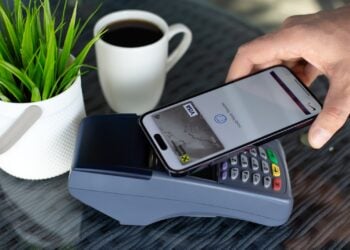
This is how Apple Pay works securely from a technical standpoint – and which settings you can use to protect your iPhone from misuse and theft.

Cybersecurity is the tag on apfelpatient.de for every topic around digital security in the Apple ecosystem – from technical protection features built directly into iOS, iPadOS and macOS to practical safeguards for everyday life. At the device level, Apple integrates features such as Lockdown Mode for particularly at-risk individuals, iCloud Private Relay, Hide My Email, two-factor authentication via Apple Account, Stolen Device Protection and rapid security measures via Rapid Security Response. On top of that come the classic threats that can hit any user: phishing, smishing, quishing, social engineering, deepfake calls, identity theft, data leaks and ransomware attacks – increasingly amplified by generative AI tools.
Under this tag, apfelpatient.de unites the complete cybersecurity coverage: background on Apple's own security features and updates including BSI-relevant patches, in-depth guides to phishing, smishing, quishing and social engineering, instructions for safely using public Wi-Fi, VPN, password managers and data-leak checks, explanations of Lockdown Mode, Stolen Device Protection and new capabilities like AI-assisted threat detection, and comparisons between Apple's own and third-party security solutions.
Anyone wanting to better secure their own digital setup, get to know new threat trends in good time or systematically follow Apple's privacy and security strategy finds their digital shield right here.
This is how Apple Pay works securely from a technical standpoint – and which settings you can use to protect your iPhone from misuse and theft.
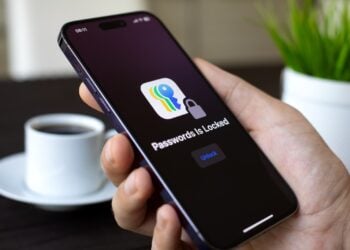
Here's how to check on your iPhone whether your passwords have been compromised in a data breach – including the correct response and protection tips.
Pop-ups, battery drain, unknown apps: What really indicates an iPhone hack, what is just phishing, and what steps are sensible now.
Enhanced Privacy enables end-to-end encryption for 25 iCloud categories. Here's how Apple's strongest security level works.
2FA, recovery contact, security key: This is how Apple users secure their Apple account and protect their iPhone, iPad and Mac.
Passkeys replace the password on iPhone, iPad, and Mac. Here's how to log in with Face ID, Touch ID, and iCloud Keychain.
Activating protection for stolen devices on iPhone: Requirements, functions, security delay and all actions at a glance.
Pegasus, Predator, Coruna, DarkSword: What commercial spyware on the iPhone can really do and how Apple's threat alerts work.

Here's how to protect your emails on your iPhone – with email privacy, hiding your address, and the most important tips against phishing.
AI finds security vulnerabilities faster than any human. What that means for your iPhone – and what you need to watch out for.
You are currently viewing a placeholder content from Facebook. To access the actual content, click the button below. Please note that doing so will share data with third-party providers.
More InformationYou are currently viewing a placeholder content from Instagram. To access the actual content, click the button below. Please note that doing so will share data with third-party providers.
More InformationYou are currently viewing a placeholder content from X. To access the actual content, click the button below. Please note that doing so will share data with third-party providers.
More Information