









© 2026 Apfelpatient. All rights reserved.

Apple Tips & Tricks
Every new version of iOS, iPadOS, macOS, and watchOS adds features – and hides many of them so well that even long-time Apple users miss them. On top of that come everyday problems: backups failing, AirDrop refusing to work, Wi-Fi passwords disappearing.
This is where step-by-step guides for exactly those moments live: from setting up a new iPhone to transferring data to uncovering hidden features in iOS and macOS. Every guide is verified against the current version – so the steps are correct when you actually need them.
Topics range from basics for newcomers to specialized features for power users: setting up iCloud properly, pairing an Apple Watch with an iPhone, using Focus modes effectively, resetting old devices for resale. When problems come up, the solution isn't just shown – it's also explained why something goes wrong, so the same issue can be solved independently next time.
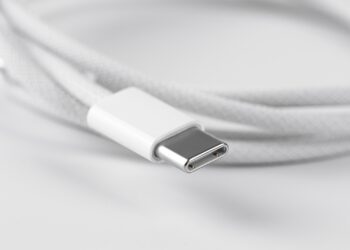
Which USB-C Cable Does Your Mac Need?
Thunderbolt 5, USB 4, or USB 3? Which USB-C cable your Mac needs for data, charging, and display – including the common pitfalls.
Read moreDetailsApple Silicon: How Much RAM Do You Really Need?
How much RAM your Apple Silicon Mac really needs: from the 16GB base to the pro tiers, including Apple Intelligence.
Read moreDetailsHow many external displays does your Mac support?
How many external displays your Mac supports: all limits from M1 to M5 plus MacBook Neo, including the most important pitfalls.
Read moreDetailsiOS 27: Finally Set Alarm and Notification Volumes Separately
In iOS 27, you set alarms, timers, and notifications separately from the ringtone. Here's how to unlock the individual volume sliders.
Read moreDetailsSetting and managing iPhone alarms – here's how
All about the iPhone alarm clock: settings, management & solutions for volume problems to start every day perfectly.
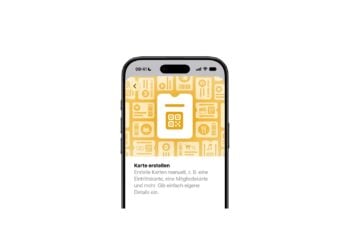
Read moreDetailsCreate a Pass in iOS 27: Create Your Own Wallet Passes
Here's how to create your own Wallet passes from tickets and cards in iOS 27 using Create a Pass – step by step,...
Read moreDetailsiOS 27, iPadOS 27 and macOS Golden Gate: These Apple devices are compatible
iOS 27 leaves no iPhone behind, but watchOS 27 leaves many Apple Watches behind – the complete device list of all new Apple systems.
Read moreDetailsHow to install the iOS 27 Developer Beta: guide, risks and troubleshooting
Installing the iOS 27 Developer Beta: complete instructions, risks, backup requirements and troubleshooting for all common problems.
Read moreDetailsSetting Up Apple Family Sharing Securely: What Parents Need to Know
What parents should really configure in Apple Family Sharing when it comes to parental controls, location sharing, and Ask to Buy.
Read moreDetailsiCloud Private Relay vs. VPN: What Actually Protects You?
iCloud Private Relay sounds like an Apple VPN – but it's something different. Where does the protection apply, where does it end, and when...?.
Read moreDetails