Apple Tips & Tricks
Every new version of iOS, iPadOS, macOS, and watchOS adds features – and hides many of them so well that even long-time Apple users miss them. On top of that come everyday problems: backups failing, AirDrop refusing to work, Wi-Fi passwords disappearing.
This is where step-by-step guides for exactly those moments live: from setting up a new iPhone to transferring data to uncovering hidden features in iOS and macOS. Every guide is verified against the current version – so the steps are correct when you actually need them.
Topics range from basics for newcomers to specialized features for power users: setting up iCloud properly, pairing an Apple Watch with an iPhone, using Focus modes effectively, resetting old devices for resale. When problems come up, the solution isn't just shown – it's also explained why something goes wrong, so the same issue can be solved independently next time.
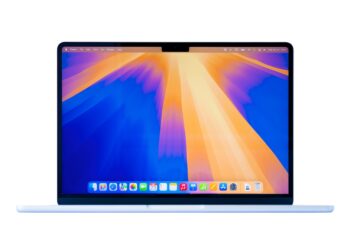
How to back up your photo library in macOS Sequoia
Want to back up photos on macOS Sequoia? Here's how to copy your media library locally, save originals, and add useful iCloud storage.
Read moreDetails
Apple Intelligence: From which iPhone is it available?
Apple Intelligence: Which iPhone models is it available from? Here you can find all supported models and requirements at a glance.
Read moreDetails
iPhone & Co.: How to deactivate the advanced visual search
Turn off enhanced visual search on your iPhone? Here's what data Apple processes and how to easily disable EVS.
Read moreDetails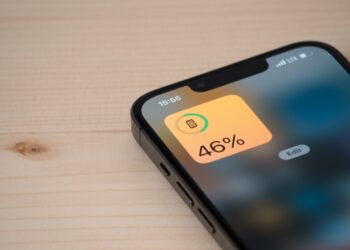
Extend iPhone battery life: These 7 tips help immediately
With these 7 tips, you can noticeably extend the battery life of your iPhone – immediately applicable, permanently effective and without additional tools.
Read moreDetails
Apple Watch won't pair? Get help here
Apple Watch won't pair? In this guide, I'll show you how to successfully pair your watch with a new...
Read moreDetails
Forgotten Apple Watch passcode: This is what you need to do now
Forgotten Apple Watch passcode? In this guide, we'll show you exactly how to reset your watch and fully set it up again...
Read moreDetails
Pairing Apple Watch with new iPhone – How to do it correctly
Want to transfer your Apple Watch to your new iPhone? This guide will help you make the switch quickly and without losing any data.
Read moreDetails
Set up Apple Pay on your iPhone – quickly and securely
Setting up Apple Pay on your iPhone and making contactless payments – it's that easy. All the steps and tips for the Wallet app on...
Read moreDetails
Protect your Apple Account: Set up a recovery contact
Protect your Apple account with a recovery contact in case you forget your password or get locked out.
Read moreDetails
How to turn your iPhone into a microphone for your Mac
Use your iPhone as a microphone for your Mac – here's how easy it is and what you need to...
Read moreDetails