Apple Tips & Tricks
Every new version of iOS, iPadOS, macOS, and watchOS adds features – and hides many of them so well that even long-time Apple users miss them. On top of that come everyday problems: backups failing, AirDrop refusing to work, Wi-Fi passwords disappearing.
This is where step-by-step guides for exactly those moments live: from setting up a new iPhone to transferring data to uncovering hidden features in iOS and macOS. Every guide is verified against the current version – so the steps are correct when you actually need them.
Topics range from basics for newcomers to specialized features for power users: setting up iCloud properly, pairing an Apple Watch with an iPhone, using Focus modes effectively, resetting old devices for resale. When problems come up, the solution isn't just shown – it's also explained why something goes wrong, so the same issue can be solved independently next time.

iOS 26: iMessage not working? Apple announces the solution
Is iMessage not working properly after updating to iOS 26? Apple now provides clear instructions for a solution.
Read moreDetails
iOS 26 Tricks: 26 small innovations with a big impact
iOS 26 brings more than just major updates: 26 small, hidden features make the iPhone more efficient, secure, and versatile in everyday life.
Read moreDetails
iOS 26 solves the Bluetooth problem with AirPods in the car
iOS 26 solves a known issue: AirPods stay connected even when the iPhone is in the car. The new setting makes it...
Read moreDetails
iPhone: How the new call waiting feature works in iOS 26
iPhone users benefit from iOS 26: Hold Assist detects hold queues, waits in the background and notifies you when the call starts.
Read moreDetails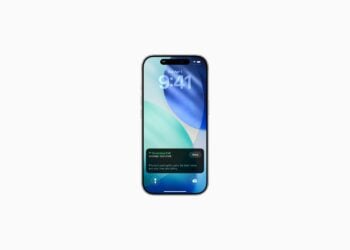
iPhone gets new feature against spam and advertising calls
The new iPhone feature in iOS 26 asks unknown callers for the reason – more peace, more control, less spam.
Read moreDetails
iOS 26: New option saves time and data when sending photos
iOS 26 makes sending photos easier: Send previews immediately, then send the full resolution later. A small feature with a big benefit.
Read moreDetails
iOS 26: Over 10 hidden features everyone needs to know
iOS 26 offers more than just design updates. Over 10 hidden features demonstrate how Apple is enhancing everyday iPhone use...
Read moreDetails
iOS 26: Visual intelligence now also for screen content
With iOS 26, Apple extends visual intelligence to on-screen content. Learn how AI makes the iPhone faster and smarter in everyday life...
Read moreDetails
Apple reports iMessage activation error in iOS 26
Problems with iMessage in iOS 26? Apple has explained the cause and presented a clear solution. Here's how to activate...
Read moreDetails
Charge your iPhone faster: Tips for shorter charging times
Charge your iPhone battery faster: Effectively reduce charging times with the right chargers, iOS 26 features, and simple tricks.
Read moreDetails