Apple Tips & Tricks
Every new version of iOS, iPadOS, macOS, and watchOS adds features – and hides many of them so well that even long-time Apple users miss them. On top of that come everyday problems: backups failing, AirDrop refusing to work, Wi-Fi passwords disappearing.
This is where step-by-step guides for exactly those moments live: from setting up a new iPhone to transferring data to uncovering hidden features in iOS and macOS. Every guide is verified against the current version – so the steps are correct when you actually need them.
Topics range from basics for newcomers to specialized features for power users: setting up iCloud properly, pairing an Apple Watch with an iPhone, using Focus modes effectively, resetting old devices for resale. When problems come up, the solution isn't just shown – it's also explained why something goes wrong, so the same issue can be solved independently next time.
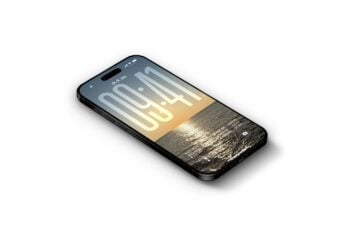
New iOS 26.2 feature: Screen flashes for notifications
iOS 26.2 brings a new feature: The iPhone display can now blink for notifications – ideal for discreet reminders in everyday life.
Read moreDetails
More battery life with iOS 26 – Adaptive Power explained
With iOS 26, Apple introduces Adaptive Power – a new feature that intelligently manages the iPhone battery and noticeably extends its lifespan...
Read moreDetails
Live translation with AirPods: Here's how the feature works
Learn how live translation works with AirPods, which devices are compatible, and which languages are currently supported.
Read moreDetails
iOS 26: The new focus mode „Reduce interruptions“
iOS 26 improves focus modes with Apple Intelligence. "Reduce Interruptions" filters notifications smarter than ever before.
Read moreDetails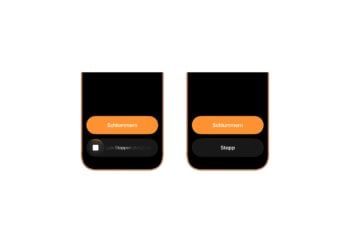
iOS 26.1: Reactivate the classic stop button on the alarm clock
iOS 26.1 changes how alarms are stopped. The slider replaces the button – but there's a setting that overrides it...
Read moreDetails
iOS 26.1 brings a new lock screen setting for the iPhone
With iOS 26.1, Apple introduces a feature that finally stops the unwanted turning off of the flashlight on the lock screen.
Read moreDetails
iOS 26.1: Liquid Glass effects can be toned down
With iOS 26.1, Apple introduces an option to customize Liquid Glass. The new toggle provides better readability and...
Read moreDetails
watchOS 26 brings hints about the Apple Watch dial
watchOS 26 brings new cues to the watch face, making the Smart Stack more visible, intelligent, and useful in everyday use.
Read moreDetails
macOS 26 Update: Hidden Tools and Improvements
macOS 26 brings practical tools for everyday use and gaming. Find out which hidden features make the update truly worthwhile.
Read moreDetails
New call history in iOS 26: All conversations at a glance
With iOS 26, Apple is showing the complete call history for each contact for the first time – including date, time and call duration.
Read moreDetails