
Create and manage secure passwords: The Apple guide
Create and manage secure passwords: An overview of password apps, passkeys, and two-factor authentication for iPhone and Mac.

iPadOS is Apple's operating system for the iPad and has been a dedicated variant alongside iOS since September 2019 – with features tailored to the larger screen and productive workflows. These include Stage Manager, freely placeable and overlapping app windows, full external display support, a desktop-like Dock, deep Apple Pencil integration for notes, markup and drawing, connectivity with Magic Keyboard and Magic Trackpad, full mouse and trackpad control, and Continuity features such as Sidecar and Universal Control. iPadOS also brings the central pillars of iOS to the tablet – including Apple Intelligence, the Liquid Glass design, Live Activities, privacy features and deep integration with iCloud, iPhone, Mac, Apple Watch, Apple TV and Vision Pro.
This tag overview on apfelpatient.de accompanies every development around iPadOS: beta cycles for every new major version, detailed coverage of features such as Stage Manager and multitasking, tips and tricks for Apple Pencil, Magic Keyboard, external display use and hidden settings, background on security updates and bug fixes, design analyses of new interfaces, comparisons with macOS and Android, and all rumors and reports about upcoming iPadOS versions.
Anyone wanting to use iPadOS productively, get the most out of their iPad or follow the evolution of the tablet platform will find their reading desk right here.
Create and manage secure passwords: An overview of password apps, passkeys, and two-factor authentication for iPhone and Mac.

Recognizing phishing emails, SMS messages and QR codes: 7 warning signs, protective measures for Apple devices and what you can do if it happens.
Create an Apple ID, change your email address, or permanently delete your account – all the steps for iPhone and web at a glance.

iOS 26.4.1 now automatically activates stolen device protection on company iPhones. Apple is expanding this security measure.

AirDrop not working or recipient not showing up? All causes and solutions for iPhone, iPad and Mac running iOS 26.

iOS 26.4 had a bug that stopped iCloud synchronization. Passwords and third-party apps were affected. iOS 26.4.1 fixes this.
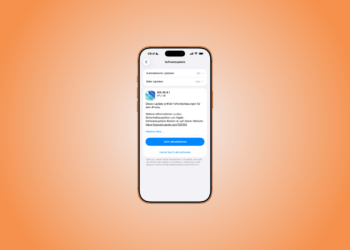
Apple has released iOS 26.4.1 and iPadOS 26.4.1. The update includes bug fixes and was released two weeks after iOS 26.4.

Apple is rolling out mysterious updates for third-party apps in the App Store. What's changing and why is currently unknown.

AI coding tools have led to an 84 percent increase in new App Store submissions. Apple is relying on AI review and stricter rules.

How to delete history on iPhone: Remove Safari history, Chrome data and app history step by step under iOS 26.
You are currently viewing a placeholder content from Facebook. To access the actual content, click the button below. Please note that doing so will share data with third-party providers.
More InformationYou are currently viewing a placeholder content from Instagram. To access the actual content, click the button below. Please note that doing so will share data with third-party providers.
More InformationYou are currently viewing a placeholder content from X. To access the actual content, click the button below. Please note that doing so will share data with third-party providers.
More Information