
WhatsApp hacked: How to protect your Account
WhatsApp account hacked or fraud detected? All the tricks, step-by-step recovery and the most important protection settings.

Cybersecurity is the tag on apfelpatient.de for every topic around digital security in the Apple ecosystem – from technical protection features built directly into iOS, iPadOS and macOS to practical safeguards for everyday life. At the device level, Apple integrates features such as Lockdown Mode for particularly at-risk individuals, iCloud Private Relay, Hide My Email, two-factor authentication via Apple Account, Stolen Device Protection and rapid security measures via Rapid Security Response. On top of that come the classic threats that can hit any user: phishing, smishing, quishing, social engineering, deepfake calls, identity theft, data leaks and ransomware attacks – increasingly amplified by generative AI tools.
Under this tag, apfelpatient.de unites the complete cybersecurity coverage: background on Apple's own security features and updates including BSI-relevant patches, in-depth guides to phishing, smishing, quishing and social engineering, instructions for safely using public Wi-Fi, VPN, password managers and data-leak checks, explanations of Lockdown Mode, Stolen Device Protection and new capabilities like AI-assisted threat detection, and comparisons between Apple's own and third-party security solutions.
Anyone wanting to better secure their own digital setup, get to know new threat trends in good time or systematically follow Apple's privacy and security strategy finds their digital shield right here.
WhatsApp account hacked or fraud detected? All the tricks, step-by-step recovery and the most important protection settings.
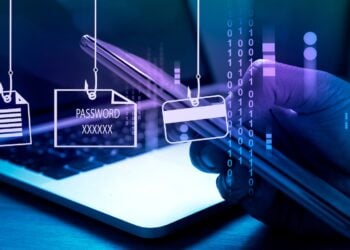
Recognizing phishing emails, SMS messages and QR codes: 7 warning signs, protective measures for Apple devices and what you can do if it happens.
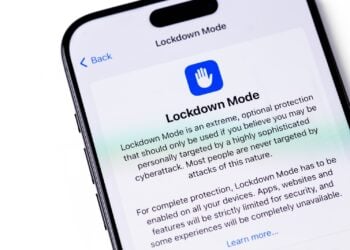
Block Mode is Apple's strongest security level for iOS, iPadOS and macOS against targeted and complex cyberattacks.

Change your Apple account password, use secure steps on all devices, and reliably protect access, whether mobile or...
iPhone with iOS 26: Messages app with filters for unknown senders. More clarity, less spam, and full control.
Check, block, and filter calls on your iPhone: How to protect yourself from spam and unwanted contacts with the right...
iCloud Private Relay protects you while browsing in Safari. But what does it really do? All the facts, benefits, and limitations...
Optimize iPhone privacy: These simple steps make the difference if you want to protect your data.
Forgot your Apple account password? Here's how to reset it quickly and securely on your iPhone, Mac, or online!
Protect your Apple account with a recovery contact in case you forget your password or get locked out.
You are currently viewing a placeholder content from Facebook. To access the actual content, click the button below. Please note that doing so will share data with third-party providers.
More InformationYou are currently viewing a placeholder content from Instagram. To access the actual content, click the button below. Please note that doing so will share data with third-party providers.
More InformationYou are currently viewing a placeholder content from X. To access the actual content, click the button below. Please note that doing so will share data with third-party providers.
More Information