Apple Tips & Tricks
Every new version of iOS, iPadOS, macOS, and watchOS adds features – and hides many of them so well that even long-time Apple users miss them. On top of that come everyday problems: backups failing, AirDrop refusing to work, Wi-Fi passwords disappearing.
This is where step-by-step guides for exactly those moments live: from setting up a new iPhone to transferring data to uncovering hidden features in iOS and macOS. Every guide is verified against the current version – so the steps are correct when you actually need them.
Topics range from basics for newcomers to specialized features for power users: setting up iCloud properly, pairing an Apple Watch with an iPhone, using Focus modes effectively, resetting old devices for resale. When problems come up, the solution isn't just shown – it's also explained why something goes wrong, so the same issue can be solved independently next time.

Apple TV: Authorize purchases with Apple Watch – here's how
watchOS 8.5 and tvOS 15.4 make it possible: Below you will learn how to authorize Apple TV purchases with the Apple Watch...
Read moreDetails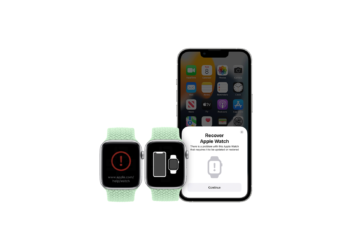
How to restore Apple Watch firmware using an iPhone
One of the subtle changes Apple introduced with watchOS 8.5 is the ability to restore the smartwatch's firmware.
Read moreDetails
iOS 15.4: How to use "Visual lookup"
Thanks to the "Visual Lookup" feature, which is now available in iOS 15.4, the iPhone recognizes the content of images even better.
Read moreDetails
How to block phone numbers on iOS 15
Unwanted phone calls: Below I will show you how to block or mute unwanted calls on iOS 15.
Read moreDetails
iOS 15: How to use the native iPhone 2FA code generator
One of the practical but less discussed new features in iOS 15, iPadOS 15 and macOS Monterey is an integrated 2FA code generator.
Read moreDetails
SharePlay: How to share your screen on macOS Monterey 12.1
How to share your screen on Mac: In macOS Monterey 12.1, Apple has introduced the new SharePlay feature for FaceTime...
Read moreDetails
iOS 15.2: How to set up an inheritance contact
Starting with iOS 15.2, Apple makes it easier for relatives to access personal data in the event of death with the new "Estate Contact" feature.
Read moreDetails
iOS 15.2: How to use the App Privacy Report
Apple introduced App Privacy Reporting in iOS 15.2, a feature first unveiled at WWDC 2021.
Read moreDetails
HomePod: How to set up multi-user voice recognition
Apple's HomePod speaker can recognize the voices of up to six people. Below I'll guide you through the setup process.
Read moreDetails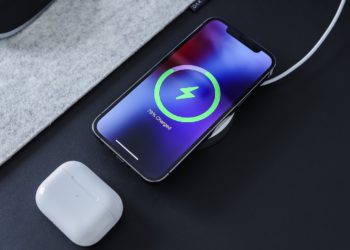
MagSafe charger: How to check the firmware version
Apple Firmware Updates: This also applies to the MagSafe charger. Below I will show you how to check the firmware version.
Read moreDetails