
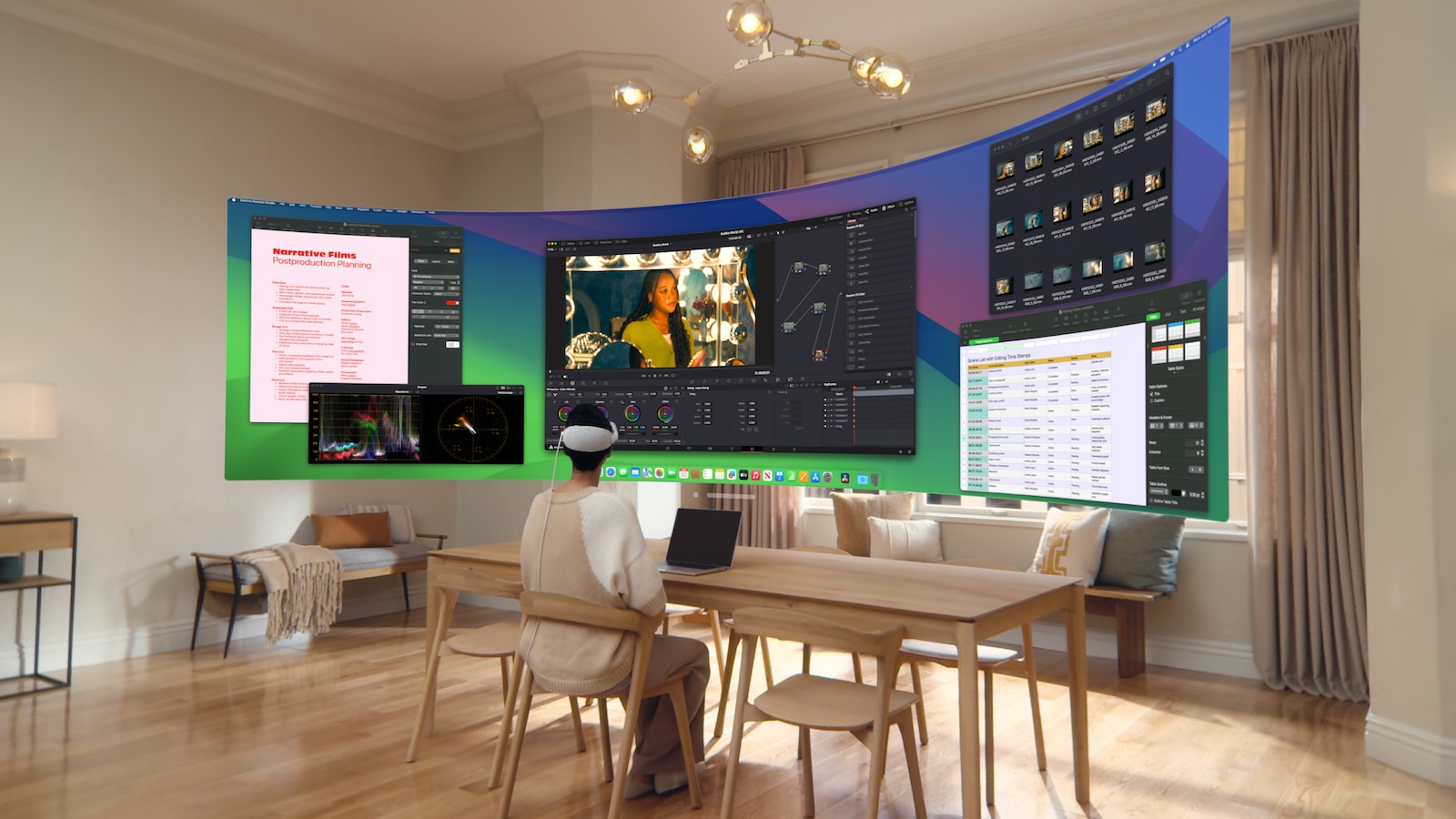
Apple has released an exciting update for the Apple Vision Pro glasses with the release of the first beta of visionOS 2.2 for developers. This version expands the capabilities of the Mac Virtual Display and is aimed particularly at users who are looking for an immersive and flexible working environment. The update comes with brand new “Wide” and “Ultrawide” settings that take your virtual work to a new level.
With visionOS 2.2, Apple is bringing innovations that set standards in terms of both functionality and user-friendliness. The new display settings enable an optimized display for working with the Mac Virtual Display and offer you flexibility that you have previously only known from physically existing multi-monitor setups. Especially for developers and early adopters of the Vision Pro, this update could change the way you work productively and creatively in the virtual environment.
New wide and ultrawide settings: More space for multitasking
With visionOS 2.2, Apple is introducing the new “Wide” and “Ultrawide” modes for the Mac Virtual Display, which are specifically designed for users who want to virtually expand their workspace. Here is an overview of what you can expect from the new settings:
- Wide setting: This option expands the view moderately, gives you more screen space and improves clarity, which is especially useful for multitasking.
- Ultrawide setting: In ultrawide mode, the screen is essentially expanded to two 4K monitors standing next to each other. This gives you the feeling of sitting in front of an enormously wide, curved screen and allows a display that you would normally only achieve with a special dual monitor setup.
These features are activated via a floating button in the Mac Virtual Display window. With a tap of your finger, you can switch between Normal, Wide and Ultrawide modes, giving you maximum flexibility to customize the screen to your needs.
Improved audio playback directly via Apple Vision Pro
In addition to the display adjustments, visionOS 2.2 also brings changes to the audio output. When using the Mac Virtual Display, the sound now comes directly from the Apple Vision Pro device instead of the Mac. This means for you:
- Better synchronization between image and sound
- A more intense, direct sound experience that you can integrate into your virtual work environment
By shifting the audio source, you not only improve the overall quality but also experience a smoother transition between different audio devices.
Increased display quality and improved performance
At WWDC in June, Apple promised a significant increase in display quality for the Mac Virtual Display and visionOS 2.2 fulfills this promise. This higher image quality makes a significant contribution to making working with the Vision Pro glasses seem even more natural and making the virtual work environment feel almost like a real one.
visionOS 2.2 takes the Mac Virtual Display to a new level
The update to visionOS 2.2 is a significant step forward for Apple Vision Pro users, especially for those who make intensive use of the Mac Virtual Display. With the new wide and ultrawide settings as well as the improved audio playback and display quality, Apple is creating a virtual environment that sets standards in terms of flexibility and usability. visionOS 2.2 is already available to developers as a beta version and the general release is expected in December. Do you need useful tips for your Apple Vision Pro? Here you can discover everything you need to know about your new Apple device – enjoy reading! Looking for the best accessories? Visit our Amazon Storefront and discover a variety of products from top providers, including for HomeKit! (Image: Apple)
- Apple Vision Pro Accessories: Belkin Headband for Better Comfort
- Using AirPods Pro 2 for hearing tests: How it works



