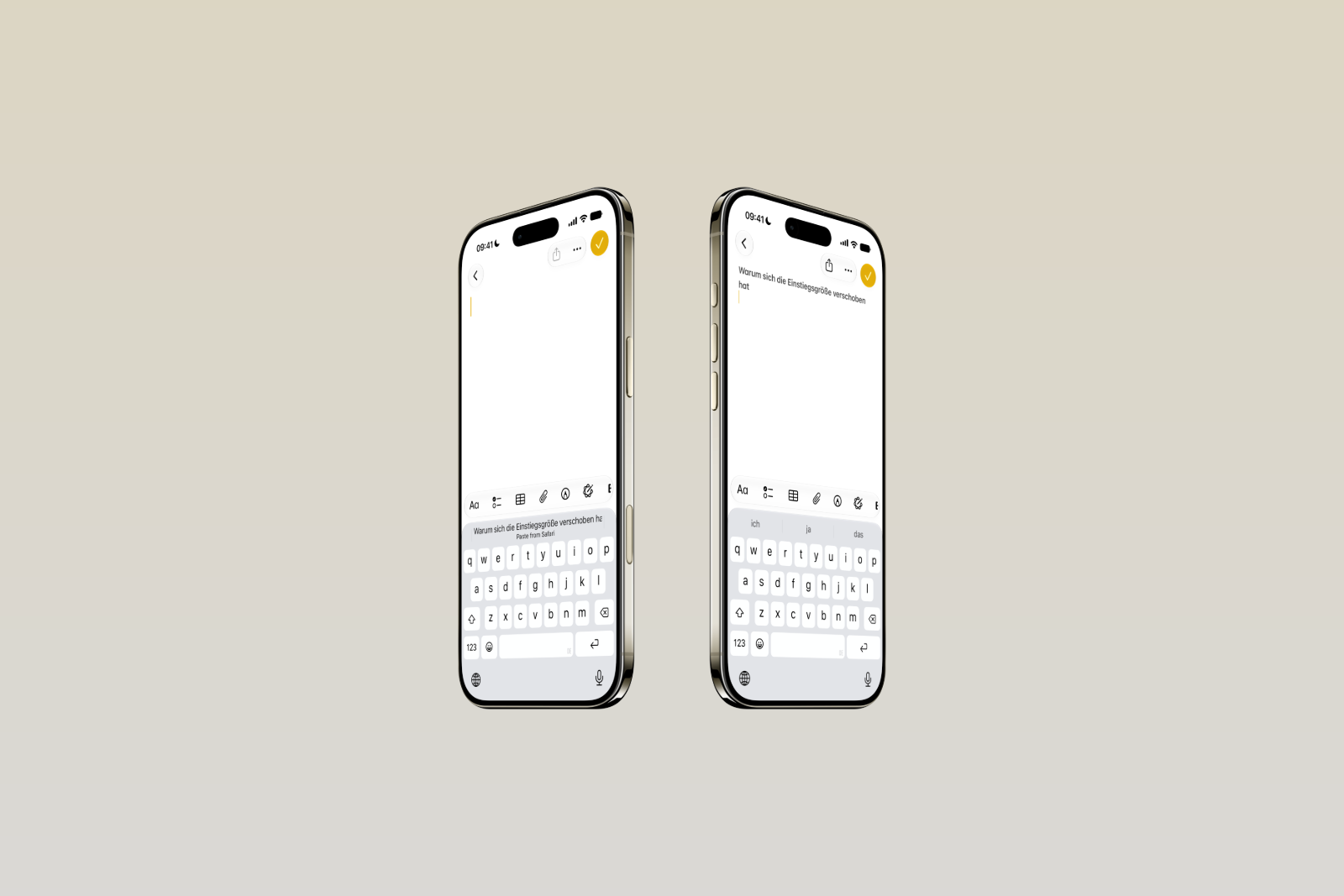
Not every new feature in iOS 27 revolves around artificial intelligence. Beyond the big headlines, the update also brings a small but practical change to the keyboard – one that noticeably simplifies everyday copying and pasting.
While the focus of iOS 27 is the profound AI overhaul surrounding Siri, numerous small improvements in user-friendliness are also hidden away from the keynote highlights. One of these concerns a function that practically everyone uses daily: pasting copied content. iOS 27 expands the iPhone keyboard with a new way to paste text, photos, links, and other content with just one tap – without the cumbersome detour of holding down the text field.
This is how the new insert function works
The principle is easy to explain. As soon as something is copied, the keyboard automatically displays a suitable paste suggestion above the keys when switching to another app. For example, if text is copied in Safari and then the Notes app is opened, the option "Paste from Safari" appears above the keyboard, along with the copied text. Tapping it inserts it directly into the note.
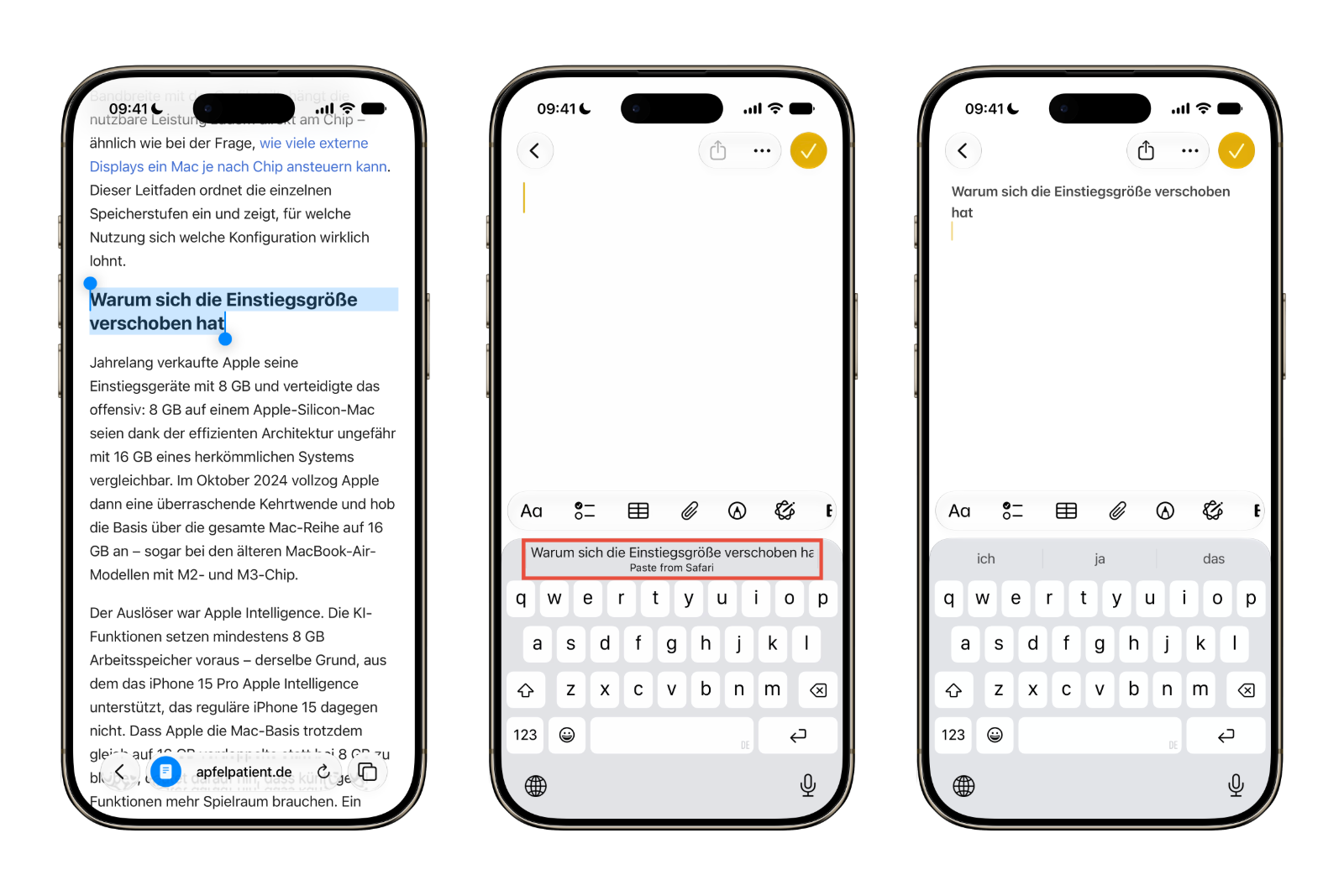
The same applies to other content and apps: For example, if you copy a photo in an app like Reddit and then open the messaging app, a suggestion like "Paste from Reddit" will appear above the keyboard. The previously necessary intermediate step – tapping and holding the text field, then selecting "Paste" from the context menu – is no longer required.
Integrated into the keyboard and compatible across apps
The real advantage lies in the fact that the function is built directly into the system keyboard. This means it works not only in individual Apple apps, but across a wide range of app combinations. Regardless of which app the content originates from and which one it's intended for, the paste suggestion appears wherever the keyboard is displayed. This makes pasting across iOS 27 more consistent and faster.
The core approach isn't entirely new. Since iOS 12, the keyboard has displayed one-time verification codes – for example, from SMS messages – as quick suggestions. iOS 27 now extends this proven principle to copied content of all kinds, significantly expanding its functionality.
Available from autumn
iOS 27 is currently in developer beta, with a public beta version expected in July. The final release for all iPhones from the iPhone 11 onward is anticipated in the fall, along with other major operating systems. While the new paste function may seem insignificant compared to the AI innovations, it's likely to quickly become one of the most frequently used features of the update – simply because copying and pasting are among the most common actions on the iPhone. (Image: Apfelpatient)
- Hiding email addresses: Security vulnerability exposes real addresses
- iOS 26.6 is approaching: When will Apple release the update?
- Claude Fable 5 returns: USA lifts export ban
- Tim Cook is seeking a way forward for Siri AI with the EU
- Anthropic presents Claude Sonnet 5
- Apple Creator Studio is getting a major AI update
- Supreme Court accepts Apple's appeal in the Epic dispute
- Netflix requires a separate email address for each profile
- UK plans to open Apple's App Store following the EU model
- Three AirDrop vulnerabilities discovered – Apple makes improvements
- Leaked iPhone 18 Pro videos disappear again
- Apple is bringing forward security updates due to AI threat
- OpenClaw brings its AI agent to the iPhone as an app
- iPhone 18 Pro drop tests surface on the dark web
- iOS 26.5.2, iPadOS 26.5.2 and macOS 26.5.2 are here
- iOS 26.6 Beta 3: Apple nears completion
- WhatsApp: Usernames can now be reserved
- Apple acquires the award-winning design tool Play
- Indian antitrust case: Apple accuses the authority of plagiarism
- Apple and Chinese storage: Approval is likely to be difficult
- Apple is seeking approval for Chinese storage devices
- The US partially releases Claude Mythos 5