Apple Vision Pro: Set up and use Optic ID securely
Setting up Optic ID on Apple Vision Pro: Step-by-step instructions for safe use and troubleshooting. Find out more now!

Apple Vision Pro Tips and Tricks is the specialized tag on apfelpatient.de that bundles every practical tutorial, workflow and how-to around Apple's spatial computer. With eye tracking, hand gestures, the Digital Crown, Optic ID, Personas, immersive Environments and spatial photos, Vision Pro brings an interaction model that clearly differs from iPhone, iPad and Mac – anyone putting the headset on for the first time benefits from targeted guidance. That's exactly where this tag comes in: it brings together the device-specific tips and tricks that Vision Pro users actually need in everyday life.
On apfelpatient.de, this tag picks up every practical guide around Vision Pro: initial setup of the headset, tips on Persona, Optic ID and Guest Mode, help around Light Seal, optical inserts and visual comfort, workflows for capturing and playing back spatial photos and spatial videos, App Store tips with filtering between visionOS apps and compatible iPad and iPhone apps, instructions for Mac Virtual Display and multi-display setups, as well as care and cleaning advice for cover glass, bands and accessories.
Anyone wanting to truly master Apple Vision Pro in everyday use, navigate around common pitfalls and get the maximum out of the headset will find their spatial computing toolkit right here.
Setting up Optic ID on Apple Vision Pro: Step-by-step instructions for safe use and troubleshooting. Find out more now!

Discover the revolutionary controls of Apple Vision Pro. Learn basic gestures and controls for intuitive operation.
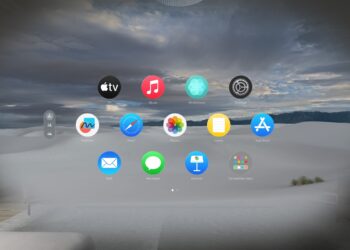
Apple Vision Pro setup made easy: follow our guide and start enjoying impressive AR & VR experiences.

Customize Apple Vision Pro: Discover our step-by-step guide for maximum comfort & security. Read and adjust now!
You are currently viewing a placeholder content from Facebook. To access the actual content, click the button below. Please note that doing so will share data with third-party providers.
More InformationYou are currently viewing a placeholder content from Instagram. To access the actual content, click the button below. Please note that doing so will share data with third-party providers.
More InformationYou are currently viewing a placeholder content from X. To access the actual content, click the button below. Please note that doing so will share data with third-party providers.
More Information