Apple Tips & Tricks
Every new version of iOS, iPadOS, macOS, and watchOS adds features – and hides many of them so well that even long-time Apple users miss them. On top of that come everyday problems: backups failing, AirDrop refusing to work, Wi-Fi passwords disappearing.
This is where step-by-step guides for exactly those moments live: from setting up a new iPhone to transferring data to uncovering hidden features in iOS and macOS. Every guide is verified against the current version – so the steps are correct when you actually need them.
Topics range from basics for newcomers to specialized features for power users: setting up iCloud properly, pairing an Apple Watch with an iPhone, using Focus modes effectively, resetting old devices for resale. When problems come up, the solution isn't just shown – it's also explained why something goes wrong, so the same issue can be solved independently next time.

The MacGPT App: Use ChatGPT on your Mac for free
Discover the MacGPT app and use ChatGPT, the revolutionary chatbot from OpenAI, for free on your Mac. Find out how...
Read moreDetails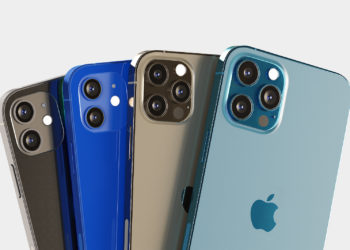
Which iPhone is right for me?
Which iPhone should I buy? Learn how to choose the perfect model to suit your needs.
Read moreDetails
The iPhone 13 vs. iPhone 14: What are the differences?
iPhone 13 or iPhone 14 - which model should you choose? We compare the two devices and show you the...
Read moreDetails
iOS 16.3: Apple explains the new security key feature
iOS 16.3: Apple released a support document this week with details on the new Apple ID Security Key feature.
Read moreDetails
HomePod: Set up automation for temperature sensor
Both the HomePod mini and the second generation HomePod can measure humidity and temperature.
Read moreDetails
iOS 16.3: Encrypt iCloud backups – here's how
Encrypt iCloud backups under iOS 16.3: How to activate enhanced data protection on iPhone, iPad and Mac.
Read moreDetails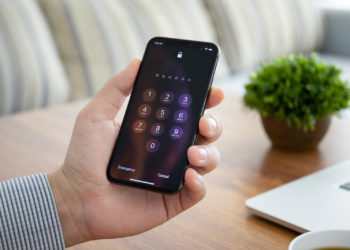
iOS 16.3: Add a security key to an Apple ID
As part of Apple's Advance Data Protection, users can add a physical security key to their Apple ID starting with iOS 16.3.
Read moreDetails
iOS 16: Change iPhone lock screen depending on time or location
Set up a custom lock screen: Apple has introduced several improvements to Focus mode in iOS 16.
Read moreDetails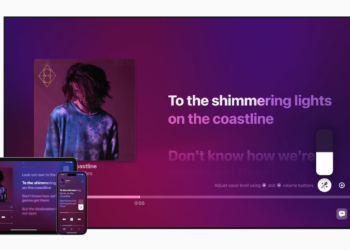
Apple Music Sing: How to use the karaoke function
After the new karaoke feature Apple Music Sing was introduced in iOS 16.2, we took a look at the feature.
Read moreDetails
How to customize the Always-On Display in iOS 16.2
iPhone 14 Pro Always-On Display: With iOS 16.2, users can flexibly customize the feature to make it more subtle.
Read moreDetails