Apple Tips & Tricks
Every new version of iOS, iPadOS, macOS, and watchOS adds features – and hides many of them so well that even long-time Apple users miss them. On top of that come everyday problems: backups failing, AirDrop refusing to work, Wi-Fi passwords disappearing.
This is where step-by-step guides for exactly those moments live: from setting up a new iPhone to transferring data to uncovering hidden features in iOS and macOS. Every guide is verified against the current version – so the steps are correct when you actually need them.
Topics range from basics for newcomers to specialized features for power users: setting up iCloud properly, pairing an Apple Watch with an iPhone, using Focus modes effectively, resetting old devices for resale. When problems come up, the solution isn't just shown – it's also explained why something goes wrong, so the same issue can be solved independently next time.

iPhone battery drains quickly? Here's how to extend its lifespan
iPhone battery draining quickly? Here you will find the best tips to effectively extend the battery life of your iPhone and save power...
Read moreDetails
Activate eSIM on iPhone: Your Complete Guide
Activate the eSIM on your iPhone & discover all the benefits. Find out step by step how to flexibly manage your mobile phone plan.
Read moreDetails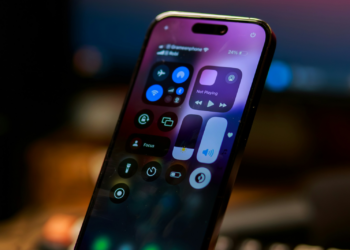
iOS 18: Create and manage pages in the Control Center
The new Control Center in iOS 18 gives you flexibility. Learn how to create multiple pages and set up your iPhone perfectly.
Read moreDetails
iOS 18 New Features: Manage Reminders Directly in the Calendar
The new calendar app in iOS 18 puts an end to app switching. Manage appointments and reminders efficiently in one place. Read more...
Read moreDetails
How to take scrolling screenshots on your iPhone
How to take scrolling iPhone screenshots: Instructions & tips for apps that help you capture entire pages & documents.
Read moreDetails
How to store your Apple Vision Pro properly: How to keep it safe
Avoid damage to your Apple Vision Pro by storing it properly. The best tips for protecting and caring for your valuable device.
Read moreDetails
Change Apple ID email address: Simple instructions
Change your Apple ID email address: Manage your Apple account with ease. Discover the simple step-by-step guide.
Read moreDetails
Apple Vision Pro: How to use the virtual keyboard
Make the most of the Apple Vision Pro's virtual keyboard. Discover innovative text input options and optimize your productivity.
Read moreDetails
5G on the iPhone: Settings and Tips
Use 5G on your iPhone & experience faster speeds & better connectivity. Learn how to adjust settings & more!
Read moreDetails
Using Apple Intelligence in the EU: Here's how!
Activate Apple Intelligence in the EU? We'll show you how! Step-by-step instructions on how to use the new function.
Read moreDetails