Apple is currently testing iOS 26.3, the next update in the iOS 26 series. The new version is still in early beta and is expected to be released at the end of January. Because development is taking place over the holidays, iOS 26.3 is smaller than previous updates. Nevertheless, the version includes several important new features, primarily related to device switching, the use of wearables, and customizing the lock screen.
Apple is using iOS 26.3 primarily for targeted improvements rather than major system changes. The focus is on features that simplify everyday life or meet regulatory requirements. The first beta already clearly shows the direction Apple is taking. All currently known features are fully included. Further betas may introduce additional changes.
Easier switching from iPhone to Android
One of the most important new features in iOS 26.3 is a new transfer tool that simplifies switching from an iPhone to an Android smartphone. The process works without an additional app and without a separate download.
To start the transfer, simply place the iPhone and Android device next to each other. Once connected, numerous data files can be transferred directly, including:
- Photos
- News
- Notes
- apps
- passwords
- Telephone numbers
- More personal content
Certain data is excluded from transmission. This includes health data, Bluetooth-connected devices, and protected content such as locked notes.
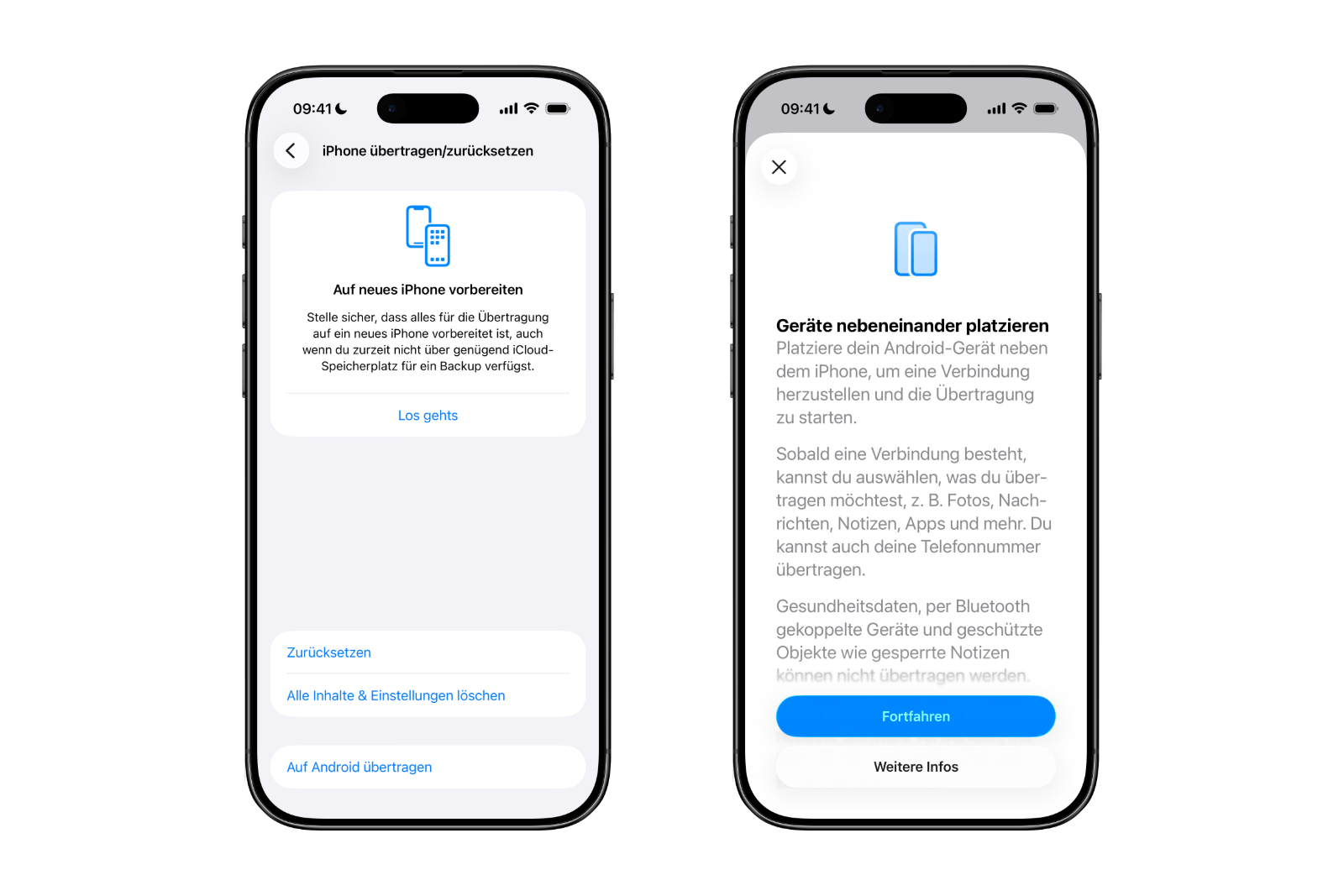
Google already offers a similar feature for switching from Android to iOS. With iOS 26.3, a largely bidirectional data transfer process between the two platforms is created for the first time.
Forwarding notifications to third-party wearables
With iOS 26.3, Apple introduces the new "Notification Forwarding" option. This setting can be found in the Settings app under "Notifications".
This feature allows you to forward incoming iPhone notifications to a third-party wearable, such as an Android smartwatch. Apple deliberately limits this feature; notifications can only be forwarded to one device at a time.
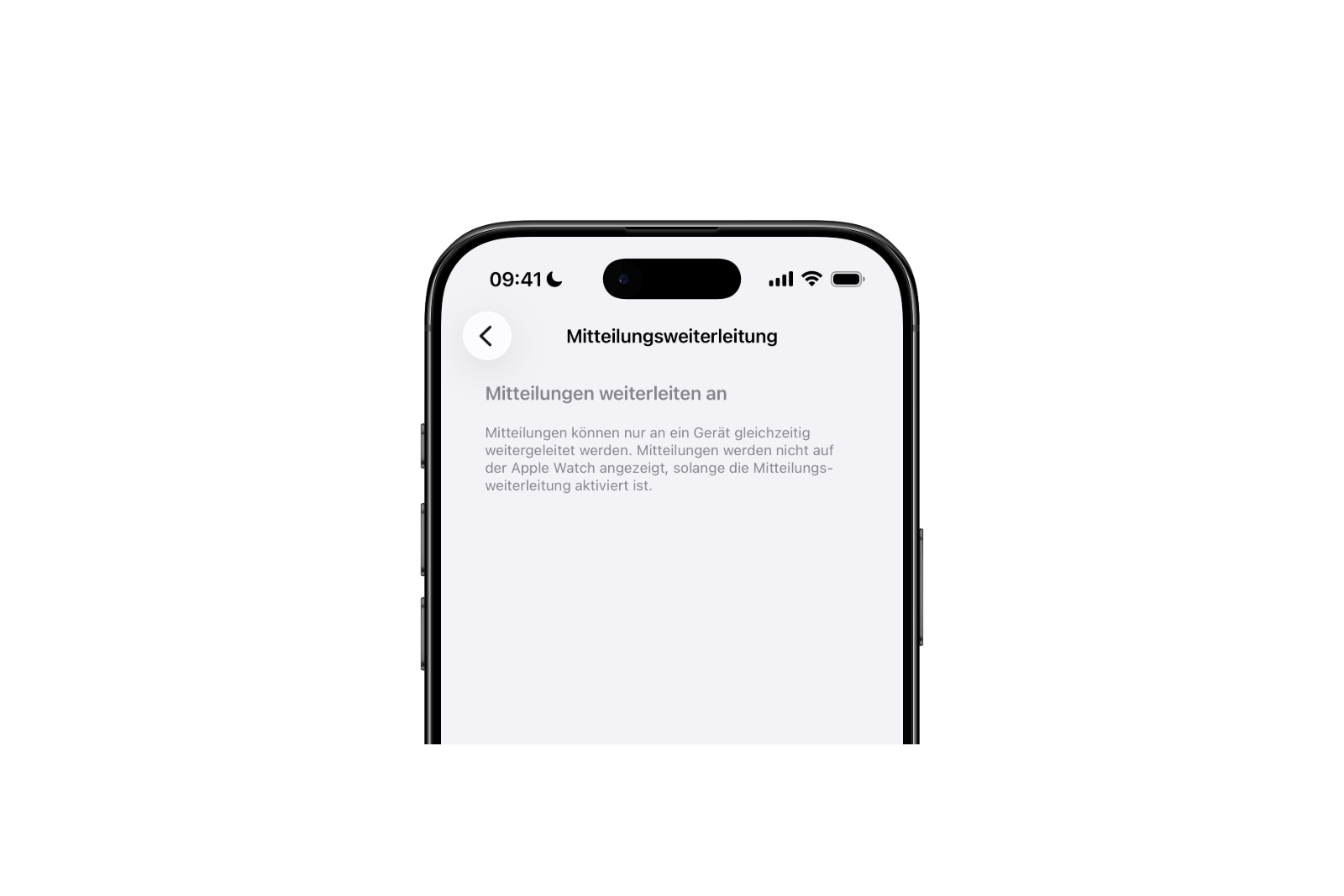
If notification forwarding to a third-party wearable is enabled, the Apple Watch will no longer receive notifications. Simultaneous use is not possible.
Apple is introducing this feature to address antitrust complaints demanding equal access to notifications for third-party wearables. For this reason, notification forwarding is only available in the European Union.
New weather wallpapers for the lock screen
iOS 26.3 also brings a change to the lock screen customization. The personalization options now include a dedicated section for weather wallpapers.
Previously, weather and astronomy wallpapers were grouped together in a single category. Apple now clearly separates these types of content.
Currently, three pre-made weather background images are available. They differ, among other things, in:
- Different fonts for the time
- Different weather widgets
- Example layouts for better preview
This makes it clearer how the weather background image can be used in everyday life.
Other known functions
No further new features are currently known for iOS 26.3. Since this is an early beta version, future test releases may include additional adjustments or minor updates.
iOS 26.3 compatibility
iOS 26.3 is compatible with all iPhones that already support iOS 26. There are no new limitations or changed hardware requirements.
Expected release date
Apple is currently planning to release iOS 26.3 towards the end of January. Until then, further beta versions are likely to be released, primarily containing bug fixes and minor improvements.
iOS 26.3 as a targeted interim update
iOS 26.3 is a deliberately small update, but it brings several functional improvements. The simplified switching to Android, the forwarding of notifications to third-party wearables, and the redesigned weather wallpapers show that Apple is specifically addressing existing weaknesses. Even without major new features, iOS 26.3 represents a worthwhile interim update within iOS 26. The best products for you: Our Amazon storefront offers a wide selection of accessories, including those for HomeKit. (Image: Alex_Malt / DepositPhotos.com)
- Apple can absorb rising DRAM costs better than others
- iOS 26 leak provides insight into upcoming Apple software plans
- Apple as a White House partner in the „Tech Force“ program
- Apple leak confirms massive product offensive for 2026
- Apple is restructuring: These personnel changes will shape the future
- iOS 26.3 opens iPhone notifications for third-party wearables
- iOS 26.3 allows easy switching between iOS and Android
- iOS 26.3 Beta launched: Apple kicks off new testing phase
- visionOS 26.2 expands the travel mode of the Apple Vision Pro
- iRobot in bankruptcy: What Roomba owners need to know
- Apple & Google should only allow nude photos with age verification
- Apple TV reveals five major premieres for early 2026
- Apple and OpenAI: What's really behind Elon Musk's lawsuit
- iPhone Fold as the new standard for foldable smartphones
- iOS 26.2 fixes over 20 security vulnerabilities in the system
- Apple in the crosshairs: Swiss researchers examine NFC access in the iPhone
- iOS 26.4, iOS 27 & iOS 28: Internal code reveals new features
- iOS 26.2 is here: A quick overview of all the important new features
- Apple wins lawsuit over commissions for external payment links
- Apple rolls out new firmware for AirPods Pro 3 and AirPods Pro 2
- OpenAI releases GPT-5.2 for ChatGPT: new top model
- Internal Apple code reveals upgrades for HomePod mini & AirTag