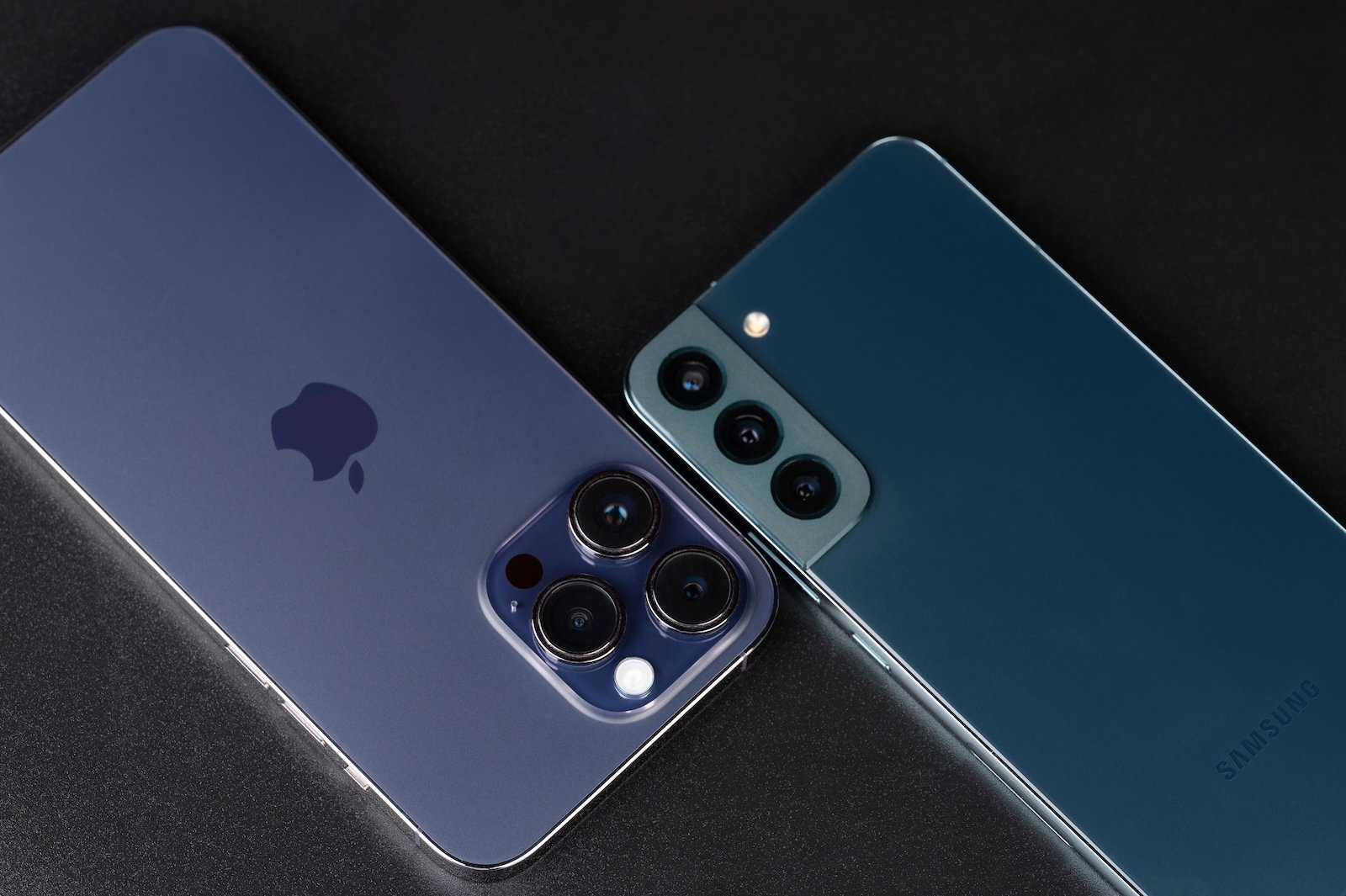
With iOS 26.3, Apple introduces a feature that significantly simplifies switching from an iPhone to an Android smartphone. The previously often cumbersome process of transferring data between the two platforms is made easier by a new, system-wide integrated transfer tool. The focus is on the simplest possible process without additional apps or complicated intermediate steps.
Switching between iOS and Android platforms has long been associated with limitations. Data had to be backed up manually, or third-party apps were required. With iOS 26.3, this approach changes fundamentally. For the first time, Apple is integrating an official solution directly into the operating system, specifically designed for switching to Android. This feature is part of a larger trend toward greater interoperability between the systems.
New transfer tool in iOS 26.3
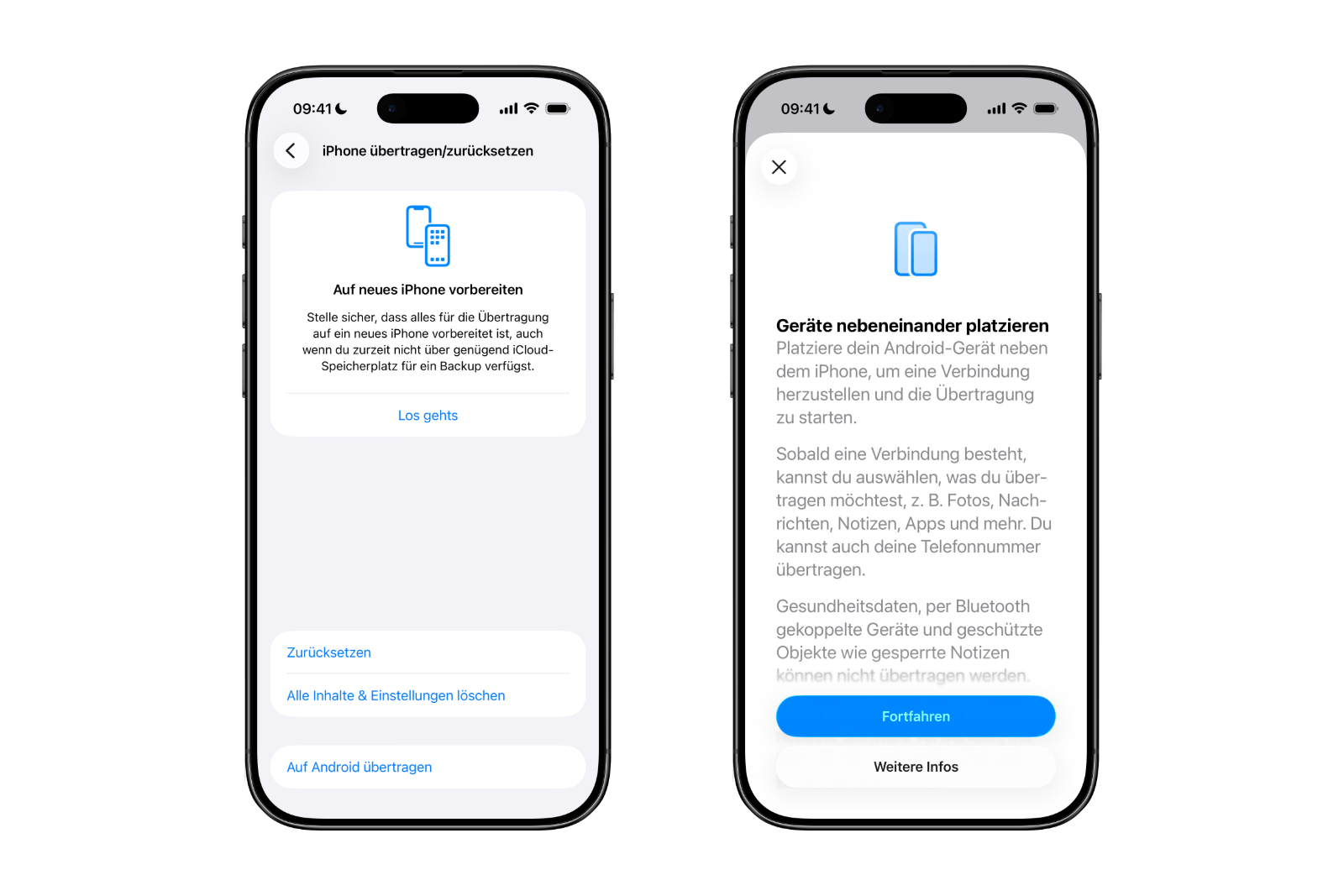
The centerpiece of iOS 26.3 is a new transfer tool, found directly in the iOS settings. The transfer begins by placing the iPhone next to an Android device. Once both devices are connected, the transfer process starts.
A key advantage is that no separate app needs to be downloaded. Data transfer is handled entirely through iOS's built-in functions. This reduces technical hurdles and makes the process more streamlined.
What data can be transferred
With iOS 26.3, many key features can be transferred from an iPhone to an Android device. These include:
- Photos and videos
- News
- Notes
- apps
- passwords
- Telephone numbers and contacts
This covers exactly the data that is relevant for everyday life and that often causes the most effort when changing devices.
Data transmission limitations
Despite the wide range of functions, there are clear exceptions. Certain data is not transferred to the Android device. These include:
- health data
- Bluetooth-paired devices
- Protected content such as locked notes
These restrictions primarily affect sensitive or specially protected information that cannot be migrated for security and data protection reasons.
Technical requirements for the change
Several conditions must be met for wireless data transfer from an iPhone to an Android smartphone. Both devices must be running the latest software version. Additionally, an active Wi-Fi connection is required, and Bluetooth must be enabled on both devices.
The connection can be established in two ways. Either the Android device displays a QR code that is scanned with the iPhone, or a session ID is used along with a pairing code. Both methods serve to securely connect the devices and start the data transfer process.
Bidirectional solution between Apple and Google
The new feature in iOS 26.3 isn't unique. Google has also introduced a similar solution that allows data to be transferred from an Android device to an iPhone. This creates a bidirectional system that enables switching between platforms in both directions. Switching from iOS to Android and vice versa becomes significantly simpler.
Background and role of the Digital Markets Act
According to the European Commission, Apple and Google developed and implemented the new transfer system to comply with the requirements of the Digital Markets Act in the European Union. The aim of this regulation is to strengthen competition and facilitate platform switching.
Importantly, this feature is not limited to Europe. The transfer tool is available worldwide. Currently, the new option can be found in the iOS 26.3 beta at:
- Settings
- Generally
- Transfer or reset iPhone
- Transfer to Android
iOS 26.3 lowers the barriers to platform switching
With iOS 26.3, Apple makes switching from iPhone to Android easier than ever before. The new transfer function is integrated directly into the system, covers the most important data types, and requires no additional apps. Even though certain content remains excluded, the platform switch is significantly more transparent and less complicated overall. Together with Google's corresponding solution, this creates, for the first time, a truly bidirectional switch between iOS and Android that is available worldwide. The best products for you: Our Amazon storefront offers a wide selection of accessories, including those for HomeKit. (Image: dimarik / DepositPhotos.com)
- iOS 26.3 Beta launched: Apple kicks off new testing phase
- visionOS 26.2 expands the travel mode of the Apple Vision Pro
- iRobot in bankruptcy: What Roomba owners need to know
- Apple & Google should only allow nude photos with age verification
- Apple TV reveals five major premieres for early 2026
- Apple and OpenAI: What's really behind Elon Musk's lawsuit
- iPhone Fold as the new standard for foldable smartphones
- iOS 26.2 fixes over 20 security vulnerabilities in the system
- Apple in the crosshairs: Swiss researchers examine NFC access in the iPhone
- iOS 26.4, iOS 27 & iOS 28: Internal code reveals new features
- iOS 26.2 is here: A quick overview of all the important new features
- Apple wins lawsuit over commissions for external payment links
- Apple rolls out new firmware for AirPods Pro 3 and AirPods Pro 2
- OpenAI releases GPT-5.2 for ChatGPT: new top model
- Internal Apple code reveals upgrades for HomePod mini & AirTag
- Apple Code reveals progress on Siri and a possible HomePad
- Apple and other companies: US calls for stricter AI controls
- Pressure on Google: EU takes its cue from Apple's App Store
- Leak: Apple is preparing iPads with faster hardware for 2026
- Apple leak reveals Studio Display 2 with major upgrades