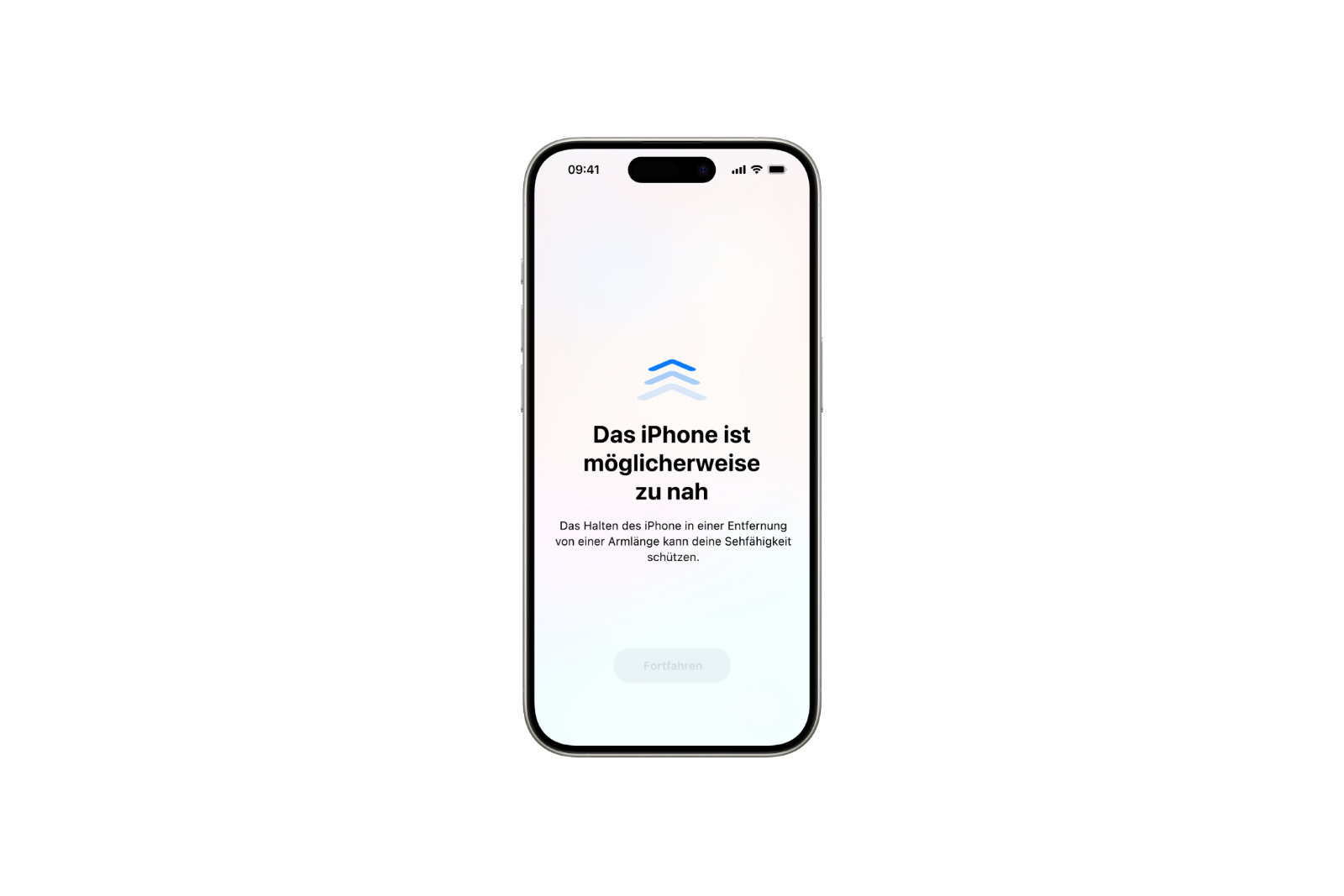
Anyone who uses their iPhone regularly will quickly notice: the closer the screen is to their eyes, the faster they get tired. Children, in particular, often hold the device too close to their face, which is bad for their eyes in the long run. Apple introduced a feature with iOS that addresses precisely this: "Screen Distance." It's designed to help develop healthier viewing habits and prevent eye strain.
With the "Screen Distance" feature, Apple offers a technical solution to a widespread problem. If children or adults hold their iPhone too close to their eyes for extended periods, it can promote the development of myopia in young people and lead to digital eye strain in all age groups. The new feature uses the TrueDepth camera to measure the distance between the face and the screen. If the distance is consistently less than 30 cm, a warning message appears. This feature is primarily intended for children, but can also help adults be more conscious about screen use.
What exactly does the “Screen Removal” function do
The feature uses the TrueDepth camera to detect when the iPhone is too close to the face for an extended period of time – more precisely, less than 30 centimeters. If this happens, a warning appears on the screen. The user can only continue when they bring the device back to a safer distance. The screen remains locked until the distance is correct. After that, the warning can be dismissed by tapping "Resume." This feature is particularly useful for children. It is automatically activated for children under 13 who are part of a Family Sharing group. This means parents don't have to configure anything extra. The iPhone protects the child's eyes directly on its own.
Why is this relevant for health
Holding a device like the iPhone too close to your face for a long time can put strain on your eyes. Younger users are at greater risk of nearsightedness – a problem that is growing worldwide. Research shows that a greater reading distance reduces the risk. This is where Apple comes in with this feature. It regularly reminds you to increase your distance. The feature is also useful for adults. It helps prevent eyestrain – especially when using the device for extended periods, for example at work or when reading. A short reminder is often enough to change behavior. In the long term, this can relieve eye strain and reduce problems such as dry eyes, headaches or concentration problems.
How to activate or deactivate the function
Activating the feature is easy and only takes a few seconds. Here's how:
- Open the Settings app on your iPhone
- Tap “Screen Time”
- Select the item “Screen Removal”
- Enable or disable the option
When this feature is active, the iPhone automatically reacts when the distance is too close. You can only continue using the device when you hold it further away from your face.
- Which Apple iPhone is right for me? The big model comparison
- Why an iPhone? These advantages are convincing in the long term
iPhone: Why “screen removal” is worthwhile for everyone
The "Screen Distance" feature is an unobtrusive but useful tool for healthier screen habits. Children in particular benefit from it, as they often spend too much time too close to the screen – unaware of the potential consequences. Adults who work a lot or use their iPhone intensively can also use it to relieve eye strain. Activating it is quick and hardly disruptive in everyday life, but it offers long-term health benefits. If you use your iPhone every day anyway, it's worth checking out the settings. It only takes a few seconds – and can noticeably help your eyes. Looking for accessories? Our Amazon Storefront is your destination for high-quality products, including HomeKit-compatible ones! (Image: Apple)
- Secure your iPhone properly: 5 important functions at a glance
- Save iPhone battery: When is power saving mode worth it?
- Photos app: Easily stop endless video loops
- iPhone update search failed? How to solve the problem