
External hard drives are an integral part of many work environments. Projects, archives, raw footage, and backups are often spread across multiple drives. However, as soon as a drive is disconnected, it becomes difficult to track which files are located on it. This is precisely where Offline Files comes in.
The macOS app allows external drives to be indexed locally and their contents to be permanently searchable – even when they are not connected. The approach is technically clearly defined: only metadata is stored, not the file content itself.
Offline Files was developed by Berlin-based cameraman and editor Paul Kothe. The app grew out of his own daily work experience. During the editing process, it regularly happens that a specific clip or file is needed, but it's unclear which drive it's located on. Connecting multiple hard drives one after the other is time-consuming.
Offline Files is designed to simplify this process. Instead of physically searching for storage media, it first searches the local index. This makes it immediately clear which volume a file is located on.
Local index for external drives
Offline Files automatically creates an index the first time an external drive is connected. The following metadata is captured:
- File names
- File paths
- File sizes
- Creation date
- Change data
This information is stored locally on the Mac. The actual files remain exclusively on the respective drive.
If an already indexed drive is reconnected, the app automatically updates the existing index in the background. Additionally, the available storage space of the volume is recorded from the last synchronization process.
The basic idea is simple: Scan once, search permanently.
Search and filter functions
The stored index can be searched. The search can be filtered according to various criteria, including:
- File type
- File size
- Date
This allows for more precise filtering, even with large datasets. Drives can also be grouped into so-called Volume Groups. These groups can be organized by project or customer, for example. This simplifies the structuring of extensive data collections.
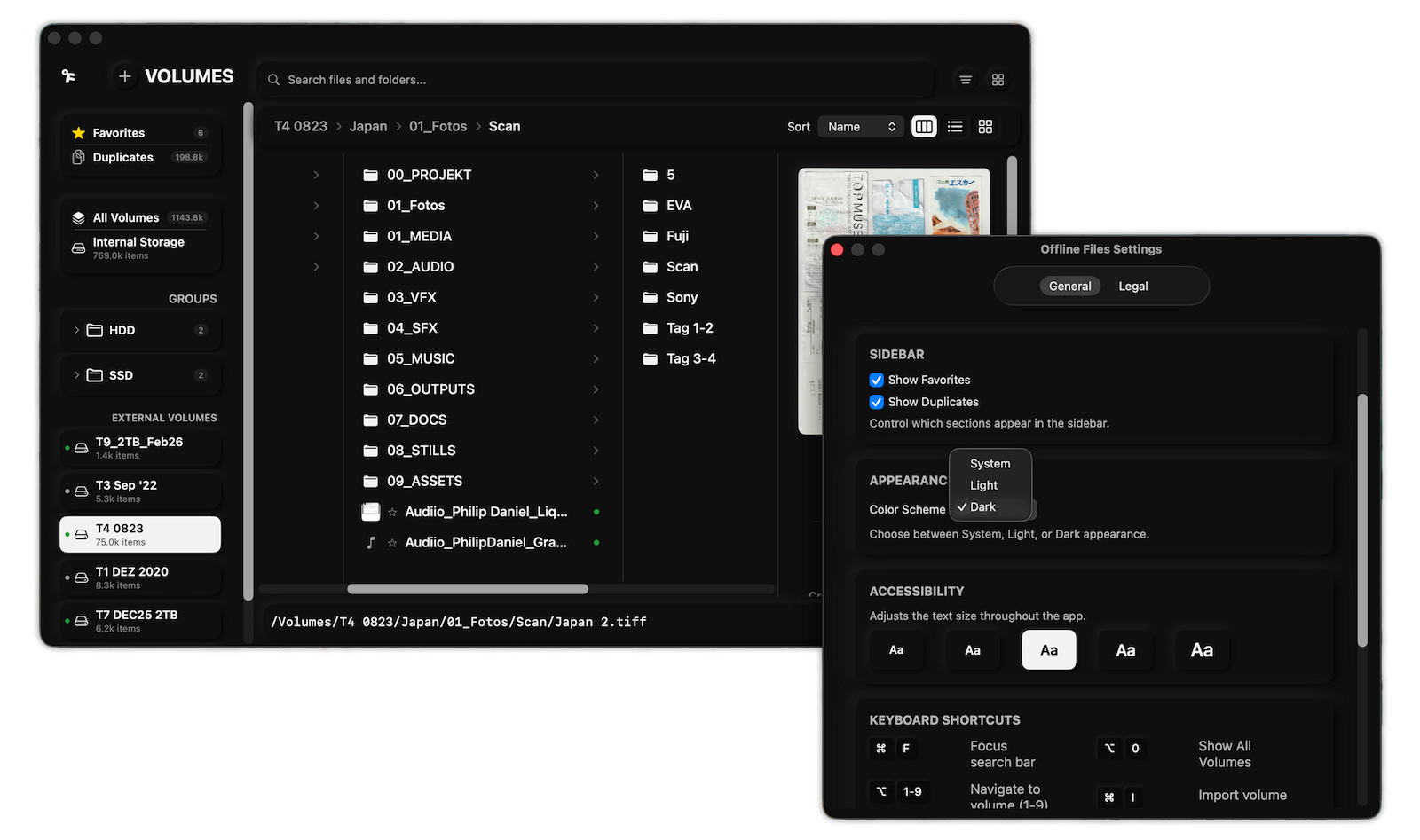
Duplicate file detection
Offline Files analyzes the indexed volumes and detects duplicate files across all scanned drives. These duplicates are grouped and displayed sorted by size.
This reveals where redundant files exist. This can be helpful for archive maintenance or storage optimization.
Preview, metadata and organization
A preview function with QuickLook integration is available for individual files. The app also displays extended metadata.
Notes can be added to each volume. Frequently used files can also be marked as favorites. These features help to better organize the index.
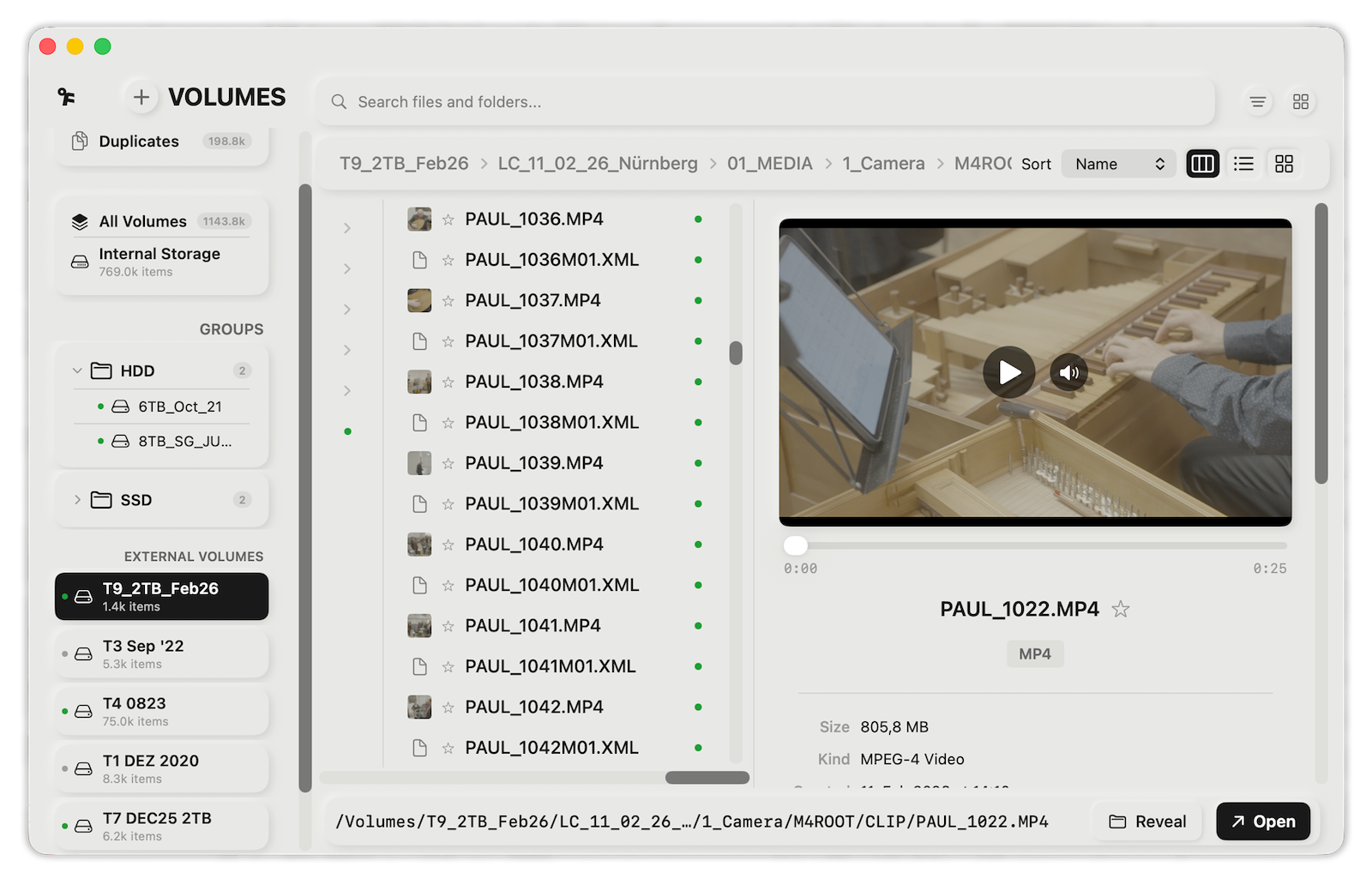
Central overview and menu bar access
A central overview displays all indexed drives. The following information can be viewed there:
- Status of the respective volume
- Free storage space
- Time of last synchronization
Additionally, Offline Files offers quick access via the macOS menu bar. This allows searches to be started directly.
Fully local working methods
Offline Files works entirely locally. There is no cloud connection and no data transfer to external servers. Only metadata is stored, not the actual file content.
The app is designed purely as an indexing and search tool. Files on connected drives are neither edited nor deleted.
Offline Files as a central search tool for archives
Offline Files offers a clear solution to a practical problem when working with external hard drives under macOS. Thanks to local indexing, file information remains permanently searchable, even without a connected drive.
The combination of automatic updates, filter functions, duplicate detection, QuickLook preview, Volume Groups, notes and favorites creates a structured overview of distributed data sets.
With a one-time purchase price of €7.99 in the Mac App Store and no subscription required, Offline Files is aimed at anyone who regularly works with multiple external drives and wants to manage their contents efficiently. (Image: Paul Kothe x Apfelpatient)
- iOS 26.4 Beta 3 is here: Next step towards release
- Paramount plans mega streaming service with HBO
- Apple unveils new accessories for spring 2026
- Will an iPhone 16e case also fit the iPhone 17e?
- iPad Air with M4 is here: Here's what the update offers
- The iPhone 17e is here: Here's what's inside the new model
- Apple TV impresses at international award ceremonies
- Anthropic: Claude climbs to number 1 in the App Store
- Apple Stores in the UAE temporarily closed
- Anthropic: Why download numbers are exploding right now
- ChatGPT is approaching 1 billion users per week
- „"Steve Jobs in Exile": The book about humiliation and discipline
- Apple TV: Brazil is the second largest market
- Apple and the DRAM shortage in 2026 in focus
- Apple Watch will solidify its market leadership in 2025
- Apple officially launches Xcode 26.3
- Apple receives NATO approval for iPhone and iPad
- Apple TV expands "For All Mankind" with "Star City"
- Apple confirms several days full of new products
- Apple accepts doubling of RAM costs
- iCloud dispute: US demands clarification from UK
- Apple receives new fine in Brazil
- Apple offers insights into US chip manufacturing
- App Store to dominate gaming market in 2025