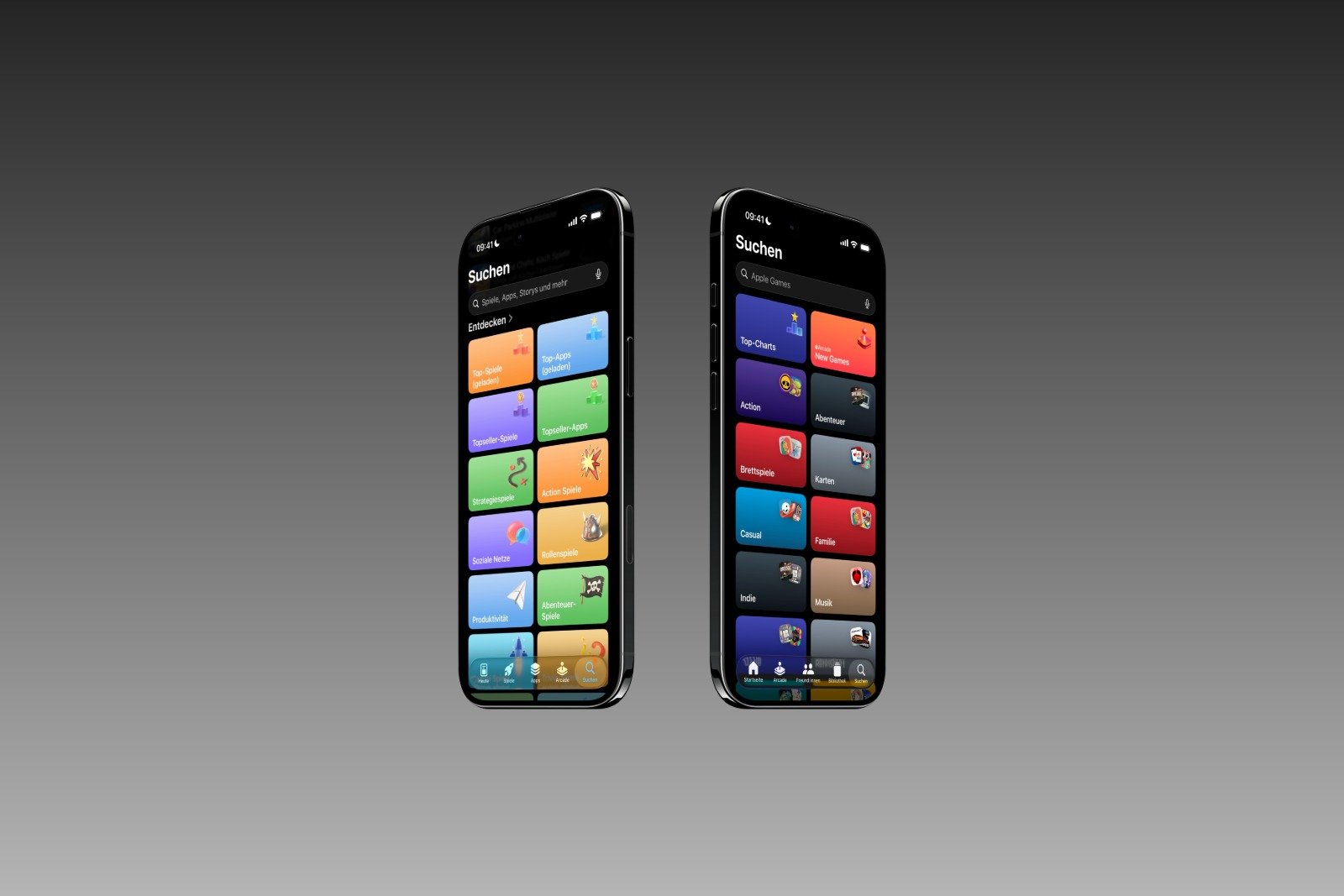
With iOS 26.4, Apple is making visible design adjustments in the current beta phase. The focus is on two apps whose search function is now more closely aligned with the familiar layout from iOS 18. What initially appeared to be an isolated design flaw has been confirmed with the second beta as a deliberate decision. Specifically, the changes affect the design of the search function in the App Store and the Apple Games app. This includes the position of the search button and the placement of the search bar on the screen.
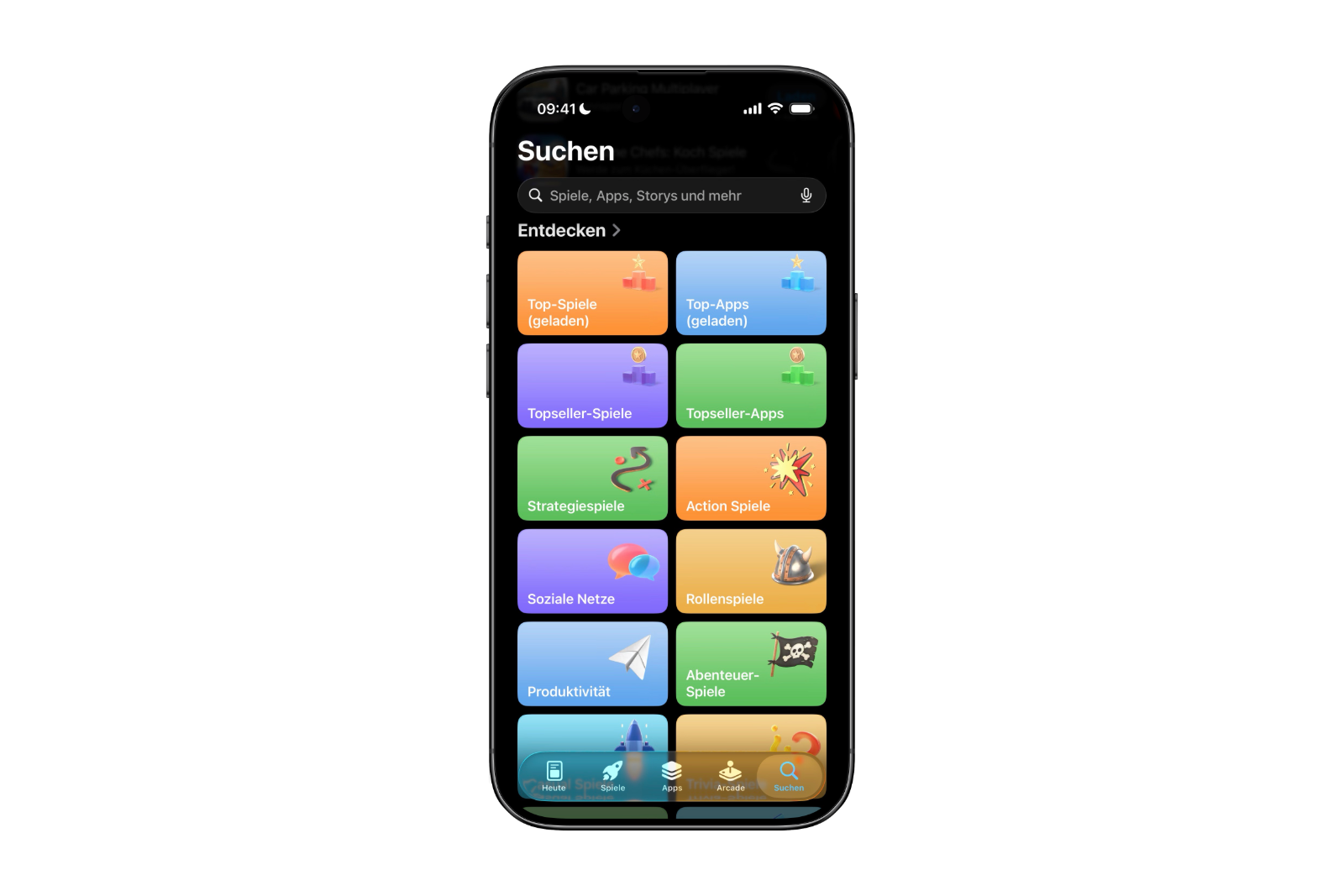
When iOS 26.4 Beta 1 was released, a noticeable deviation from the previous iOS 26 design became apparent in the App Store. The search function suddenly no longer matched the layout introduced with iOS 26. Instead, it appeared to be a return to iOS 18.
This was evident in two specific points. Firstly, the search button was once again firmly integrated into the tab bar. Secondly, the search bar was again located at the top of the screen. Both elements corresponded exactly to the layout known from iOS 18.
Since no other app exhibited these changes at the time, it seemed like it might be a mistake. Alternatively, there was speculation that Apple was deliberately drawing more attention to the advertising space at the top of the App Store. A clear assessment was not possible initially.
The difference between iOS 18, iOS 26 and iOS 26.4
To properly understand the changes in iOS 26.4, it's worth taking a look at the evolution of the search design.
In iOS 18, the search function was a regular tab within the tab bar at the bottom of the screen. Anyone opening the app would find the search function as a fixed part of the navigation. The actual search bar was located at the top of the screen, as is common in many apps.
With iOS 26, Apple changed this concept. The search function was removed from the tab bar and displayed as a separate button. At the same time, the search bar moved to the bottom. This new layout deviated significantly from the previous pattern and resulted in a noticeably different user experience.
iOS 26.4 partially reverses these changes. The search button returns to the tab bar, and the search bar is once again placed at the top of the screen. This brings the system closer to the layout of iOS 18.
Beta 2 confirms the design decision
The decisive turning point came with iOS 26.4 Beta 2. There, the same changes that were initially only visible in the App Store were also implemented in Apple Games.
In Beta 1, Apple Games still used the previous iOS 26 design, with a separate search button and a search bar at the bottom. With Beta 2, the layout was adapted to the new scheme. The search function is now also part of the tab bar again, and the search bar is located at the top.
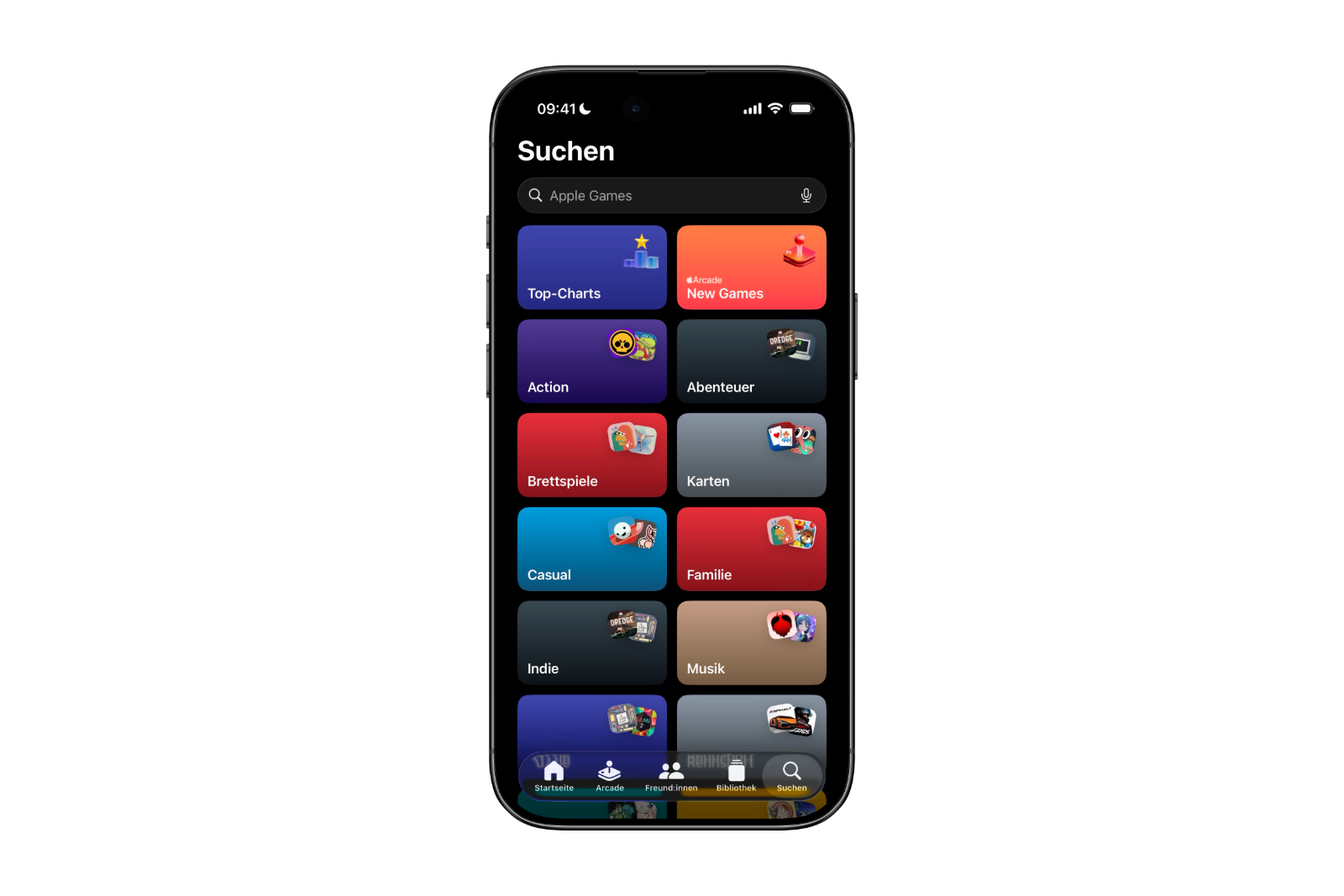
This makes it clear that this is not an isolated bug. The customization was actively applied to a second app. This strongly suggests a planned design fix within iOS 26.4.
Current status and possible expansion
Currently, the App Store and Apple Games are the only two apps to have received this updated search design. Other system apps continue to display the original iOS 26 layout.
Since Apple has already extended the changes from one app to a second, it's likely that more applications could follow before iOS 26.4 is officially released to all users. Such standardization is not unusual during the beta phase. Apple regularly uses this time to eliminate inconsistencies and harmonize the user interface.
iOS 26.4 relies on familiar navigation
iOS 26.4 doesn't bring a complete system redesign, but rather targeted adjustments to the details. The return of the search button to the tab bar and the repositioning of the search bar at the top of the screen are clearly based on iOS 18.
What appeared to be an unusual, isolated decision in Beta 1 is confirmed in Beta 2 as a deliberate design correction. Whether Apple will extend this "new old" search design to other apps before the final release of iOS 26.4 remains to be seen. However, the current state clearly shows that Apple is reviewing the navigation concept and adapting it to established structures. The best products for you: Our Amazon storefront offers a wide selection of accessories, including those for HomeKit. (Image: Apfelpatient)
- iOS 26.4 Beta 2 tests secure RCS chats with Android
- iOS 26.4 Beta 2 launches: Apple continues testing phase
- Apple TV is betting on Wonder Pets Season 2
- Apple Sports expands soccer and tournament schedules
- Apple TV shows new thriller "Unconditional"
- iOS 26.3.1: Apple tests new iPhone update
- How Trump's import tariffs are making life difficult for Apple
- WhatsApp is testing a feature to hide texts
- Apple Ferret-UI Lite: The smart way to on-device AI
- Illegal tariffs: Will Apple get its 2 billion back?
- MacBook Air M1 sold out: What does Apple plan next?
- Perplexity brings the Comet browser to the iPhone
- Apple and the battle over NFC fees in Brazil
- Avalanche disaster: iPhone becomes a lifesaver
- Apple vs. Jon Prosser: Trial gains momentum
- Apple case designed to connect iPhone to satellites
- Apple and CSAM: Lawsuit raises serious allegations
- WhatsApp adds an important feature to groups
- Apple C1X modem: First failure raises questions
- Apple TV adds "The Hunt" to its March lineup
- Lawsuit against Meta: Apple becomes part of the debate
- iOS 26.4 opens CarPlay for ChatGPT & Co.
- iOS 26.4: This is what the new CarPlay streaming looks like