apple patient
  • Home
  • News
  • Rumors
  • Tips & Tricks
  • Reviews
  • Insights
No Result
View All Result
  • Home
  • News
  • Rumors
  • Tips & Tricks
  • Reviews
  • Insights
No Result
View All Result
apple patient
No Result
View All Result

Apple Clips: These are the new features

by Milan
April 3, 2019
in News
Image: Apple

Image: Apple

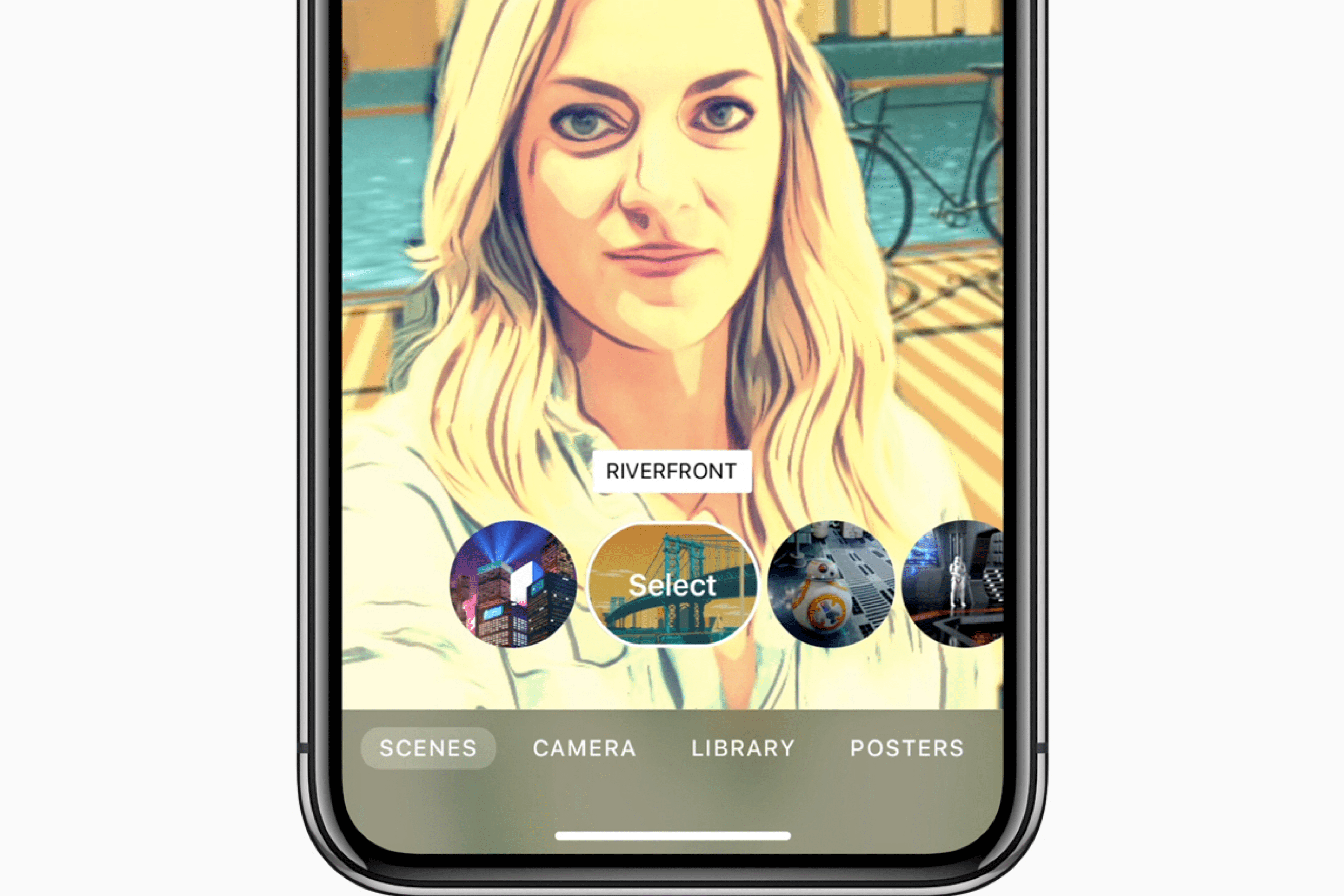
Apple updated its Clips application yesterday evening. The update brings new filters, additional graphics and much more.

Apple has updated Clips, its Snapchat-like iOS video recorder, with a new camcorder filter, as well as additional posters, stickers, live titles, and sharing options. The new sharing options allow sharing via email or AirDrop, and uploading to various cloud storages is now supported. ClassKit compatibility has also been added, allowing students to share projects via the Schoolwork app for iPads.

One of the highlights of the update is GarageBand integration. Users can now import music from GarageBand or similar applications. Clips can be downloaded for free from the AppStore for iPhone and iPad - the app requires iOS 11.1 or later.

All new features at a glance:

• Use the new Camcorder filter to make your videos look like footage from an old camera.
• Choose from 8 new posters with options for solid color backgrounds, colorful old-fashioned designs, a classic blue camcorder recording screen, and an animated globe to celebrate Earth Day.
• Create titles and subtitles for three new live title styles with static text that appears all at once or animated text that highlights each word as it is spoken.
• Add emphasis to your videos with new 8-bit and 3D-style stickers.
• Create songs in GarageBand and other music apps, then add them directly to new or existing Clips projects.
• Duplicate and rename projects.
• Share projects with friends via AirDrop or email, save them to Files, or upload them to cloud services using sharing extensions.
• ClassKit support enables students to send video assignments to teachers using the Schoolwork app.


Don't want to miss any more news? Then subscribe to our Telegram channel here
Add Apfelpatient to your Google News Feed. 
Was this article helpful?
YesNo
Tags: iOSiPhone
Previous Post

Apple Watch Series 4: ECG function detects atrial fibrillation in German user

Next Post

Apple Watch Series 5: New supplier for OLED displays

Next Post
Photo by Unsplash

Apple Watch Series 5: New supplier for OLED displays

Apple AI

Apple AI is testing multiple solutions in parallel

April 30, 2026
Apple Glasses Smart Glasses

Apple Glasses: All the rumors at a glance

April 30, 2026
iPhone 18 Apple

iPhone 18: All the rumors at a glance

April 30, 2026

About APFELPATIENT

Welcome to your ultimate source for everything Apple - from the latest hardware like iPhone, iPad, Apple Watch, Mac, AirTags, HomePods, AirPods to the groundbreaking Apple Vision Pro and high-quality accessories. Dive deep into the world of Apple software with the latest updates and features for iOS, iPadOS, tvOS, watchOS, macOS and visionOS. In addition to comprehensive tips and tricks, we offer you the hottest rumors, the latest news and much more to keep you up to date. Selected gaming topics also find their place with us, always with a focus on how they enrich the Apple experience. Your interest in Apple and related technology is served here with plenty of expert knowledge and passion.

Legal

  • Imprint – About APFELPATIENT
  • Cookie Settings
  • Privacy Policy
  • Terms of Use

Service

  • Netiquette
  • Partner Program
  • Push Notifications

RSS Feed

Follow Apfelpatient:
Facebook Instagram YouTube threads threads
Apfelpatient Logo

© 2026 Apfelpatient. All rights reserved. | Sitemap

No Result
View All Result
  • Home
  • News
  • Rumors
  • Tips & Tricks
  • Reviews
  • Insights

© 2026 Apfelpatient. All rights reserved. Page Directory

Change language to Deutsch